On an ASRockRack x470D4U I am utterly baffeled by the IPMI Firewall. I need to restrict the IPs that have access to the IPMI remotely so that the Internet doesn’t instantly hack my server.
You cannot use CIDR notation and have to fill in IP ranges… so… I enable a few IPs for me, and wish to block all other IPs in the universe. You can’t set 0.0.0.0/0.
How in heck does this work?
Thanks for input from folks using these boards in the wild.
my co-lo gives me just one IP block and two ethernet links, IPMI + OS. I suppose I can have them block access to the IPMI for all but some defined IPs, but my IP ranges change from time to time, I would repeatedly have to create tickets asking to adjust those ranges.
Is there no way to get the ASRock IPMI firewall working to restrict access to selected IPs + Ranges? What is the use of the IPMI firewall?
trust noone with your IPMI, use certificate based authentication for your IPMI login and make sure you’re ALWAYS up to date.
When the board EOL’s, switch servers. Do not be lazy here.
If you send an old HP BMC ‘AAAAAAAAAAAAAAAAAAAAAAAAAA’ in a get request, it bypasses authentication. That vulnerability went undisclosed (not undiscovered) for a decade.
The bad thing is that ASRock Rack’s BIOS and BMC firmware quality is a big dumpster fire (the biggest one I have ever seen from a major motherboard manufacturer, even worse than Broadcom).
The BMC has its own Realtek NIC on the X470D4U but it’s also connected to one of the two I210 NICs. Properly seperating it from the Intel NIC via the IPMI UI is seemingly impossible.
I still use two of these motherboards since I could work around the other various bugs that likely never get fixed (ASRock Rack has known about the various issues basically since the motherboard was released but chose to do nothing about them) but that one really pisses me off since for me it makes the I210 NICs useless due to security concerns even if the 2 x 1 GbE might be fast enough for the intended task, leading you to always waste a PCIe slot for “secure” basic ethernet functionality because of that.
They call it a “fallback option”, I wish they’d make it optional with something like a physical jumper so you can choose to absolutely never ever make this “networking contamination” possible.
Which is especially stupid when you consider most servers now have 10gig ethernet integrated. That would be great having 10 gig IPMI for iso upload except the max iso image size is smaller than Windows Server 2022…
I have nice Supermicro M11SDV-8C-LN4F in the colo right now, and the firewall works just fine (wheneber my IP changes and I can’t connect to the IPMI page, need to use the command from RHEL running on the server and change it.)
EPYC-3251 is great. It’s just getting to be a bit slow.
I have this nice X470D4U with a 3700X in it in the homelab. At just 10W more TDP it has a good 50% more GHz at the same core+thread count.
It’s all setup. Even got a a chunky Dynatron passive heatsink for it for the 1U chassis.
And… yeah, went to deal with the IPMI Firewall (never touched it in the homelab) on the X470D4U and was ASTOUNDED that it just. doesn’t. work. at. all. I can block everything and still doesn’t work. It’s evidently completely non-functional.
Yeah, uh… thanks guys. Your suggestion to have the the co-lo management block and filter the IPMI is the only way… or… turn IPMI off entirely. Which would make the X470D4U useless outside of a homelab.
Separately from the broken firewall issue, the X470D4U IPMI fallback interface (of LAN2) can be disabled. I found the instructions in the Servethehome forums by a user named ricardo-sf, I’ll quote the salient points here:
Unbonding and disabling the BMC on LAN2
In the BMC;
Power down the machine, then open the BMC
Go to Settings -> Network Settings -> Network Bond Configuration
Deselect "Enable Bonding"
Wait for the BMC to reboot
Go to Settings -> Network Settings -> Network IP Settings
Select eth1 under the "Lan Interface" dropdown
Deselect "Enable LAN"
Wait for the BMC to reboot
The BMC is now no longer bonded or enabled on LAN2
I have this set on my X470D4U and can confirm it works - IPMI / BMC is relegated to the dedicated IPMI ethernet interface.
Will check it again to ensure I’m not getting crazy.
What version of the IPMI Firmware are you using? I’m running 03.04.06, to my knowledge the latest, “less buggiest” that ASrock Rack worked on in late 2023 (file date December 1st, 2023).
Unfortunately you have to “ask around” to get such updates since ASRock Rack is extremely unreliable in updating their public support websites and as mentioned there have been many IPMI security issues you’d be f’d with if you stayed on that public version 03.02.00 from 2021.
What kind of colo setup do you have? Are you paying for a 1-4U slot or is it quarter rack? Are you only housing the server or do you have room for something else?
If you have a managed switch with VLANs you should be able to shuffle things around better, and you could use a Raspberry PI with Tailscale/Zerotier/etc to connect to the IPMI on the server.
Assuming you can’t get the IPMI unbound from the other LAN port then you could have a decent managed switch set up to do MAC based VLAN tagging so that you can either black hole it or shuffle it to another port.
If you have more flexibility than an xU sized slot then that could give you more options at least.
Also, as far as having the colo block IPs to all but a specific range to the IPMI port, you could either rent a super cheap VPS and route things through there to tap into your IPMI, or you could do something like get a dedicated IP VPN through PIA. That would allow you to always have the same IP when you go to hop into IPMI and you wouldn’t need to worry about your home WAN IP rotating.
I have a 1U slot, one 1Gbit + one IPMI ethernet port, 1 subnet, 1 TB transfer, and 75 Watts power budget via UPS. That’s basic co-lo here in Germany*. =)
I do not have access to the switch or the firewall that lies beyond my ports. Surely the ISP will filter for me if I ask them to, they are rather acommodating. It would mean asking them to change filetred IPs and ranges any time something changes on my (remote) end.
To my rack space: it’s a 1U slot. But you have suggested something that I hadn’t considered yet:
There is room between the server chassis and the PDUs at the far end of the rack. I could pack a PI back there, needn’t even have any real KVM functionality, just a firewall that I can manage and a proxy for the defective ASRock KVM. Or some PI Distro that does real KVM duty as well, sure. Any Linux that is updatable and patchable and won’t get hacked via ancient exploits. A PI 4 with real gigabit NICs would do (but who cares actually, it’s just for the BMC… although… could do more). I have PI 5 here that’d be overkill.
Good suggestion.
For the Germans among us: you’d think Telekom Business Fibre Service (bookable also on residential fibre) would be an alternative to a real colo – gigabit is gigabit, yes? No it’s not. It’s quite expensive and the the SLA is rather restrictive. You’d not want to run your main email server in your basement like that, unless potentially days or more downtime are OK.
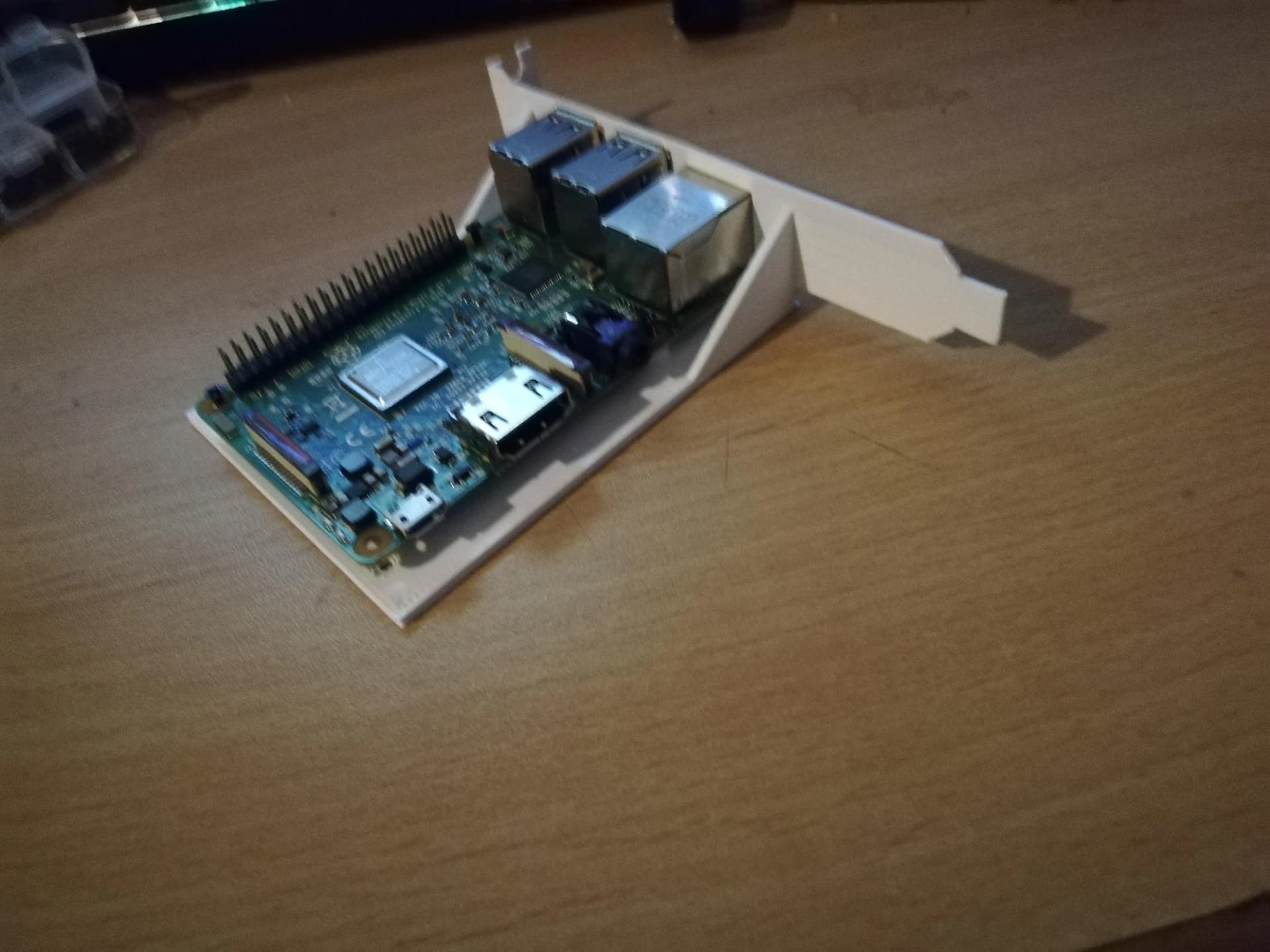
I was primarily talking about using the Pi as a VPN bridge/firewall to protect your ASRock IPMI. You could get something like a CM4 and one of these:
to DIY a micro firewall/VPN bridge. One eth from the server to LAN1 and the other to the WAN.
You could also, in theory, stuff it into a PCIe slot on the server and wire it up internally. If you don’t have a USB port inside of the case then you can use a USB header to USB-C to power it.
The one slot in the 1U chassis (via a riser) is filled with an 4x NVME adapter (splitting the x16 slot into four x4 via bifurcation) but that Pi slot holder is cool nonetheless.
I am preparing what you have suggested though: a Pi as a firewall for the IPMI, mounted into the empty space next to the mainboard, to make up for the deficiencies of the ASRockRack BMC implementation’s essentially defective firewall.
May I ask for some more details if you’ve used a Pi this usecase? I have not used a Pi for more than audio streaming and home automation (quite alot of those though).
I have a Pi 5 here. It’s not in use. Mightilly overkill, but who cares.
Pi OS with Firewalld? I am a certified Red Hat Enterprise Engineer, so, firewalld is a known quantity. I will have to cringe and deal with Debian, but oh well.
I was just looking at OpenWRT, maybe I should Keep It Simple and just do Pi OS an be happy.
USB 3.0 1gig Ethernet adapters? Seem ubiquitious these days. Evidently anything with an AX88179 controller is a known quantity.
I haven’t done this specifically, I’ve got a way more complex setup in colo, but just a quick and dirty idea would be to set up the Pi with a WAN IP and a proper firewall, and then you can either configure OpenVPN on it or can use something like ZeroTier and can bridge that to the LAN interface.
I haven’t messed with OpenVPN for this, but I use ZeroTier a lot to mesh together a 6 node Proxmox cluster.
In that setup you can set up a bridge across the ZT interface corresponding to the network you joined and the LAN interface. In the ZT web portal you enable bridging, and set the desired sublet. I forget if the bridged devices will get an IP from ZeroTier because I don’t have that setup and instead have my own DHCP server running on the network. On another ZT network I also have static IPs assigned to my Proxmox nodes.
In your case I would probably statically assign an IP to the IPMI interface and adjust the auto assign IP range to exclude that IP.