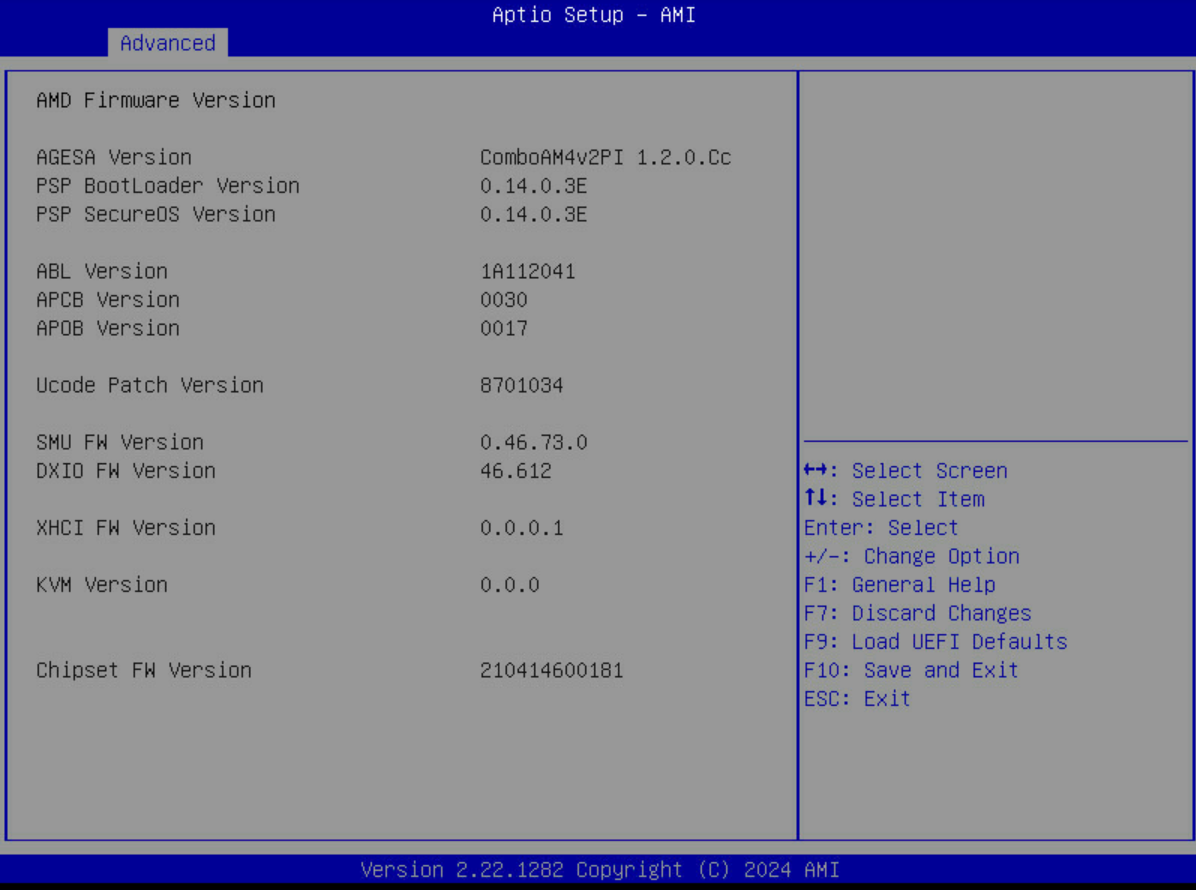
Do let us know if you end up getting a 1.2.0.E or newer BIOS for the x470D4U.
My X470D4U (4.29A BIOS) is getting a nice Ryzen 7 5700X upgrade (currently has a Ryzen 5 3600, which has been just great, but running the Router + Firewall in a VM on it really sucks some compute when I have Snort enabled, I barely get 1Gbit throughput on the WAN… but thankfully they make these awesome new and cheap AM4 CPUs with higher clock and IPC on Xen 3!).
This little board has quite abit of life left in it. It is so efficient compared to my X570 board, it’s just awesome.
I went so far as to get a M.2-Occulink-PCIe adapter and got two PCIe 3.0 lanes usable for my Mellanox 10Gbit NIC, I have the 3.0 x 4 slot for an LSI 9300 HBA, and the 3.0 x 16 slot is bifurcated and has 4x NVME drives on it. Oh right, and as we all know, DDR4 is cheap. This is quite bang for the buck!
Anything more would mean an Epyc board and vastly more power consumption, or vastly more cost if its something modern and lowe power.
Any idea if 1st gen Ryzen is supported in that new BIOS? My board has a R7 1700 (non-X!) in it, I have little interest to brick the board if said 1700 CPU is not supported
I don’t know how AMD handles security issues on AM4 affecting Ryzen 1000 CPUs, I only have Zen 2 CPUs and newer for testing stuff.
BUT with the IPMI/BMC you won’t have a bricked motherboard:
In case of it not booting with the combination of BIOS 4.29C and a Ryzen 1000 CPU just use the IPMI web interface to flash the older BIOS again. The motherboard doesn’t have to be running for that functionality to work, the connetced PSU just needs to get power so that the little onboard always-on computer on the motherboard can work.
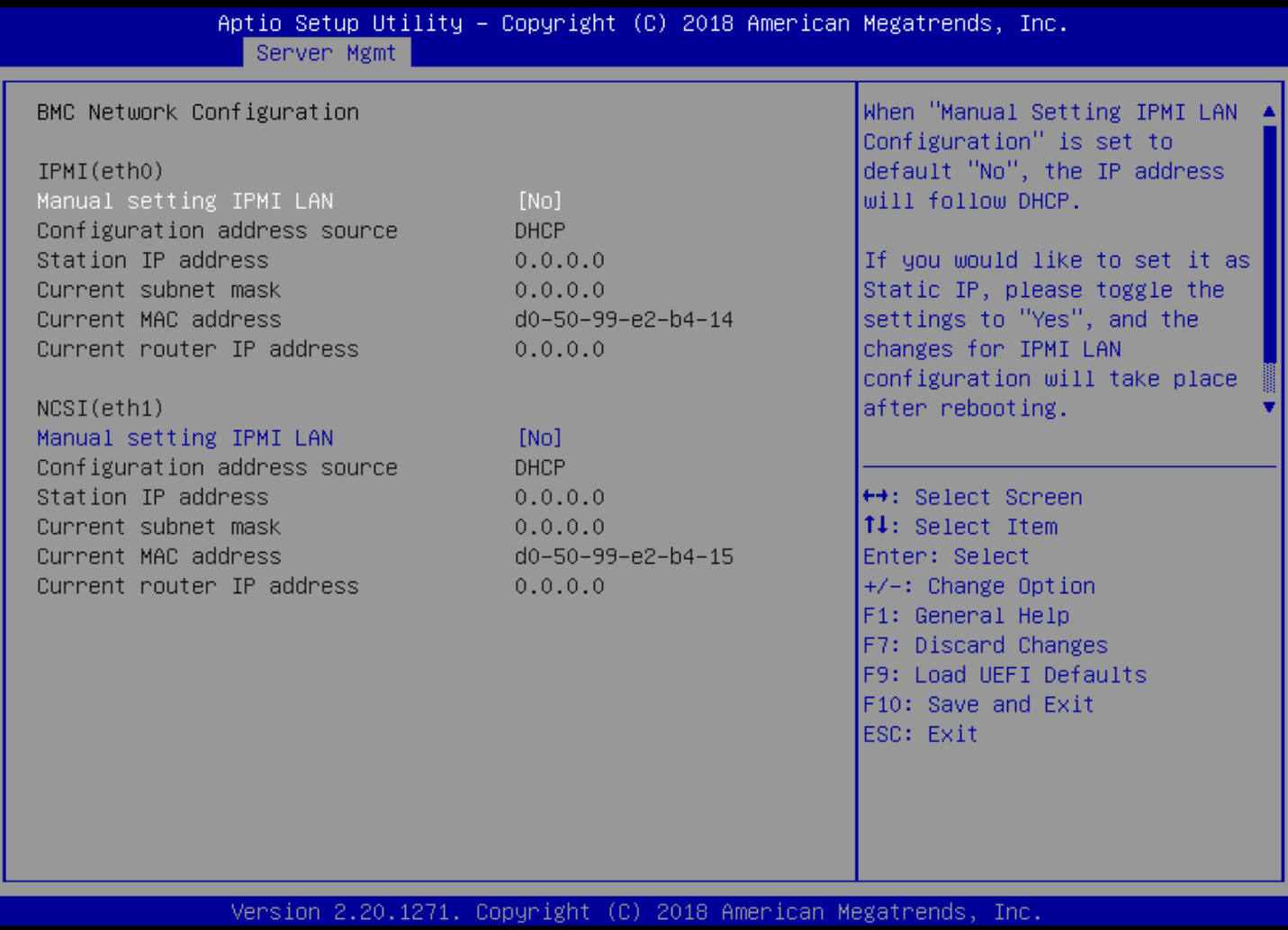
Want to test a spare X470D4U, its IPMI has a static IPv4 address (DHCP is disabled) but I forgot its settings.
Is there a way to connect the IPMI ethernet port to another computer and find out what IPv4 address it is set up with without manually testing every possible combination?
And of course, also don’t have a working analog VGA display or VGA-to-HDMI adapter at the moment…
I have the manual at hand but I couldn’t find anything about resetting the BMC reset via Jumper…
Am I retarded? Am a little under the weather at the moment.
But that aside, does your router not show connected devices anywhere? Regardless whether they get their IP from DHCP or static, they should show up in the router
Speaking of resetting things though… does anyone know how the “Forgot Password” thing works in the IPMI? I would almost assume that would have to reset the IPMI as well, but I don’t plan on finding out right now.
edit:
Actually, IPMI manual says:
I Forgot my Password: If you forget your password, you can generate a new one
using this link. Enter the username, click on Forgot Password link. This will send the
newly generated password to the configured Email-ID for the user
Yeah, the kernel of the issue is currently not having a usable display output to do the reset via BIOS or an OS. Took that as a hint and ordered a VGA Host-to-HDMI display adapter to be never caught with my pants down again.
Yeah these boards only having VGA is a PITA.
I still have my ex’ super old TFT monitor around here that only has a VGA plug
But that aside there’s gotta be some way to resetting the IPMI to factory defaults… imagine you sell that board and forget to do it beforehand… how’s the new owner supposed to use that without your password.
Does anyone here have long-time experience with the X470D4U with Proxmox running a few light VMs (1 Gbit/s router stuff) and TrueNAS Scale that gets its HBA and 10 GbE ethernet adapter for NAS purposes via PCIe passthrough?
I can’t comment on PCIe passthrough as I don’t use it, but I’ve used numerous X470D4U’s in the past when they had come out. I only have one right now as my others were upgraded over time, but the one X470D4U I still have in production has been running flawless for years. It’s used as a web server with a few hundred domains running. It’s been great, and stable.
I personally wouldn’t recommend the newer ASRR boards (for AM5 for example) considering SuperMicro has better boards and the newer AM5 ASRR boards still have crashing issues.
That was my quasi exact setup for a while.
The router/firewall was external on another box but for the rest it was running a virtualized TrueNAS with 10GB/s along a few VMs.
Now I went back to running TrueNAS on baremetal giving the recent evolution of supporting VMs, Docker and apps natively.
Hmm, sorry do not use Proxmox, but as to the stability of he board: I have been running RHEL 9 as a KVM host since 2022 on this board, with several VMs including the router for a 1Gbit GPON connection (various software; OpnSense, Arista NGFW, Nethsecurity) which sometimes really gets hammered, but with Virtio virtualized NICs. The phy is a Connect-X3 with 10G DAC. Also it’s a NAS (used both the board SATA as well as a LSI 9300 HBA) and runs Roon, Jellyfin, and the Omada controller (also a VM). The X470D4U has been absolutely stable always under all loads (compute as well as IO).
If it is known that there should be a new BIOS coming (for example due to new AGESA updates) I’ll try to post weekly here so users looking for updates quickly find answers and don’t have to rely on ASRock Rack’s website
If it is known that there should be a new BIOS coming (for example due to new AGESA updates) I’ll try to post weekly here so users looking for updates quickly find answers and don’t have to rely on ASRock Rack’s website