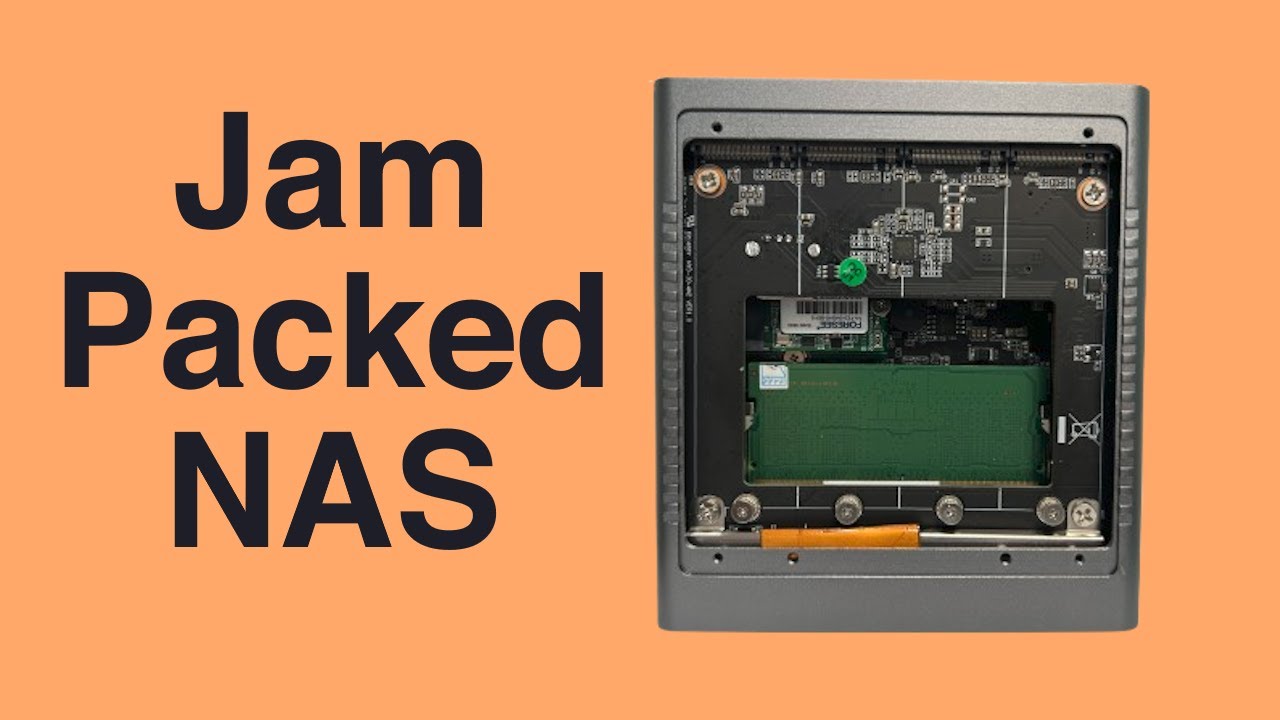
I don’t trust it. Never heard of that company before. But to be fair, I also don’t trust Samsung, WD and so on. They all had firmware or hardware bugs in the past.
Thankfully I don’t have to trust them. I put two different drives in a ZFS mirror.
You should have a copy of the data on another storage media of-site. If the these drives corrupt your pool just restore from that.
There is probably a failure mode were these drives does some silent corruption that ZFS is not able to detect. Then the data is backed up to an of-site location and you are fu..ed.
Those cases are beyond my pay grade and are probably unlikely.
I have heard about Swissbit from their industrial product lines, they have a range of eMMC/SDcards/etc with pretty substantial reliability characteristics, and as far as I know do in-house screening of the FLASH they utilize in their products.
So, personally, I would trust an SSD from them to at least deliver the things they advertise.
Seems like an industrial component manufacturer based in germany,
So it should be fine.
This is heresy lol. The only way for a storage device to silently corrupt zfs and btrfs is with a specially designed firmware that knows to update the data checksum too. It can only be very deliberate sabotage.
I also am looking at “Maiyunda M1S 4 bay Mini NAS Storage Server M.2 NVme PCIE 3.0X1 Box Host Soft Router Home Industrial Computer N100 N150 Mini PC” in aliexpress…
I have never used it but remember watching a apalrd’s adventures video about it and liking that it has four slots for 2280 drives and an extra slot for a boot 2230 drive. It is so-dimm DDR5 so you will not be able to use the memory you own. The NVMe drives will be limited in bandwidth but that might be fine. I believe each drive will only get 1 lane of PCIe 3.
Your drives are PLP so that is very good for a NAS application. I don’t know if they run hot. These tiny NAS devices don’t really have the best cooling for the drives so that is something to investigate further.
AM4 with and a motherboard like the Gigabyte MC12-LE0 that was sold in mass on ebay a while ago for 60 euro you can use a standard Ryzen 3600 and connect 4 NVMe to x16 slot. No gpu required because of the BMC. If this will be a home server that can make use of an iGPU take a look at Intel 1700 motherboard with DDR4 support.
@starshipeleven@ThisMightBeAFish I admit that was not a very helpful for OP. It was not even a good way for me to make the point of having a properly set-up remote backup is good. Even the best drives will not survive a house fire or what is most likely for any NAS under my care, user error.
Silent corruption’s can, and does happen in my beloved ZFS, but I have only ever heard of a memory corruption/bitflip, which was then faithfully stored, redundantly on a zfs pool, in tact, but corrupt.
All the other problems, is much more likely that errors on disk, are detected but may not be fixed, and a backup, is the only way to restore a file/block that has been corrupted beyond recovery.
It happens a LOT more than silent corruption, but is an expected failure; the ethos is not to serve known bad data, instead, the zpool status, says to source the corrupt files from backup.
So… Yes, Backups good, and needed, just not for silent corruption
Oh it has a bunch of capacitors on the side (the two row of rectangular ones on the side) so it has powerloss protection, exclusively businnness drive feature.
I am not 100% sure on that one, so all of that with a grain of salt:
I never ever had anything besides checksum errors.
For you to have a read error, you would have to have the error in not only one but multiple drives (depending on your parity settings).
That does also not happens, also because of checksums.
Since you probably use ECC RAM on TrueNAS, you are much more likely that your none ECC clients connecting over SMB or NFS are writing errors.
But to be fair, that is rare and also why people do not care (or even have the option) and don’t have ECC RAM for clients.
That Gigabyte MC12-LE0 is a very good option! I will be watching it and hoping to drop price again.
I have another question, the ryzen 3600 has only 16 pciex lanes, the chipset uses 4x lanes, so the pciex 16 will only use 12 lanes? or do I have to choose the ryzen 3800 that have 24lanes?
if the error occurs while the data is being readied before the checksum is created, then zfs will sucessfully checksum the junk data and store it.
It’s rare enough, but that is the reason ECC is promoted for data integrity.
But it’s also rare enough that for me, it’s an acceptable risk. Yeah, maybe I loose a file here or there, but it’s never hurt me, and lack of ECC modules available at reasonable rates back before AI-pocolypse dictated my acceptance if it.
Bear in mind, all filesystems have data errors, but most don’t know about it at all, and most systems work fine, until the wrong file develops an error.
there are tools like chkdisk and such to check for corruption in some filesystems, manually.
yes, this is what I mean by a file having an unrecoverable error.
All the files are checked upon read, and the system automatically replaces all the corrupt files / blocks it comes across, with a good copy from another driver, and carries on it’s day. Occasionally, rarely, the other copy / parity, has also become corrupted. In which case, zfs marks the block / file as junk, and prints a error message, viewable in spool status.
I’m only a home-gamer, with less than 60TB of data stored on zfs, both HDD and flash, but not all hot, and have hap, perhaps 3 files that have had all copies corrupted, and needed to re-source them from backups.
That is the system, working as designed.
the silent write in memory, is not the system working in design, but the recommendation of ECC, is the mitigation for it.
Just got the gigabyte MC12-LE0 motherboard and a ryzen 5500 cpu!
I’ll have to update the bios now, because it doesn’t detect the cpu… the bios is older than the cpu release… and its not easy, I need a older compatible cpu to do it also…
I was able to update the BMC and bios without a working CPU, multiple try’s, and I really dint know what was the solution…
The problem I have is not being able to use all the 4 nvme drives in the pciex16x slot, at 4x4x4x4x sometimes detects 2 drives, sometimes 1… but at 8x4x4x it can detect 3 drives.