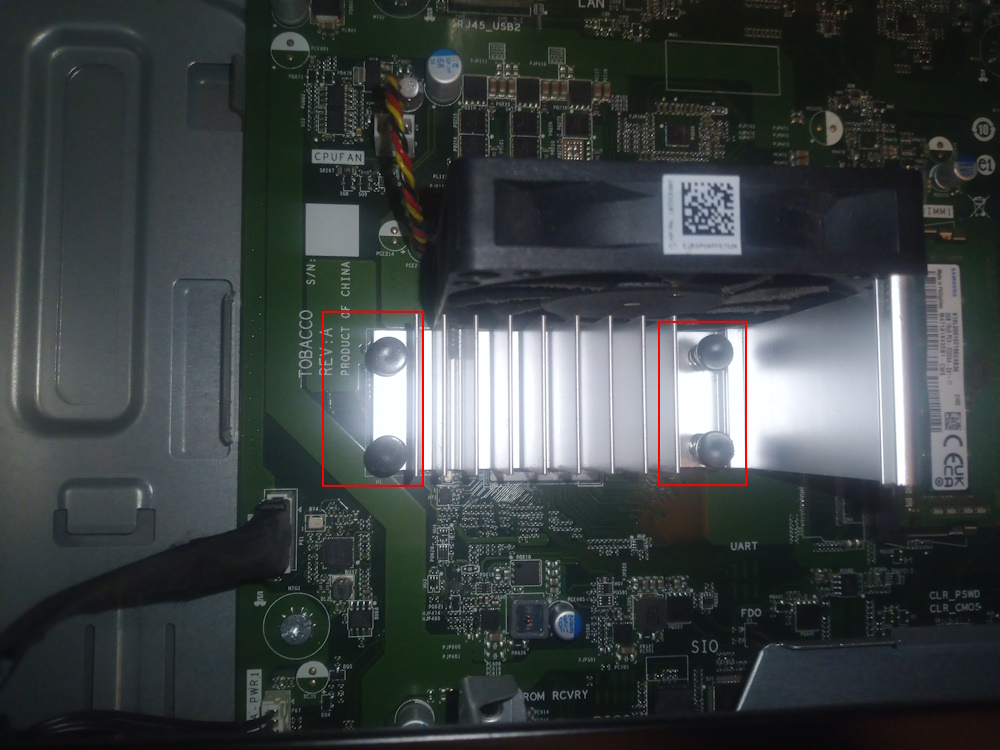
Hi I’m trying to apply thermal paste but I’m having a difficult time accessing. I can’t seem to remove the pins area no idea if you pull those or push no indication to turn. Dont want to damage anything. Can anyone help?
you have to take the motherboard out and carefully squeeze the plastic from the other side so those plastic pegs pop out. I take it whatever this is is overheatting and the paste has degraded?
yeah its a budget desktop from hp, so id imagine the paste has degraded. I was on a different site and had posted that my pc was making a loud humming like the fans overworking, and it was suggested that i remove the heatsink and replace the thermal.
maybe use the hwinfo64 utility and see where it is overheating? if its your cpu repasting here won’t help. The paste here might be okay? but maybe not.
hwinfo64 is a free utility that shows temps and power. Can use it to see which part of your computer is hot and maybe throttling.