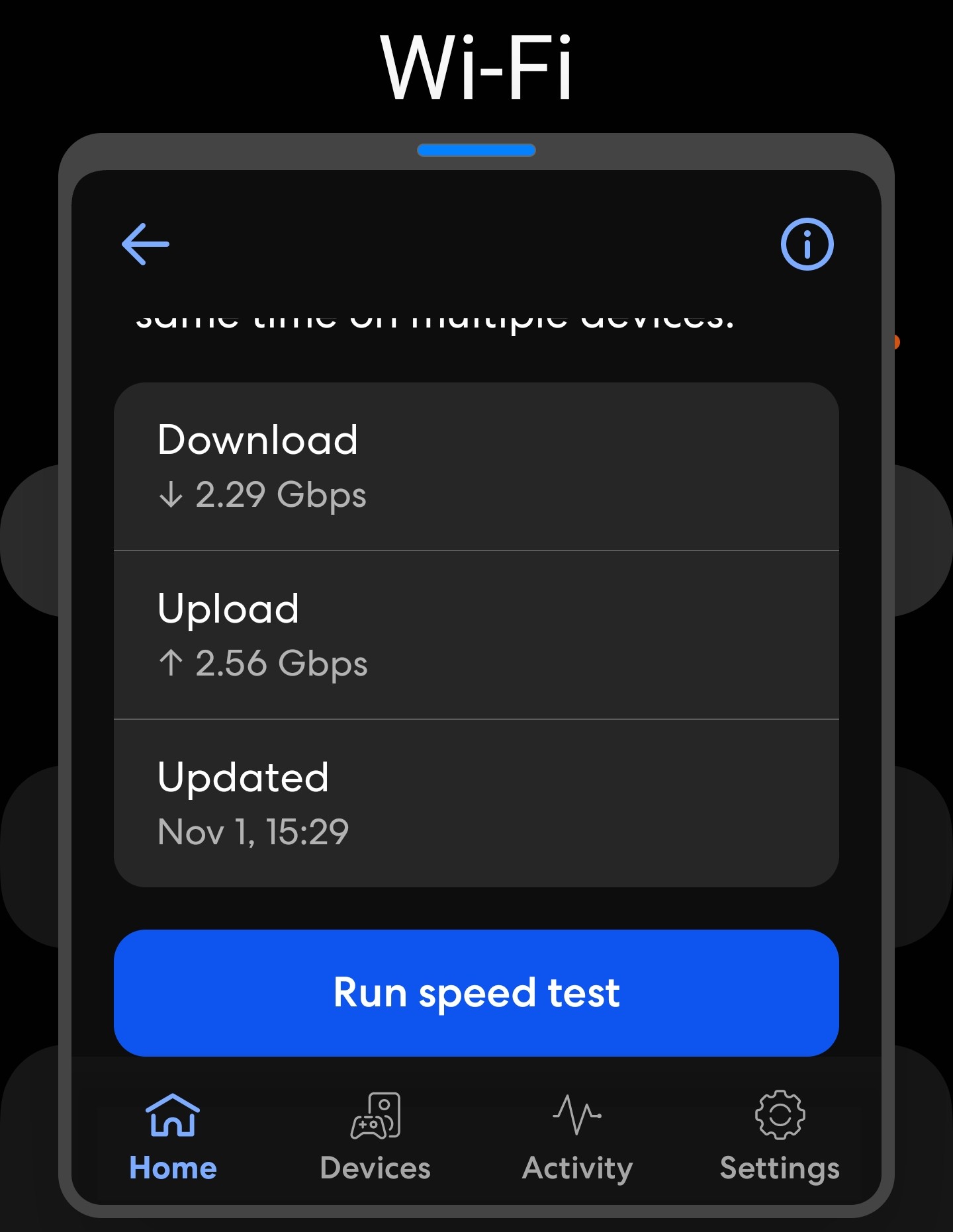
Anyone got suggestions for hardware to take advantage of a 2.5 gigabit internet connection?

So I’m moving and the image above is the capability of the internet connection I got hooked up to my new place. I’m kind of at a loss on where to start on what to buy to even take advantage of a connection this insane. My current house has a 37mbps connection…:sweat_smile:

So I want to ditch the leased box from the ISP at the new place and all of my current gear is both figuratively and literally garbage.

The things I need are:
1: A router box, DIY or otherwise (I’d like to learn how to run my own with OPNsense)
2: A 2.5gb switch to plug all my stuff into.
3: USB or PCIe 2.5gb NICs for my NAS and various other PCs.
4: A solution for getting the internet across the 2,100sqft house without falling into the trap of a million mesh points. (I can’t wire through walls)
5: An access point to connect to wifi and plug into the switch with all of my devices in another room of the house.

I don’t have a set budget in mind, but I don’t want to spend an unnecessary amount since I’ll only be at this house for 12-18 months, but I’ll take any and all suggestions to get me a starting point on what to research.

Thanks in advance, I’d be lost without forums.

There are quite a few companies you can go with for 2.5gb+ routers, switches, and APs:

UniFi makes a nice set of equipment for relatively low price with great features. A Cloud Gateway Fiber,Flex 2.5gb switch, and U7 Pro AP for instance would get you what you need for $630.

TP Link with their Omada line of products, where a router, controller, poe switch, and wifi AP will run you around $950.

Netgear you can put in just a basic all in one consumer wifi router and a “smart switch” with some basic L2 features for $500, or you can go with their more professional line and get a router, switch, and AP for $1530 with an ongoing $10/yr subscription fee.

Firewalla has the router and AP but they dont yet sell switches, and this would cost you around $1320

Mikrotik has hardware with 2.5gb ports for $820, but as this is your first foray into better gear I dont recommend them as the products are difficult to learn. Mikrotik seems to have better deals when you stay in the 1gb space, and far better deals when looking at really high stuff like 40 and 100gb networking, but they dont really seem too competitive when trying to find only 2.5gb products.

All of those companies and products are for roughly comparable systems: a router with at least 2.5gb ports, a switch with 2.5gb ports, at least some poe+ ports, and a single wifi access point with a 2.5gb port on it. It is sad to see how far costs have risen. TP Link Omada used to be the same price as Unifi for the same hardware specs, Netgear was only a little bit more. I thought the Unifi price increases had been bad, but looking at its competitors now I guess I cant complain.

The other alternative is to keep your ISP router and just add an unmanaged netgear 2.5gb switch for around $100 to just get more wired ports without any extra features to the system.

You might think this is silly and it is, but my old roommate and I used command strip products (hooks I think) around the place and the Ethernet cable fit perfectly inside. Tacky kinda, no power tools, landlord happy, we get Ethernet speeds and security deposit back.

1 Like

For PCIe NICs, I’ve had better success with Realtek RTL8125-based cards than Intel i225 or i226. I didn’t experience any problems with the Intel NICs in always-on devices like a NAS or router, but for PCs which are sleeping, every single i225/i226 I tried would regularly fail to negotiate a 2.5Gb or even 1Gb link speed after resume, instead falling back to 10Mbps or 100Mbps (or no connectivity at all). That was for both onboard and add-in cards and occurred in both Windows and Linux.

The Realtek RTL8125-based cards I replaced them with have been 100% trouble-free.

  1. Router: N150 based minipc w/ 2x 2.5g NICs ($150) + pfsense
  2. Switch: 8 Port 2.5G Gigabit PoE Web Managed Switch with 10G SFP ($95)
  3. NICs: USB ($24); consider 10gb PCIe NICs
  4. Depends on wall material (wood, metal, concrete), wall thickness, other things blocking wifi. Pick 1 or 2 APs as necessary make sure to connect all of them to switch - no mesh.
  5. AP: TP-Link Omada Wifi 7 AP ($90)

Total: $400 (1xAP and 2xUSB NICs)

Baller idea. The room I need the fastest connection in is right next to the room with the internet so I don’t even have to go all over the house.

Good to know. Thank you.

If you got coax cabling in that place take a look at moca, one brand is gocoax.

There is no cabling through the house unfortunately, just power.