For good and bad reasons I have about 10 Samsung 990 Pro (8x 2TB and 4x 4TB).
My motherboard is an ASRock Rome2T and I also have two RTX 5090 FE and an Intel 710 dual SFP+. The case is a Silverstone RM44. Power supply is an EVGA 1600w.
I’m currently using two Asus PCIe to 4x NVME adapters but the main problem is that I don’t a good order of the devices in the PCIe slots that don’t block the GPU air intake or outake.
The motherboard also has two m.2 but one of then steals x8 lanes from slot 2.
This is my current setup:
Slot 7: GPU1 (x16)
Slot 6: covered
Slot 5: GPU2 (x16)
Slot 4: covered
Slot 3: Intel 710 nic (only needs x8)
Slot 2: Asus PCIe to 4x NVME (only has x8)
Slot 2: Asus PCIe to 4x NVME (x16)
I’m thinking on swapping both PCIe to M2 adapters with two PCIe to SlimSAS 4x 4i (SFF-8654) or 2x 8i. I would then get the Silverstone FSM08B-MS and place it in-between the frontal fans (cut a small hole for the 5.25, get access to the drives and led activity).
Switching from the Asus adapter to a vanilla SlimSas would seriously give me more air flow in-between GPUs.
One possibility could be:
Slot 7: GPU1 (x16)
Slot 6: covered
Slot 5/4: Intel 710 nic (only needs x8)
Slot 4/5: PCIe x16 to 2x SlimSas 8i (or 4x 4i)
Slot 3: GPU2 (x16)
Slot 2: covered (could even disable the PCIe slot 2 and enable two extra occulink)
Slot 1: PCIe x16 to 2x SlimSas 8i (or 4x 4i)
With this setup I could theoretically have PCIe 4.0 x4 on all 10x nvme plus two extra x4 from both occulink.
My main questions are:
Am I shooting myself in the foot?
Would the Icydock be a better choice?
Is occulink better than Slimsas?
The bios has capabilities for hotplug, would it even work with the drives?
I have not used the silverstone, I have many other icydocks, and i currently have m.2 to u.3 adapter caddies (because they are a $10 part) in my chinese hotswap 2.5" u.3 bays that connect back to mcio.
How you lay the topology out depends on why you need that much storage. If you are trying to optimize for performance, you leave 50% on the table not going gen5.
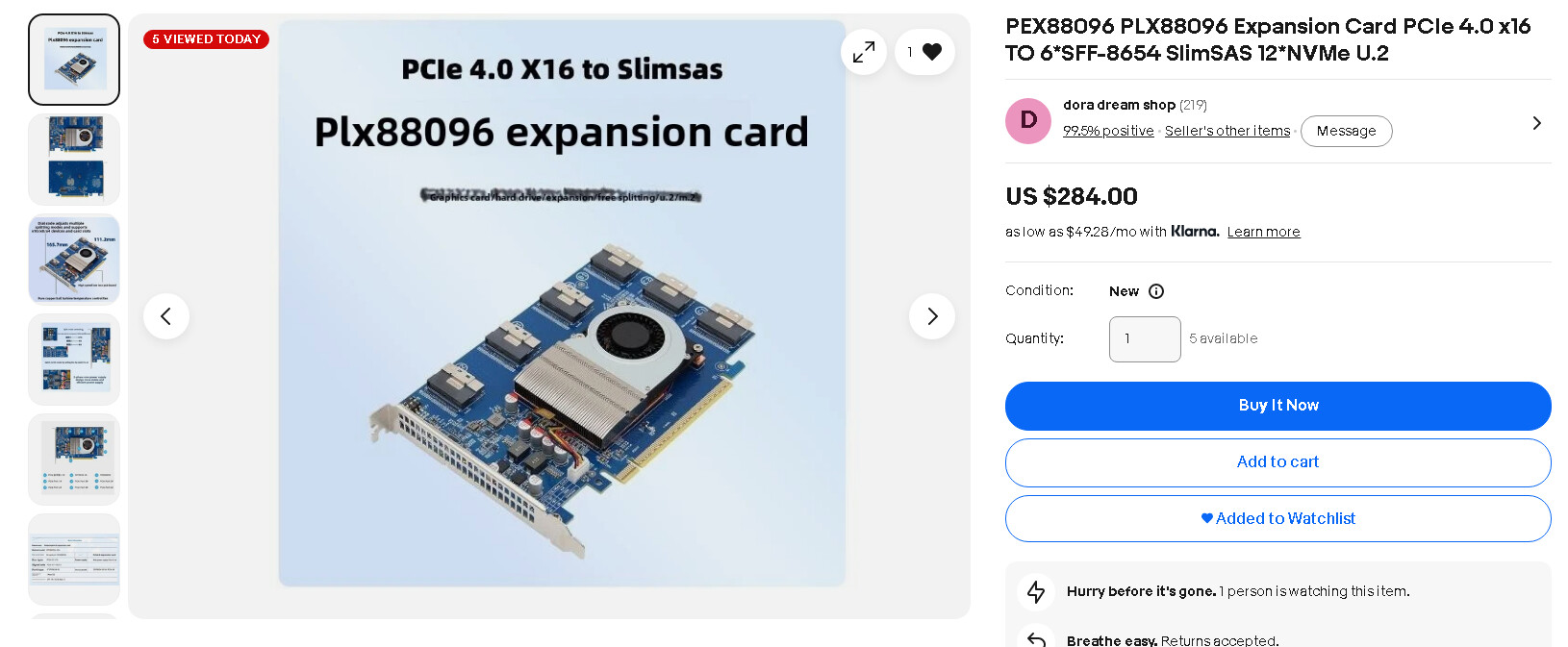
If you are doing it for density and dont need the absolutely massive width of 48-lanes-of-pcie-5.0 you have sitting in those m.2 sticks, may i suggest a cheap pcie switch card:
That single slot plx chip will let you use breakout cables to attach all 12 sticks at gen4 with no bifurcation, but you will only get around 28GB/s of bandwidth from the gen4 slot back to your cpu. It does free up lanes space etc for other use cases though if you just want capacity.
Chinese jank storage bays aside, I think the larger form factor of u.3 gives better airflow and cooling. Those little m.2 sticks get mighty toasty and you need to monitor their temps under load. Also they are not nearly as durable or built for sustained marathon read/write like the enterprise u.2/3 hardware.
my recommendation for cabling is always get the latest you can afford. I run almost exclusively mcio unless I need a backwards compatible converter cable, there is no downside to using newer/better/higher spec parts to carry gen3/4 aside from the price tag. I like the reliability and not having to dick with it.
One note about cable management, when you start doing insane things like dropping 36+ disks into a 4u chassis, cable management and airflow turn into real challenging concerns. Also you will max out your 3.3v/5v psu rails on most atx psu despite having tons of 12v. There is a 12v to 5v box corsair makes (i run 2 in my storage chassis + all the 5v the seasonic can deliver) but dont neglect the little stuff as you scale awkwardly in unique dimensions due to hardware on hand in your lab.
Thank you for taking the time to reply. Initially the disks were used by a distributed k8s cluster composed of rpi5. At the price flash and ram are, it would be very expensive to swap them with U2/U3 or upgrade to PCIe 5.0. the idle power consumption would also jump considerably.
Right now I’m trying to move 8x nvme from both “Asus PCIe to nvme adapters” to somewhere else in the chassis to create better air flow for the GPUs. I’m just not sure if slimsas cables would cause issues later on. The hotplug would be a bonus but not mandatory for sure.
From what I’ve measured, I might have some space in-between the front fans (between 2nd and 3rd fan).