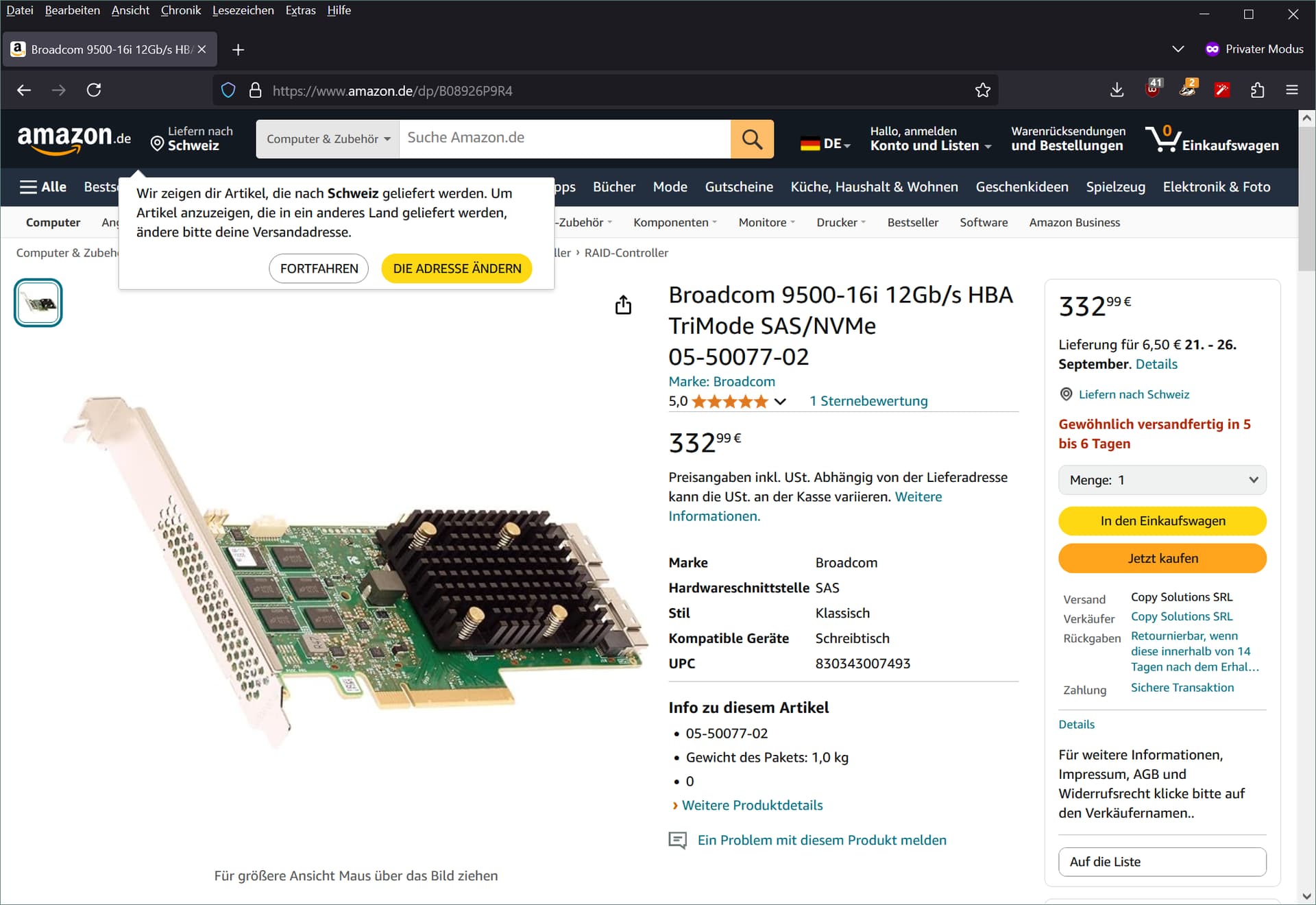
What you are looking for is called an HBA (host bus adapter). An HBA is used to convert pcie into ports that you can connect storage to. Some do sata, some do sas, some do nvme. A raid card is an HBA that has some additional functionality built into it for running things in raid configurations even without support from the operating system. You can disable the raid functionality on these raid cards and run them as simple HBAs to just show what is plugged into them to the OS. Usually this is called IT mode (with raid mode being called IR mode), though it might be called something different on some cards. The LSI cards are the most famous, well used, and well documented of he bunch in the world of HBAs and RAID cards, and for good reason. The LSI 92xx and 93xx cards are reliable, robust, and trustworthy options. The later generations (94xx, 95xx, etc) have been said to be less reliable/trustworthy at least on the nvme side, which I can back up with my own experiences, but I cannot say that I know much about how good they are as simple sas/sata controllers. It makes no sense to buy a 9400 or 9500 if you are simply using sas/sata drives, however, since it’s not like the drives need any more speed than the 93xx options have with their famed robustness. Older cards than the 92xx do not support drives larger than 2tb or speeds above 3gb. The adaptec cards are decently reliable, but have their issues. Again, anecdotal, but there is a decent consensus (that I agree with, having attempted to use some before) that they are the lesser option. Now, there is a slight offshoot of these HBAs that are usually called SAS expanders, which basically act as a network switch does and allows you to connect multiple different devices through the same uplink. If you plug one sas cable into it from the HBA and 2 cables to the drives, the maximum speed that it would be able to do is the speed of the link to the HBA. Some sas expanders accept multiple links to the HBA to allow for higher maximum uplink speed, and some do not. It depends on the model. It might make sense to avoid a SAS expander if you are using lots of high speed drives, depending on the the set up. These sas expanders are useful in that they do not require additional lanes/slots, and they will (most usually) simply add more ports to your HBA/RAID card without increasing the cost that much. You can also daisy chain them, to an extent. They need power, which some use the pcie slot for, however it does not need to come from the slot if it has a molex/sata power connector on it or if you use a pcie riser board that provides power(usually found in gpu mining setups). One last technical thing about HBAs that you should know, their ports are 4 lanes each, so if it is a cable that says it is a 6gb cable, it is actually 4 lanes of 6gb (24gb).
Real quick, heres the naming convention that HBAs and RAID cards from the broadcom/adaptec/lsi side usually follow:
LSI 9200-16i
- The first number slot, 9, is irrelevant. Skip.
- The second number, 2, tells you that this is a second generation card. 92xx cards support 6gbps per lane, 93xx 12gbps, 94xx 12gbps and gen 3 nvme, 95xx and 96xx 12gbps and gen 4 nvme.
- The third and fourth numbers are different models within a same specification, some being models with different specifications, form factors, or technical design.
- The number after the dash is a multiple of 4 designating the number of direct connections the card has. The physical connectors carry either 4 or 8 of these connections. A 16 means that you can directly connect 16 drives to the card.
- The letter after the port number, either “i” or “e”, tells you whether it has external or internal ports. If it has both external and internal ports, it will tell you how many it has of each in the name.
Anyways, what you likely want is an lsi 92xx or 93xx card. Since you are only using sas and sata drives, you won’t need any fancier NVME supporting adapters (94xx or later). Now, depending on the type and speed of the drives you are connecting, you could go a few different ways. If you are using hard drives and a few sata ssds, it would probably be best to either go with a 9300-8i (cheaper than 92xx right now lol) and a 82885T sas expander, which supports both slot and molex power. This is the cheapest and easiest way to do it 32 drives in a reliable and trustworthy way. Well, at least that I can find right now lol. Slot or molex power to the expander and an sff 8643 to sff 8644 cable from the hba to the expander and you’ve got yourself 32 (36 if you count the other external port) ports to plug sas and sata drives in. Not bad. If you want something that will directly attach all of your drives, a great option is 2 of the 9305-16i. Quite a fair bit more expensive, but with no bottlenecks to be found for even the fastest 12gb sas ssds. The 9300-16i is another great option, but it consumes far more power. It can be had for cheaper, however, if that is what you care more about. It takes slightly more than the slot can support in terms of power, though, and the motherboard ight not like it, so it has a 6 pin pcie power connector on it.
Let me know if you want me to pick something out for you. I can probably find you something that is cheap and fits your needs if this doesn’t cover it.
Dont forget to cool these adequately by the way. They need active cooling. Use zip ties or twist ties to strap a fan onto the heatsinks of whatever solution you choose. A 40mm will probably be fine.

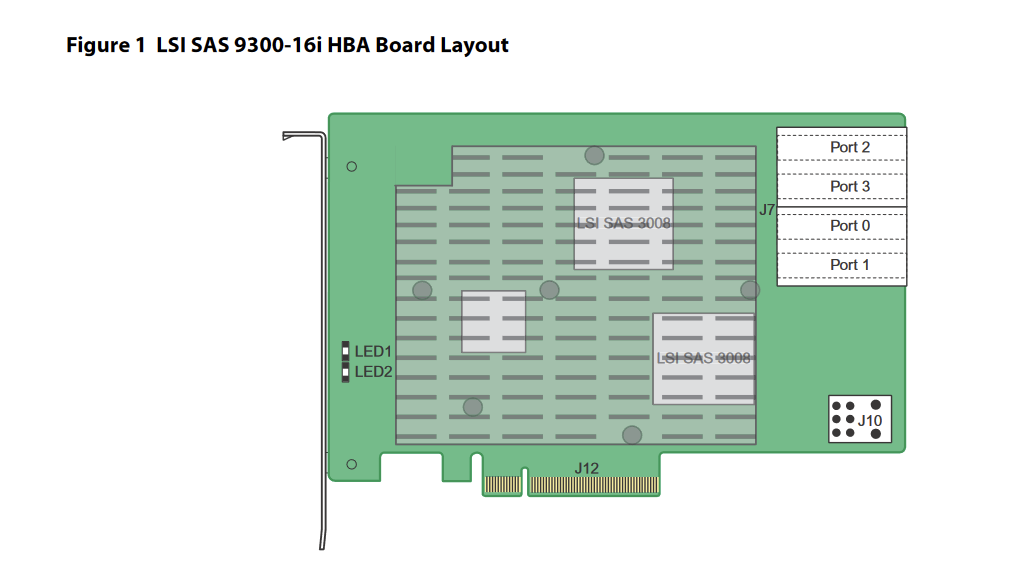
 . If they are all the same price and the cables are pretty decently cheap and you care greatly about power consumption, then maybe go with the newer one. If you want tried and true, I always have a few 9200 and 9300 cards lying around to hand to those in need lol. Never had an issue with them aside from the learning involved in understanding how to update and flash them haha. Not sure if I am getting this right, but if google is to be believed, CHF is the swiss franc, in which case those prices for the cards are absolutely absurd. A 9305-16i being 350 US dollars is incomprehensible… I dont know if you have the ability to use a shipping forwarder or something to buy a card from the US where it is cheap and get one to you that way, but if you can do that, I would absolutely recommend it. Haven’t looked at prices for these in a while and they have gotten insanely cheap lately. An inspur badged 9300-8i is ~20 dollars here (~17 CHF), an LSI 9300-16i ~30 dollars (~25 CHF), a 9305-16i ~75 dollars (~63 CHF), and a 9500-16i ~190 dollars (~156 CHF). The 82885T sas expander is ~20 dollars here as well (~17 CHF). It is incredible how much cheaper it is here if what you are saying is true. If you want direct links to reputable listings where you can purchase these, let me know what you would like and what cabling and I will send you the listings for them that are from reputable sellers at reasonable prices. I hope youre able to work out a solution from this that will not cost you an arm and a leg… Good luck.