I think that it might make a difference depending on what you are transcoding the audio to/from.
I’ve found that even with a Ryzen 9 5950X, because the audio transcoding isn’t multi-core/multi-processor capable, so even that struggled to keep up with transcoding the audio from DTS:X 7.1 down to PCM or AAC.
(The playback on my Samsung TV keeps stuttering because the server can’t keep up with the audio transcode, even when I’ve set up a separate Plex server on said 5950X system, JUST to test the audio transcoding out.)
I COULD optimise the media though, and then that would play better, but I really don’t want to have two copies of every single thing that’s in my Plex library (the original plus the optimised copy).
Not in terms of bandwidth, but it is a bottleneck in terms of the number of PCIe lanes that a CPU will supply.
(i.e. if all of the add in cards take up 44 PCIe lanes and say, I’m only using a Ryzen or the latest Core i7/Core i9 processor – those CPUs will only supply upto 24 PCIe lanes at best. As a result of that, typically, the motherboard will run out of the appropriately sized PCIe slots regardless of whether those add in cards will actually consume and use all of the bandwidth that’s available to them.)
I’ve yet to see a X570 or Z690/Z790 motherboard that has like 7 full size PCIe x16 slots (even if they aren’t all electrically wired for x16 operation).
Conversely, sTRX4 and sWRX8 motherboards WILL have at least the PHYSICAL slots be x16, again, even if not all of them are wired electrically for x16 operation.
Yeah, I think that spin up is ~30 W mark.
Idle might be down to about 5 W, but active use, it’s probably higher.
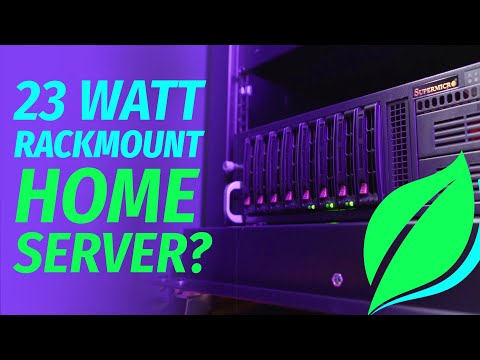
(All I can tell is that my 12-drive, dual Xeon server that it’s sitting in right now, idles at around 250 W, which is a LOT higher than my QNAP NAS units.)
I was looking at replacing all of the systems and consolidating them down to a single 4U, 36-bay chassis, and the power supplies on those are redundant 1280W power supplies.
Therefore; I would have reason to believe that a part of the reason why the power supplies have such a high power rating is because it is expected or anticipated that the rest of the system itself might also be quite power hungry.
According to my UPS right now, all of the servers combined suck back around 650 W at idle. (Two QNAP TS-832X, one QNAP TS-453 (I think), plus my 12x HGST 6 TB dual Xeon E5310 TrueNAS (which has an 80 W TDP).)
So, if the power supplies are going to be rated that high, it would be a bit of a pointless endeavour, trying to consolidate those systems down to one, and then ending up where the power consumption would be identical or higher than what it was before.