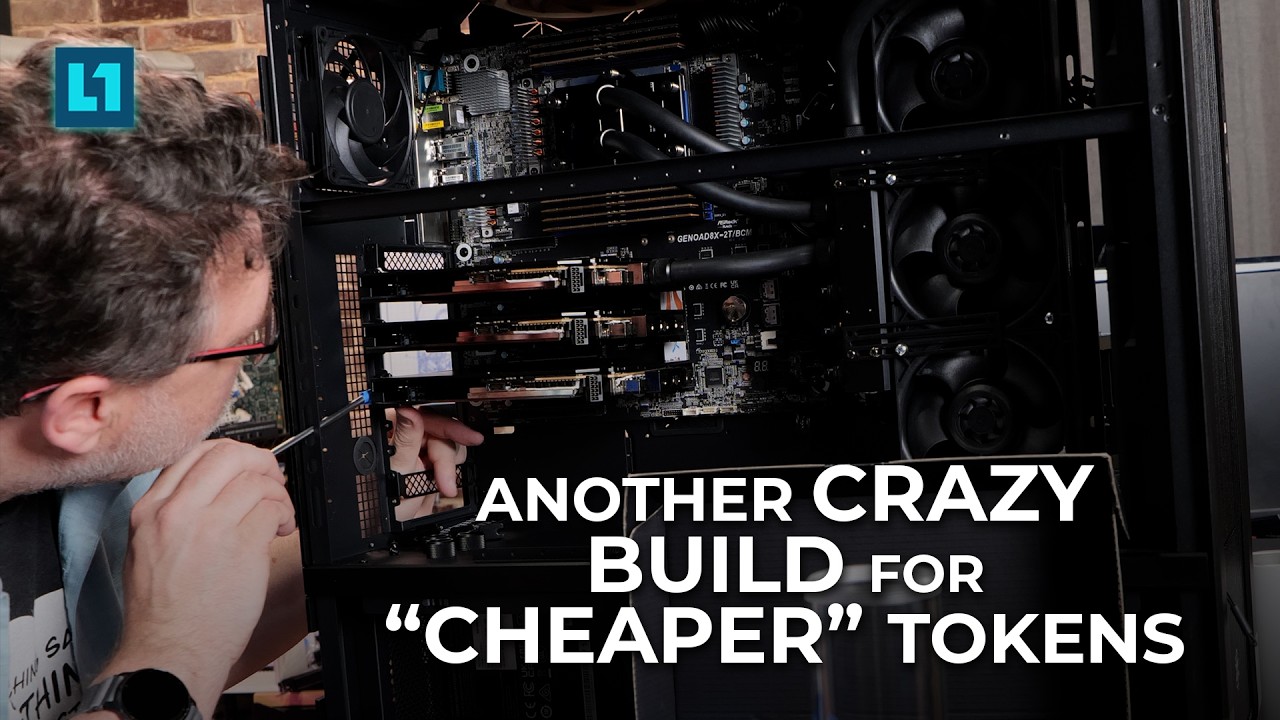
I’m planning a high-end, fully water-cooled workstation/server for local AI inference, fine-tuning, multi-agent workloads, and GPU rendering.
The plan is to start with two NVIDIA RTX PRO 6000 Blackwell Workstation Edition GPUs (96 GB, 600 W each) and expand to four GPUs (384 GB aggregate VRAM).
I’m particularly interested in reliable PCIe peer-to-peer (P2P) communication, especially for distributing large AI models across multiple GPUs using tensor/pipeline parallelism and running NCCL-based distributed workloads.
Platforms I’m considering
1. Intel Xeon 600 / W890
- CPU: Xeon 676X (32C/64T)
- Motherboard: ASUS Pro WS W890E-SAGE SE
2. AMD Threadripper PRO 9000 / WRX90
- CPU: Threadripper PRO 9975WX (32C/64T)
- Motherboard: ASUS Pro WS WRX90E-SAGE SE
3. AMD EPYC 9005 / SP5
- CPU: EPYC 9355P or 9375F (32C/64T)
- Motherboards: ASRock Rack GENOAD8X-2T/BCM or GIGABYTE MZ33-AR1
I’m also watching EPYC 9006/SP8, although motherboard availability and validation appear less mature.
My main questions
1. Actual GPU-to-GPU P2P compatibility
Has anyone successfully tested two or four full-power RTX PRO 6000 Blackwell Workstation Edition cards on these platforms?
I’m specifically interested in working CUDA peer memory access and stable NCCL communication, not just the GPUs being detected or “cudaDeviceCanAccessPeer()” returning true.
2. Motherboard PCIe topology
Which motherboards provide the best topology for four GPUs operating at PCIe 5.0 ×16?
Are there meaningful differences between Intel W890, AMD WRX90, and EPYC SP5 regarding root complexes, direct P2P transfers, PCIe switch routing, and communication bandwidth under simultaneous GPU workloads?
3. NCCL performance and stability
Has anyone benchmarked these configurations using:
- “p2pBandwidthLatencyTest”
- NVIDIA “nvbandwidth”
- NCCL “all_reduce_perf” and “alltoall_perf”
- Multi-GPU vLLM, SGLang, or PyTorch workloads
I’m particularly interested in situations where pairwise P2P works, but all-to-all communication or distributed inference performs poorly.
4. BIOS, IOMMU, ACS, and driver considerations
Have you encountered NCCL hangs or performance degradation due to ACS, IOMMU, BIOS settings, or NVIDIA driver versions?
Can reliable P2P communication be achieved using standard supported configurations, without undocumented NVIDIA driver overrides?
If disabling ACS/IOMMU is necessary, are there platform-specific implications or alternatives?
5. Intel vs AMD for this particular application
Assuming identical GPUs, would you prefer Xeon 676X/W890, Threadripper PRO 9975WX/WRX90, or EPYC 9005/SP5 for multi-GPU AI workloads?
CPU performance is relevant, but GPU-to-GPU communication reliability, expansion capability, and sustained performance are my primary concerns.
Additional details
The system will use custom liquid cooling for the CPU and all GPUs, with the power delivery, chassis, and cooling capacity designed for four 600 W cards from the beginning.
I’m specifically choosing the RTX PRO 6000 Blackwell Workstation Edition, not the Max-Q or Server Edition.
The intended workloads include NVIDIA Nemotron models, RAG, document processing, LoRA fine-tuning, larger models distributed across multiple GPUs, and CUDA/OptiX rendering.
If anyone has tested a similar configuration, I’d particularly appreciate “nvidia-smi topo -m”, P2P bandwidth results, NCCL benchmarks, and relevant BIOS/driver versions.
My main goal is to select a motherboard and CPU platform with proven, reliable four-GPU PCIe P2P operation before investing in the GPUs and custom cooling hardware.
Any first-hand experience, benchmarks, or recommendations would be greatly appreciated.