Notice here for models small enough to be tp=1 there is a performance regression for tp=2 – overhead of pcie to pcie communication. (This is why a lot of cards in the Ampere and even Ada generation had the bridges!)
4090 is faster for most models — 40-45% on dense models up to 14B. The 48 GB upgrade makes it a real A6000 competitor.
A6000 wins on Qwen3.6-35B-A3B-FP8 — +16% baseline, and 85 tok/s with MTP2 is the best overall result. Marlin FP8 kernel path on Ampere beats Triton FP8 on Ada for this MoE model. The speed is pretty close, though, just at more watts. Not enough to justify higher A6000 costs imho.
MTP is the biggest performance lever — 2.3-2.4× throughput on Qwen3.6-35B with zero extra memory cost. Probably? always use --spec-method mtp --spec-tokens 2 for this model.
Mixed-gen TP=2 has FP8 compatibility issues — Ampere (A6000) can’t run fp8e4nv kernels from Ada (4090). Non-FP8 models work but the overhead probably isn’t worth it. Maybe useful to have two for fine-tuning.
Qwen3.6-35B-A3B-FP8 is the best all-rounder — fastest tool-calling quality (97/100), good speed with MTP, and fits comfortably in 48 GB.
Depends, your limited unless you change the entire PCB, or find rare 4GB chips. As far as I know you can only find 40 series replacement PCB with memory pads on the back side. He go overs what GPUs can be upgraded in the beginning of the video.
Can you show the commands you used for benchmarking?
This is obviously a little different because I am using a quantization, but I was running unsloth/Qwen3.6-35B-A3B-GGUF:UD-IQ4_XS on a single 4090 24gb with llama.cpp and getting roughly 180 tok/sec. So I am curious how you are only getting around 32. Obviously FP8 is a larger model so there will be some performance difference, but I wouldn’t expect a 5-6x drop.
I gone to a different route for me to get 48GB of kinda RAM. Much easier in terms of hardware, just got a NVLink 3 slot for 2 3090s. But this meant I had to add software support for NVLink on lucebox.
I do get almost 50% PP and 75% TG performance compared a 5090 running Qwen 27B (dense) on Q6 and 2x the context 128k vs 256k. These numbers are real world, 80-120k context.
Speaking of repurposing old enterprise hardware, this is what I use for Minimax M3 (added support on ik_llama.cpp) for V100s + Xeon (8 year old hardware)
I am still in the middle of adding more V100s, been running with 2 V100s after I upgraded from a single 3060. Qwen 397B, Minimax M2.5 → M3.0, GLM 4.7 → 5.2. I am planning to complete at V100 4 board NVLink switch (6 direct channels). Only 2 GPUs are filled, waiting for more GPUs and heatsinks.
If I remember correctly the 3090 and 4090 were GPU pinout-compatible with each other.
Early 3090 models had to use both sides of the PCB for VRAM chips to get to the 24 GB total due to the economical chip density at the time.
Could you use the PCB of such an early 3090 to swap the GPU to a 4090 and up the VRAM to 48 GB?
Why?
Basically to get an overbuilt model of a 4090/48 GB, not one of these “economically-designed” ones.
Modding a 5090, 32 GB to 48 GB?
Has anybody seen a mod of a 5090, giving it the denser memory chips as they are used on the RTX PRO 6000 to give it 48 GB, too - instead of the shitty default 32 GB?
There’s got to be something wrong with those Qwen 3.6 numbers, surely? I have no vLLM frame of reference, but the A6000 can run Qwen 3.6 35B A3B Q8_0 at over 100t/s in llama.cpp comfortably without MTP. Hell, a pair of 3090s in layer split can do about 140t/s.
Surely vLLM isn’t that kneecapped when it comes to the Qwen models?
Does anyone know if there has been any work done on getting P2P to work on the modded 4090? Unsure if getting 4 would be wise otherwise to run something like DSV4F compared to A6000s with two pairs of NVLink (but that’s a few thousand more expensive ).
I would like to know how does the undervolt work on this GPU?
Normally, on retail 4090 there is a lower limit at around 0,865, which usually gives you around 2,55Ghz on core while saving around 100-150W of power. In the past (till 3090TI, the OG 3090 was still fine) consumer cards could undervolt all the way to 0,7v, but then Nvidia applied some kind of lower limit for 3d undervolt, as in idle the card can still go lower. The PRO series of cards can still undervolt nicely, thats why then get the 6000 to 300W after all.
So my question is, how does this custom card undervolt? I looked around and saw only one video where the user was just lowering the power limit and thats not the optimal way to do it. Still, the clocks went down pretty fast, so I think they do not undervolt well at all. That would be sad as it greatly extends the GPU lifetime and also makes the card nice and quiet. 450W in 2-slot radial cooler is a jet engine. 300W is relatively quiet.
Reviving this rather dead thread, in case anyone is interested about this rather nice piece of kit. I had a 4090 just past the end of warranty, so I took the plunge and got my card upgraded through the GPULab service. I also purchased the waterblock, taking Wendell’s hint that it might be a bit loud. Just wanted to drop my experience here.
The air cooled version is quite loud when running LLM inference. While not loud compared to datacenter hardware, if you have this thing running in a box in a normal household room and it starts ramping up, it sounds like a jet engine spooling up. The memory also gets rather hot. In a normal room temperature room, the VRAM got up to 88C which while it isn’t dangerously hot, probably isn’t ideal.
Because of the downsides of the air-cooled upgraded card, I decided to convert it over to being water cooled. The process is pretty straightforwards, the biggest challenge is actually pulling off the original heatsink, since the original thermal pads are quite sticky. I found it easiest to use a plastic spudger to slowly pry up each side of the PCB from several different points (starting at the end with the display outs). The PCB is designed nicely to have a rather large (~0.5-1cm) border zone around the edges that don’t contain SMDs. One tip which I only found later was that after placing the waterblock you need to torque in the screws quite slowly, methodically, but pretty firmly. I undertightened them the first time, and was getting really abnormally high VRAM thermals (in the high 90Cs when stress tested). Retightening until the screws down much more tightly (basically use a lot of hand strength, but don’t use your arm strength) was a bit nerve wracking but did bring VRAM thermals down to normal (80C max VRAM temp now when stress testing, GPU maxes out at around 64C, while Junction temp maxes out at 76C, which I feel like is pretty decent).
My homelab machine isn’t huge, it’s an Antec 1200 that I modded into a 9 HDD drive home server. Because of this, I really didn’t have space (or honestly the desire) to put together a full custom loop watercooling setup. So trying to get the setup as-close to a CLC I basically just attached the GPU to a Barrow 240mm DARIPD-30 combination radiator/pump/reservoir, actually attached to the outside of the case since I had insufficient room inside. I was actually expecting to need to power-limit the card to allow the 240mm rad to cool it, since most of the water cooling guides nowadays say a 240mm rad should only be able to cool 200 watts of heat. But oddly I’m able to let the card stay at its 450watt max TDP and the radiator is able to cool it perfectly fine (better than fine, I’ve been able to reduce fan speed down to 50% without any noticeable increase in temperatures, this is my first water cooling setup so I have no idea if this is something normal in people’s experience with water cooling or what) this is even when trying to heat-soak the water cooling loop (so running full tilt for like 1 hour).
Overall the water cooling version of the card is pretty awesome. 1-ish slots, running cool, very nice for the LLM curious home-labber. Yes, it’s very expensive (and I recognize and am very thankful for the extraordinarily privileged position I am in by already having a 4090 and the money to pay for it), but I also like that this service is based in the US and that I’m not paying Jensen Huang extortionate amounts for more VRAM for what is ultimately at the end of the day a hobby.

 TP=2: Mixed results — FP8 incompatible across gens


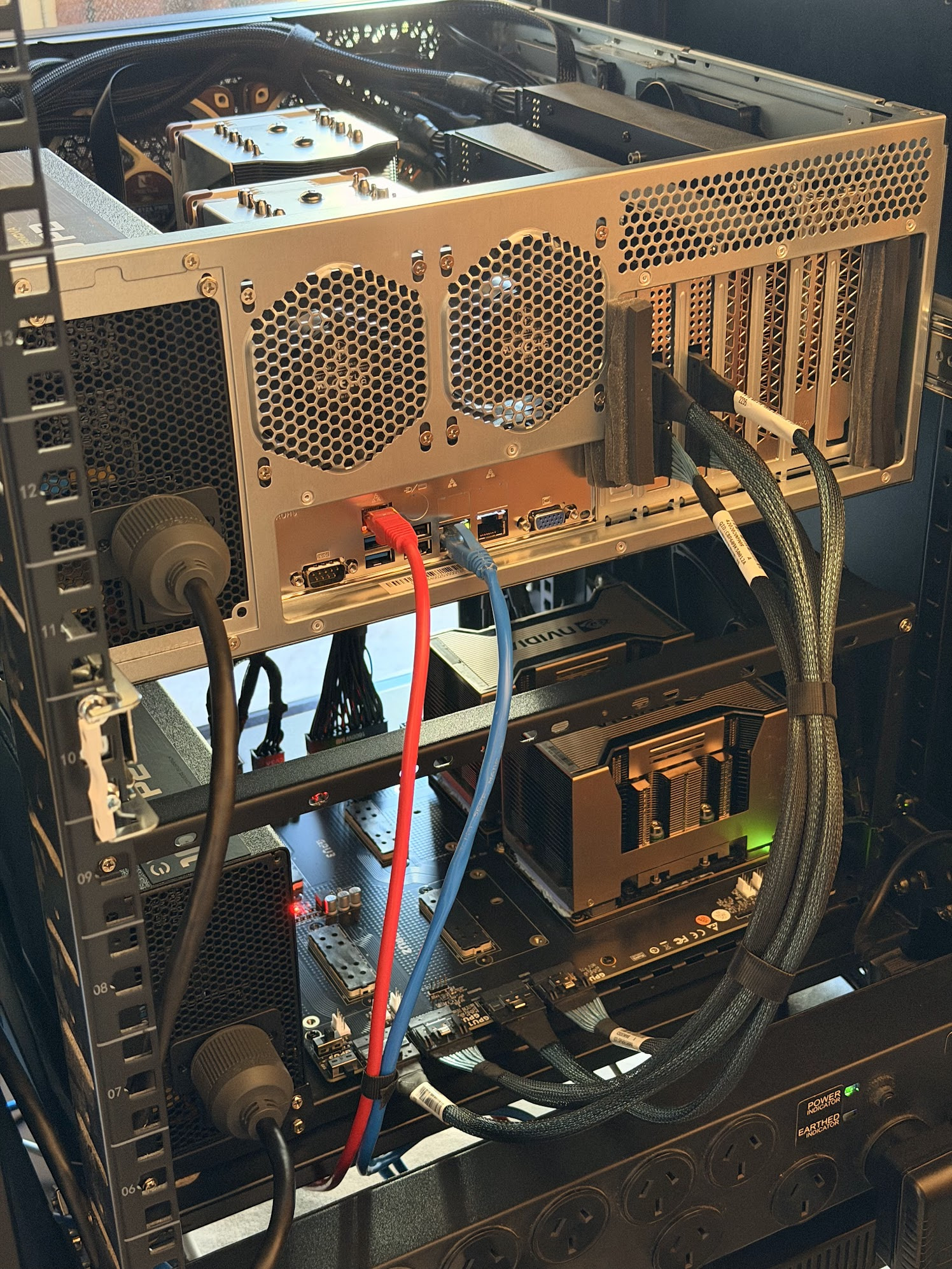


 ).