I have been running a Gigabyte AORUS x870 ELITE WIFI-7 ICE for the past six months or so.
I started out on whatever BIOS was stock back then (F9 probably).
I remember it being difficult to get my 2x 64GB (2x32GB – 4x32 total. CMH64GX5M2B6000Z38 ver 4.43.04) working, but not impossible; like it took me a few hours of training, clear CMOS, rinse-repeat.
It worked well enough, but would sometimes get memory errors during model trainings (rare, but happened probably 3x ever).
The past couple of weeks I got a bug in my bonnet to upgrade to the ASUS ProArt x870-E motherboard in hopes to get WiFi-7 working by ditching the worthless MEDIATEK chip. It loved all of my RAM immediately, but the revision I ended up had the same P.O.S. MEDIATEK WiFi chip as my Gigabyte. I returned the ASUS ProArt to Newegg and reinstalled my Gigabyte AORUS, but now I can’t get it to play nice with my RAM  .
.
Now I’m stuck because 128GB is the minimum to actually do my day-job (current task is fine-tuning Llama4:scout). It works fine with 32, but that doesn’t really matter if I can’t use this machine for the work I built it for.
I have been working with Gemini 3 to try getting it working, but Gemini 3 seems much worse than 2 and I am running out of things to try.
I’ve tried setting all the voltages to 1.35V (as the RAM specifies on the sticker), memory speed to 36.00 and all the rest of the BIOS settings as well as removing all drives/cards/peripherals and training “naked.”
I’m unsure of what else to try or where to go from here.
If I could “revert” back to my Last Friday configuration, I’d just buy a supplementary WIFI device at this point 
BuildSheet:
- Gigabyte AORUS x870 ELITE WIFI-7 ICE
- AMD 9900X
- 2x Corsair Vengeance 64GB (2x32GB) kits
- Samsung 9900 EVO Plus m.2 SSD
- NVIDIA RTX Pro 6000 Max-Q
- NVIDiA RTX 5060 Ti 16GB (never got both GPUs working, but I have it.)
- Seasonic 1200W PSU
- Case: ASUS ProArt PA401 Wood edition
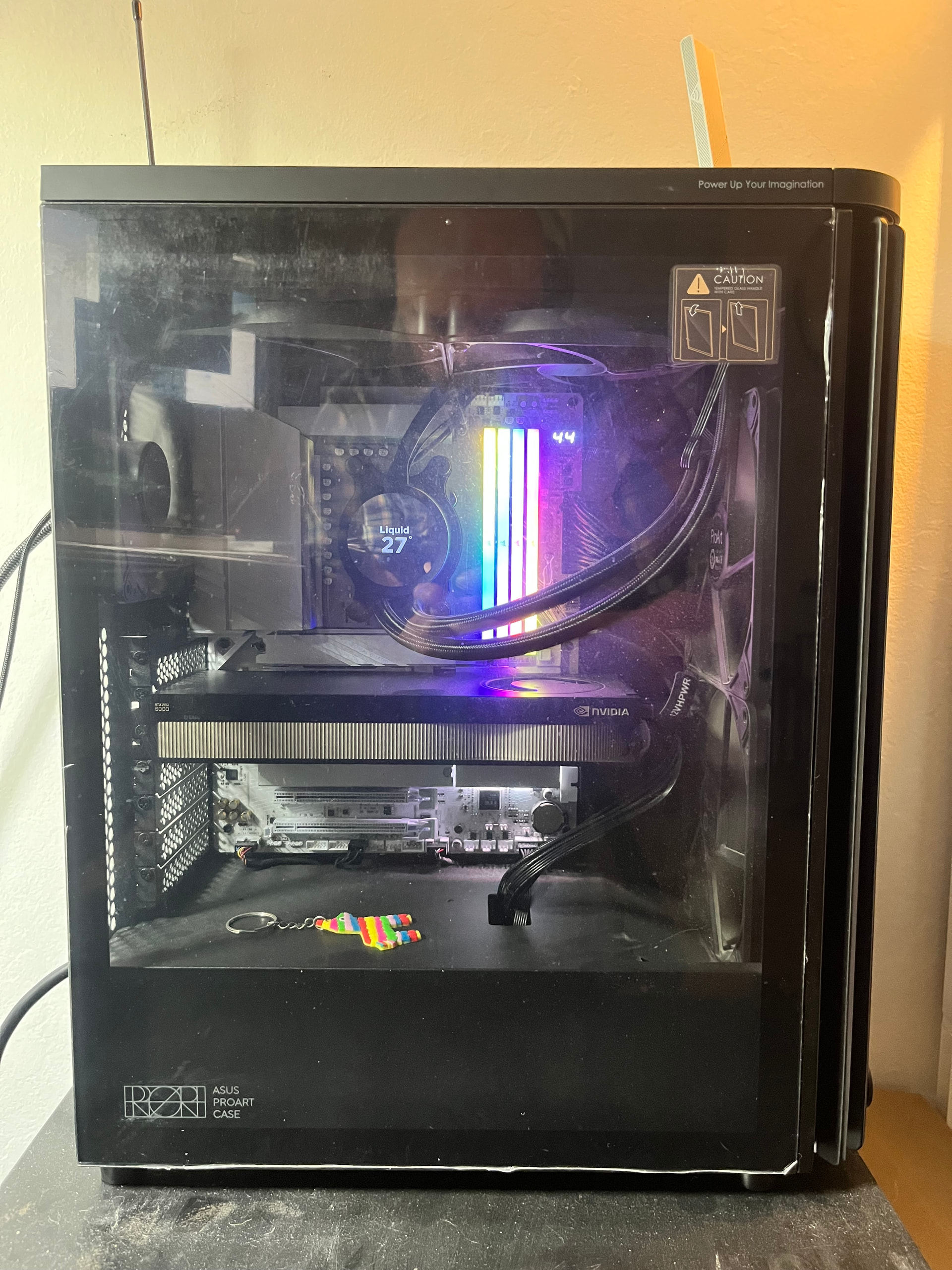
When it last worked:
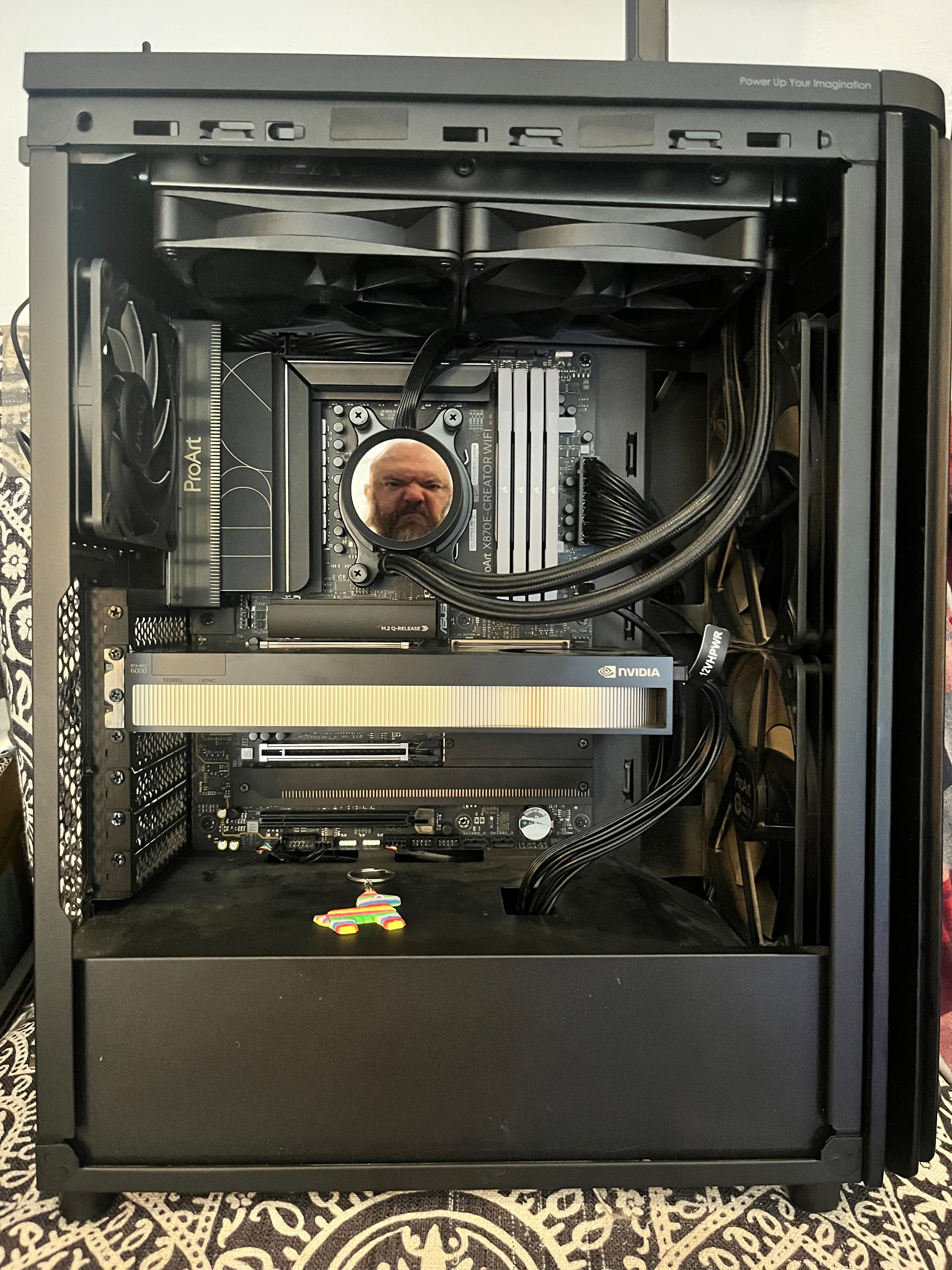
All ProArt build (fail):
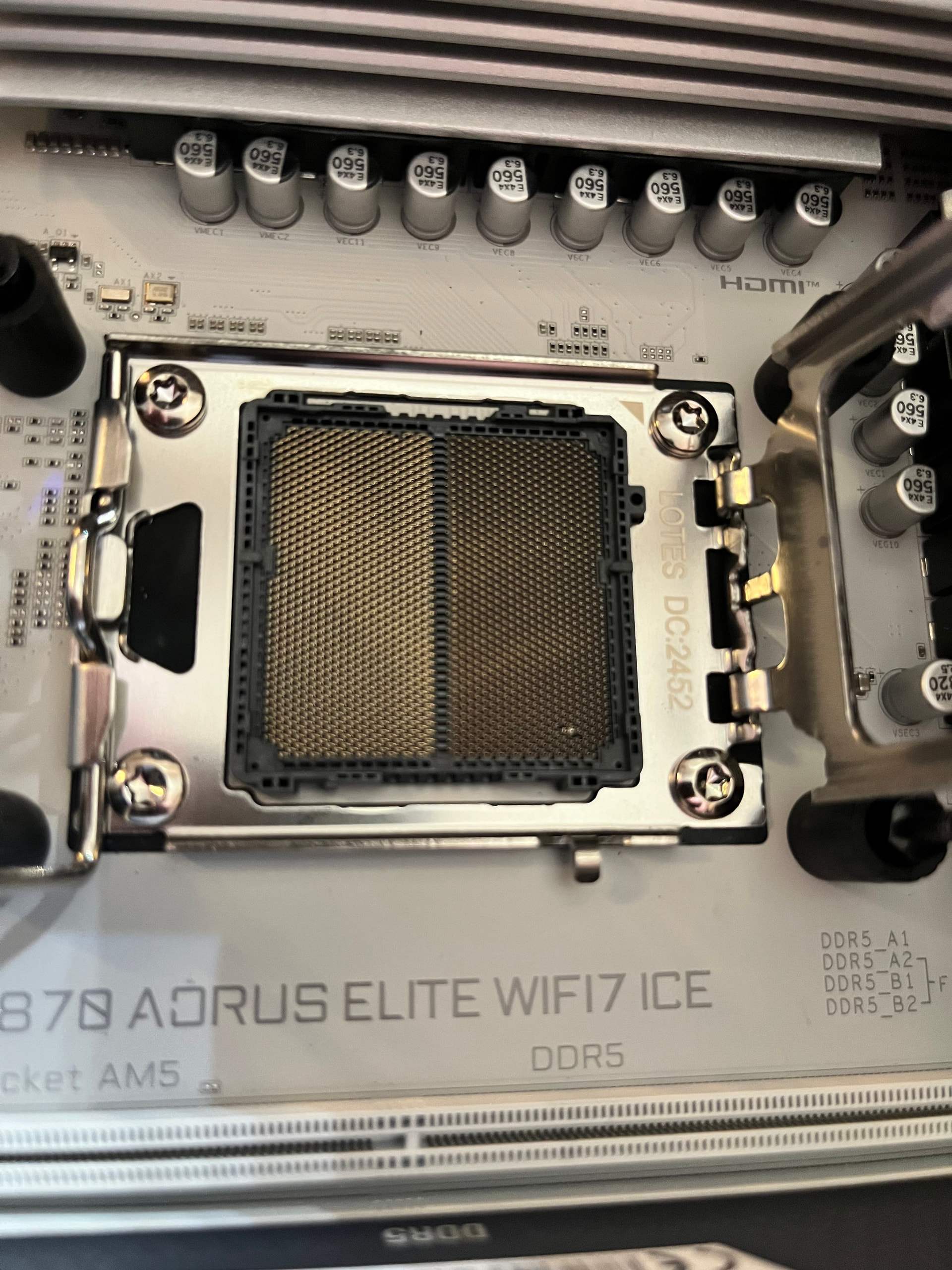
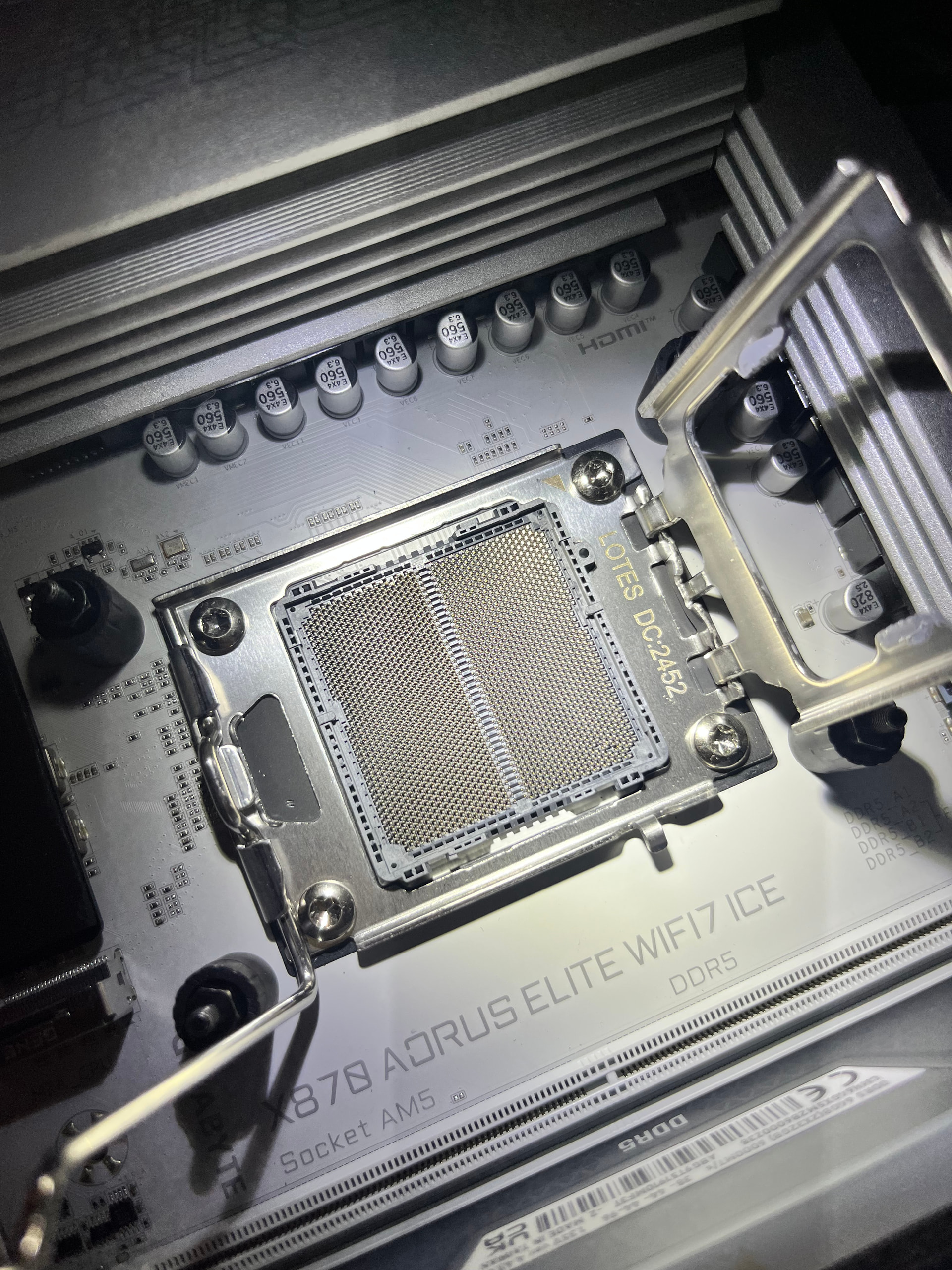
 Oh no! If you are very very careful, you can correct the bent pins by bending them back. But be very very careful!