Hello everyone, after an unfortunate hiatus from the community I came back swinging with my submission for the 1 Year Linux Challenge.
My prior experiences with the Linux desktop where very brief and circumstantial. The shell has been my friend for a loong time. But now we give the GUIs some love too.
Getting a new laptop I can actually use gave me enough motivation to start using it for my general computing needs. I don’t feel like moving my desktop yet because it’s in the state most can relate with: is good enough still and I know where everything is.
Once I get to grips with dekstops I’ll decide which one is right for it.
Right now, as all the hips do, I landed on CachyOS + Limine (default bootloader, good enough for me) + XFS (fuck snapshots, we roll with it. And it’s proper fast) + Niri/Noctalia (because I needed complications having never used a tiling window manager).
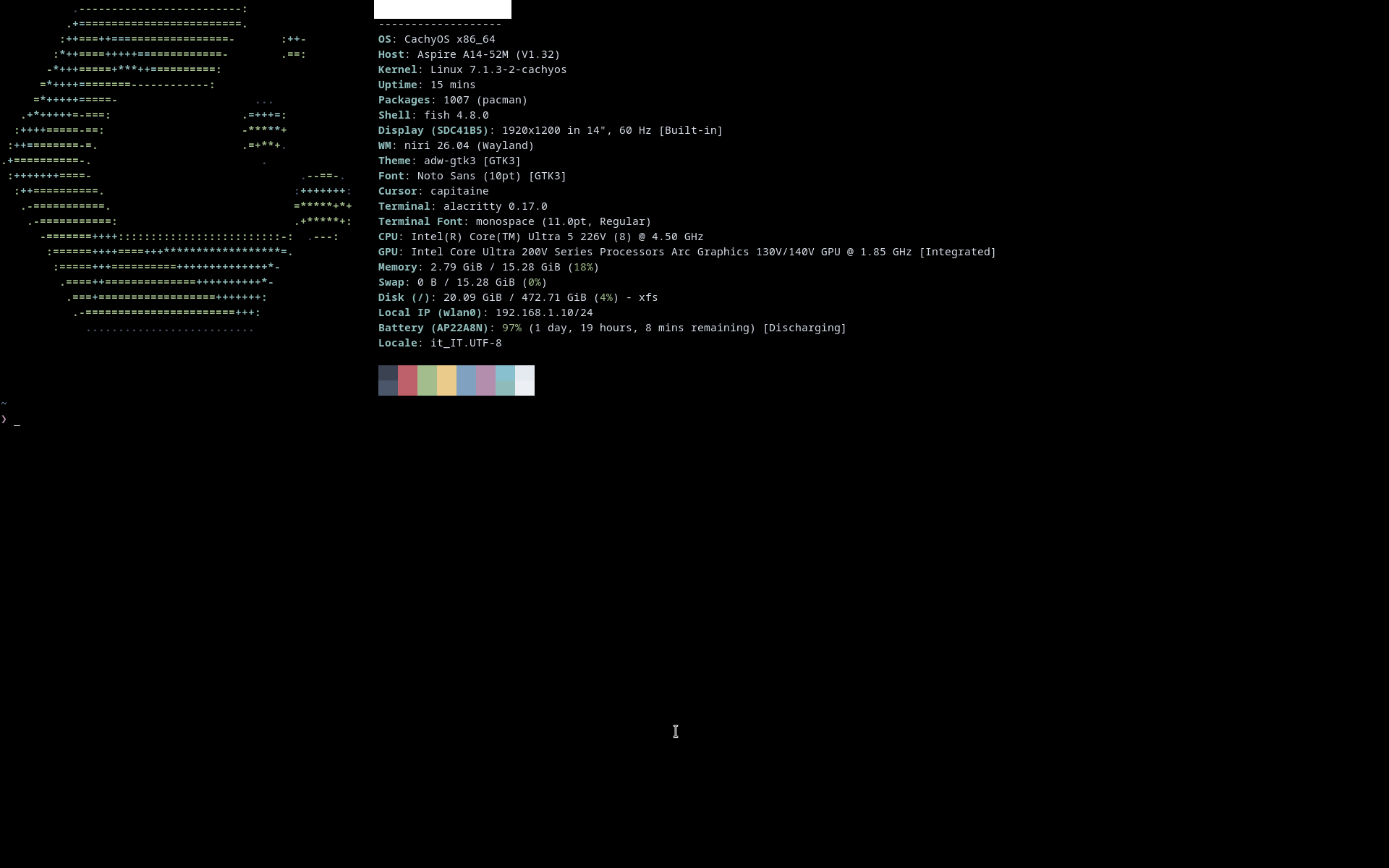
So far everything is working, as you’d expect, but I need to make some tweaks like getting the lid to make the laptop go to sleep, figure out an hibernation rule, set up the IR camera for logins and find minor software to fill gaps left open by Cachy/Niri. Also will later on, maybe, figure something out to make better use of the OLED this laptop came with.
I’m LOVING the speed and battery life. It no joke made this very average laptop flying like I would’ve never expected. Niri is also really a treat and with the trackpad feels very intuitive, even more than a Mac is. Though I’m still learning and tweaking shortcuts so that will take some using it and decide what works best for me.
It runs much cooler too now, basically the fan is off 90% of the time even having it on my lap on a hot summer day.
I’ll break it and bork it, but I think I’ll enjoy doing it!
 Active Idle (Normal Usage)
 Suspend Mode (Standby)