I’ll have to plug one in and test. I’ve never even powered them on.
Never even opened them. Though they were bought second hand.
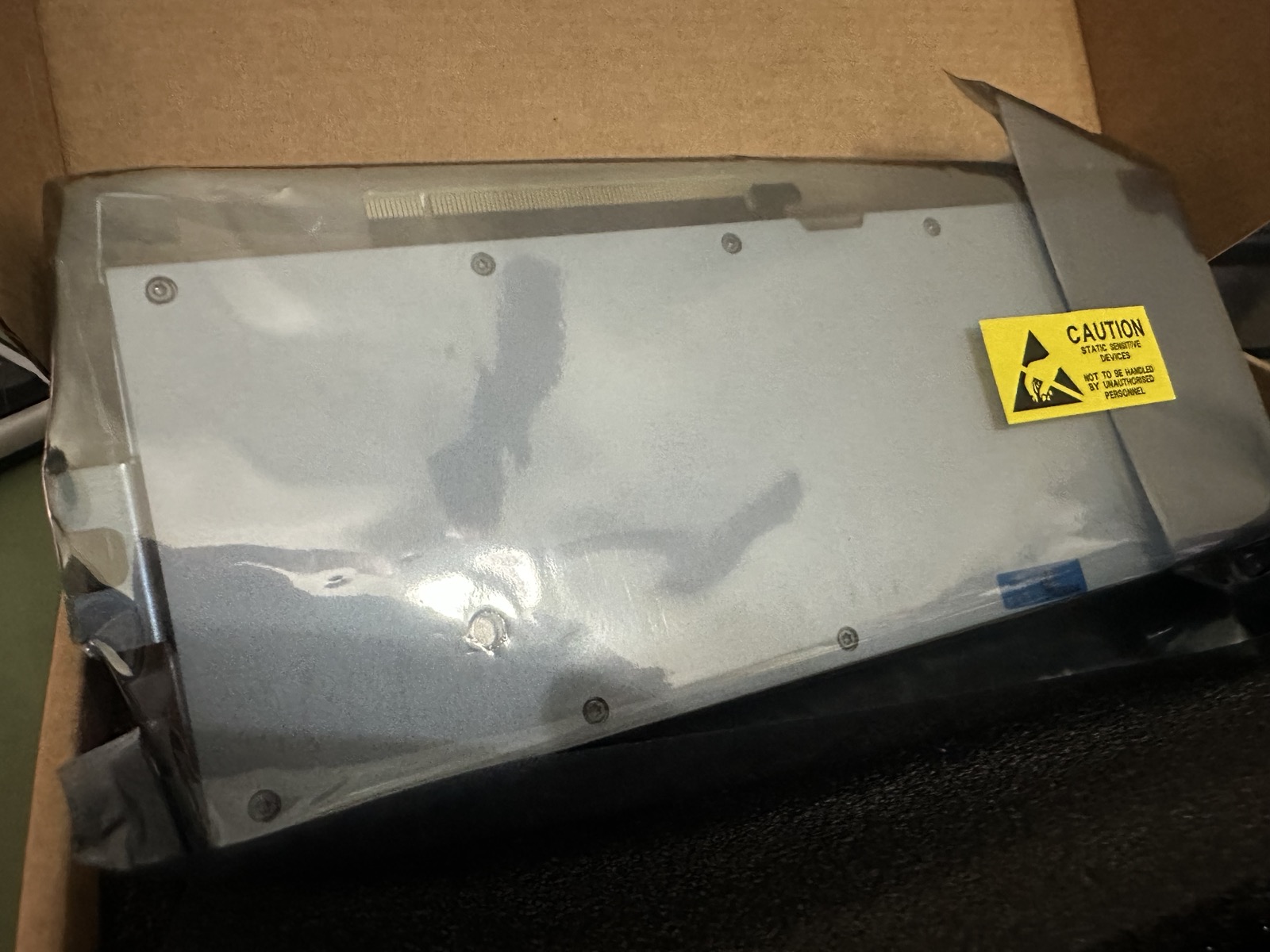
Whoops. I have no way to cool them, so I’ll have to think about it. Not going the water route; too much work though the temps are great. Most likely have to order or make a custom shroud to articulate air through them, or even a case designed to force air through them.
Not going to do the voltage spike to unlock 80GB VRAM; I’m not that brave
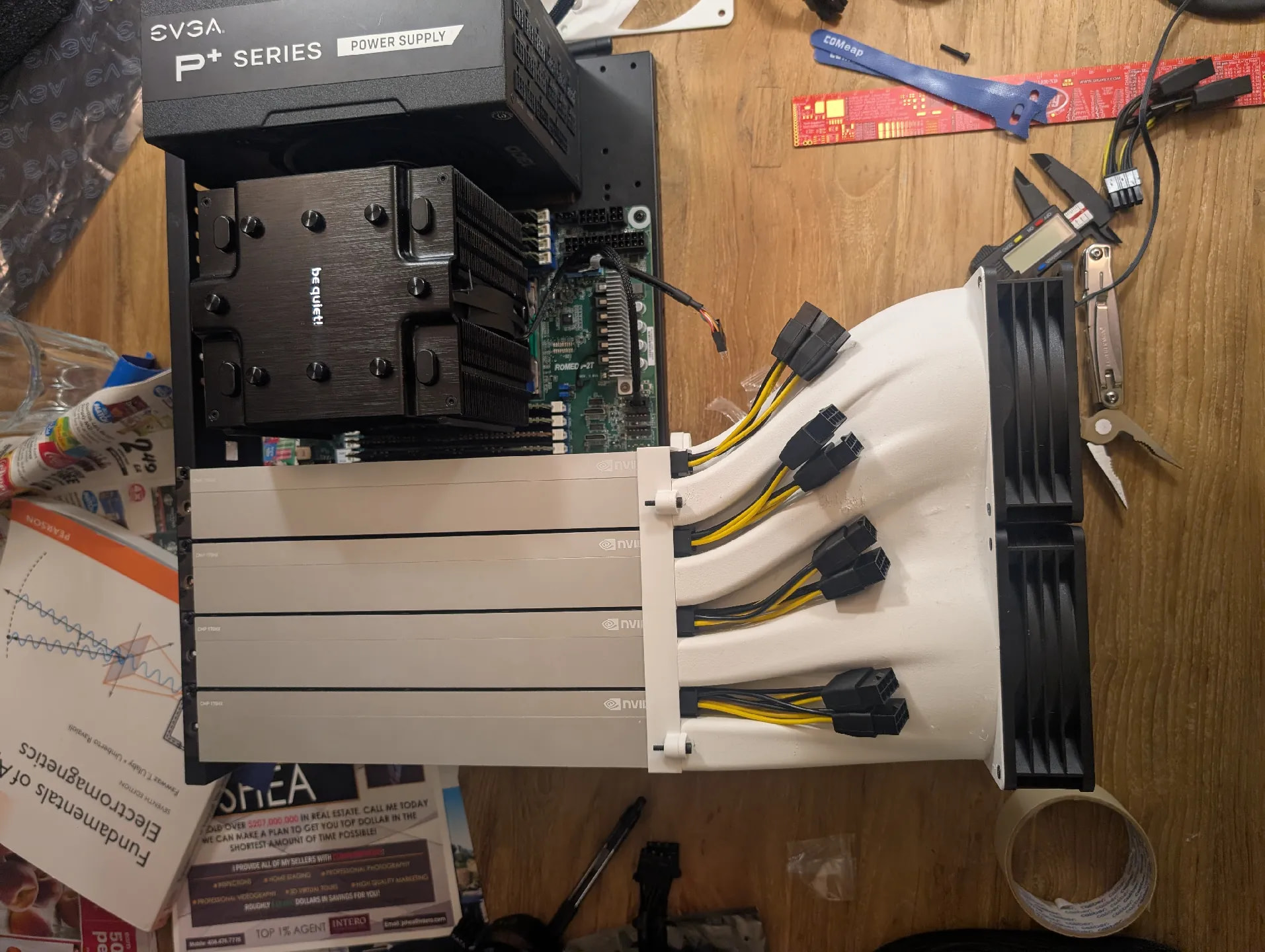
Someone designed this shroud to handle 4x 170HX using 2x 120mm fans.
2 Likes
Remember to orient the fans to pull air through the cards, rather than push. Also, sealing the gaps with tape will help a bit.
Alternatively, that’s a real pain in the ass. I’d be happy to save you the hassle by storing them for you.
1 Like
Thought positive pressure was better for cooling? Might be better in general as well for dust filtration. I’ll have to test both after I figure things out and report on it.
No doubt. I remember seeing articles Nvidia unlocked so and so… blah blah blah, but never looked into it. Didn’t even know it was referencing these card & definitely didn’t know they had so much VRAM locked away. Talk about sitting on lottery tickets without knowing it.
I haven’t really thought too much about the physics of it, but you’re effectively pushing a lot of pressure through that tight space, which is also where the leaks are likely to be.
What I can say is that when I did the same thing with my 170HX before I ditched it, pull was about 10C cooler than push (and I’d sealed all the gaps with a gasket around the high-pressure fan and kapton tape around the overlap joint between the card and the shroud).
It might be based on the fan design as well. When applying positive pressure, you need a high static pressure fan, otherwise, it’s not going to move air.
I had new air duct in the house installed about 7 years ago & started listening to a series from an air duct engineer that designed ducts for buildings.
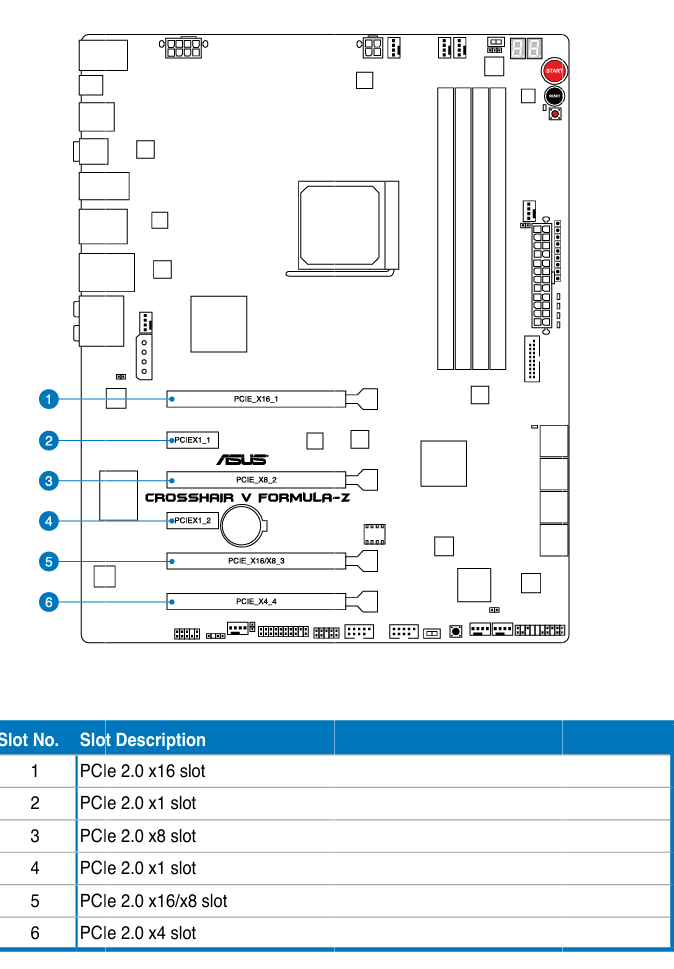
I was looking at a mobo/cpu combo, but with this new discovery, I can pretty much use any mobo that supports four pcie 2.0 slots at 4x. Introducing the Asus Crosshair V Formula-Z & AMD FX 9370 with 32GB DDR3 from retirement. I’ll need a riser or something for that 4th gpu slot.
Yeah, I was using an Arctic P9 Pro 92mm. It’s as optimised for static pressure as it’s easy to get without sounding like a jet engine.
Careful with the whole chipset-attached-PCIE-slot thing. The additional latency definitely causes problems with RDNA4 cards, and from my understanding it’d probably have the same effect on all cards. That’s not verified, though, so…just something to watch out for.
Yeah, I was just reading this board passes data from gpu to gpu through the system ram where more modern boards use p2p, gpu>pcie>gpu bridge, so definitely something to consider.
So, I’m in a spot I never thought I’d be and debating what to do. I have 13x 170HX 8GB gpu’s… Sell some of them or should I use them all and burn down my house?  It wasn’t even a thought, building a local LLM a few weeks ago.
1 Like
The obvious thing to do is sell five of them and keep eight for a couple of 256GB machines (or one 512GB with power headaches).
If you decide to take one for the team and sell them off cheap (which nobody would blame you for not doing), put me on the list…
I second this motion. 
I hear you guys; I’d be making the same offer if I were on the other end.
So, why 8? Just a nice round number? I can put them in one machine without too much of an issue. I’ve done 13x gpus in one setup for others, but question is does the LLM keep the gpus peaked at max load or does it vary depending on use? Fan noise won’t ramp up like typical off the shelf gpus, so it’ll be fixed based on setup.
I’ll probably start small and make determinations based on 2x gpu’s. Originally, I was going to just have the LLM offload to cpu/system memory, but this changes a lot.
Other concern is power usage which leads to cooling. Personally, I have a hard time imagining I would need all 13x gpus, but as I stated, I don’t have much of a reference point to really make a determination.
Mainly because it’s a reasonable (not reasonable at all) number, as opposed to 13. Which is clearly very much unreasonable 
Seriously, though, I suspect you’re going to struggle to keep them fed with the anaemic PCIE links. I don’t know how the current crop of Ampere-tuned engines do it, but certainly Strata and Radiance tend to rely on being able to at least max out PCIE 4.0 x16 to/from each GPU in order to keep the GPUs pegged. While you’re probably not going to be using expert offloading, the tensor parallelism part of the equation will likely suffer with the amount of traffic between the GPUs.
I mean, I could be completely wrong; I haven’t been anywhere near a rig with so many beefy GPUs but so little bandwidth before, so this is entirely hypothetical for me at this point.
My whole goal with a local LLM has been focused on data control.
Now that I have Radiance and the conversation speed is pretty fast, I feel more empowered to try more things.
So now that I have an understanding of my available Open Web UI tools and I can even have it check documentation for me to get started on a few things even faster.
So under the umbrella of “data control” - I have two main things that I have in favor of “agentic coding”
- Locally hosted git repo. Nothing is going to someone else’s server unless I actually need to publish.
- My own Postgres Vector database for ingestion and RAG. When I delete a chat it’s actually gone.
- I’m not subject to a cloud provider changing models behind the scenes, or rate limiting from the free tiers
Eventually (as in next year maybe), cloud AI cost will have to rise and forego the massive subsidies it’s been getting with all the venture capital. I want a tool stack I can get to by myself, even if it’s offline (no internet).
1 Like
The 170HX negotiations at pcie 2.0 4x, so with bifurcation, you could get up to 4 working on a single 16x slot. It is possible to physically alter the card & enable 16x for the gpus, but I’m not going to do that unless I know a guy or pickup circuitry as a hobby. There’s also the over volt mod that can alter the card to unlock 80GB VRAM & pcie 4.0. Again not down my ally. I think I know where I’m going with it, but it’s going to take time to get everything together as some of it will be custom fit shroud mounts, etc.
That is one of the main reasons I made this, it goes a little past what other local harnesses do. It has training loops on what the agent does or it can help you make datasets on whatever you want and and train the model on, all locally. I set my agent s on a cron job every night to train on the day before so they keep context without filling the KV cache. I would love any feed back as I just put it out.
1 Like
You only need a 500degree solder heat gun with fan, surface mount capacitors, solder tweezers, leaded solder, flux in a syringe, magnifyer/microscope. Don’t need a heat plate, just need to be careful.
1 Like
I’ve been following Louis Rossmann for years, but with kids around and a time warden wife, it gets difficult if not impossible to do things like this. Maybe when the kids get a bit older, we can get into wafer board stuff as a hobby.
Holy fuck
Your wife is your personal assistant?
“30 minutes was plenty of time for you to work on that. We need milk and the store is closing soon.”