This is abnormal.
It seemed that way to me too, but prior to using this as a loaner I was a Windows/Ubuntu user, so I wasn’t experienced enough with this OS to know what normal looks like in Mac OS.
That seems a bit much, yeah. Didn’t even see that with all the fluff in this thread.
@hp185688 So, what does eat up the RAM? Activity monitor should show you.
It’s like, everything… There are all these custom Mac OSx specific libraries that are loaded as .xpc services. Here are the top ones from page 1 of 3.

If it is the Base OS that is eating up a ton of RAM, my main guess would be the OS does a lot of application caching in the background and is likely ready to get rid of them if it is unused and the OS needs that space.

My guess seems right, except I was wrong about it being the Base OS consuming it.
Can you sort that by memory instead of “CPU Time”?
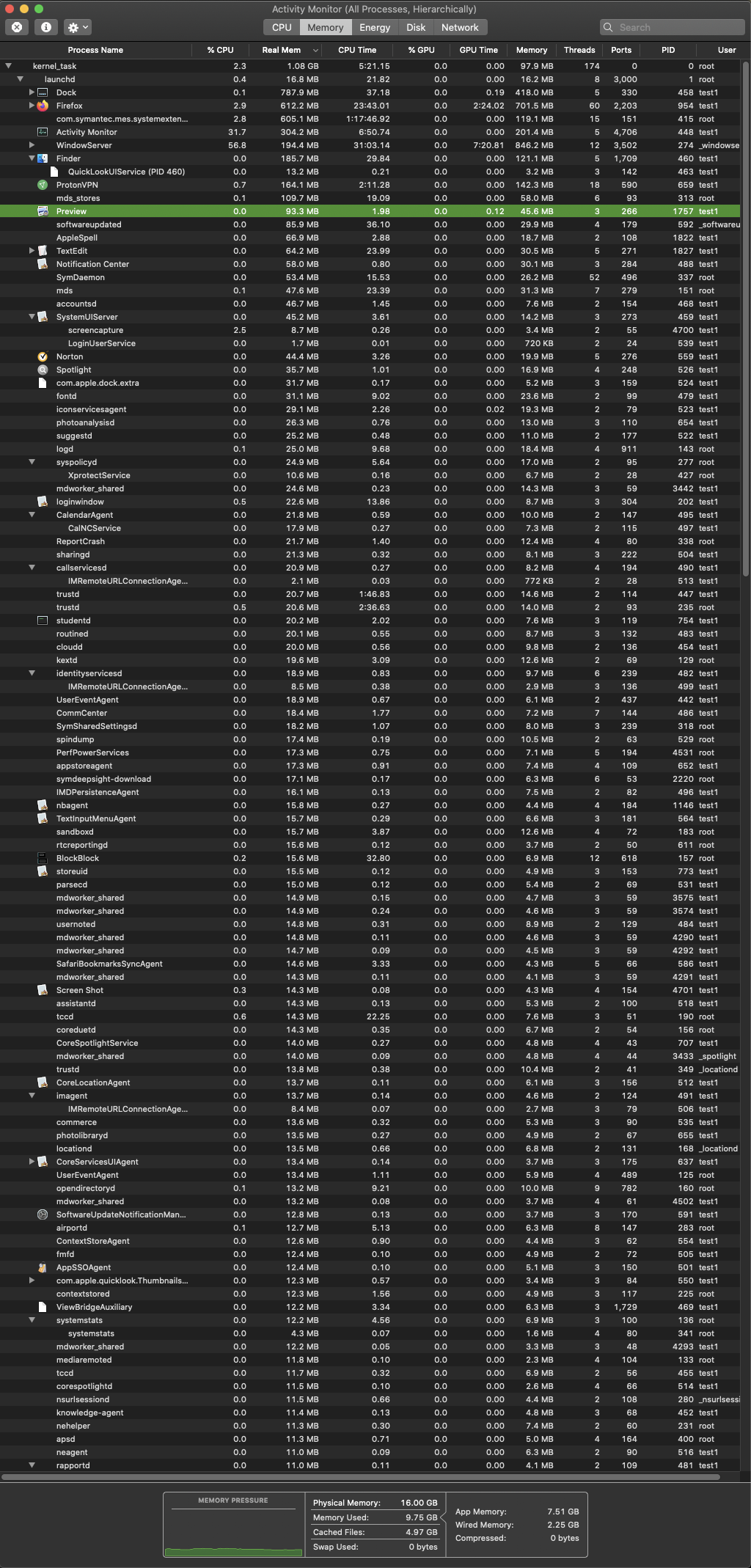
unused ram is wasted ram. might as well load it up with everything you can reasonably.
im unsure where the confusion is in this thread. im more impressed theres that much stuff they can fit in there to have a fast experience.
1 Like
Well, there’s a couple apps running and hell knows how much Norton messes things up. With a relatively fresh Mojave install I have 2.5GB used memory when I start up my MBP. And that is already with the google drive thingy loaded.
Agreed.
I’m not so sure. Ram being over committed, due to all this extra stuff in the background, causes very high latency in the Davinci Application I’m using.
It also causes frequent crashes. On the other hand, using an old gaming rig with 8GB of ram, running Windows, with all the excess services disabled or removed and a much slower CPU allows the application to respond quickly and not have crashes. Unfortunately, that machine can’t encode mp4 format due to it’s age and lack of support for memory capacity above 8GB. 
This might be the “windowserver” more than the mem usage.

Yea, that also seems very high… I don’t know why it does that. It’s got almost nothing installed on it.
I wouldn’t be so sure about that.
What OS version are you running, what are you editing, what is the hardware config and where are the files located that are being edited?
2 Likes
Yeah that is what i kinda opted above.
Probablly pre loaded applications cach.
sounds like youre encoding via cpu?
hard to blame ram specifically.
1 Like
Latest Mac OSx
Editing video’s using Davinci Resolve with files stored locally.
HD is 80% free
Specs are here: https://everymac.com/ultimate-mac-lookup/?search_keywords=MacBookPro11,4
2.2GHz i7
Application runs better in Windows 8.1 on a Gateway FX8020, but it can’t render the video without the higher RAM available in the Apple.
The encoding in Davinci peg’s both the CPU and GPU.
if you believe all those extra processes in osx are causing you issues why continue to use it?
Codec might be not optimal. With Iris graphics you might be better off running FCPX since it is better optimised for those kinda specs.
It’s the only thing that can render, even though it frequently crashes.