What Linux distro do you daily drive in this day and age, and why?”

Ignoring the failed attempts that never lasted more than a few days, I first started really using Linux on a daily basis in the form of CentOS 5.x for servers. The desktop was functional for work purposes but not for daily personal use.

Tested Ubuntu desktop, was not bad but they switched to Unity around the time and for some reason I really disliked that interface. And since I was working with CentOS and RHEL servers on a daily basis, it became natural to go with Fedora. XFCE spin because I started using on a laptop and wanted it to be as light weight without becoming a pain to use. Gave up shortly trying to use Linux on a laptop, tried again in 2024 and still no go.

My personal desktop however had been Fedora on Ryzen 2400G since Aug 2019 and while it has been a PITA to make it work consistently with my dual monitor/KVM setup, I’m too lazy to reinstall/migrate things over to my newer Ryzen 7700 ProxMox server at home

Still have a Windows VM with an old Navi GPU passthrough for games that won’t run on Linux.

I was a distro-hopper for my first two years on Linux. Started with Mint and ran through every flavor of *buntu, arch derivatives, fedora, slackware, etc… I settled on OpenSUSE for about 6 months, Garuda for about 6 months, base Arch for almost a year, and switched to OpenMandriva about 8 months ago. I saw a video from Lunduke about it being one of the only non-woke distros. Obviously contributors and users have their own political opinions, but the devs make a good effort to keep the distro neutral and focused on software. I use it as my daily driver now because the userbase is rather calm, and I’m tired of distro-hopping.

2 Likes

In 1999, i installed Debian for use as a firewall. converted over to Debian full time even as i was taking courses to become a MCSE. about a year after that i switched to slackware, and ran with that till 2008. In 2008 after distro hopping a bit, i returned to Debian and upgraded to sid. ran with sid without a reinstall till 2023, when i had to reinstall due to cruft accumulated which was either :

A. i never removed or removed improperly IE simply deleting the application because i felt apt didnt do it effectively

B. stuff i compiled and either never removed or removed improperly , which results in conflicting libraries…

3 tinkering with settings i had no business tinkering with that caused problems later, because its Debian sid

2 Likes

Debian. I’ve been using it since the 90’s

2 Likes

On Gentoo, you can also just look at your emerge log:

sudo cat /var/log/emerge.log | head
1332418281: Started emerge on: Mar 22, 2012 12:11:20
1332418281:  *** emerge  --unmerge dev-util/ccache
1332418282:  *** exiting successfully.
1332418282:  *** terminating.
1332771121: Started emerge on: Mar 26, 2012 14:12:00
1332771121:  *** emerge  --sync
1332771121:  === sync
1332771121: >>> Starting rsync with rsync://rsync.gentoo.org/gentoo-portage
1332771121:  *** terminating.
1332771211: Started emerge on: Mar 26, 2012 14:13:30

This particular image I’ve had since 2012, but the make.conf is from ~2004 I think, and has some very old use flags like aim and gtk2:

USE="X aalib a52 aac acpi aim alsa -arts bzip2 cdparanoia cdr cups dbus dri dts dvd dvdr dvdread -esd emul-linux-x86 exif fam flac ftp gif -gnome gpm gstreamer gtk2 hal jpeg ldap -lm_sensors mmx seamonkey mp3 mpeg mono msn offensive ogg oggvorbis vorbis rtc opengl pam -oss -pcmcia png quicktime samba sdl sse sse2 ssl svg svga theora truetype usb xmms xvid yahoo wmf vcd win32codecs zlib real gtkhtml browserplugin -nsplugin firefox java cdinstall nptl nptlonly mad matroska -pda xscreensaver audiofile mysql -mozilla xinerama pdf -lirc log4j bluetooth tracker libcaca avahi gudev mp4 corefonts cleartype type1 mpd cairo tiff pulseaudio hwdb spell emacs -consolekit -systemd -libav ffmpeg v4l glamor webp dmenu fish-completion vaapi aspell wayland gles egl elogind policykit icu kf6compati vulkan"

I’ve literally just copied this Gentoo image from machine to machine since 2012 and I wrote a guide for it here:

I need to release an update for that guide since I switched most machines to ZFS. ZFS snapshots are so much easier for that purpose.

I’ve more recently did some fresh Gentoo installs for my servers, and learned how much Gentoo has changed. /usr/portage is now in /var/db/repos/gentoo, the /etc/portage/package.* files are now directories, etc.

For a brief while I was on a Hackintosh, but 10.7 Lion ruined that for me and I went back to Gentoo and started learning tiling window managers. Main box has been i3/Gentoo (no systemd). I was on Void on a few machines for a bit, but I still prefer Gentoo.

2 Likes

BTW: quick justification for “Gentoo all the way” for me:

Ever since I decided to switch off of Windblows looong time ago to Linux, I’ve slowly realised that on Linux, there inevitably comes a point, where one has to roll-up his slieve, pop-up the hood and repair or tweak stuff by himself.

So, one inevitably has to know the “mechanics” of the underlying system and Linux core by itself.

At that point, fully packaged systems are royal PITA. One has not only to diagnose what went wrong, why, when and how to fix it, s/he also has to fight the package system that has caused and that has no tools to really diagnose and fix the packaging system. OR to keep it from screwing everything again at the next update.

On top of that, at some point I had to compile and install Cross Linux From Scratch for some project.
So I wrote a bunch of bash scripts to automate version search, download, dependency check, compile and install of chosen packages.

This caused some pains, but ultimately made em u8nderstand why and how GEntoo/Portage does what it does.

AFAIK those base principles hodl100% even today.
Yes, every now and then Gentoo causes me some pain, but this is because of unpolished stuff in underlying packages ( of Linux, not Portage) that I’d have to get to know and address at some point, even without Portage.
So, that time is not really lost, it’s invested.
I know of nothing else that comes close to Gentoo in that regard.

IF there is, I’d love to know about it.

Wishlist:

  • package system with minimal dependencies (preferrably tied to C,C++ or Rust, glibc and little else) independent of python etc crap
  • efficient data format that enables efficient system database updates, search etc.
  • modularized packager - one module for package installation, other(s) for compile. This would fix big Gentoo’s Achile’s heel - compile time is murderous on feeble old machines that could use optimisations the most. So one could have one “muscle machine” that does package compile for all others.
  • controlled, filtered update system - packages get updated when the upgrade is meaningful for the user/box, not at every version bump
  • cross compilation for other machines out of the box.
  • LTO, PGO, BOLT compile by default
  • flexible binary package format that can be customized at the installation on target (perhaps some modules linked per target CPU capabilities, extra binary un/stripping etc) so that same bin-package can be efficiently used on many targets
  • binary package version of the whole tree on the distro infrastructure, not jsut a few packages.
  • alternate directory tree for package installation, so that one can have installed simultanously packages that would clash on Gentoo under Portage.

There are bazillion other sore spots, so let’s leave it here.
If anyone has great solution to those, I’d be interested to know.

2 Likes

Ubuntu with Mate Desktop and the Yakuake drop-down terminal is what I prefer.

Been playing with CachyOS on my old rig. Seem pretty nice and Windows Steam games play perfectly, but Yakuake doesn’t open despite being in the official app store.

desktop: arch with gnome and hyprland mostly to play with tiling compositor, it actually is already really good
laptop: fedora 41 (I believe) with gnome
server: dragonflyBSD headless

Peppermint 11 and debian pureblend ham radio.

Manjaro. I wanted to play games. Ubuntu was constantly trashed as having out of date packages. Arch is a d100 roll as to whether your system is bricked after an update. I originally planned to run Tumbleweed, but at the time I was building my system I couldn’t build the network driver into the kernel from a boot ISO, so I ended up with manjaro because it’s combination of install media + wifi drivers + etc made it possible for me to actually install a working network driver. I haven’t migrated since.

I don’t use computers like a normal person. I grew up on Pentium M’s and Pentium 4’s when sandy bridge was new and 4 cores were dime a dozen. So I am exceedingly pedantic about clock signalling, about firmware, about the most inane nonsense you have ever heard in your life. Stuff that you wouldn’t get unless you saw the whole picture I’m looking at kinda BS.

So the short list goes here, in order of importance.

Void Linux - Stable linux with BSD design. Best build system, best cache relay times software wise for init space. Run this on anything under HEDT

Arch Linux - White girl drunk at the linux party again?

Adelie - It actually fixes bugs!!!

Slitaz - Pog it got an update (also youtube on a pentium 2 is funnee)

Puppy Linux - Because I hate TrueNAS

TrueNAS – Because I hate ProxMox

ProxMox - I don’t have IBM LPAR available so this is my half assed excuse to get my boss to let me go home and stop asking about a COMPUTER FROM 2007 THAT NOBODY BOUGHT OUTSIDE OF DATACENTERS OH MY FUCKING GOD I HATE PROXMOX

Debian - Proxmox Broke

opensuse.

Started using it when it was just Suse. So it’s been … Damn, so long that I can’t remember when I actually did start using it. A decade? Closer to two decades?

" … based on stability, performance, community … "

Yes.

" … Is it because …"

Well yes. Because it works for my use case, workflow. Because I like the installer and the ability to install what, how I want and not install what I don’t.

I have tried others, in 25+ years, a lot of others, some of them more then a few times. But it works the way I need it to, so I stay.

At the moment, Nobara (Fedora based with default desktop currently KDE) for the gaming support. I cringe every time there is an update since I use drivers not supplied in the base.

Tried CachyOS (Arch based) and Bazzite (Fedora Atomic Desktop based).

Kubuntu since it was released 20 years ago. I gave Arch a 6 month shot, but after two breaking upgrades I abandoned it.

Why Kubuntu? I’ve been a KDE fan since 2001. And I much preferred Debian’s taste over RedHat and derivatives.

I also daily KDE Neon, but only because I’ve been too lazy to reinstall Kubuntu on that machine. I’ve been meannig to for a few years now.

And why Ubuntu derivatives? I just want to get work done and play games. I’m long over tweaking my computer, like when I ran Gentoo briefly when it came out. I may give Pop! OS a try soon.

Why not original Debian? I’ve been thinking about returning to it with the snap nonsense of (K)ubuntu. Debian 2.0 was my first Linux distro and I still run it on servers. It just lacked desktop polish that Mandrake/Mandriva had, and then Kubuntu/Ubuntu had. They’ve probably improved things in the last two decades, haha.

2 Likes

I’m using Arch btw…
I’m not dead set on it at all, however in the last two years I have tried several other distros and each had it’s own little annoying problem that I did not want to use all my time to fix. For some reason, despite most people saying Arch needs a lot of handholding, it just seems to keep on going… well… at least until I brick it somehow…
I think in this last decade of switching to Linux some of the biggest takeaways have been in terms of being able to brick my setup but still have all my data.

I just can’t seem to install a new distro and it actually just working as nice as Arch is doing for me.

I’m on CachyOS here because I wanted to try something other than Mint when I built my new workstation and moved off my old laptop… and uuuuh a friend posted the link to its website without any particular comment or recommendation, and, well, it works :person_shrugging:
Niggles are vanishingly minor at this point so, while I’m not married to it, it would take something a bit game-changing for me to have the urge to search for a new place to call home.

1 Like

I guess my take is that unless you have some niche requirements it is better to use distributions that have a critical mass of users, because while serious problems are more rare than in the past, when you do run in to them, if a distribution had a large user base, lots of these problems have already been solved with solutions available on their forums.

This is why while Mint is not 100% perfect for my desires (I kind of dislike that they are making everything GUI and beginner friendly, in other words, “dumbed down”) I am reticent to switch away, because if I come across something that I can’t troubleshoot on my own, between the massive user base on the Mint and Ubuntu (on which Mint is based) forums I can almost always find a solution.

This is why I’ll never try to be all cool and try some smaller, novel or niche distribution. I have like 25 years of experience in daily driving Linux of various flavors now, so I can troubleshoot most things on my own, but it gets old to have to deal with that shit. This was the main reason I switched away from Gentoo over 15 years ago. Cool as the Gentoo concept and its C-flag compiler optimizations were, they offered little to no real-world benefits, and something was always breaking. I got tired of having to constantly troubleshoot stuff.

These days I avoid anything bleeding edge or new, unless I absolutely need the new features. My philosophy is that the older versions of things have been better tested through use and are more stable.

Mint is great in this regard since it is based on LTS versions of Ubuntu, and thus avoids all of the early teething issues on the newer stuff Ubuntu tries between LTS releases. This makes it less good if you absolutely need bleeding edge (as is often the case with things like gaming) but for a stable productivity install it is perfect.

While I am considering moving away from Ubuntu server for my headless server installs, I generally take that approach there as well. I always stay on the oldest still supported (without paid extended support) LTS release, and when support ends I upgrade to not the latest LTS release, but the next LTS release after the version that is losing support

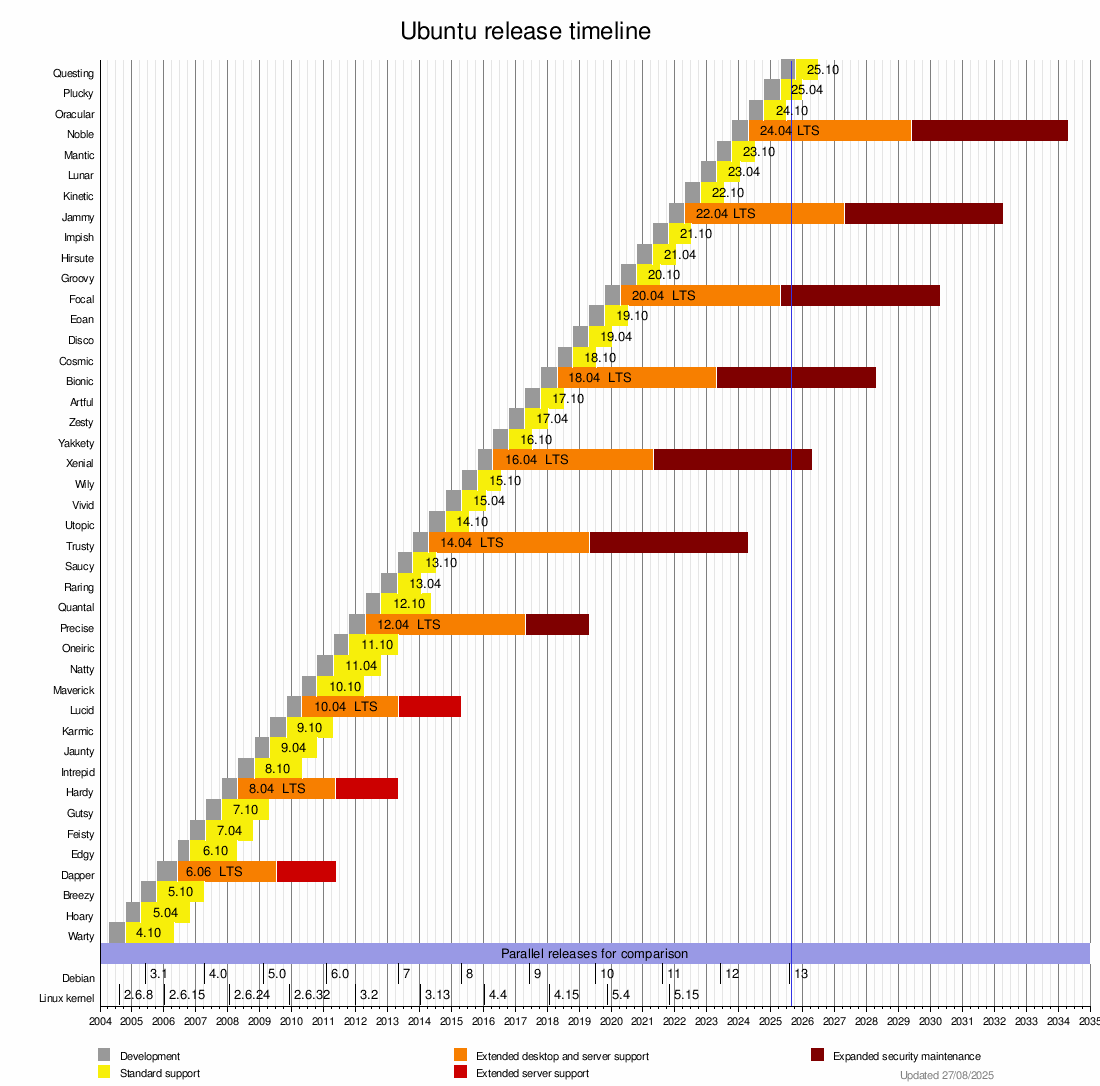
This means that in April of this year I was busy upgrading all of my Ubuntu 20.04 LTS servers to 22.04 LTS, a 3 year old release, despite the fact that 24.04 LTS (and 24.10, 25.04 non LTS) are out. And when April 2027 rolls around I will - if I haven’t switched to something else by then - be upgrading the 22.04 LTS servers to 24.04 LTS.

Unless you absolutely need some cutting edge library or hardware that is only supported in the latest kernel, my take is “the older the better” (as long as it is still supported and patched for security)

Glitzy new features don’t impress me much. I say let someone else be the beta tester.

6 Likes

I’ve tried so many over the years but tend to stick to Arch. After so so long it’s natural to me to just start from the most simplistic setup and add things as I need to. I can find pretty much any software I need in the AUR if it’s not in core.

I’ve recently set up Fedora 42 as a VM host, and use it with Cockpit for automatic updates. If I went CentOS Stream Or Rocky I could have live kernel patching as well, but I tend to have fairly cutting edge hardware and I don’t like to wait. For latest drivers I still pass through to a VM and keep the hypervisor system pretty bare.

I like Ubuntu/Debian/Raspbian for some things though. MicroK8s on Ubuntu is fairly nice, and it’s easier to use on the native O/S (through you can install snap on arch and get it to work.)

It’s all about options for me, I just use whatever gets the job done better.

I find Debian user (sampling bias?) reports of not reinstalling for such long periods of time both surprising and impressive!

I mostly reinstall each major release of an OS, in the hopes I’ll wipe whatever malware I accidentally accumulated.

You didn’t mention the why, genuinely curious. HAMMER2 looks cool,

1 Like