Wayland does work and does stuff people claim it can't

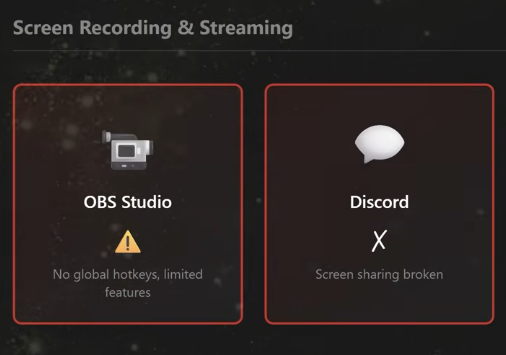
There seems to be some outrage merchants in the Linux Community spreading FUD about Wayland claiming it can’t do screen sharing, or support full screen apps. I was talking about this on the Discord, but I want to get it in a more public forum.

I have been using some of these features for years as I have been using Wayland fully since 2018 after the issues with Paradox Game launchers were fixed.
image

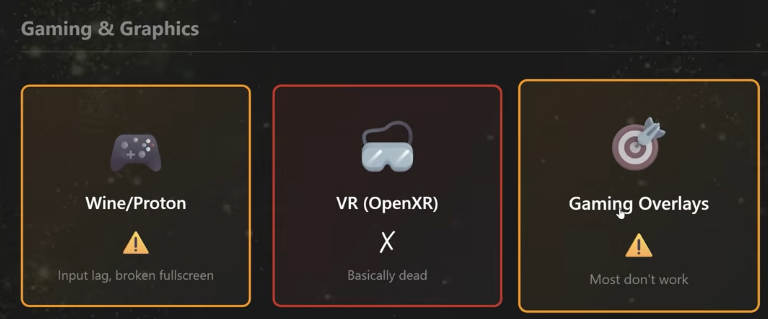
Here is an image from one, just to show I am not straw manning someone making up claims.

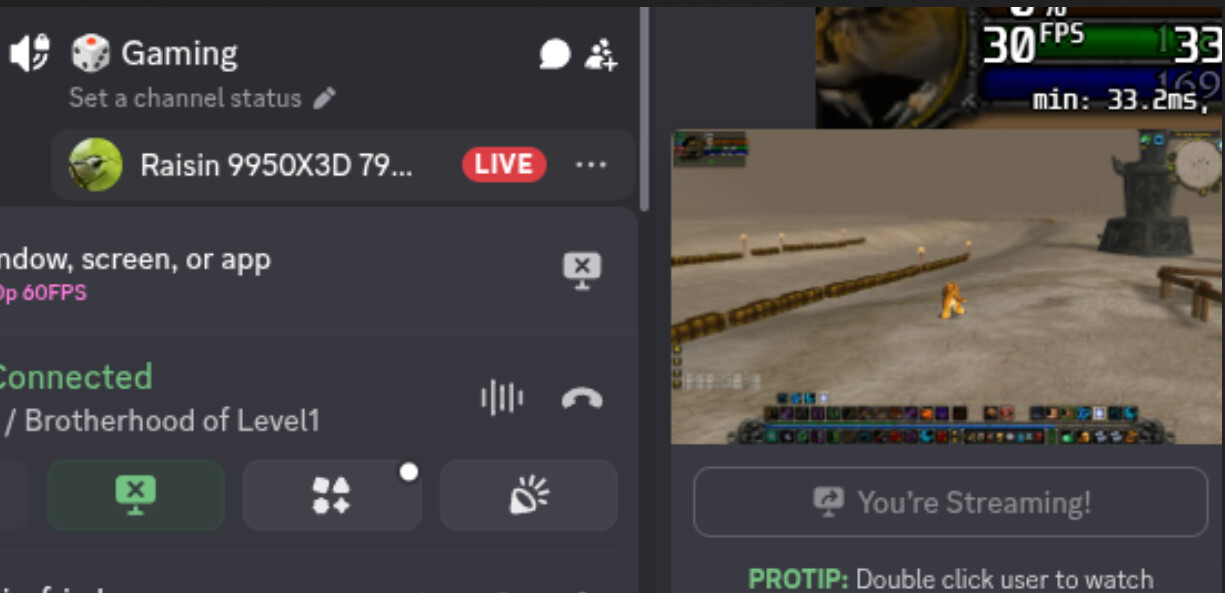
Now here was me screensharing on the Discord, I am screensharing an exclusive fullscreen application using just Wayland, no xwayland involved here at all.
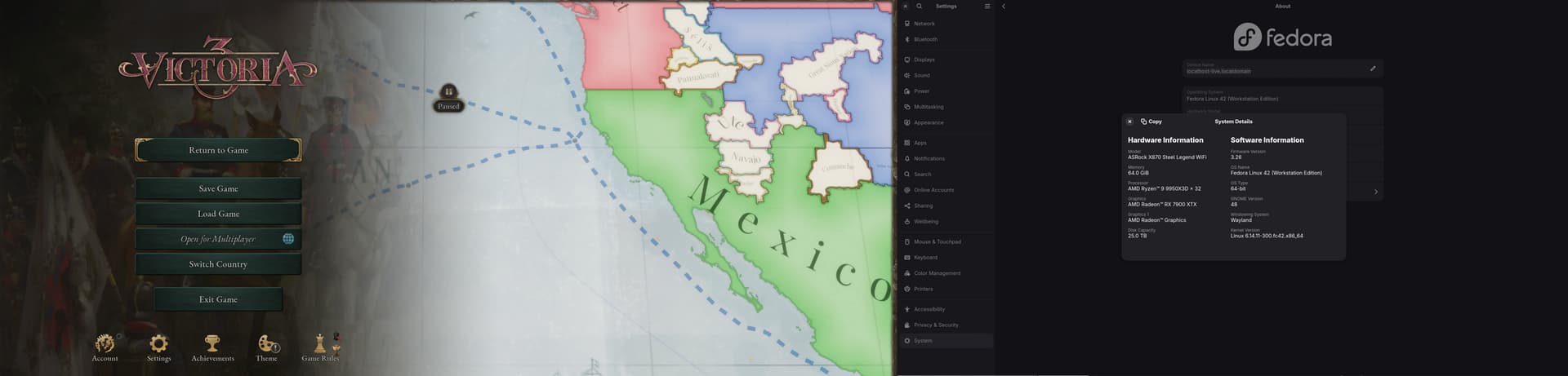
Here is full screen Victoria 3, running in windows fullscreen using xwayland still.
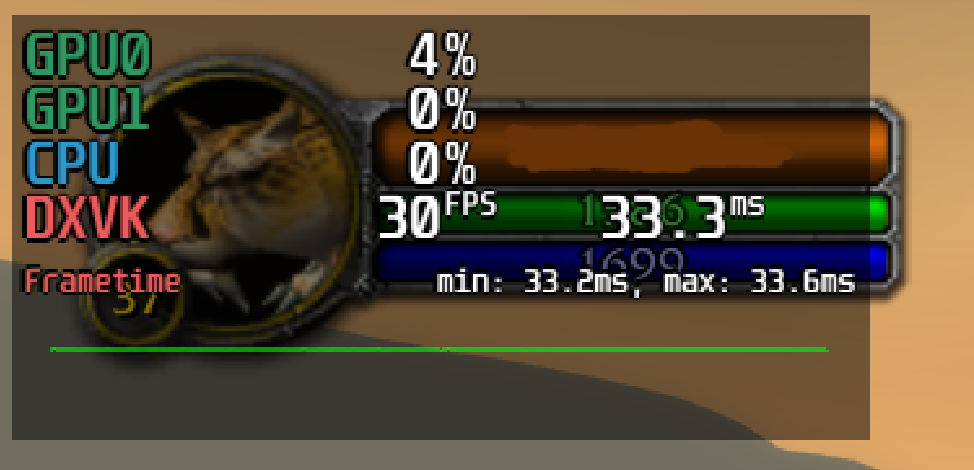
Mangohud works including the frame limiter. Also if these overlays didn’t work they wouldn’t work on SteamOS, as gamescope is a wayland compositor, but maybe the authors mean it does not work with Wayland clients, but I am running Wow with Wine running using Wayland.

Now global hotkeys are in fact not working yet in OBS, this is annoying there are some workarounds, but Wayland supports this it is a question of OBS getting support. But fair i guess we can call that broken though I wouldn’t be shocked if it is fixed this year. I don’t know what “features are broken” I have used OBS for years on Linux with Wayland with minimal issues. Back around 2020 I think before the zero copy mode there was a bigger performance penalty for recording in Wayland, but that has been fixed for years.

Ok this input latency bit took up a ton of room in this post. so here is a TLDR: Wayland forces cursor updates to be in sync with the rest of the frame, xorg does not and shaves of 1 frame of latency in some situations, but probably does not matter in video games. This is not input lag in terms of when the video game gets told your mouse moved.

Ok what about input lag, well this is complicated and gets into a few topics I am a bit more shaky in my understanding of all the situations. So I assume they are referring to this article which found Wayland adds 1 extra frame of latency in its testing.

https://mort.coffee/home/wayland-input-latency/

I assumed this is just a bit of vsync latency and it depends where the mouse move lands and this is kind of true based on what I read but not fully. Wayland has forced vsync by default which I think is great.

Lina here has worked on graphics drivers for the Linux kernel.
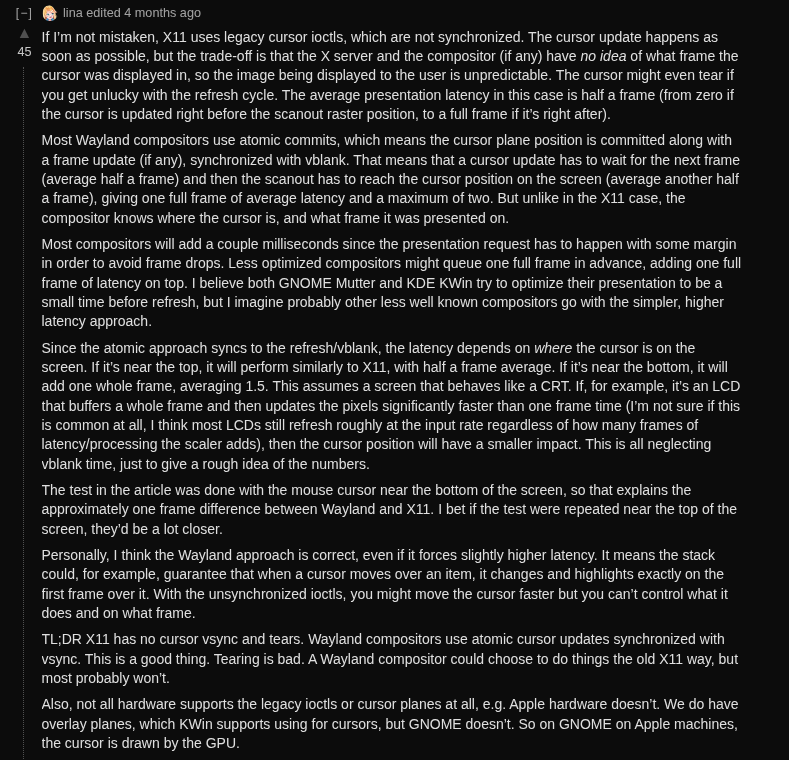
As far as i know all LCDs still update row by row to some degree and don’t buffer the whole frame otherwise screen tearing wouldn’t exist, so the impact of different latency at the bottom vs the top of the screen probably does matter. So it is not exactly vsync as I think the cursor in X would bypass vsync so that is why i think my understanding is not fully right.

So chances are the latency would be lower near the top of the screen. I only have a 240fps capable camera and chances of having some kind of hard to decider situations due to the lack of global shutter seems possible, but also thinking of what impacts the readout speed would have too as my Nikon has a pretty slow speed.

The other thing is I don’t think this actually means input lag in say a video game where people would care about an extra frame of latency that is possible. As this is not latency in input to the application, or in the speed of how long it takes the video game to output to the screen, it is purely a issue of the cursor. So i don’t think would say delay inputs to Battlefield, but the overall vsync could, but Wayland has a tearing mode these days for people who want that.

For me I always just run vsync anyway in my games to use it to cap framerates.

Gamescope I also think has a true direct mode, as far as I know GNOME does not have true exclusive fullscreen where things are handed off, the compositor is always responsible.

Apparently this is maybe how Windows also works now.

“With the release of Windows 10, we added Fullscreen Optimizations – which takes full screen exclusive games and runs them instead in a highly optimized borderless windowed format that takes up the entire screen.”

Also VR might be broken on wayland i don’t know I don’t know anyone with a VR headset to test this.
4 Likes

Wayland still does not have feature parity with X and by design never will. There are three things at play here.

People who tried it and found it couldn’t do X before X was implemented…so without retrying they still say it can’t do X.

People who’ve tried it and their hardware at the time didn’t play nice and finish off the second half of the previous statement. // Or your hardware is the magic array for Wayland.

Then there are people like me for whom it doesn’t do what I need by design.

Wayland’s lack of feature parity for GPU workload segregation means it will never be usable for multi GPU use unless the cards are perfectly matched or the other GPU’s are for compute. Still for matched cards Waylands design (the last time I spoke to one of the Wayland Devs) was that render work is dumped on the primary card while all other cards just output the frame buffer data they are passed from the primary card. So expensive GPU’s do virtually nothing while one of said expensive GPU’s has all the other GPU’s workloads dumped on it.

The “MultiGPU” implementation is seriously flawed and does not allow for GPU’s to be separated and workloads isolated like with X and denoting XScreens. Last I heard there is no plan to fix this and the last time I tried it (perhaps a year ago) it was horrifically broken…again by design. They have this “DRI_PRIME” style mindset to multiGPU configurations rather than each GPU runs its own screens and GPU’s should not “lowest common denominator” each other.

I have seen the odd news blurb about this being fixed but each time I test it, it has not been addressed. Given the complexity and nuance here I don’t think most reporting on the issue understand the issue. They just parrot back “multigpu bla bla” rather than the specifics of use case which can make or break usability.

Most the stuff you touch on are things I have never used and don’t care about. However yesterday a discussion with a dev on his project he noted that Wayland does not have a mechanism to allow Windows to set their own position. Is this FUD? Don’t know don’t care, I won’t use Wayland until/unless they implement XScreen style GPU segregation. Without it my expensive GPU’s can’t even run as well as an 8MB ATI Rage 3D.

As a ‘devils advocate’ note to Wayland, xrandr providers is often worse. However the approach is still the same. Wayland and xrandr providers both try to lump all GPU’s into a single Desktop / root which tanks any semblance of performance and runs GPU’s over 50% load at idle. It’s a heat churning power wasting feature set of insanity.

3 Likes

While I’m not neck deep into using it right now, KiCad’s development team recently came out saying Wayland was feature poor and kind of buggy which results in their application not running well on it.

Of more immediate concern to me is I can’t get a decent RDP server to run on top of Wayland, so x11 I will stay.
It is kind of exciting that a new development team with previous core members will be carrying on X11 development under X11Libre project.

2 Likes

I didn’t hear about that, that is kinda exciting.

Yeah it was FooYin’s dev the other day was talking about a window size/placement feature that makes sense in Windows, MacOS and X11 but Wayland lacks the features to implement such a basic thing.

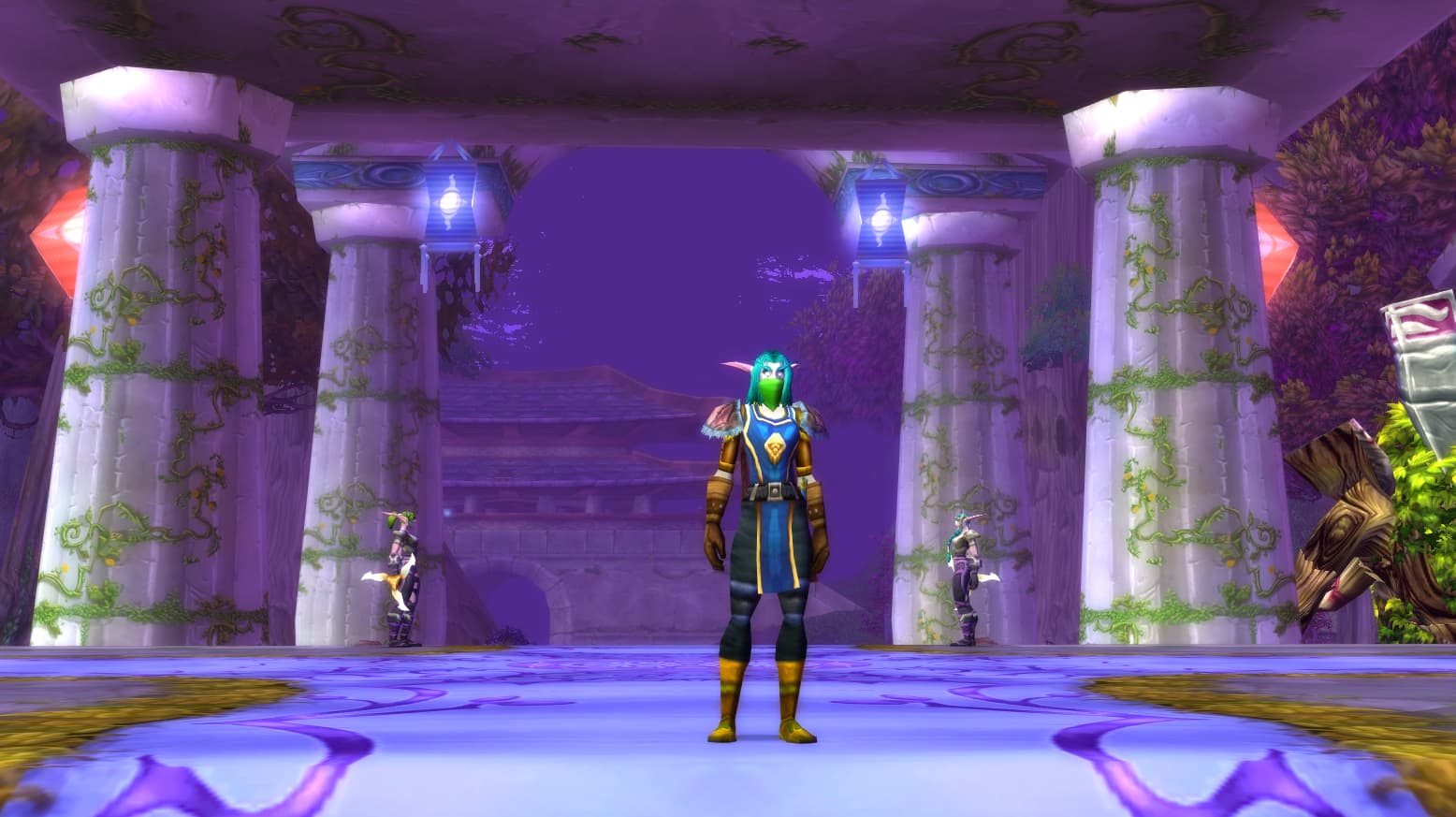
Thats nice and all, but what spec is your level 37 Druid?

1 Like

Kudzu-mancer

I think multi window applications like that are kind of obnoxious, i was so glad when gimp went single window instead of floating docks of tools, but also at least a decent chunk of what they are missing like cursor warping. Some devs i saw on Mastodon too lazy to find the posts, but some of the problem is a lot of app devs did not get involved in the Wayland process or development to push for these things as needed because it seems a lot felt x11 would be here forever. Implementing some of this stuff is more work due to security and using portals and yes those measures are not required on Windows, but I actually think we should be better then Windows.

Now should there have been a better chance to reach out to these people, communication issues are not new and neither is app developers assuming they won’t have to update to something new or change things. See Windows apps still running NTLM or .net 2 or 32bit only.

Window placement is also in kwin and being worked on for qt this will probably be done in a year.

Edit: I wanted to add this post from Simor Ser who works on Wayland a lot of the stuff taking time is just a lack of volunteers and they do their best to implement this stuff but they do want to do it correctly not force out a hacky solution and call it good enough.

I have never run a RDP server on top of Linux at least that was accessing the desktop we do run Guacamole on RHEL at work, but it is for accessing windows servers.

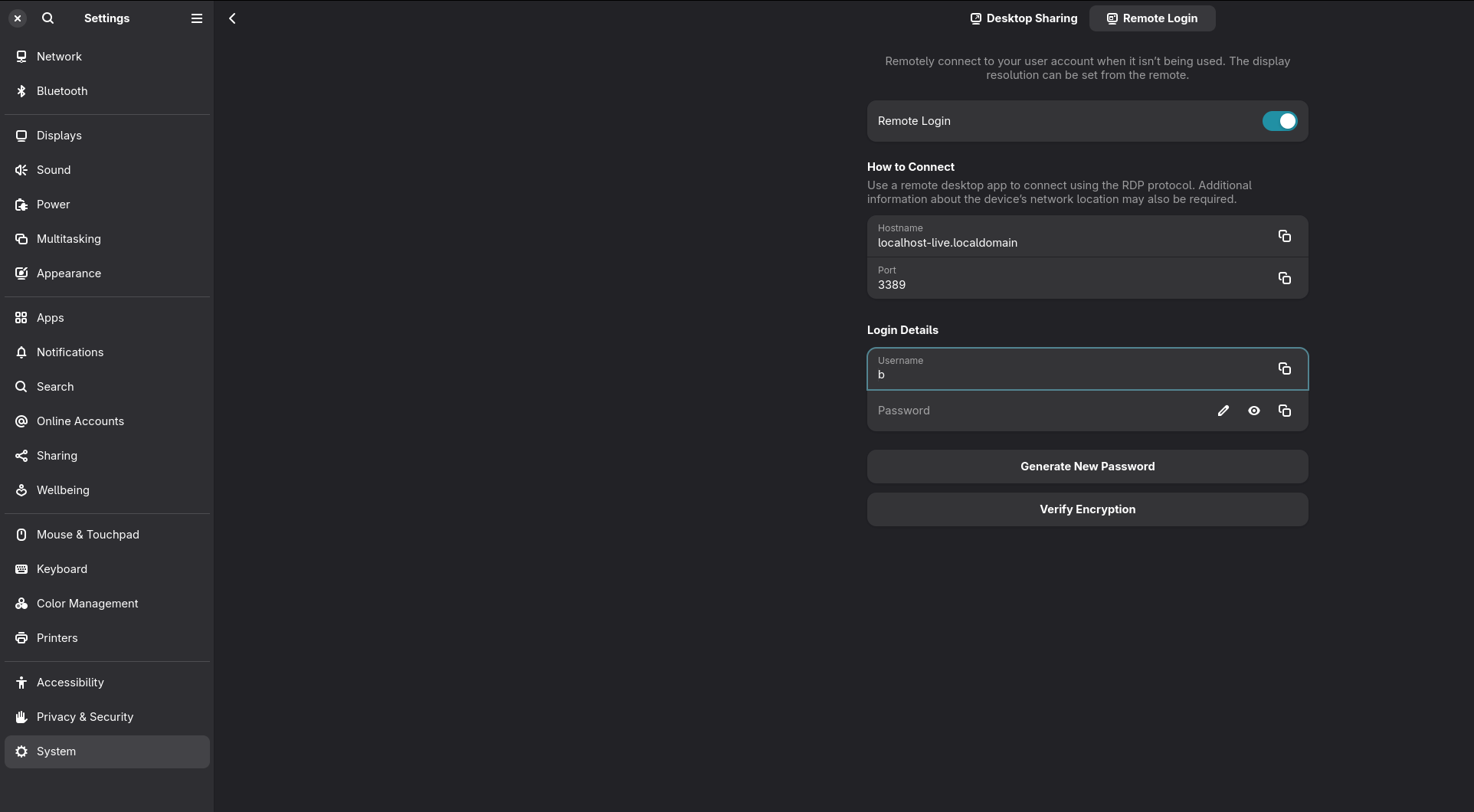
But i just went into the remote settings in my settings and just connected from my laptop and that works I obviously can’t say how nice it is long term, but it seemed to work as well as I would expect an RDP connection to Windows to work.

This is not true, it is maybe even untrue. The author of the fork only started contributing last year for about a year and a half of working on xserver. The core members of xorg more or less all work on Wayland now, because Wayland is a project by the prominent x11 developers of the time. I didn’t check every related project like drivers maybe he contributed a bit sooner there, but I don’t really see any big names i recognize who have jumped to xLibre.

Kristian Høgsberg Author of Wayland and was a Core X Developer, he is who got us OpenGL compositors from his work on AIGLX all those cool compiz effects are due to his work on X. He worked on DRI-2 which enabled GL applications to work in a composited environment. My ability to game on Linux or have mostly tear free experience in that era was directly a product of his work.

Daniel Stone who did a lot of key work making xorg modular did work on graphics drivers and a lot on input moved to Wayland.

Keith Packard who has worked on X since the 80s helped work on xwayland and helped keep x going while Wayland developed through the 2010s. Was on the board until 2022

X development fell off because the people working on it and in charge of it wanted to move onto the replacement they were building that fit better with how modern X was already working which was having the compositing window managers handle most things. Maybe there is some old core developers who contributed to xlibre but i couldn’t find any names and cross referencing them to the xorg repos, if you know of one let me know.

You didn’t hear about it because it is not true. A single newer dev who had to have Nvdia request reverts to fix the things his code broke.

1 Like

Feral Druid also Night Elf

1 Like

Weyland-Yutani
Building better display server protocols

3 Likes

It’s how we know Wayland is evil…they say they are building better protocols but really they are just trying to screw us out of our percentage.

1 Like

That protocol was only officially merged a couple months ago so the information you’ll find on the interwebs aren’t wrong or FUD, they are just not entirely up-to-date.

But with that being said, this is still true for a large majority of distros. Unless you’re on a bleeding edge distro, your DE will not have support for this. I believe GNOME still doesn’t even in current versions.
KDE only got proper support in the last 2 versions or so, and even there it’s still wonky.

Browser Docks don’t work and won’t for the foreseeable future.

Screen capture (window and monitor) is hit or miss depending on the DE and Distro (which in all fairness is not a “wayland issue”, they’re just behind on implementation).

Even on DEs and Distros where Screen Capture does work, it can be annoying to deal with as restore tokens for the capture are wonky at best and very much depend on how the DE implements them (if at all).

As for the Discord “screenshare broken” that was true until maybe a month ago when Discord finally updated their Electron from the stone ages.

3 Likes

That video was from the last week, and i didn’t say everything was FUD just that there is. Yes some of what kicad wants is not in wayland or is only just added.

Their app mostly works in xwayland just fine they can do all the cursor warping and window positioning they want so Distros killing the xsession really shouldn’t impact them.

Lina speculates here on that issue too and she claims that xwayland just works the issues are probably distros setting it to use wayland when it should still use xwayland.

I did lots of discord screenshares over the last few years just without audio which was broken under x as well that was a Discord problem in general.

I shared Cities Skylines 2 on Discord with friends when it came out in 2023 and I have only ran Wayland since 2018. Like it is something that has worked just the audio was broken on all Linux.

I have never heard of browser docks before, but ya i don’t doubt some stuff still has issues by my point is that the vast majority of stuff works in Wayland either directly or using xwayland and most of the claims are not exactly true.

We do have the issue of a lot of desktop environments out there just lack the developer support and have been falling behind GNOME/KDE. I don’t exactly think it is a bad thing if they die off as we can end a lot of fragmentation as it seems more and more people are just running either GNOME or KDE

I say as someone who really liked Unity for example but it just burns a ton of dev resources for each distro to be trying to build its own DE. It is why i refuse to give System76 any money until they abandon their attempt to build their own DE which is running years behind the initial schedules they hoped.

I’m going to have to give it another try to see if it is working now; Centos streams from earlier this year definitely had this functionality bugged.

This is probably a bad way to measure it, but between all the people contributing code to the project, there are several/many decades of x11 experience under their collective belt including the release managers. It seems like some of the people contributing are trying to keep a low profile though because of the political sensibilities involved.

I’m not saying this project is a sure fire thing that will completely replace the old X11, but it’s nice to see people step up to the plate and commit to improving the code rather than purposely letting it atrophy to pump support to a competing project that they also control.

I gave wayland a real shot this last month and while some things are nice like HDR support, xorg and now xlibre just leave me wondering why I should deal with the crap that is wayland when these x11 projects work just fine.

4 Likes

I just don’t think developers are obligated to maintain something they don’t want to, they aren’t competing projects any more then say I guess Windows 10 was a competitor to Windows 8, they are from the same people the same foundation. One supersedes the other and has a compatibility mode for older stuff. When a new version of something comes out ya the old ones tends to see less support.

As someone who has used linux since you had to download floppy images off usenet, through the early x11 days, etc. Wayland has been that forever evergreen field that has always promised to bring the year of the desktop but if anything has just continued to damage linux’s desktop reputation everytime theres been a push to move from x11 to wayland due to poorly thought out designs, half backed implementations, and just general cruft.

Even my most recent foray into wayland was a journey of slogging through the mud of random crashes and things not working. (Wtf did font scaling cause lookingglass.io to randomly cause gnome to crash). Anyways I could care less about the politics, I just want something that works, X11 has been that for me for the last 30+ years. Wayland has always been the thing that wastes my time.

1 Like

Screensharing seems to work quite nicely for me in Discord…

Here here. I’m always treated like some old curmudgeon when I poo poo on Wayland but the “poorly thought out designs” is exactly what I see when there is no way to run my hardware with Wayland because they “think” they’ve thought the implementation through and completely cut out my use case…a use case that’s worked for 20+ years…just poof “because.”

This is a tad of a tangent but Wayland has brought about some horrible breakages even for X. Gnome stopped enumerating XScreens back in GTK 3.1 which nuked almost every DE from functioning because they were “planning for Wayland.” I’ve spent years re-vetting applications and changing workflow because GTK is so dominant and the “Waylandification” of things broke damn near every application I used.

Comically most the GTK applications if you do a --help or man app will still say --display to denote which XScreen to use but GTK refuses to acknowledge any XScreen other than 0.0 or 1 in pure Gnome. It’s been almost 7 years of dealing with knock on breakages due to Waylands BS promises and broken design implementations and I don’t even use the steaming pile…

I wonder if your multi-GPU description is related to why Halloy doesn’t run on a Wayland system with an iGPU + Nvidia GPU setup.
It will run if I disable the iGPU in the BIOS, or on an X11 session.

I opted to disable GPU acceleration for Halloy entirely, which is another workaround. An IRC client probably doesn’t benefit much from GPU acceleration, anyway.

I’m hopeful for Wayland development and I try to use it. But it is sad that the most simple things, like just running an IRC client, are still broken on Wayland.

This is a bit of a yes/no. Wayland’s “MultiGPU” design is basically for Hybrids (laptops with IGP/APU and dedicated.) There is a discrepancy here where when I spoke to a Wayland dev team member he said Wayland will do all the rendering on the primary card and just pass the rendered frame to the other GPU with the monitor the rendered frame is for. This is hugely wasteful and adds insane latency.

However it seems like they might have changed this approach to where GPU’s are all used to render the desktop as a whole. Which brings about a “lowest common denominator” issue. RTX 5090 for gaming and use some on board IGP/APU to run a second screen for chat…well say hello to your RTX5090 can’t run any 3D extensions the IGP/APU can’t, runs like a 32MB GeForce card from 20 years ago while still sucking down 600Watts of power and dumping heat into the box for no reason…WAYLAND! HELL YEAH! Stupid Fing design…again without GPU workload segregation Wayland will make any unmatched MultiGPU system a dumpster fire of latency issues and performance degradation.

This means when an application queries what 3D acceleration features are available and you have more than one GPU with different features applications freak out because it’s like being told “Yes your Chicken is a shoe lace and Birds are planets…” Cue application says “WTF!” and segfaults unless the GPU’s are matched (i.e. have identical feature sets and on the same driver.)

I’m sure Wayland will be just fine for most folks in another 10 years but unless they rethink their design and aim for feature parity it’s less a hope for the future and more a middle finger to whomever their bad design decisions leave behind.

Sadly I see too many open source projects/organizations cutting features people have used for decades in some Apple like stream-lining to “Think Different…so long as it’s how we want you to think…” This is one of those situations where devs make what they want to make and aren’t obligated to do anything else. However now there are organizations in the mix directing and funneling things to where user choice is being eroded in favor of organizational vision.