Hello,
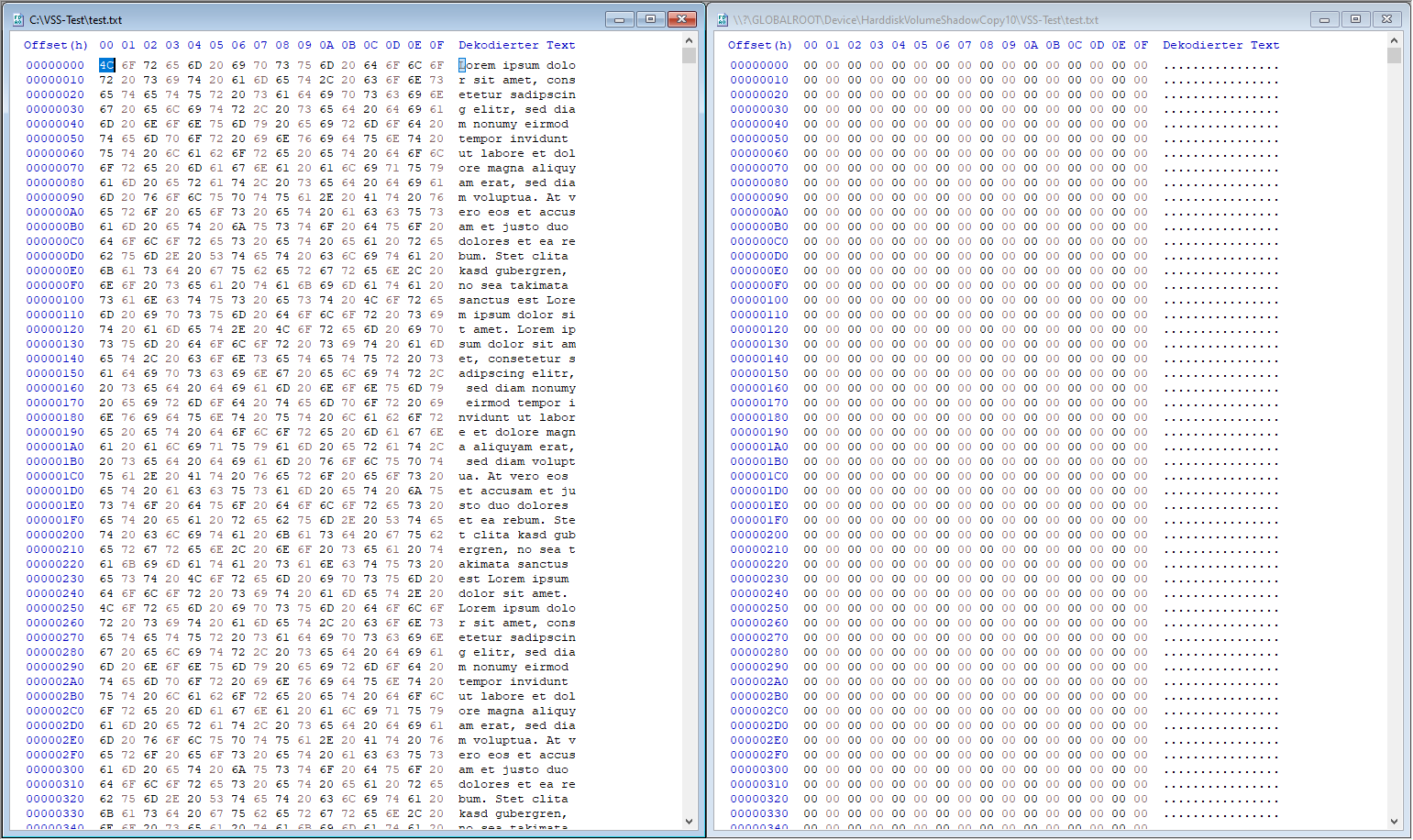
every time i want to restore a file from the shadow copies, i come across this problem again. When i try to export a file with ShadowExplorer, i get the file from the snapshot i wanted but in most cases it’s corrupted and either in part or completely just consists out of NULL Bytes even though the filesize exactly matches the original file. I have also tried it without ShadowExplorer, accessing the Shadow Copies directly (Over \\?\GLOBALROOT\Device\HarddiskVolumeShadowCopy1\) but that doesn’t change anything. Unfortunately i don’t get any older variants of files shown in the Explorer how it should be but i can’t remember the last time that worked anyway so i also don’t know what’s broken there but the Shadow Copies themselves do exist.
I tested it on 3 computers now and could instantly recreate it. The first two computers are running on Windows 10 22H2 (Microsoft Windows 10 Pro, 10.0.19045) and this problem already persists for at least 2 years as i remember. What’s going on there?
I was just also able to reproduce this on another computer which is running Windows 11 Pro (25H2).