Even though I managed to reset the TBT controller manually and rebind it to VFIO, my first reboot of the VM in Unraid was unfortunately not successful.
I have to clarify though that I did a reboot without a hook-script in place meaning there was no way to reset the TBT controller. I did a reset before I started the VM. As long as I don’t have a hook-script in place that can trigger on reboot I will have to test with <start, stop, manual reset> cycles.
The only thing this indicates so far is that it doesn’t behave the same way as in Rawhide where 1 reset was enough. Not giving up yet. More testing tomorrow.
1 Like
It is a very interesting setup, and you should do a wiki/guide post on the forum when you get it working  There’s regularly questions about iGPU passthrough, etc…
Ah, interesting. If I am in that situation I do an echo 1 > /sys/bus/pci/rescan.
You’re suggesting this to a guy that only 3 weeks ago had zero experience with Linux, HW passthrough and Unraid.
I’m coming from the Windows world and built my last rig 9 years ago using Win10 Pro, Hyper-V and Windows Storage Spaces.
This here is all new to me. I do have a clear vision about the setup I’m working on but that’s about it. The rest is curiosity and stubborness I guess. Honestly I’m following guides myself and pick pieces I need to finish my own puzzle.
I first have to get this working then gather a lot more experience using it. Writing a good guide is something I currently don’t feel comfortable with - I neither have the knowledge nor the experience for that.
Unfortunately <start/stop/hard-reset> cycles do not work. Not sure why this is working with Rawhide. Maybe the virtualization is the root cause or it might just be a newer kernel/driver that might fix it one day.
I have one last hope which is also hard-resetting the USB4 controller. I have seen that both parts of the chip seem to share a memory block. This will be tricky though. I cannot blacklist the USB driver otherwise all my other USB ports are useless. So I need to find a way to blacklist only a certain device from loading driver X or I need a way for a manually attaching a device with the VFIO driver instead of using /rescan. When I think of it, a temporary blacklisting might also work (if this is possible - this requires /rescan to read the blacklisting config whenever a driver needs to be loaded)
That gets people further than most who have complacency and lack of motivation.
I have some very good news to report. Actually I’m typing this message on my daily VM running on Unraid. I’m copying data from my old rig to Unraid.
By chance I found the solution. So here is what happened:
I got distracted by a phone call while my VM once again had the blackscreen issue. After the call I forgot that the VM was still running and was “hard-resetting” both the USB and TBT controller on the host. After that Unraid bound the USB controller to the USB driver (not blacklisted) and the Thunderbolt controller to VFIO (thunderbolt driver was blacklisted). Suddenly the monitor had a picture again (at this point I realized that the VM was still running). I would have expected at least a VM crash but all was running fine. Even more wired is the fact that neither VM nor the host had any drivers for Thunderbolt loaded but suddenly I could reboot start/stop the VM without any issues. This only broke after I power cycled the monitor (I guess detach/attach of the cable would have the same effect).
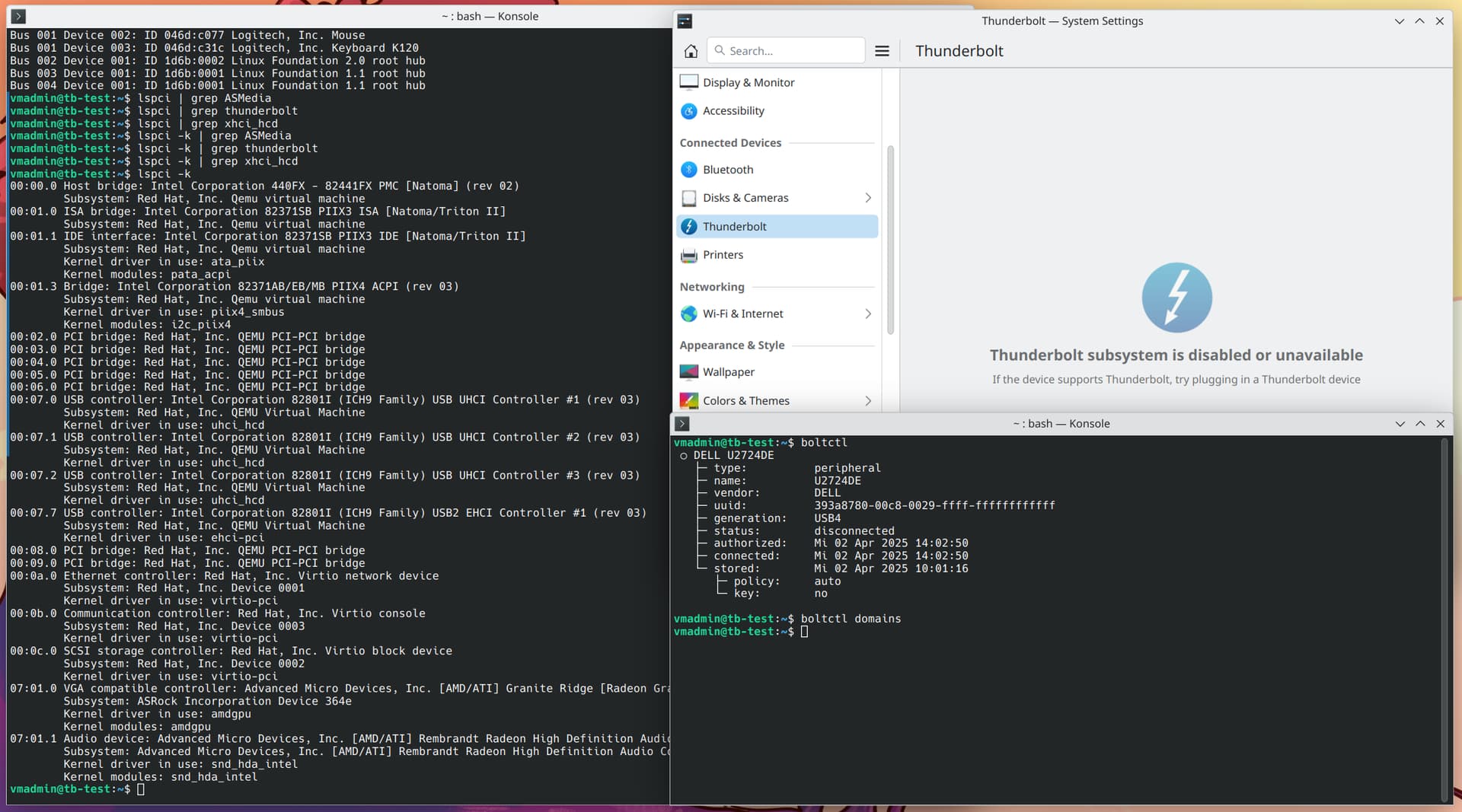
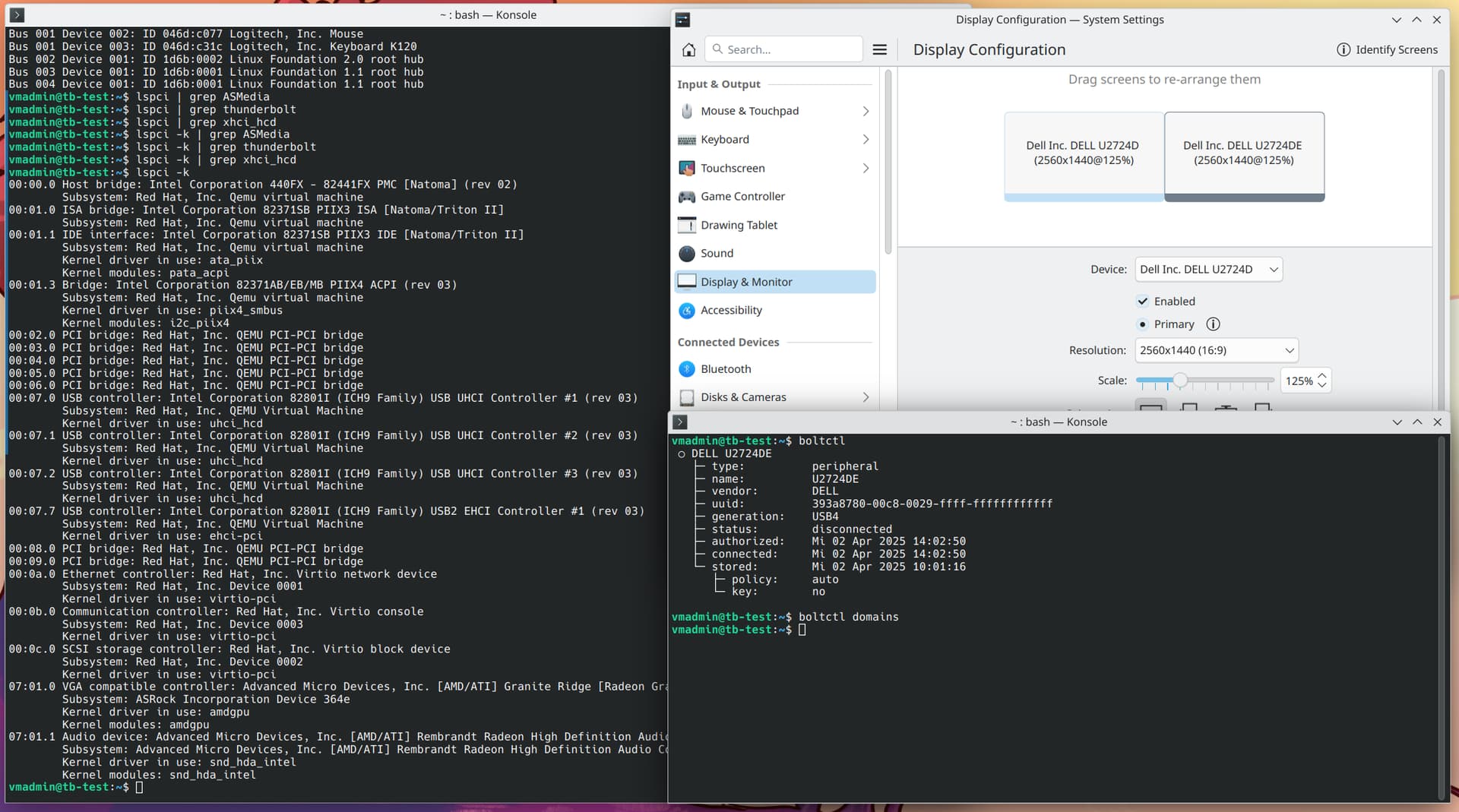
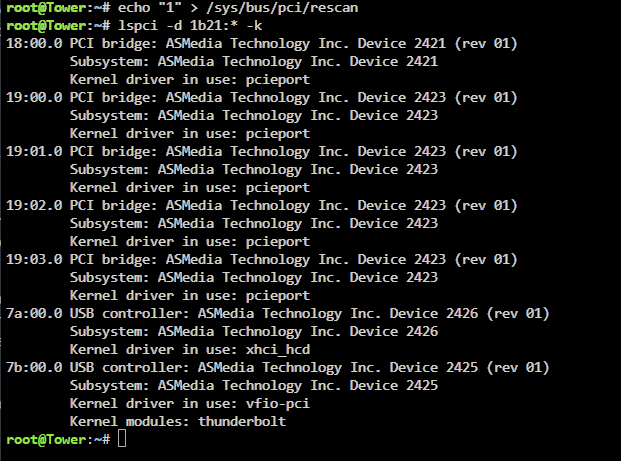
This is when I realized that the only way this is possible is if Thunderbolt is only required for device authorization which happened in the VM when the controller was passed through. As long as the monitor was connected and powered on the authorization remained valid. If this is correct then passthrough of the Thunderbolt controller should also not be required.
In the VM I used boltctl in order to authorize Thunderbolt devices. Unfortunately neither boltd nor boltctl or any other tool for thunderbolt exists in Unraid except the driver and I could not find any to install. All I found is a post in another forum where a guy was building the boltctl package for slackware but this I didn’t want to try, this is way over my head at this point.
In the end I found this admin guide.
So my new setup does NOT passthrough the Thunderbolt controller. The Thunderbolt monitor gets authorized automatically by this udev rule at boot and at each reattachment:
root@Tower:~# cat /boot/config/udev/50_enable_thunderbolt.rules
ACTION=="add", SUBSYSTEM=="thunderbolt", \
ATTR{authorized}=="0", \
ATTR{authorized}="1", \
RUN+="/bin/sh -c 'echo 1 > /sys/bus/thunderbolt/devices/domain0/0-0/0-1/authorized && echo 1 > /sys/bus/pci/rescan'"
root@Tower:~#
This does the trick. The other thing that was causing me trouble was the 3m cable I used. Even though it is supposed to be an active cable, the attached monitor was losing the signal sporadically. With the 1m cable that came with the monitor I have no such issues. I need a new 3m cable.
I also tried to use these additional attributes:
ATTR{iommu_dma_protection}=="1", \
ATTR{security}=="dponly", \
but unfortunately my system seems not to support these.
Anyway, this solved my issue and I can now reboot/start/stop my VM with iGPU passthrough. It’s running for 3 days now.
I also setup my Dockers (Pi-Hole, HomeAssistant,…) and managed to create hotkeys to switch between the daily and gaming VM using ddcutil.
I’m super happy now 
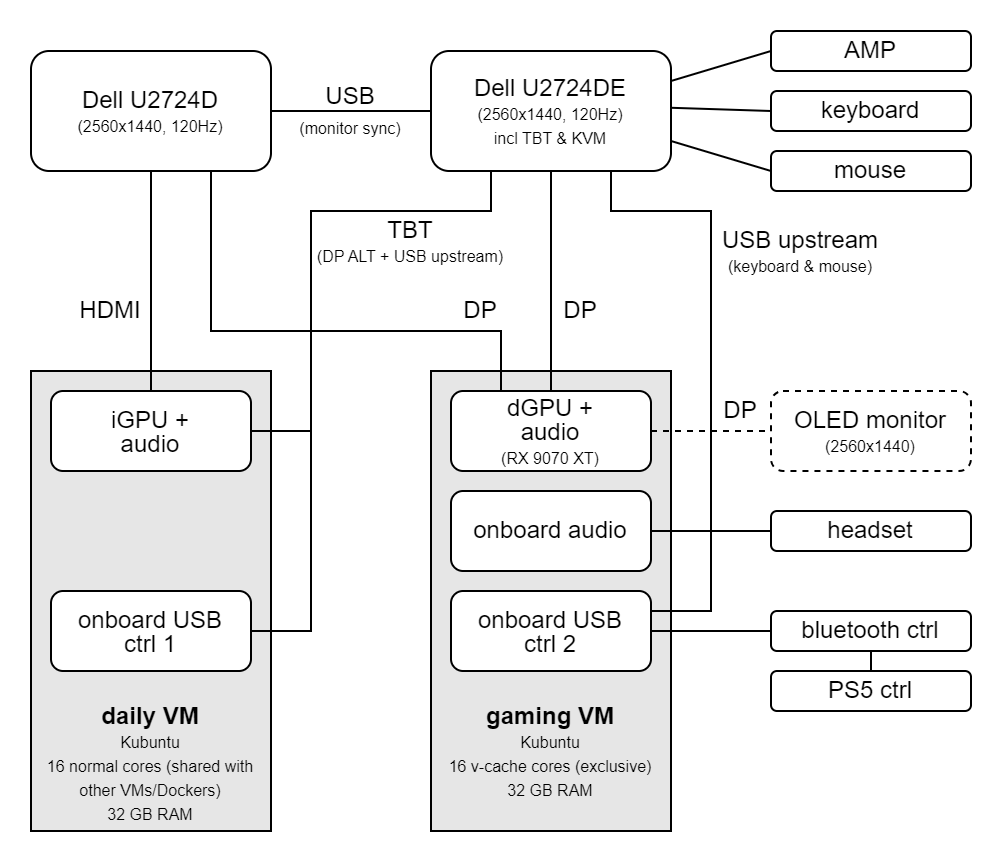
As soon as the data transfer is done, I will finally switch off my 9 years old rig and cannibalize the SSD/HDD for Unraid .
I still want to automate backups, then I need to find some alternatives to Software I used on Windows and I also want to integrate “Proton Drive” (hopefully they release a Linux client soon). And of course I have to finish/clean-up my documentation now that it’s all working.
@quilt and @LiKenun thank you very much for your time and help 
4 Likes