Hello everyone, first time poster here.
I am a researcher at a public university in Denmark and we recently purchased a new workstation for image processing of pretty large (hundreds of GB to TB) fluorescence microscopy datasets. The vendor (ACQUIFER) shipped the machine pre-loaded with Windows Server 2022 and I have been fighting with the thing for a while since I need a scientific software that relies on OpenCL.
I successfully installed Winget and can browse the store but I am getting the following error at installation time:
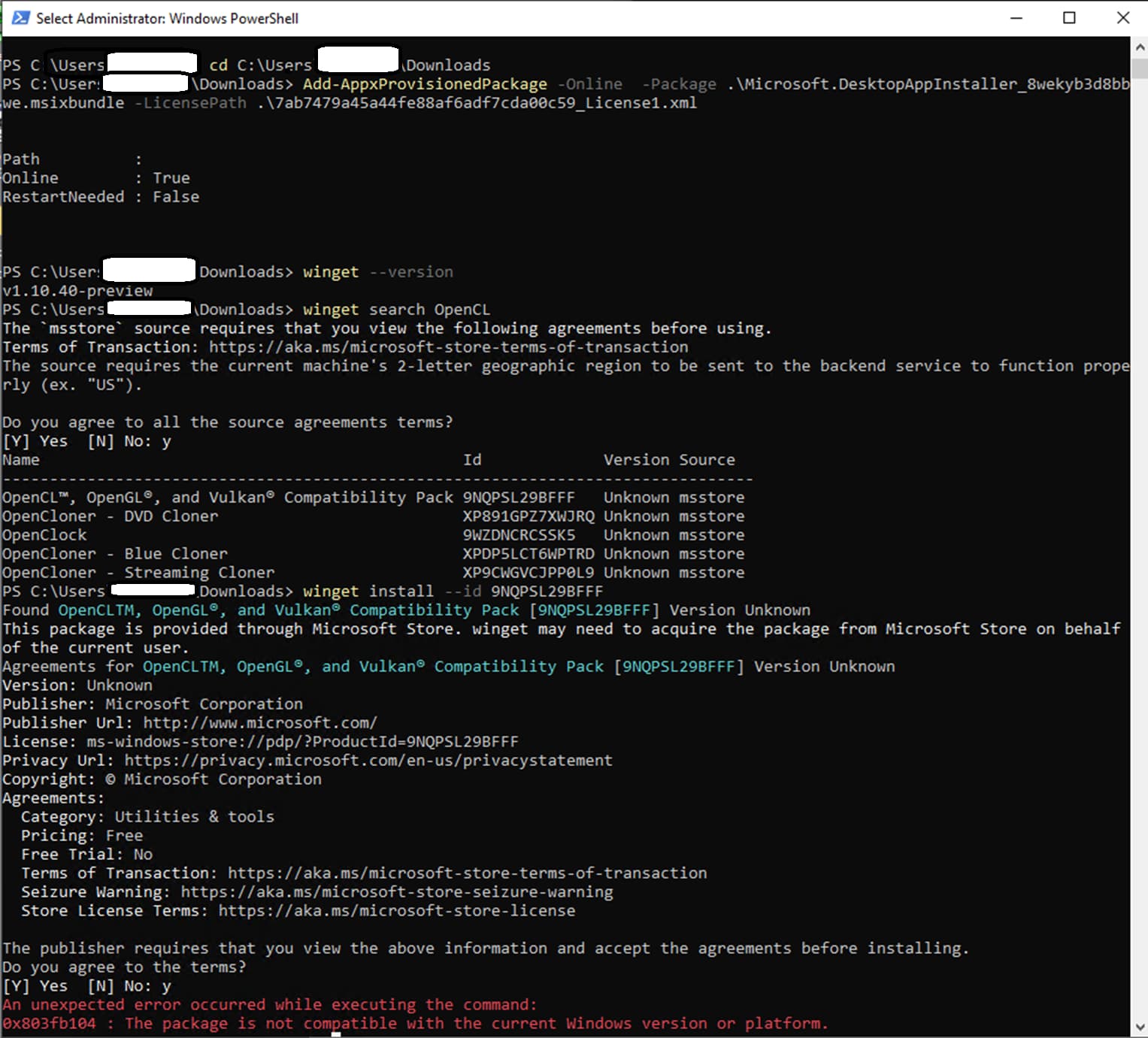
Is there any hope of running OpenCL code on Windows Server 2022 and helping a poor biologist do their job?
This entire issue would be solved by running Linux but alas I am bound to the IT infrastructure in place which is completely Windows based.