Token's lvl1 blog- edit -- Token's rantings

A little more testing done. I think I will convert my roof node to a repeater and keep the T1000e always on hand and charged.

If I can get the 8dBi 25.2” 915 MHz antenna fixed I’ll use that for the meshcore repeater and the much smaller alpha 915 for the meshtastic node in conjunction with the airframes filter.

Same for the two other solar nodes I’m sitting on here that I’m gifting out to some friends- repeater modes and recommend to them to get clients, especially the T1000e.

Alright, t1000e tx is pretty weak, needs a repeater very near by.

RX is good though.

1 Like

The 1w wisblock has frozen up on me once requiring a power cycle.

Thinking of getting a 3.7v micro remote controlled relay so that when this thing is up on the mast its a not a PITA to reset it from time to time.

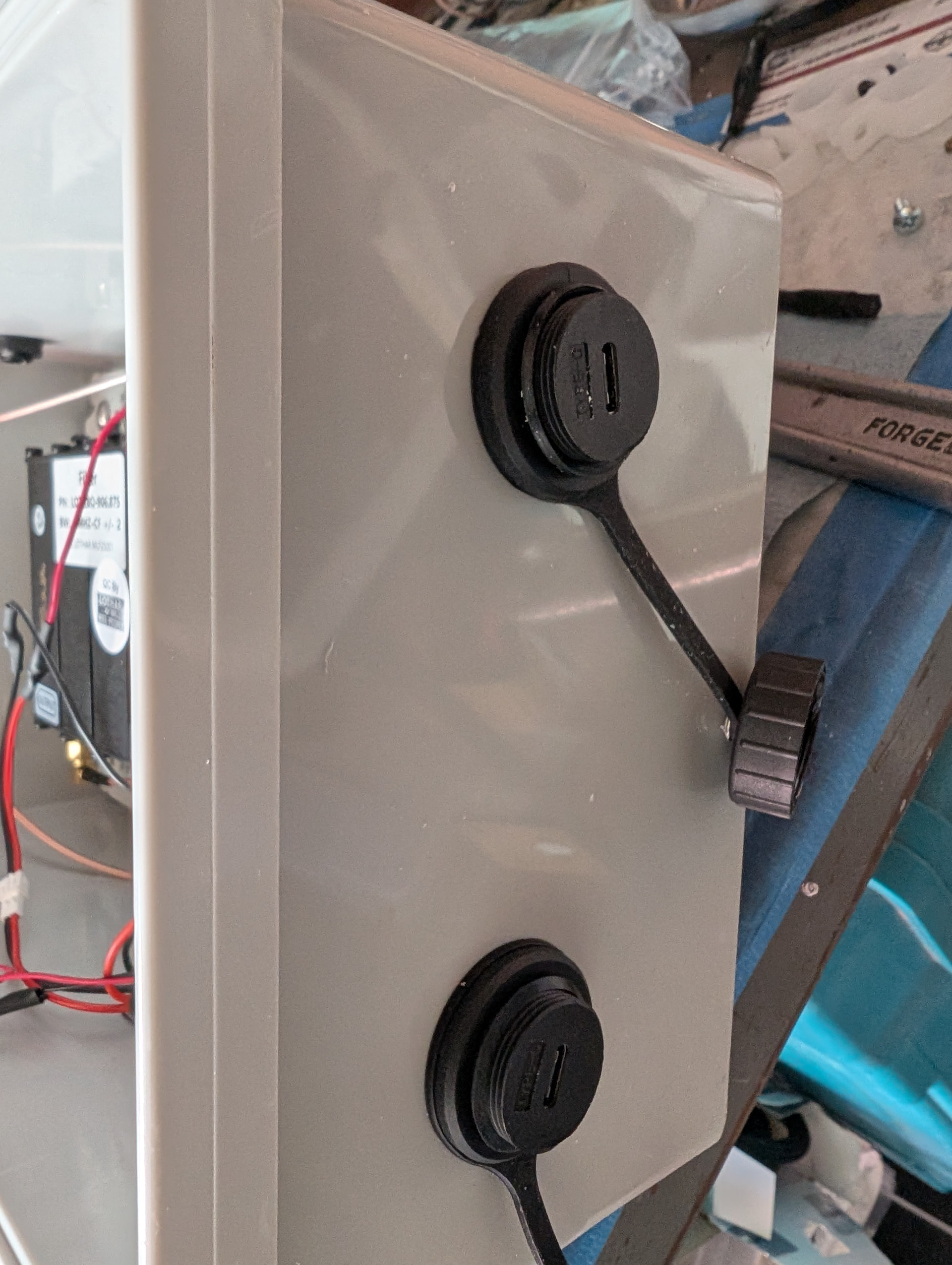
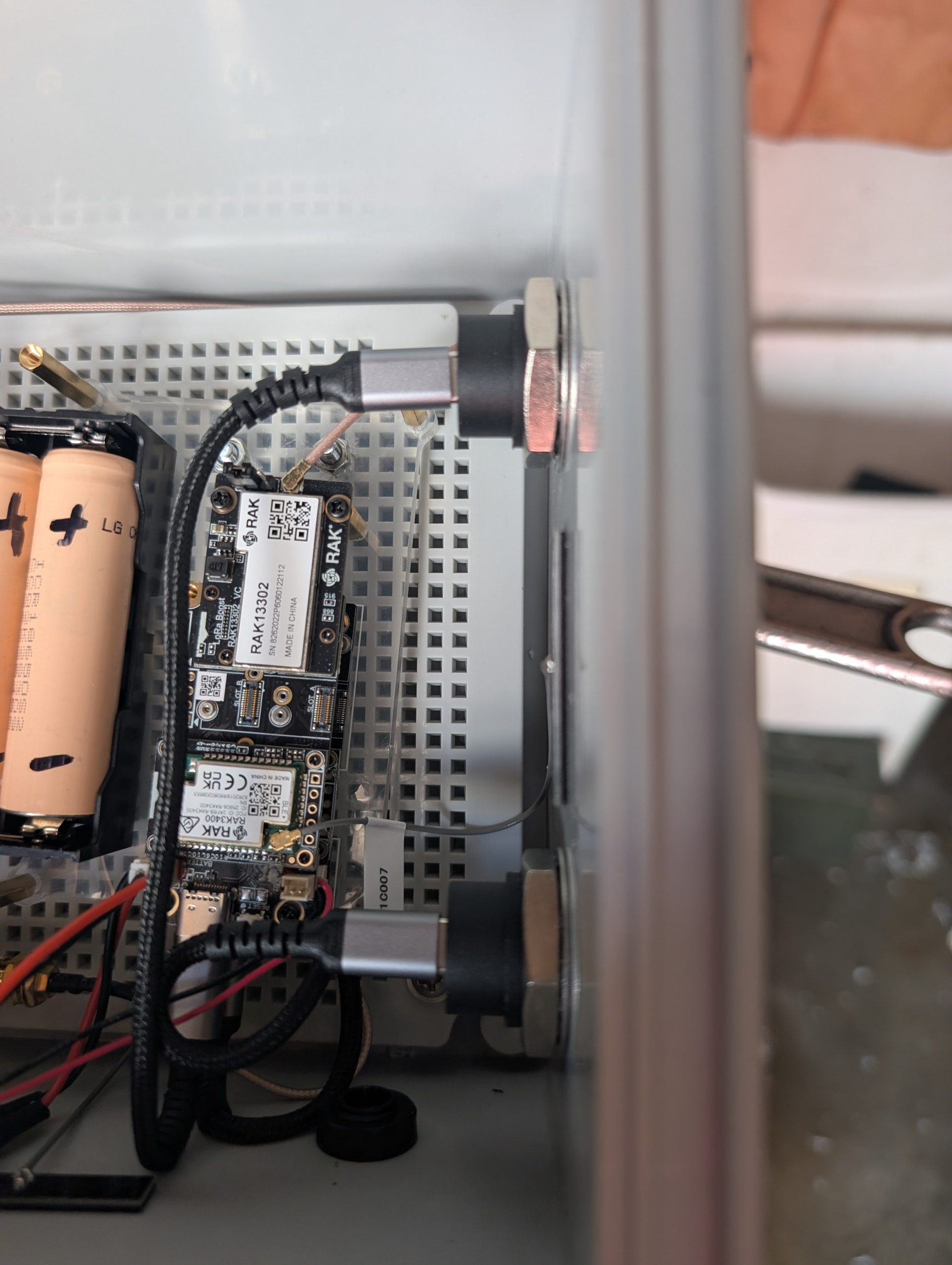
@PhaseLockedLoop apparently flashing can be done while batteries are still plugged in (im skeptical of this), but if so it makes the next mod make good sense - Installed usc-c bulkhead pass-throughs so that updates can be flashed without taking the box down.

Now, ideally i can just walk up to the mast, plug into thr bottom of the box and flash. Not messing around with wireless flashes, that bricked me once.

So Lawrence Systems posted up a dockhand vid when I was searching for the latest in Docker container updating.

Queue the “noooo waaaay” instagram guy

No ‘fing way it can be this easy.

Trail by fire time, went to update:

pi-hole

Heimdall

Portainer-ce

homebox

Unifi-Controller

Splunk

Very, VERY impressed.

Pi-Hole and Splunk got borked. Kinda peeved with the pi-hole one but the Splunk one was super understandable with how extremely large the gap was between my version and current version.

I needed to nuke from orbit and start over on that splunk anyhow. Maybe not even run it on the synology as a docker but give it a nicely resourced VM or baremetal for v2.

So yeah, dockhand is pretty neat, and supposedly its in their workflow to create some kind of container backup flow too. Very excited as both updates and backups are new to me and the google results are overwhelming for someone that isn’t ‘tism’ed out on containers and used to the easy of VM snapshots.

Pi-hole was an easy fix just making a new docker but pointing to the config files I mapped to a share.

Splunk… at version 8.x it chugged along on the synology but newer versions require AVX and the celeron on the Synology just can’t do it.

Built a new bigger better Splunk 10.x on the proxmox server. I just don’t expect 100% uptime on the Proxmox server, its more on/off based on needs to mess around.

I need a lower power but powerful virtualization solution. Something like a modern efficient NUC.

Interesting issue arose. Its either the proxmox host, virtual switch, something with the physical switch or something else, but pfSense’s syslogd would just keep tapping out and no longer send logs to Splunk.

AI said to add a floating rule with x,y z settings and that seemed to work for about an hour but it still tapped out when there was a surge of logs.

So added Service_Watchdog to pfSense and then added syslogd to be watched. Seems to be trucking now but I imagine a number of log events might get lost between the time of failure and restart of the service… I’m not sure.

1 Like

T-Decks flashed to latest meshcore GUI. Decent GUI, comms working well. TBD doing an antenna upgrade on at least one of them, and/or GPS module installs.

Home Assistant. I’ve had Alarmo installed for… sheesh I don’t know how many months and I had never configured it fully, but noticed I couldn’t arm it either.

Found a great tip to go into Home Assistant > Alarmo > Actions and make a notification for failed to arm and it automatically has the extraction for what sensor(s) were the cause.

Found a few sensors I didn’t want enabled for various modes (home, away, vacation etc) and after some tweaks, tests, finding a wiring fault on a door sensor etc AWESOME I have a working Alarmo now.

For those not in the know, Home Assistant is already an amazing self hosted home automation platform, and in the olden days in order to give it a home alarm like functionality (as you might as well with all the sensors you potentially have feeding into it) you would have to painstakingly write up a bunch of automations yourself, search for the sensors etc and all kinds of Home Assistant stuff I have no idea about. Alarmo came a long and did an amazing job of pretty much wrapping all of that up into a nice add-on package w/ GUI.

Great advice to create a notification as to WHY it wouldn’t arm:

1 Like

Finally FINALLY did a build of Frigate NVR

I’ve been interested in self hosted NVRs for a very long time, but the black box builds have always been miles ahead- but being black box you don’t know whats going on. Googling network analysis of various brands and doing a little of my own for Reolink, its just not comforting knowing a product is essentially operating as a ‘beach head’ into your NAT.

I’ve done work arounds like firewalling Reolink from WAN access and using Tailscale for split tunnel VPN NAT access (but then having to put trust in TailScale as well…).


BUILD:

Wasn’t easy at first. I have had a GTX970 in the proxmox machine hoping to do some LLM stuff but all its done is idle’d sucking lots of juice and doing nothing. It also had proxmox ignoring the iGPU of the haswell i7.

My first attempt of a proxmox LXC with Ubuntu + Docker was giving me hell because I wasn’t aware of the above. I thought I was passing through the iGPU but instead was passing through an unsupported GTX (drivers not installed on the LXC as I didn’t know the situation).

After googling if the 970 was even worth while for the AI detections, it came back the iGPU of the intel would be much more efficient. So I physically removed the GTX and started over.


Its not easy task to make a Frigate NVR IMO. I know its come A LONG WAY but its got a ways to go to become a more turn key install. I’ve watched a number of videos and tutorials and they are all very different, and there are lots of hardware configurations, updates to the GUI, support etc. This is where AI really really helped. A lot of back and forth on changing the docker config (iGPU passthrough, external HDD mounting for vid storage etc), the frigate config yml (settings, camera settings etc)

That said its a hell of a lot more turn key than it was years ago when I was researching it and just adding detection models was a huge youtube vid.

I now have three cameras feeding into it with awesome people and dog detection, and probably consuming the same amount of power the 970 was just sitting there with zero tasking. I wish I had a wattage meter on the server but when I removed the 970 it was very very warm to the touch it again it had zero tasking (not sure what Linux/Proxmox does with it at idle but it was sinking power for sure).

If you have been pondering a Frigate build, go for it! My old Reolink NVR was just motion detection and its false positives are way too much no matter how much you tune. AI detections are a game changer. Self hosted NVR WAY more inherently secure if sheltered behind your NAT.
2 Likes

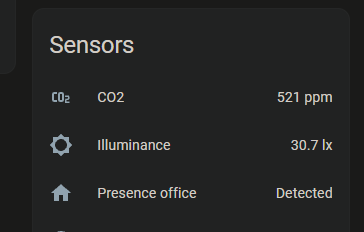
Upgrading and updating my Everything Presence One Lite’s to have CO2 sensors

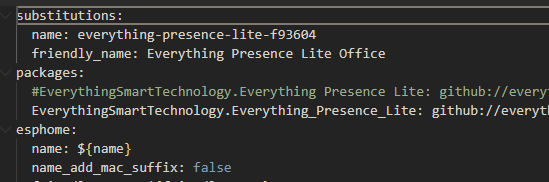
Using the easy method- flashing over ESP Home via just updating the git source:

Commenting out the old line and adding the new one:

Key part is the addition of “co2” and keeping the ble feature.

image

OK not 100% that simple.

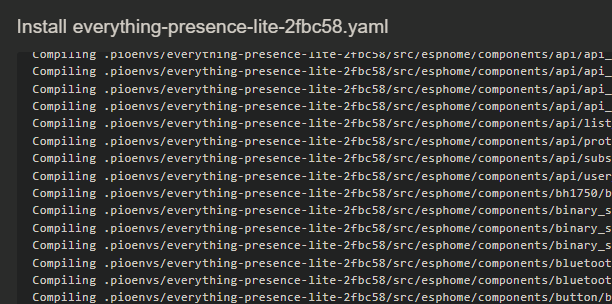
The red LEDs would start to blink furiously on the presence sensors which the internets says is an http handshake issue even though the module still sends sensor data reliably to HA. To make that go away had to go into ESP Home Build, on each unit select “clean build files” then flash over the air again.

@Onno @TimHolus

Picking up from TimHolus’ thread, IMO “privacy is dead”.

To further enumerate, it is such a technical feat to maintain its absolutely understandable its now too high an expectation for normies to even try.

Gone are the days of opting out, VPNs having decent effect, using alternate OS’s, rooting and app stores.

With many app requirements, massive netflow surveillance, permanans zombie cookies, browser fingerprinting etc etc it now takes a professional or extreme enthusiast to remotely pull off maintaining privacy.

Happy to be proven wrong and given a reasonable path/pipeline to succeed at privacy. Keywords reasonable- i know its not impossible as Michael Bazzell made a career of it, but that proves my point its so difficult he made a killing and retired early - if it was easy there would be a bazillion tech bros covering down on that rich market.

3 Likes

I truly don’t think privacy is dead. That would be anonymity.

You can still have the relative privacy of your own home, in the flesh despite the tech dystopia.

What was a wifi hack using an AP/all-in-one’s wifi to also work as a radar is now becoming a “feature” in upcoming models.

I see the smart home appeal, i already have everything presence lites at home, but at the router level and all seeing (all rooms not just where you put presence sensors) is pretty freaky, and they will surely advance over time to tell who it is (height, weight, gender etc), direction facing etc.

Again, a good smart home feature but you know for profit reasons mainstream companies will spirit that data away for crunching.

Just feels like the door is closing.

1 Like

We will be fine despite this.

Im chill

2 Likes

So a random YouTube vid pops up in my feed basically “blackarch is pretty cool”.

Ok, so download the OVA, inports automatgically into VirtualBox, boots- neat

Go to update… errors. Fix errors, make a config file etc, more errors. 1hr session with chat and gemini, get to a java error that I just can’t get past.

Yep… still can’t put in my sig “I user Arch BTW”. Convinced Arch users are the BDSM of nix.

Back to good-ole turn key Kali, the Mint of security distros.

2 Likes

I used Etcher to make a proxmox bootable USB but it was not getting detected as such with a Dell 630. I didn’t want to use Rufus so I bumped into ventoy which creates a bootable environment that then lets you choose from various ISOs you simply drag and drop into it’s partition.

What a game changer. I want to say I knew about Ventoy or something similar a number of years ago and I think back then it was a bit more work intensive to put ISO’s into it. But being drag and drop is wild.

The Dell sees it as bootable media and the proxmox ISO I dragged into it is currently installing. Pretty sick.

1 Like

That’s right… I use it every other day, somewhere and for something. :slight_smile:

1 Like