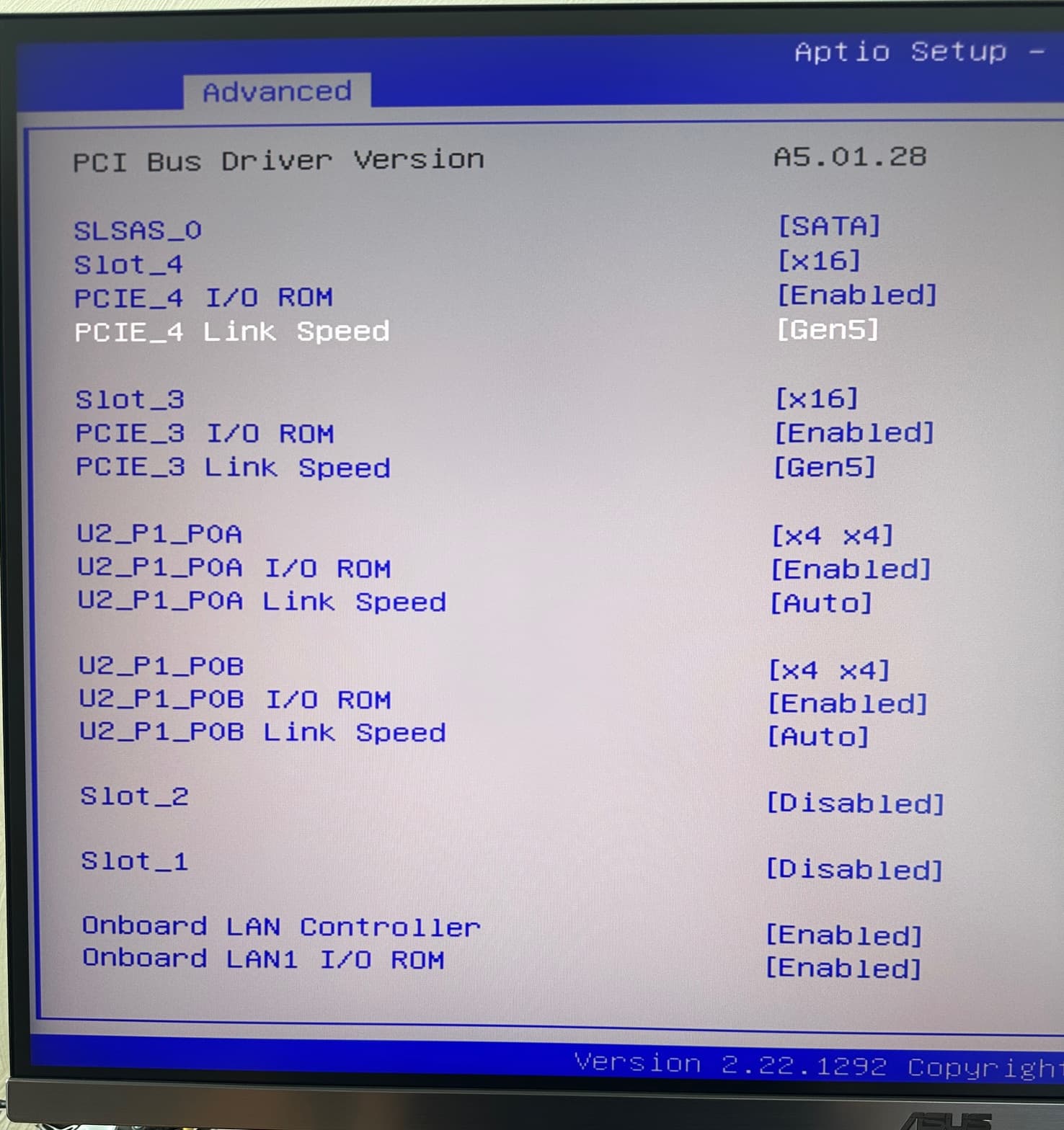
The read write speeds were improved by setting/ dedicated the xGMI and the bandwidth on the lanes and hard setting the fabric to not throttle - ALL BIOS SETTINGS
originally it was set to AUTO, but there was room for improvement
The read write speeds were improved by setting/ dedicated the xGMI and the bandwidth on the lanes and hard setting the fabric to not throttle - ALL BIOS SETTINGS
originally it was set to AUTO, but there was room for improvement
Interesting. Might be worth to check on my system if I can get that improved as well, tho it‘s „only“ 2nd Gen Rome not what u have.
But given these were only BIOS Settings, that free performance nonetheless. So: Win 
So, I did a few updates:
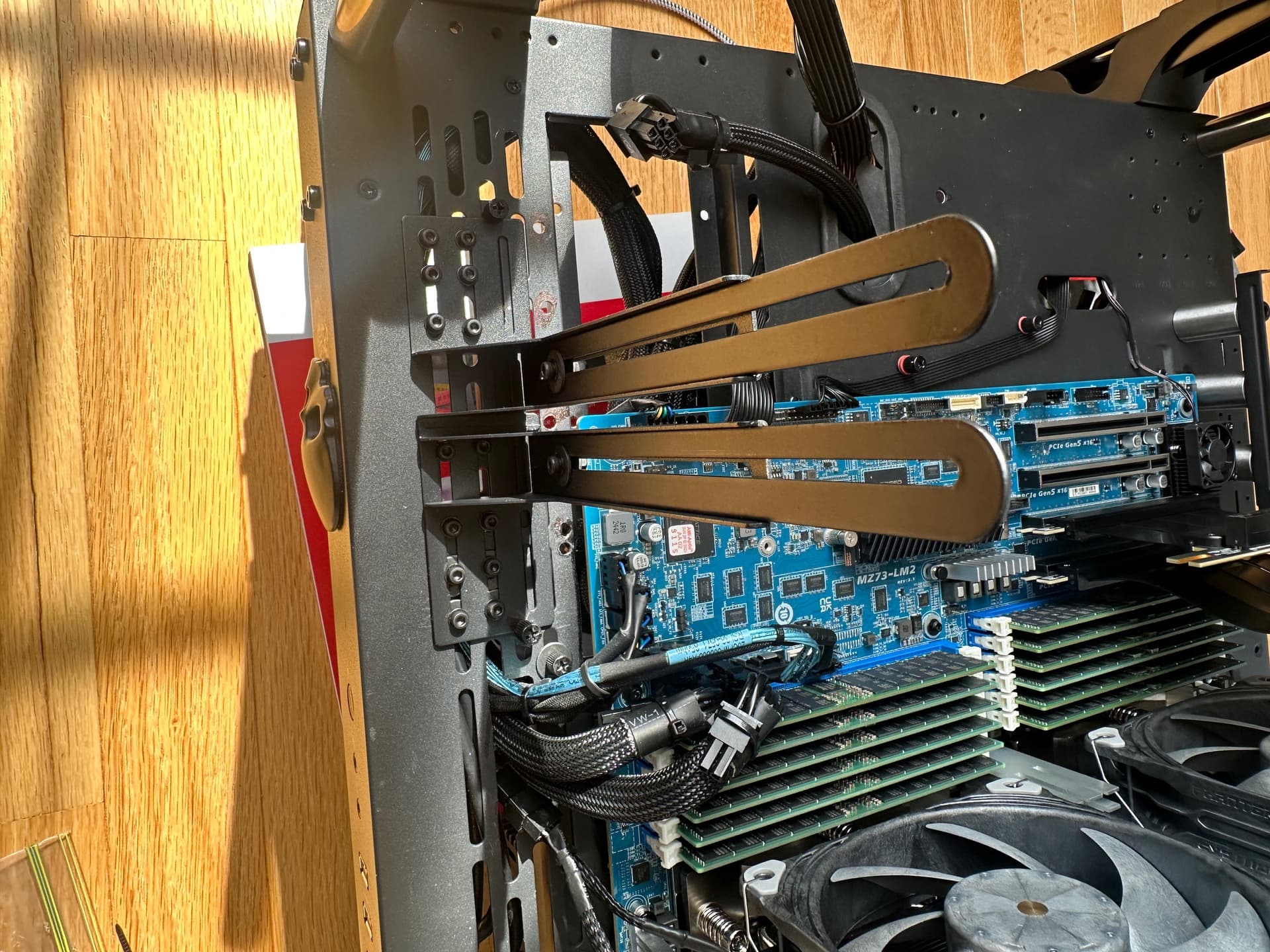
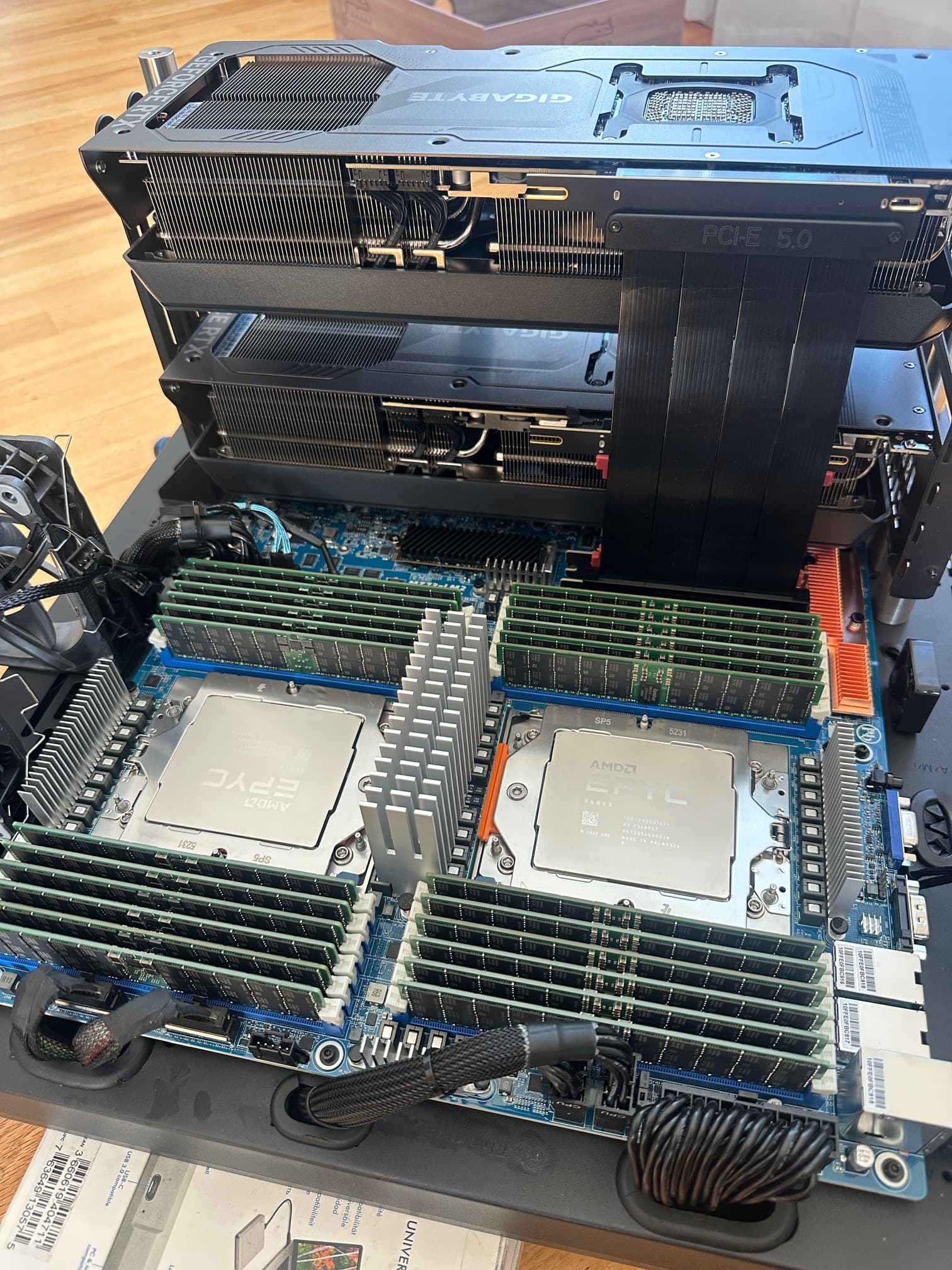
I moved from a Gigabyte MZ73-LM0 motherboard to a Gigabyte MZ73-LM2 motherboard (Rev 3.0)
This was due to improvements in the motherboard, performance and stability improvements, the nvme m.2 received gen 5.0 treatment (up from Gen 4) several architectural changes and optimization
I still had to upgrade the heatsinks on the board, although (even though I replaced it with my own design) the newer board came with a copper heartsink for the LAN chip.
I also changed the m.2 nvmes from the 8tb Sabrent (gen 4) to the Samsung 8TB 9100pro nvmes for my C drive, to benefit from the GEN 5.
I also update the CPU heatsinks with some improvements I made.
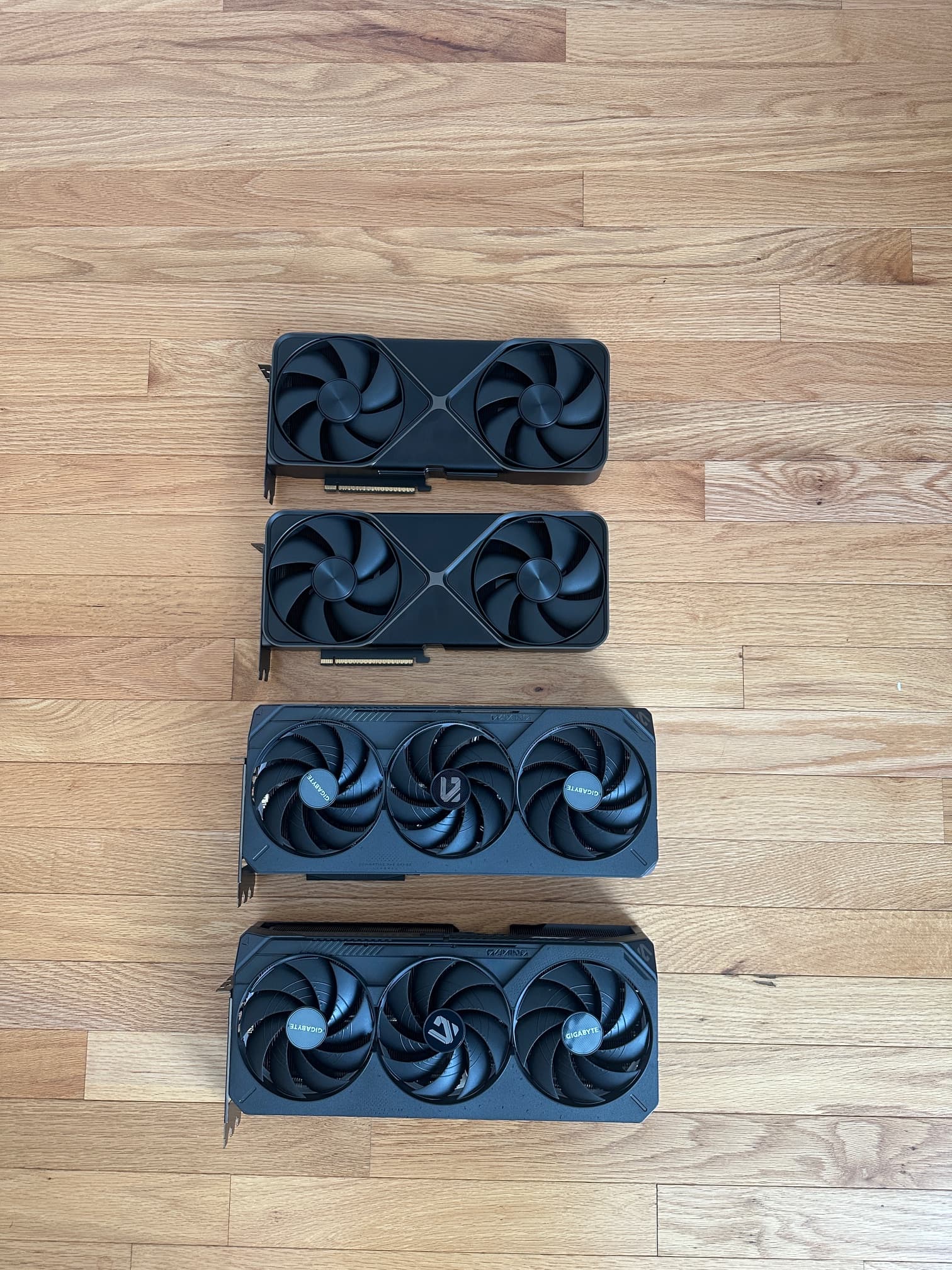
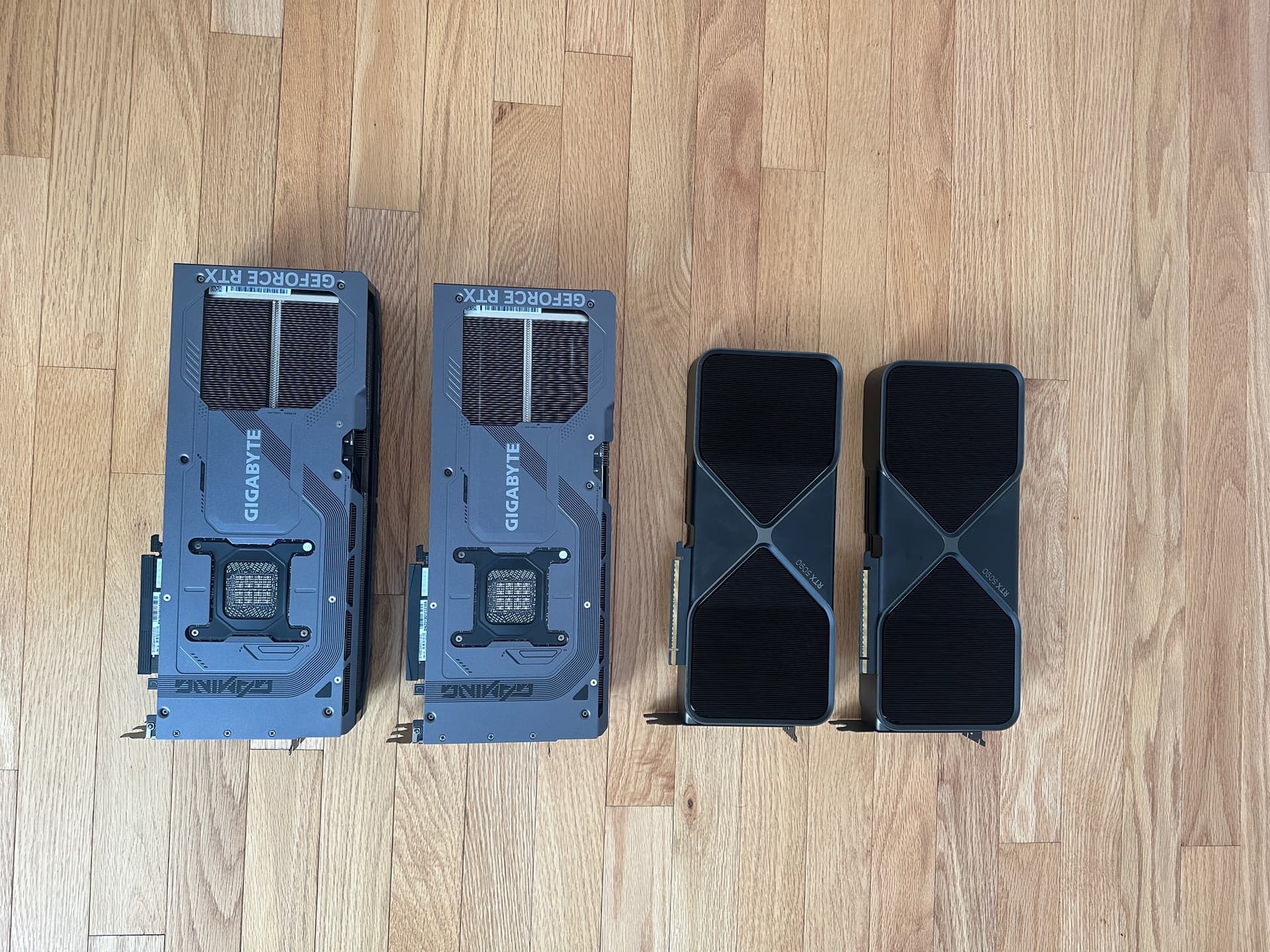
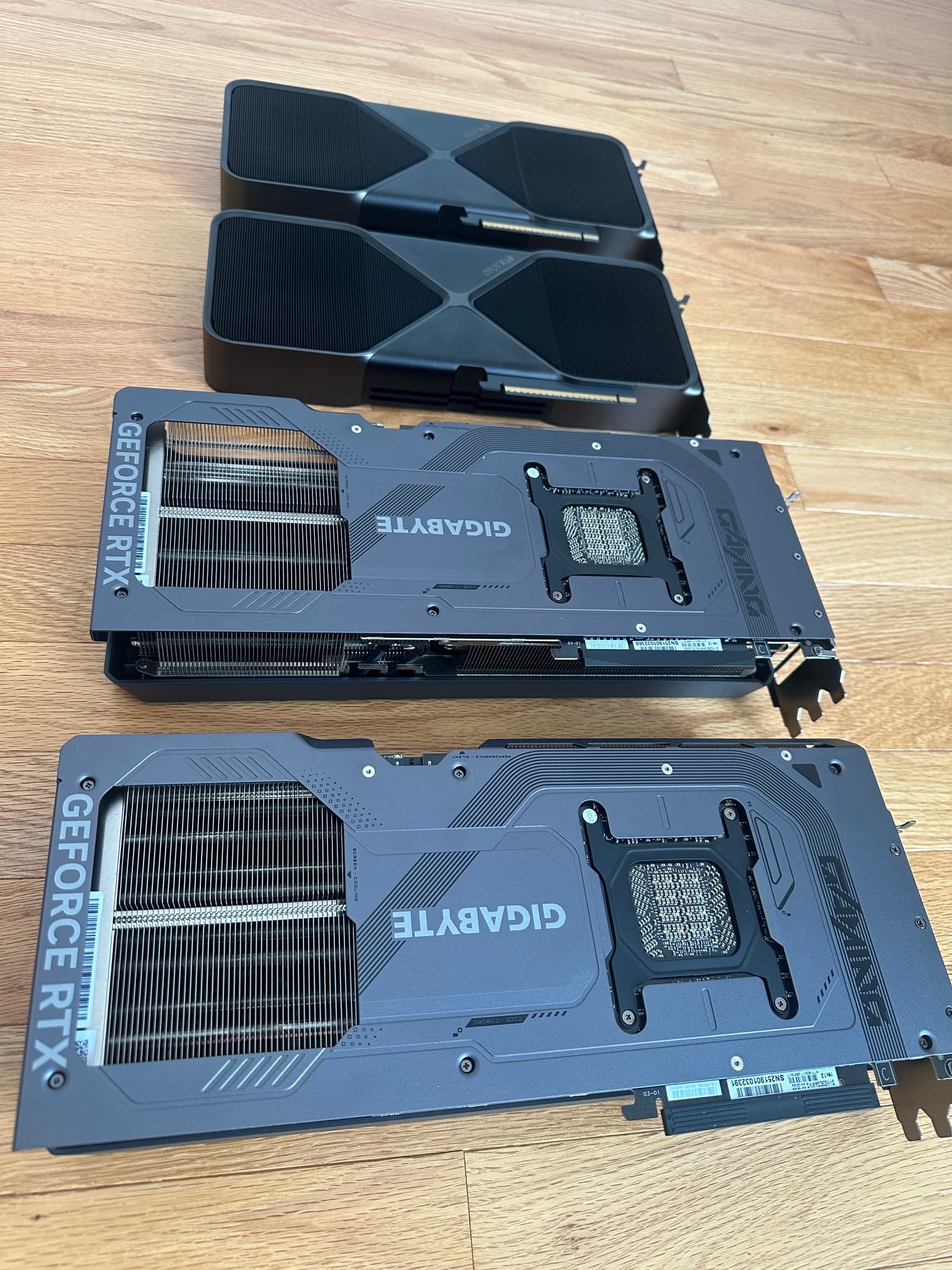
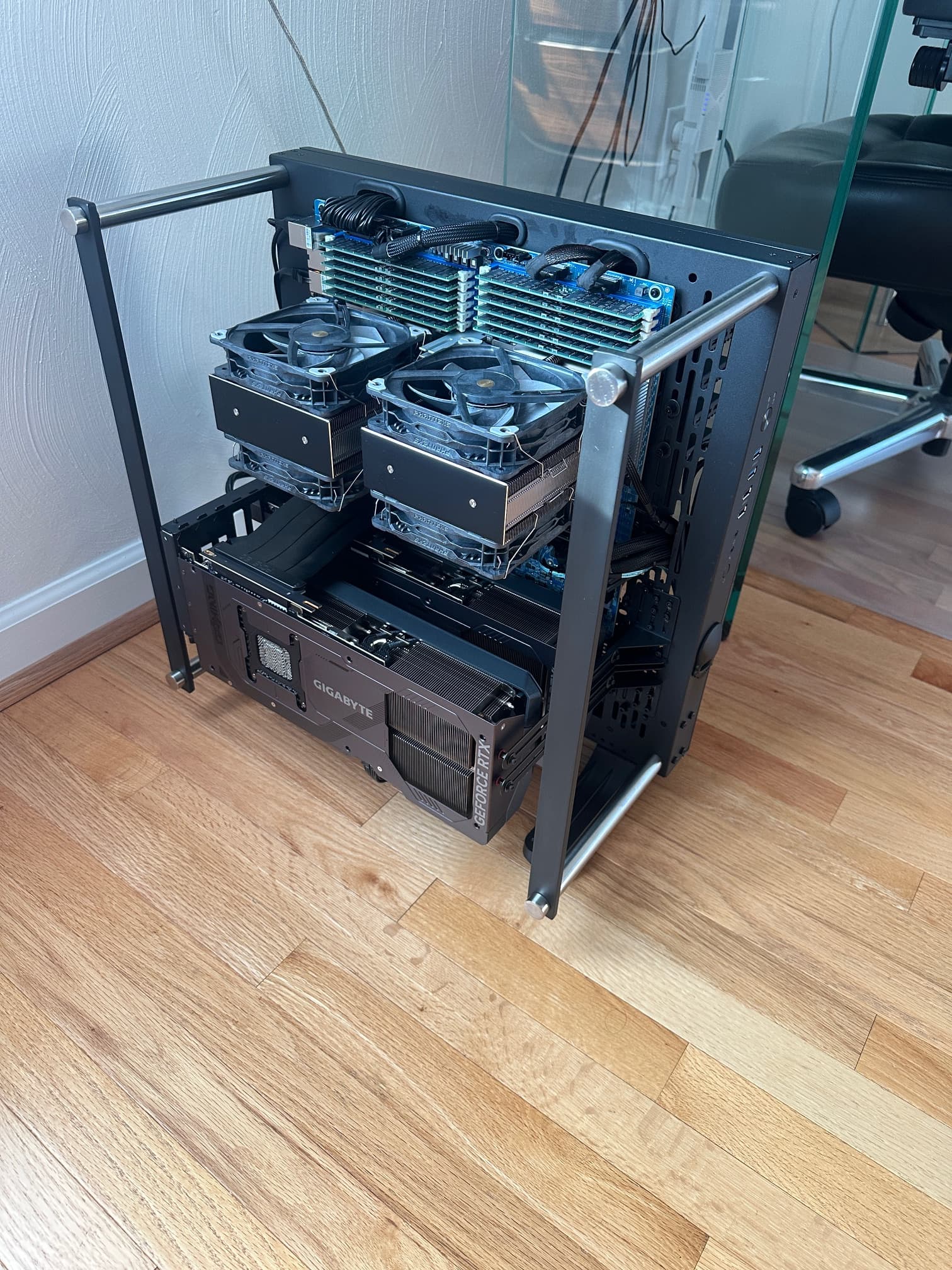
Other changes beyond cable management and the recent inclusion of the 2800W Superflower PSU, include the move to gigabyte 5090s OC up from the stock nvidia Founders Edition 5090s. I was not exceptionally impressed with the cooling from nvidia, especially when the fans were not going, the nvidia FEs crept up to 50 C before the fans would kick on when doing idle tasks (non app and no gaming).
The gigabyte 5090s have a more generous cooler and stayed below 39 C at idle with the fans off (normal behavior when not using an app or gaming.
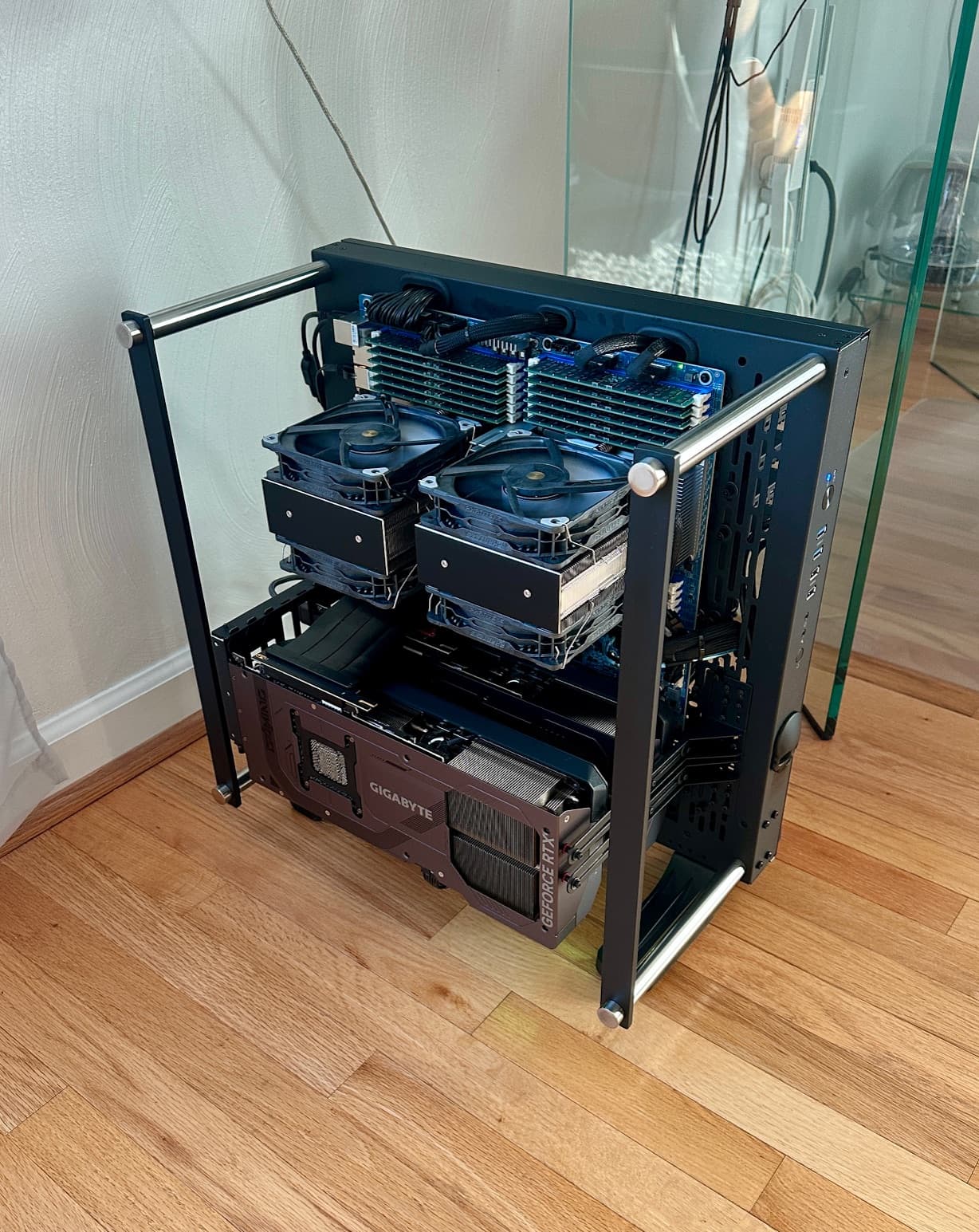
The challenge was the sheer size of the Gigabyte 5090s OC…huge challenge as of the HUGE cards compared to the nvidia FEs.
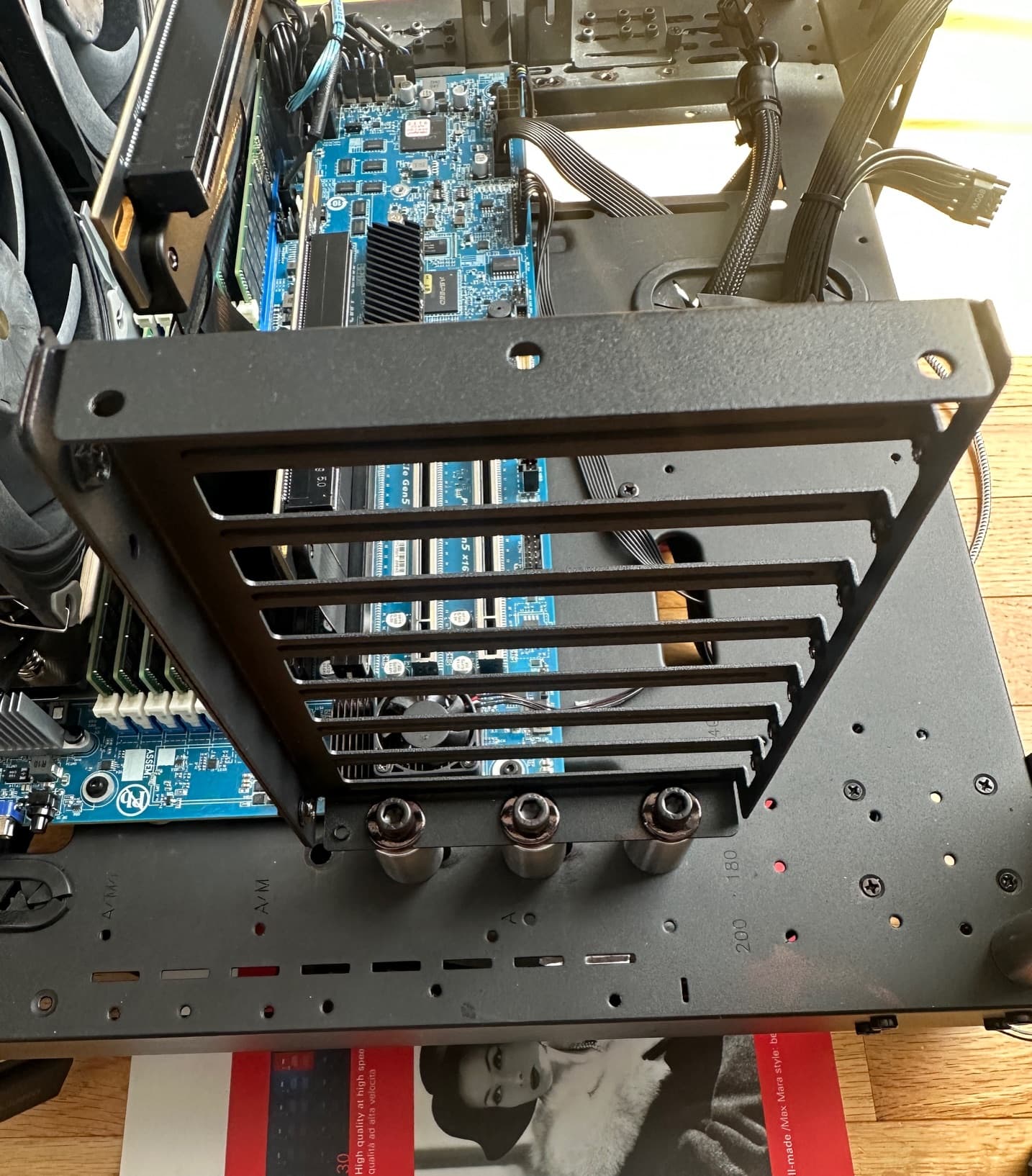
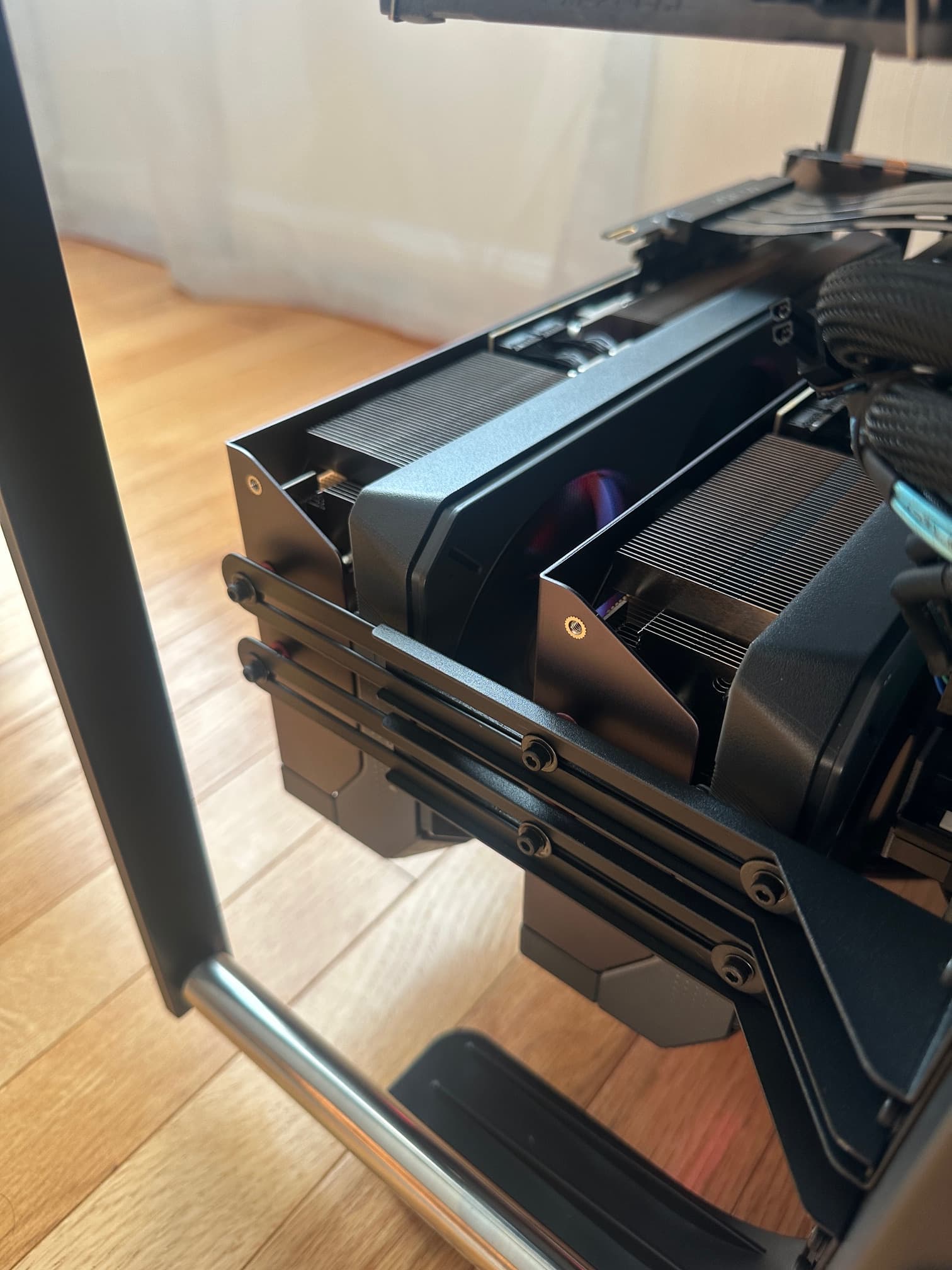
So I had to come up with a better design. I did not want the hot air from the cards blowing onto the dual CPUs and ram and I did not want the video cards to blow hot air down to the motherboard.
So this required them to be upside down to the warm air is blown away from the other components. ~ why is the standard to blow hot air into CPUs, ram and to the mother board?
So this required more vigorous bracketing:
The final product runs silent (in most cases, unless a heavy gaming session, but even then its not loud)
Under load the cards peak at 68-70C, which was lower than the Founders Edition, but more importantly, when the video card fans are not going, the cards stayed around 39C in a room that is normally about 71F.
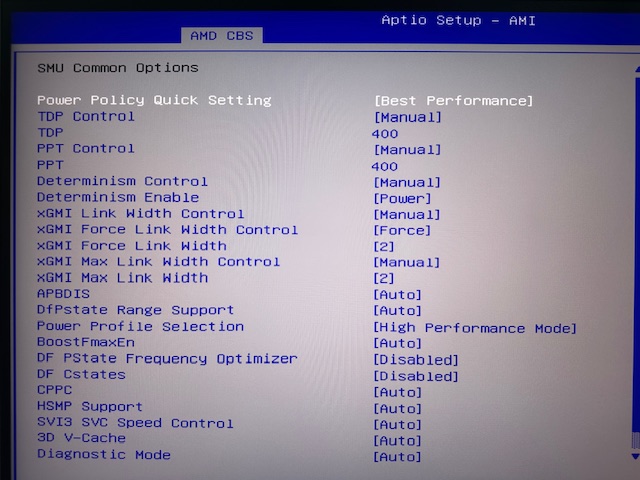
The other improvements I did in the bios such as maximizing the xGMI bandwidth, forcing 16 lanes per instance, for 32Gbs per lane, multiple optimizations in the SMU.
I also mastered my ram drive set up and the bios allows for ram surviving warm reboot.
So from one volume to the next, read and write performance increased. Here is an example of backing up the C drive volume to the D drive array.
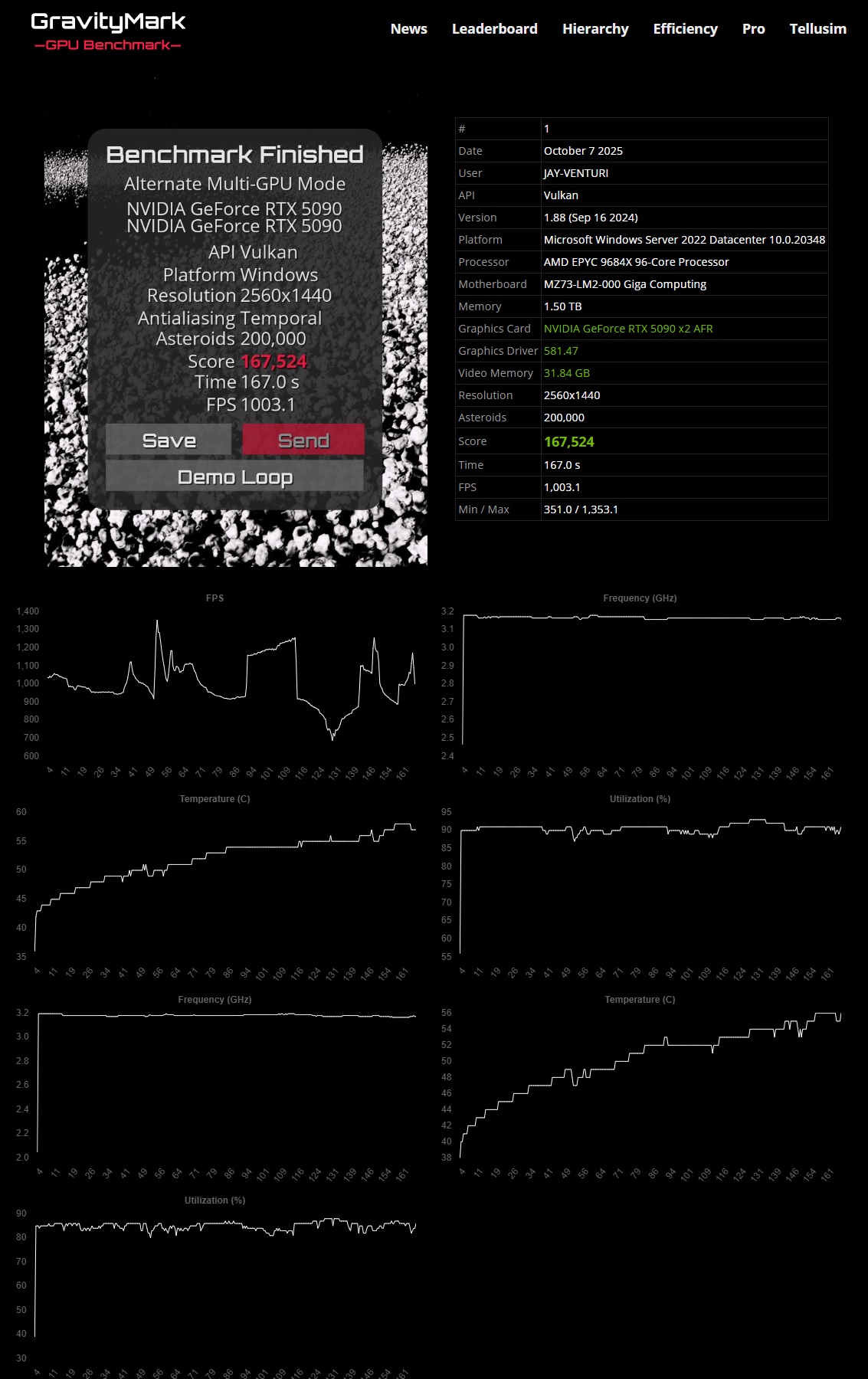
And a few new high score benchmarks:
…cards never got warmer than 57’C
max frame rate went up as high as 1,353.1
Challenges,
there was a performance hit on the MZ73-LM0 Rev 3 when using any bios after R04-F32, reverting to the R04-F32 restored performance and stability
Same with the MZ73-LM2 Rev 3, there was a performance and stability hit after R12-F37, reverting to the R12-F37 restored performance and stability
Performance penalty -7% +/- 2%
Suggestion 1, use R12-F37 unless there is a specific feature you need in newer bioses that you can’t live without.
Suggestion 2, and milage may vary, use these settings, for discussion, I realize in NUMA many will favor NPS4, but NPS1 works best for me. AUTO simply means NPS4.
Also I set mine up, the xGMI and the bandwidth for my use case.
Settings of consequence:
Against logic, pcie 1 and 2 go to CPU1, while pcie 3 and 4 go to CPU0, so the GPUs are on pcie 3 and 4, this solved many headaches.
I also disabled pcie 1 and 2
Set lanes to 16x, NOT AUTO
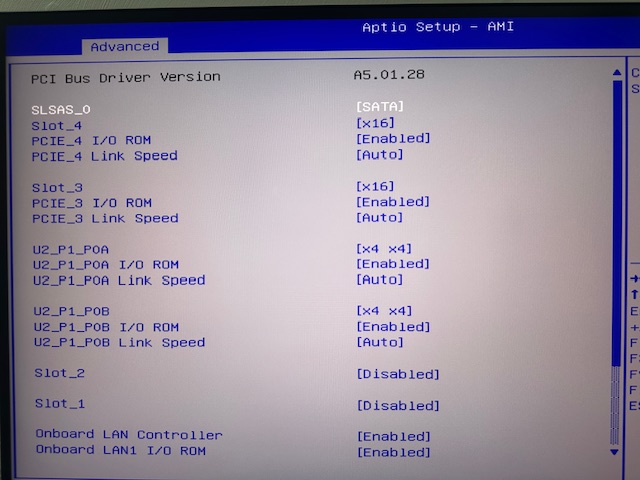
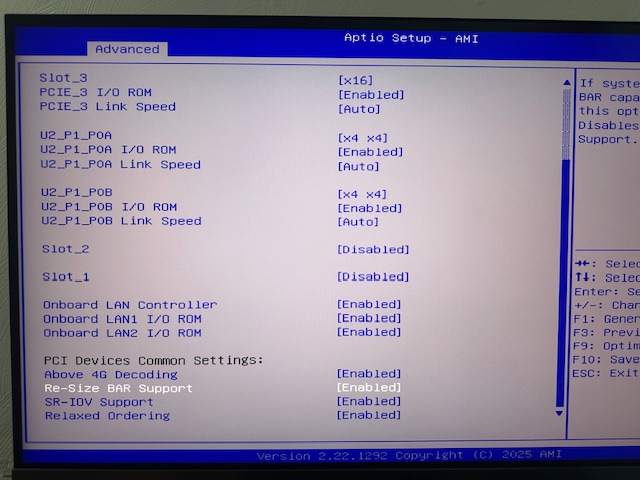
enable resizable bar:
in the SMU:
so much trial and error, it ended up here:
the rest:
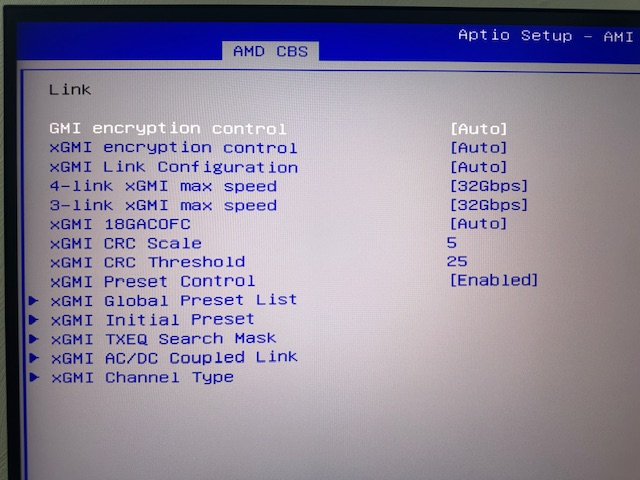
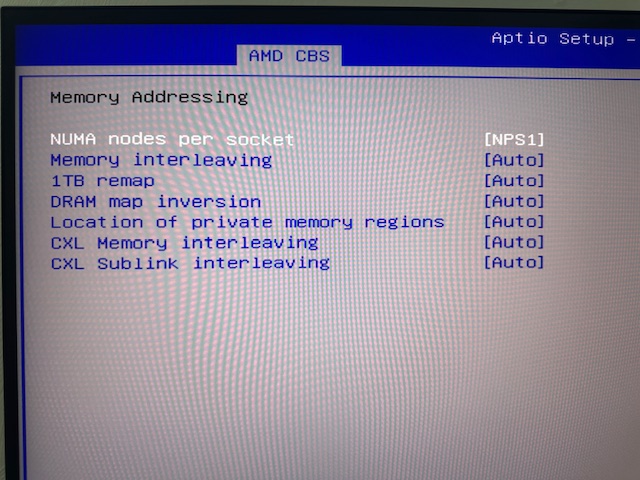
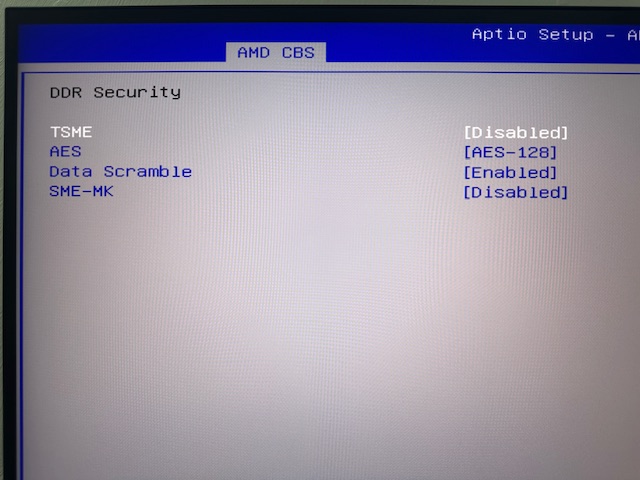
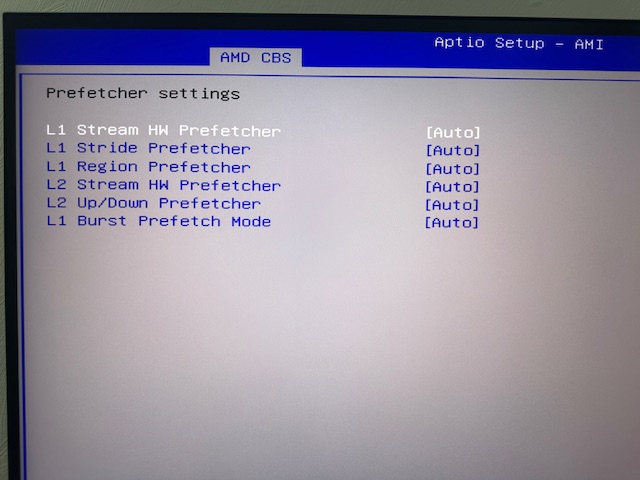
disable SMEE and SEV control
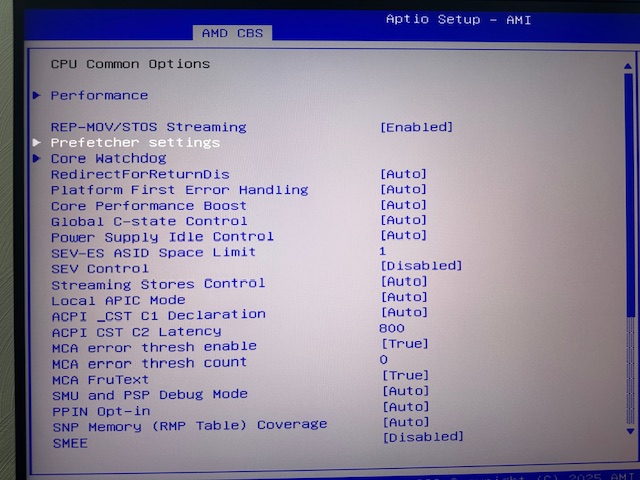
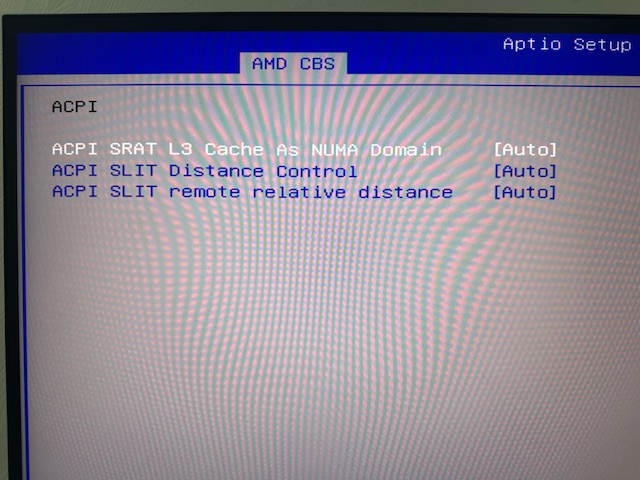
Milage may vary, this is for my use case.
PS
if you know for sure what GEN you’re video cards are then lock it in to remove any issues:
So I made some changes in thermal paste/material and moved to phase change.
Specifically to the Honeywell PTM7950.
(and get the genuine stuff, what is on Amazon is not the genuine stuff.)
When it come to installing the PTM .it’s the devil to do correctly, but worth it (so far).
The issue, the real issue, on the install was delicacy and a learning curve.
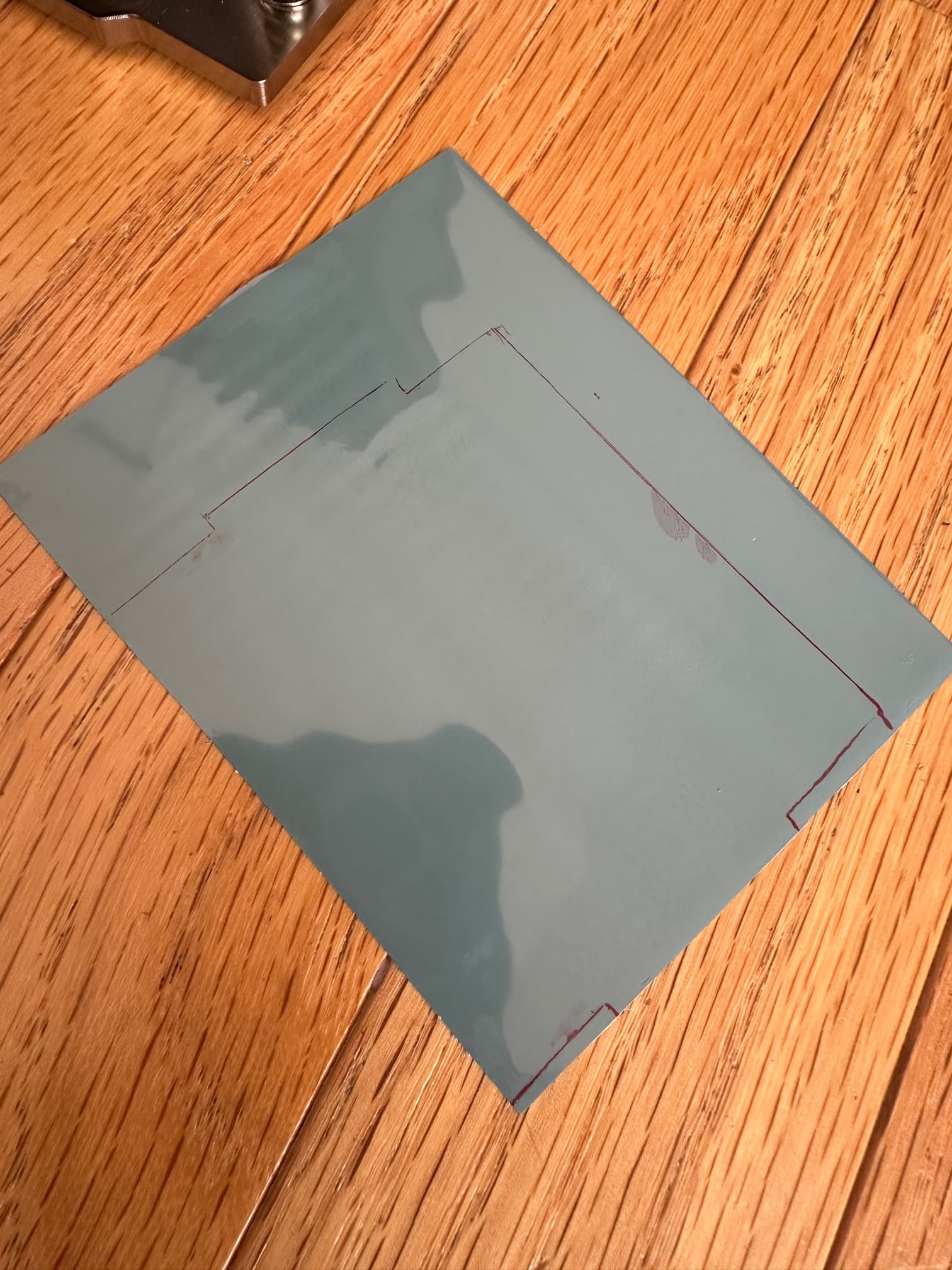
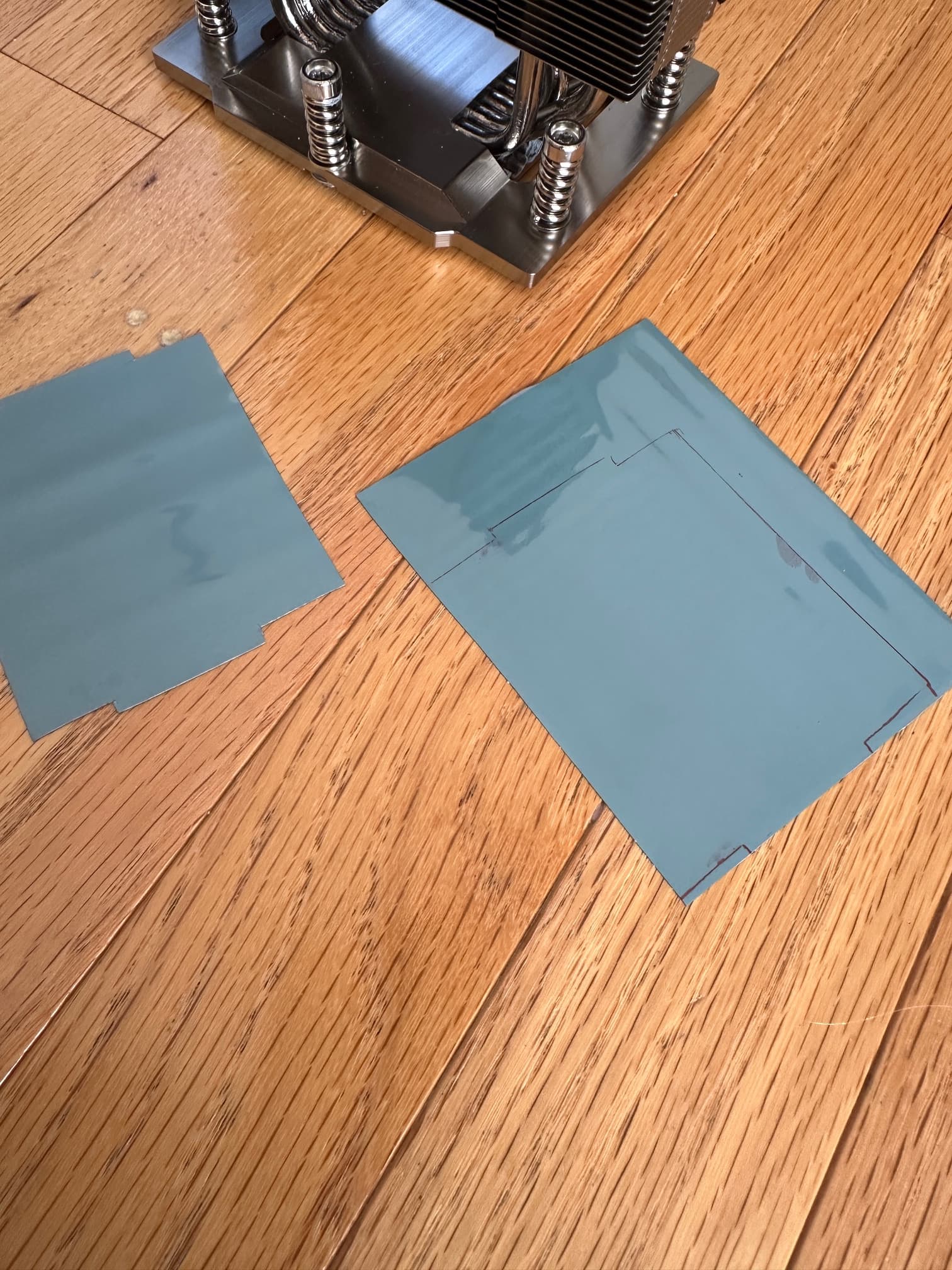
So I wanted, for obvious reasons, to be as exact as possible relative to the size and shape of the CPU heat spreader and the PTM
However, if you handle the stuff in the raw, it will stick to your fingers, tear and fall apart.
So, you’ll do this several times, REFRIDGERATE it for 30 min before handling or stick it in the freezer for 5 min (no longer)
Pics, or it didn’t happen:
she’s opened up for the procedure:
(Pepe…you cannot force open the petals of a beautiful flower, when its ready the flower will open up to you…)
trace, outline and precisely cut to heat spreader shape:
test and retest
and REFRIDGERATE again
then apply!
The PTM will take several heat cycles to conform and reach desired malleability.
Temps will improve over time as the substance does the changes
She’s back together and composed:
The Rev 3 of the MZ3-LM2 finally shipped with a copper heatsink for the LAN chipset.
However it still runs a little warmer than I like, 64’C.
A simple solution, using a small Noctua PWM controller was to adopt a 3cm small noiseless/quiet fan, running at about 30% of its rated speed. Be sure to use a PWM fan or the noctua PWM fan controller is useless 
New LAN chipset temps:
48’C
super easy install, quiet and looks like it was always there.
Where did you source the PTM?
while I almost threw up at the price, I got it from moddy. I needed the 160mmx100 for the CPUs, and the 80mmx80mm for the GPUs. I used Upsiren UTP-8 putty for the vram and vrms on ther GPUs