So, I’m looking to automate/triage news information via n8n and LLMs. RSS seems to be the easiest to scrape/import without spending tokens and subscriptions on web scrapers.
I’ve started subscribing to RSS feeds and running automations like these:
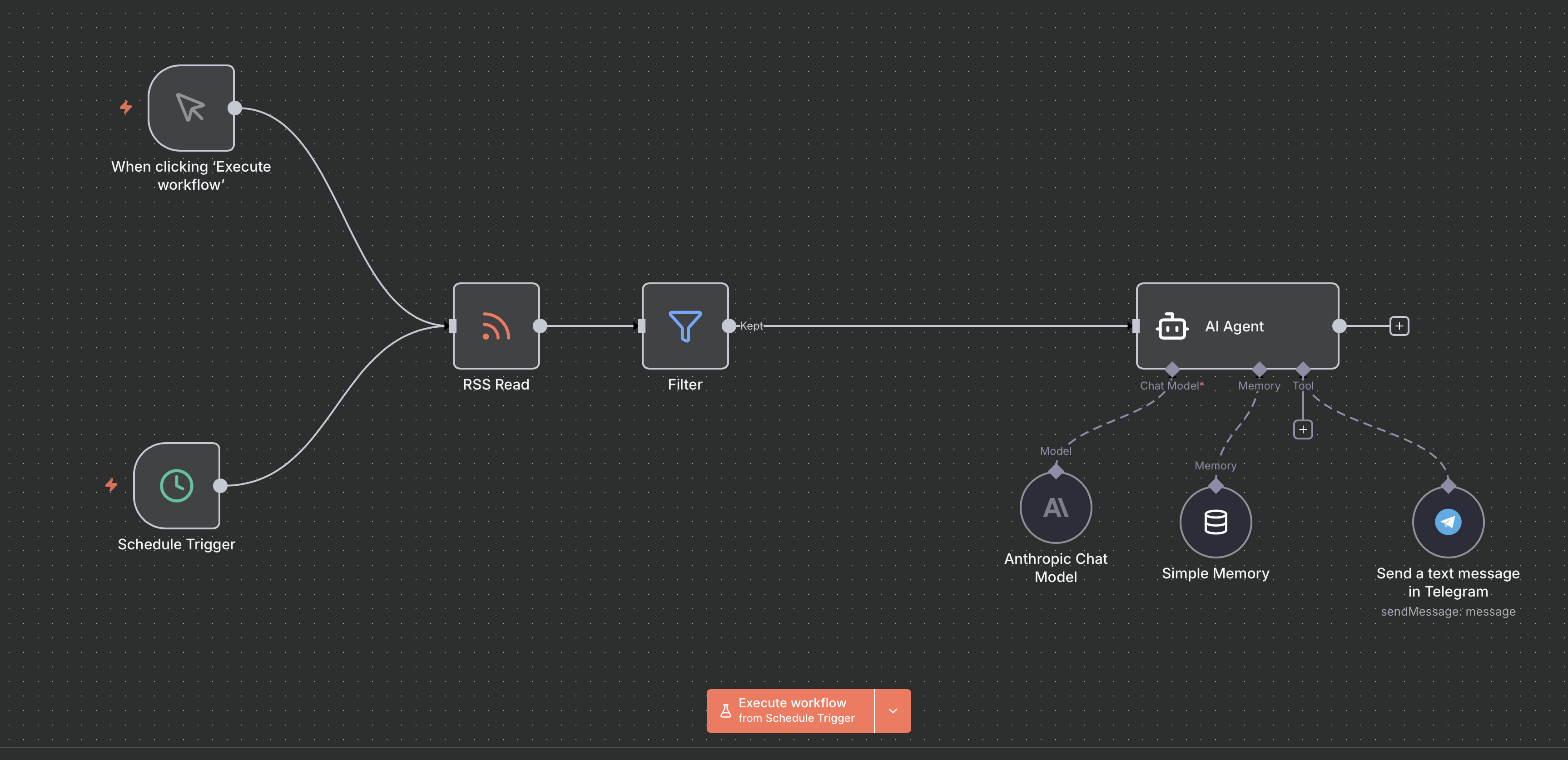
Check Bleeping Computer RSS.json.zip (2.7 KB)
Essentially it will scan through the RSS feed and alert me if anything meets my criteria. you can plug in whatever LLM you like but I happen to like what anthropic spits out (using haiku 4.5 - openAI’s 4.1-mini also works but it doesn’t format messages as nicely or official looking).
If its seen an article before it will remember (via the memory node) not to inform you again via telegram. But anything deemed important (via the AI Agent prompt) will be sent to me, daily
Does anyone know of any GOOD RSS feeds for topic specific info on
- windows security
- general network security
- linux security
- vendor specific RSS feeds
any other SPECIFIC topics that others in this thread may want to make use of?
Not really looking for “general” sysadmin feeds, any feed should be fairly focused so that it can be split out into a specific workflow to run at a time/date of the user’s choosing. OR at least the feed should tag their articles with specific tags (that’s what the filter above does for bleeping computer - selects only security related posts). I don’t want to burn LLM tokens on looking through generic tips articles for emergency actions required 
for what its worth, this is in the JSON file, but for those who want to see the LLM prompt, here it is (for this specific workflow to triage bleeping computer articles, for me… modify to fit you):
You are a systems engineer for a small enterprise and are tasked with monitoring RSS feeds for security problems that impact the business.

Look at the content of the supplied articles and determine if the article pertains to security issues in any of the following:

- Windows
- Linux
- PureStorage
- Microsoft SQL Server
- Azure
- Microsoft 365
- Cisco
- Aruba
- Dell
- HPE

If so, further follow up by your colleagues is required.

If, and only if further action is required, use telegram to send a message to the team outlining your findings and next steps required.

{{ $json.content }}
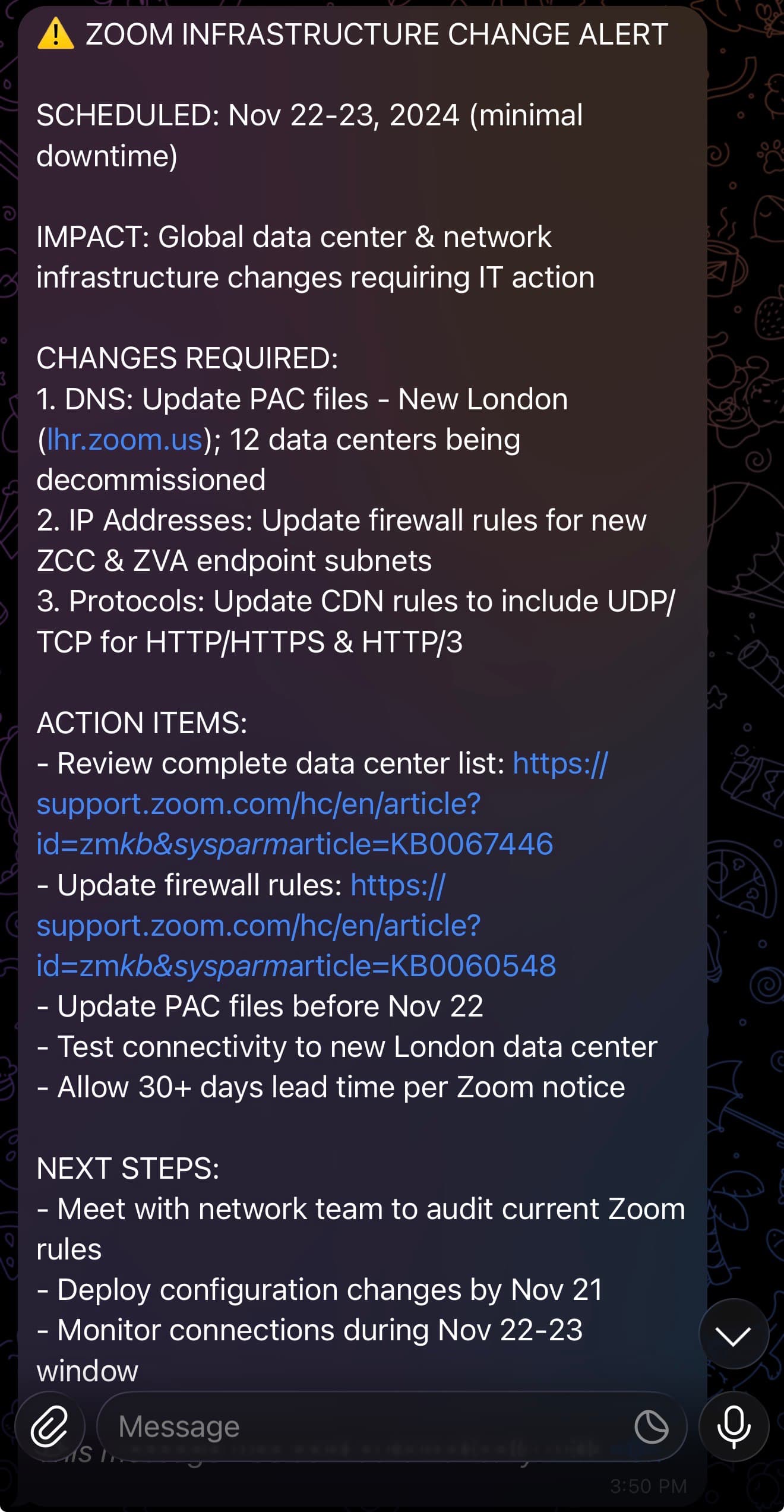
You’ll end up with telegram messages like this (this is from my zoom feed, but you get the idea):
Also : If you have local LLM capability on a machine you can easily plug in Ollama into n8n and run the model locally. My NAS is too pedestrian for that though… small local models it can on CPU in any acceptable time frame run have issues with tool use and are just pretty brain damaged in how they summarise the messages too.
from what I’ve seen so far running the above workflow burns through maybe 10-20k tokens.
gpt4.1-mini costs like 20-40c per million tokens, haiku 4.5 isn’t massively more so… at 20k tokens - you do the math.
I’m spending on the order of cents per day to run the workflows I’m running via either chatgpt 4.1-mini or anthropic haiku4.5 via their respective APIs.
oh and so far the feeds I am personally using are:
https://www.bleepingcomputer.com/feed/
https://status.zoom.us/history.rss

