For a while now I’ve been wondering if I can have the same advantages of encrypted traffic, which I have for all the stuff I host, also internally. I have come across the idea of Splitbrain DNS but have failed so set it up myself and would like some assistance, tips, tricks or guidance towards more helpful resources.
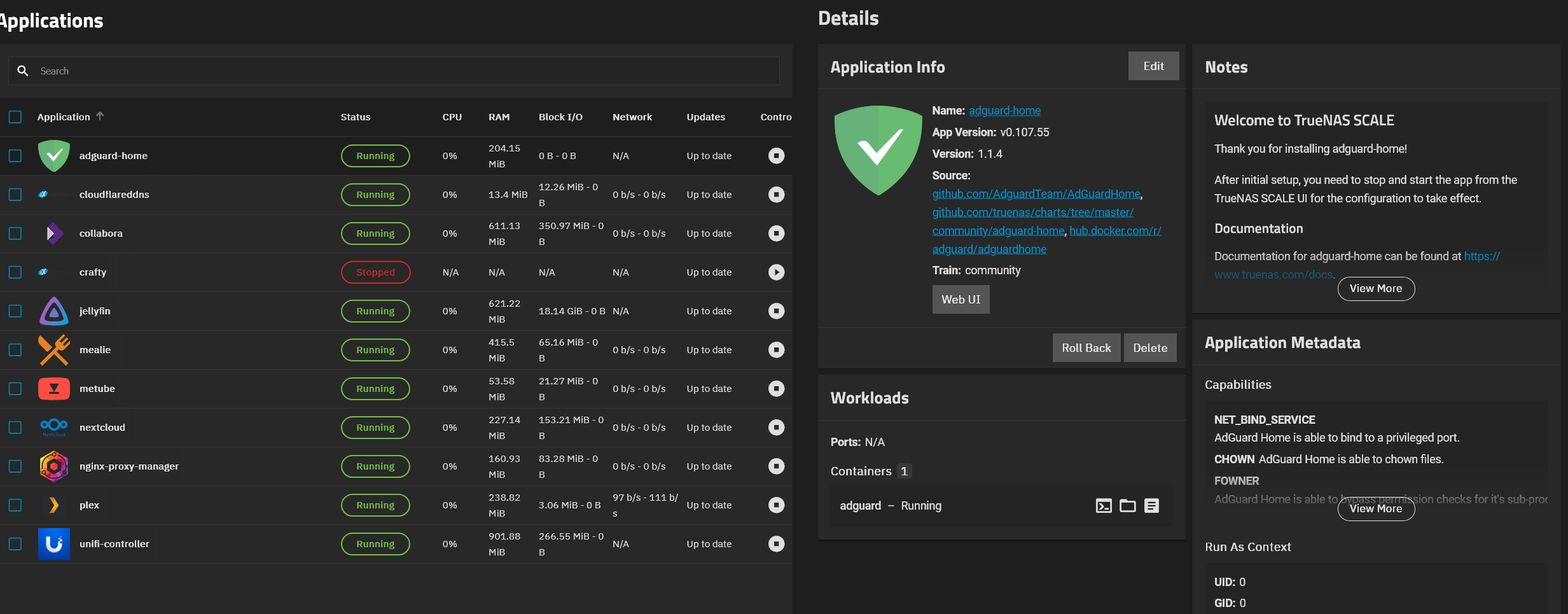
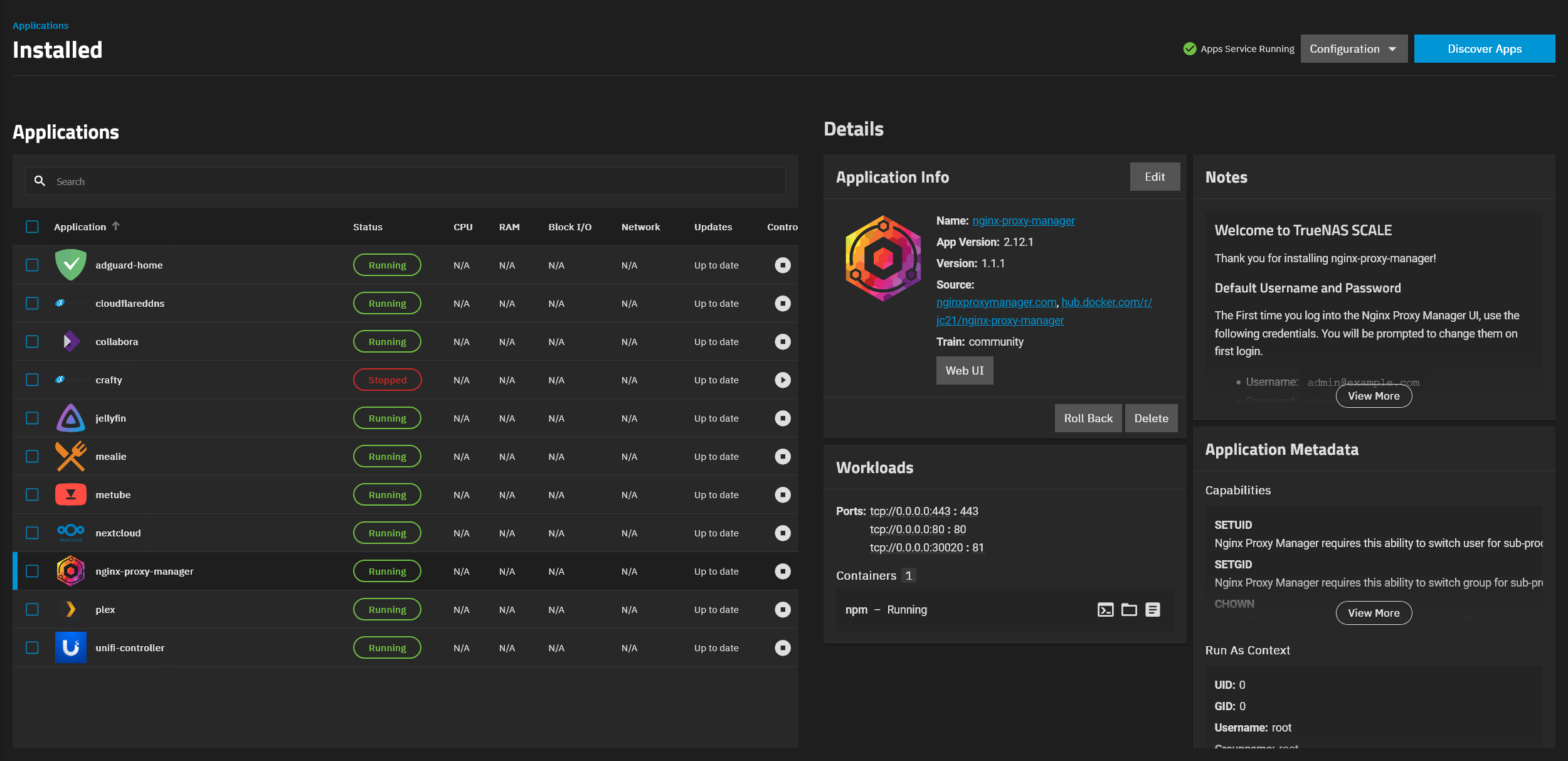
I run an instance of Nginx Proxy Manager, Adguard DNS (for filtering) and so on, on my Truenas Scale machine. This exposes my Jellyfin, Nextcloud, etc to the outside using a Cloudflare Domain Name. This has been working wonderfully and I’ve been wondering if I can do the same for my internal network so that I can work with Domain Names instead of IPs and Ports.
Would I need a second instance of NPM or can I achieve this more easily? My ideal solution would be to use the same Domain Name of my service both internally and externally and have my Adguard DNS or similar simply redirect me based of of which subnet (so either internal or external) I’m coming from.
I don’t even know if this is possible which would explain why there are no tutorials for this kind of setup out there.
You can do this, and a quick duckduckgo search (google provided substantially worse results in this case) indicates how on some DNS servers but it looks like it is not a feature of Adguard. I’s not exactly recommended because it adds some complexity, and if your service is publicly available is should also be accessible on your internal network by the same IP, but an internal IP can be preferable anyway.
One option is to add a second DNS record to the same name, so that it returns both a public and private IP, then your browser will determine which one to try to connect to based on the subnet it’s on (I think, but it can get confused).
I’m not sure about Adguard specifically, but many DNS resolver have a “host override” function, that will substitute the DNS record it serves. You can tell it to replace your DNS name lookups with your internal IP, this provides split brain functionality without too much extra complexity.
Lastly, you could use an internal specific name. This could be a cloudflare name, something like “host.internal.example.net”. Alternatively, the domains .home and .internal are reserved for internal use and so you can set them to whatever you like, again using the host override function of your DNS resolver, but you can’t use them with let’s encrypt or similar because you can’t prove ownership (nobody owns it).
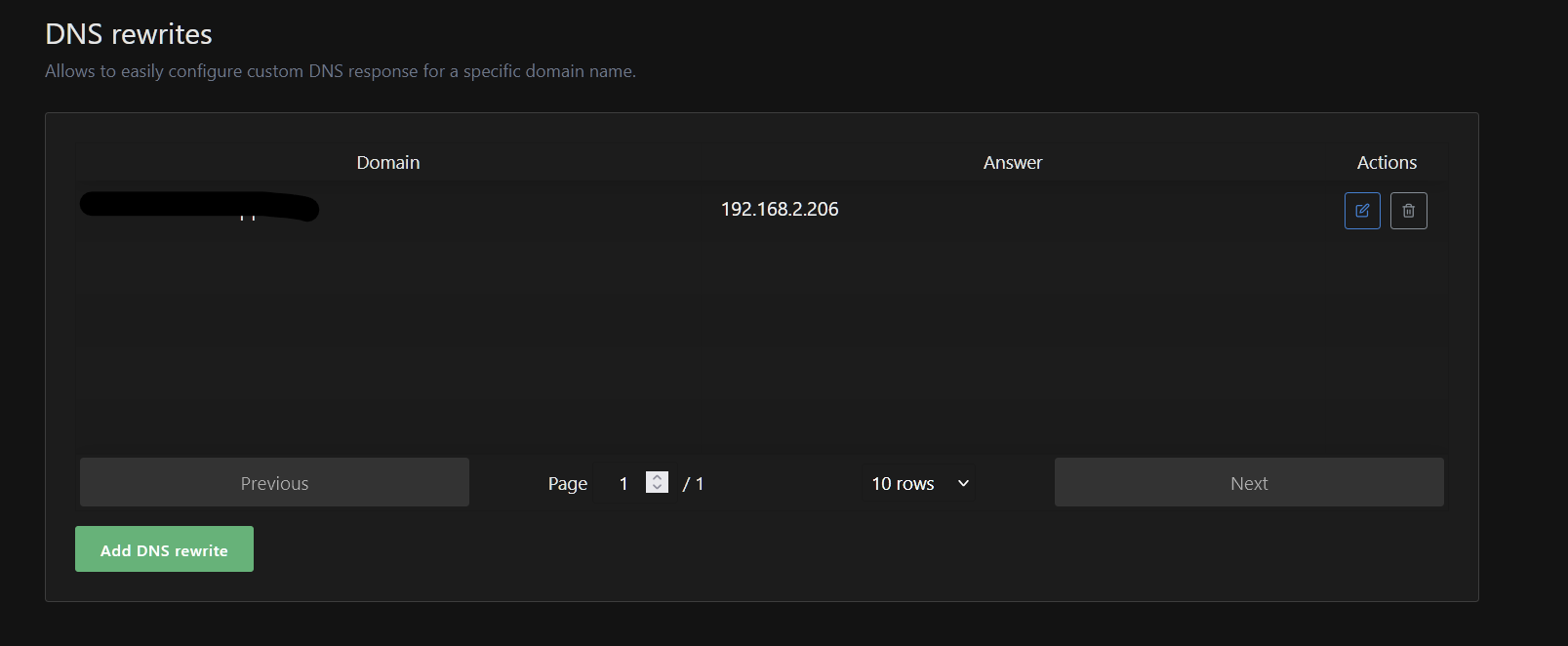
Cheers for the quick reply. I have previously tried setting DNS overwrites in Adguard but since I cannot specify a port, nothing will be found. All services are exposed via their respective ports on my Server. So simply adding something like this, sadly doesnt work.
That is an interesting approach, never seen that before. Will try that, but first I need to grasp a couple of things. What is the point of using an additional pihole (other unbound) here that Adguard wouldn’t achieve? I’m still trying to wrap my head around this, like logically, what is actually happening with this setup.
This is correct, DNS records have zero information about target ports, only IPs. The record you’ve added in “AdGuard rewrites” only tells where the client (e.g. browser, curl, etc) should go in the network (IP) to reach something called “srv1.mydomain.com” (for example).
Technically this should already work, you just have to specify the port of your service. Let’s say srv1 is listening a port 8080 (and is a plain HTTP service), then you should be able to reach it via “http://srv1.mydomain.com:8080” from any machine that uses your AdGuard as DNS resolver
You can also proxy multiple multiple hosts from the same port using a server name indicator. The general term for this is virtual hosts. With nginx, this looks like (as a minimal example)
Where nginx uses the server_name provided by the http client (i.e. the name you type into the address bar) to determine which host to proxy to. In this example, both srv1.example.net and srv2.example.net should resolve to the IPv4 address of the proxy host.
Thought so thanks, so I’m guess this is really a limitation of Adguard as it doesnt allow for Srv records, correct? For example my Unifi router has build in DNS and could add an SRV record directly from there but since I don’t use that DNS it’s not worth much right now.
If you talking about SRV record type (SRV record - Wikipedia), then you’re technically correct - adguard rewrite rules are really just A (name → ip) or CNAME (name → name, aka alias) records.
But it’s quite unlikely you need SRV records. Browsers (or rather anything HTTP/Web related) don’t ever user these record type. These are mainly used for service discovery in dynamic clusters.
It seems you’re still a bit confused at how everything works. So, maybe just start from the most simplest setup. Did specifying the port explicitly for your service with DNS rewrite rule worked? What service you’re trying to reach? Does it listen on all network interfaces and not just 127.0.0.1 ?
Thats fair, I’ve been able to get the external stuff working with the help of tutorials but for most internal stuff I’m still very novis. I assumed SRV records and the “srv1.mydomain.com” you and @blooper98 mentioned are the same in some relation. Meaning to get to “srv1.mydomain.com” you add an SRV record at your preferred DNS of choice, not that SRV records are primarily used for discovery in dynamic clusters.
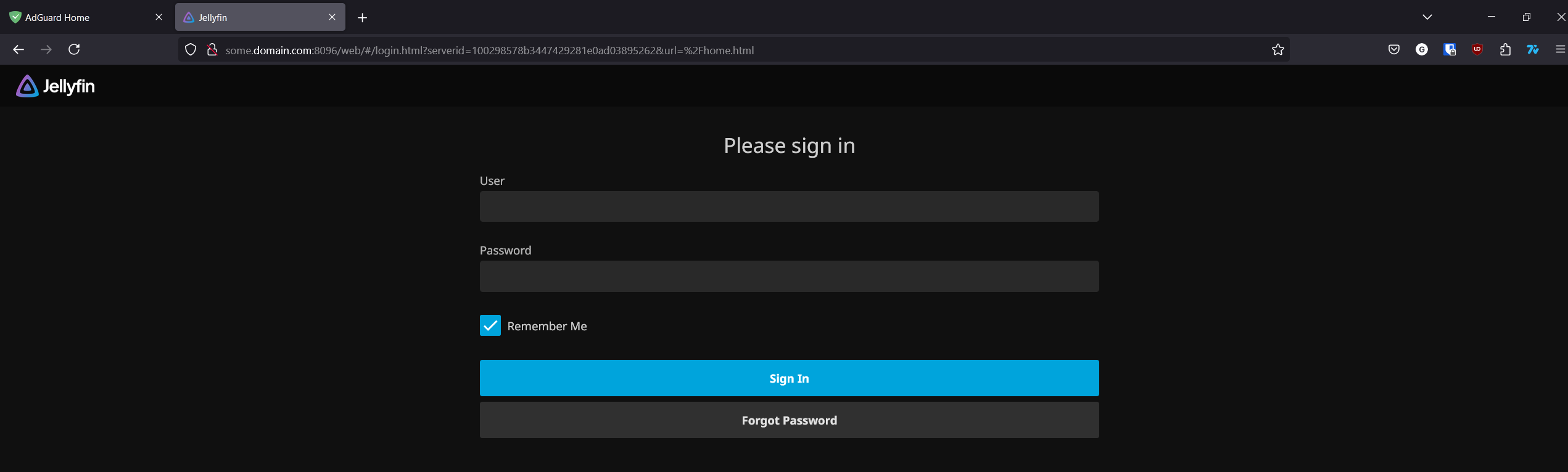
Adding the DNS rewrite in Adguard and then adding the port at the end like “some.domain.com:8096” does work. Had previously done so for testing but I do want to get ride of the port.
I assumed SRV records and the “srv1.mydomain.com” you and @blooper98 mentioned are the same in some relation
Oh, I see. Sorry for that. I used the name “srv1” as a short for “service1”. Forget about SRV records, you don’t need those. “A” records is all you need.
Want to get ride of the port
Ok, for this part I’m sure you already able to figure this out and and as mentioned earlier - this is where Nginx reverse proxy will come handy. Here is a leading question - what port the browser assumes when you type http://some.domain.com in the address line? And same question for “https://some.domain.com” ?
I honestly kinda don’t know how to check the port exactly, but simply trying to access “some.domain.com” gives me the Truenas Scale UI so since this is on port 80, it should be 80 then. Https for the same results in nothing which checks out.
Sorry for the delay, was playing around with a second instance on NPM and see what would happen if I just used another Proxy set up the same way but for internal traffic.
Right, the default port for HTTP is 80. Browser silently appends “:80” to the address when you omit the port. Btw, for HTTPS - that would be “:443”, but that’s for another day.
So, here is the situation. You already have a service occupying the port :80 on the TrueNas machine - it’s the TrueNas GUI itself. Two or more services can’t bind to the same port simultaneously, so this is the root of the problem.
I don’t know the internals of TrueNAS, but I believe it should be possible to move it’s port used for GUI from :80 to something else (not conflicting with any of the other apps). Then - you should be able to configure NPM to listen to :80 port and forward traffic to the corresponding service based on name, like in the example earlier in this thread (or just read about proxy_pass in nginx)
Update:
or maybe, if you have a different machine in the network - then you could use that as a host for Nginx, which would listen to :80 and sort out the http traffic to the apps.
Well, there are many ways to approach that, I just don’t want to overwhelm
True that would be correct. Truenas listens to 444 as I moved it so 443 can be used by NPM. Looking back at it now moving Truenas GUI off of 443 wasn’t even needed. I’m aware that 80 and 443 are the default ports for http /https traffic respectively.
Moving the UI should be rather straight forward and giving 80 to NPM. I had previously opted against doing so directly since I didn’t see the need for NPM to have port 80 as I was only expecting NPM to ever serve 443 traffic anyway and have set up a port forward for my home-ip:443 to server:30022. What exactly would be helped if NPM also had port directly 80 available.
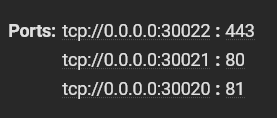
Standard Image configuration for the NPM Truenas-Image assigns server:30022 to container:443 and server:30021 to container:80 as seen here.
Should I do 443 and 80 directly since a Browser would generally expect to find http/https traffic at 80/443? Is that what you mean? Because it would make sense that browser inherently wouldn’t expect my 443 traffic to hide at some arbitrary 30022 port or what not.
Ok, I focused only on :80 just for simplicity. It’s all the same for :443, so simply replace :80 with :443 everywhere I’ve mentioned it.
If you’ve already shifted UI to a different port - that should be enough. Just make sure that NPN is accepting traffic on :443 and you can actually reach it there
So if I add an AAAA-Record in Adguard Home now, it should just redirect my internal traffic directly to the server instead of going outside my network and then back through my home-ip → server, correct.
Not “AAAA”, this is for IPv6 world. Just “A” record.
But in general - yes, AdGuard rule with take precedence over the cloudflare provided address, so you’ll be hitting your server directly over internal LAN
right, sorry my bad. I see so the real issue really was me not realizing that a browser would naturally expect and use 80 / 443 (which honestly is so obvious I don’t even know how I didn’t make that connection) and not some random arbitrary port.
Thank you very much for the help. Basically everything functions as before just slightly better configured.
So now it’s a matter of configuring the NPM to proxy all the apps you want by forwarding to their corresponding ports. Even the NPM admin panel can get it’s own domain name, like npm.mydomain.com.
On the AdGuard side - you’ll be adding all these records with the same destination, i.e. your TrueNas IP