I’m in the process of selling my old rig in which RAM occasionally behaves strange, so I’m not sure how to approach this. I put together a pcpartcpicker list of parts that I’m selling for the reference: Your Account - PCPartPicker
(PSU is Fortron FSP600-50ARN, can’t find that one on pcpartpicker)
I use 2x8 DDR3 sticks which didn’t come bundled in a kit. They are identical as far as specs go (same frequency, same timings, same capacity, same voltage, same manufacturer and same vendor), but they were bought a whole year apart and actually the color of PCB is different.
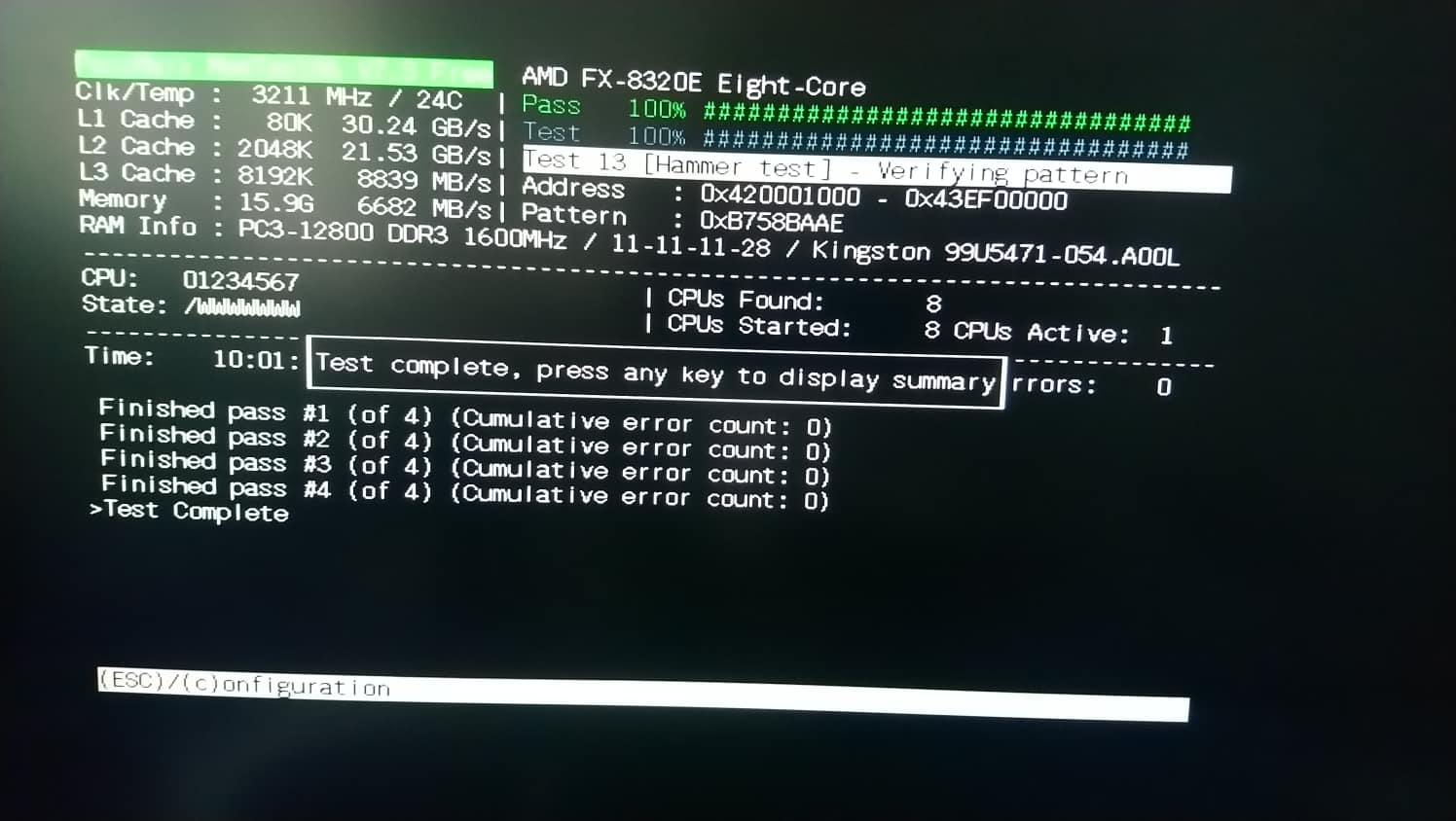
They work fine, I did quite a bit of Houdini simulations which chewed through the whole 16GB for several consecutive days. I did the whole 10 hour memtest86 with both sticks and there was 0 errors.
However, when I unplug the PC and move it to the other room, it won’t boot and memory LED on mobo gets off. Recommended configuration is slot 2 and 4 and swapping sticks between the two kinda fixes the issue. What’s bothering me is that I can’t find the constant here. This happens almost every time I plug the PC into a different wall outlet tho.
Today after cleaning it up, I moved the PC. Won’t boot → swap sticks → boot with only 8GB recognized → remove stick A from slot 2 and leave only stick B in slot 4 → no boot → move stick B to slot 2 → no boot → remove stick B and put stick A in slot 4 → boot → change stick A into slot 2 → boot → put stick B to slot 4 → boot with all 16GBs → as I couldn’t boot with stick B on it’s own, I pull the stick A and try again → stick B boots fine
Funny thing is it’s not gonna have any issues recognizing all 16GB each boot as long as I don’t change the power outlet.
This happens ONLY after changing the power outlet and after getting the system to recognize both sticks, they run stable and this won’t happen again until I change to some other power outlet in the house. Is there something I’m not aware of?
RAM is not a on the mobo QVL, at least not the 8GB sticks. 4GB sticks with same code (besides the last number indicating capacity) are on the QVL. I don’t have any other ddr3 mobo to test it. BIOS is up to date. Unfortunately I let my friend put this pc together couple of years ago when I had no idea about pc building and I’m aware he did not nail it. I’m just perplexed how this particular issue manifests and was hoping someone would make sense of it. System is stable, just gotta get past that hiccup after moving it around the house
BY Zeus! I thought I’d never see another problem like this but here it is!
I have had this same exact issue 4 years ago with an MSI G41M-P28 board. For years the hardware ran fine and then it happened. It is possibly the single weirdest issue I’ve found on a piece of hardware. Perhaps it’s bad capacitors or cold solder joint, I could never find out what it was. But it was always solved by leaving the computer connected to the outlet sufficiently long enough before powering on. It’s almost akin to the one wire switch tale.
No as far as I am aware no mortal being has ever identified the exact cause of this RAM problem and why changing outlets, or merely unplugging from the outlet causes it. I could only ever conclude that the mainboard is faulty.
As if the pc’s resale value wasn’t low enough
I don’t have the heart to sell someone a faulty system, might keep it around for science…or as a good luck charm at least. Thanks for sharing, glad I’m not going nuts
Unfortunately the only other PSU I own is in my current rig and can’t be bothered swapping them as I’m in the middle of a project with a nasty deadline.
As I won’t be selling those parts after all, I hope to get to the bottom of this one day myself. If I do, I’ll make sure to necro this thread.
from what you are describing its a good possibility the ram sockets are damaged and not making good contact. (damage does not have to be visible)
other than loose solder joints that about the only thing that could cause an issue like that.
thermal expansion of contacts may hold them in place but upon cooling down they might separate enough to cause a fault condition
So, I ran into something similar. I bought a 4x8GB kit of ram, one stick died, and I never RMAd it, and evetually lost it. Then a few year later bought a new solo stick to get me back up to 32G, but the new stick, with identical part number would only randomly work.
All it took was a BIOS update.
In the BIOS screen I could see that my original kit was a rev0 kit, and the new stick was rev4, that’s what tipped me off.
One would think there would be other memory issues if sockets were damaged, especially considering how often the memory is under full load. I can’t stress enough that this is the only memory issue. If thermal expansion was the culprit, then this issue would arise every time I boot after giving it time to cool down, which is not the case.
As stated above, BIOS is up to date.
Unfortunately I can’t really be bothered testing with other hardware at the time being, but thanks for the input everyone.
one of the things i usually do for every mobo thats brought into my shop is to download the manufacturers specs to refer to
often iv’e found they were trying to upgrade themselves and used the wrong memory.
often its a version difference or ecc vs non ecc and a couple times the voltage requirements were different.
memory can be a tricky puzzle as it can often present itself in myriad ways!
bios not seeing it, system slow-down, boot failure, error codes, etc.
as a repair tech I see a lot of it. annoying for the most part because we usually have the required memory in stock and its the extra time involved in changeover,
but if you don’t have the stock on hand it can be very upsetting and long delays in getting your system back up.