Alright so a few wanted to know or wanted a reference on how to get a pi-hole properly setup with DoH behind a firewall and having the proper redirects so that the pi-hole filters all the traffic and doesnt get redirected to itself.
First things first start out with the pi-hole. Make sure it is working properly. A good way to test this is to go ahead and make sure it is setup with Quad 9 DNS and your firewall is vanilla without DNS rules.
My system setup: (relevant devices)
OPNSense Firewall (Protectli Core Boot) (see table of contents)
RPI 4 - 8GB
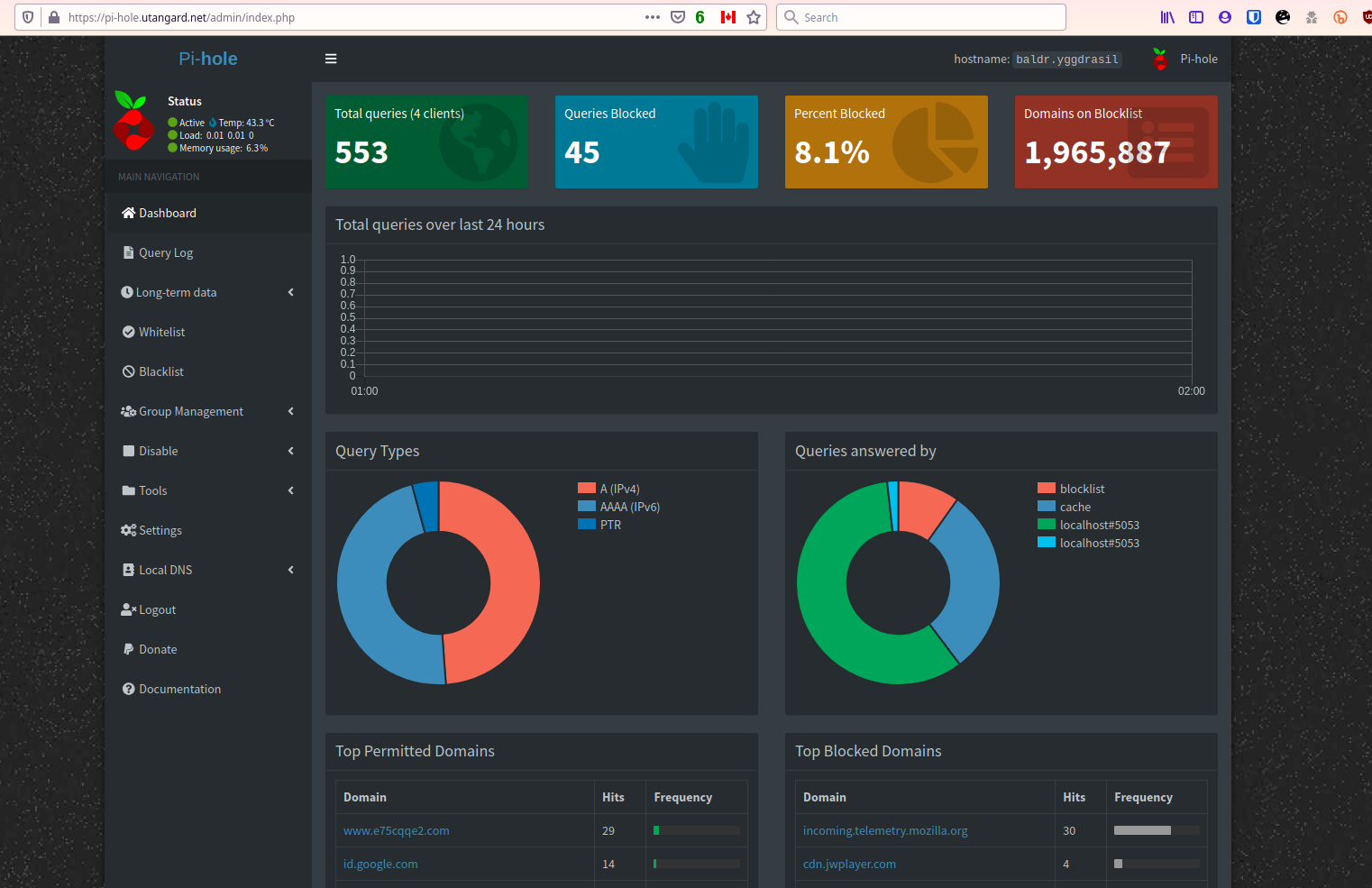
(no its not hosted in canada thats a proxy load balancer)
Also don’t try logging in to my url. Its behind a vouch proxy and 2fa … there will be 0 luck lol. Only @Novasty has the extra perms as it stands.
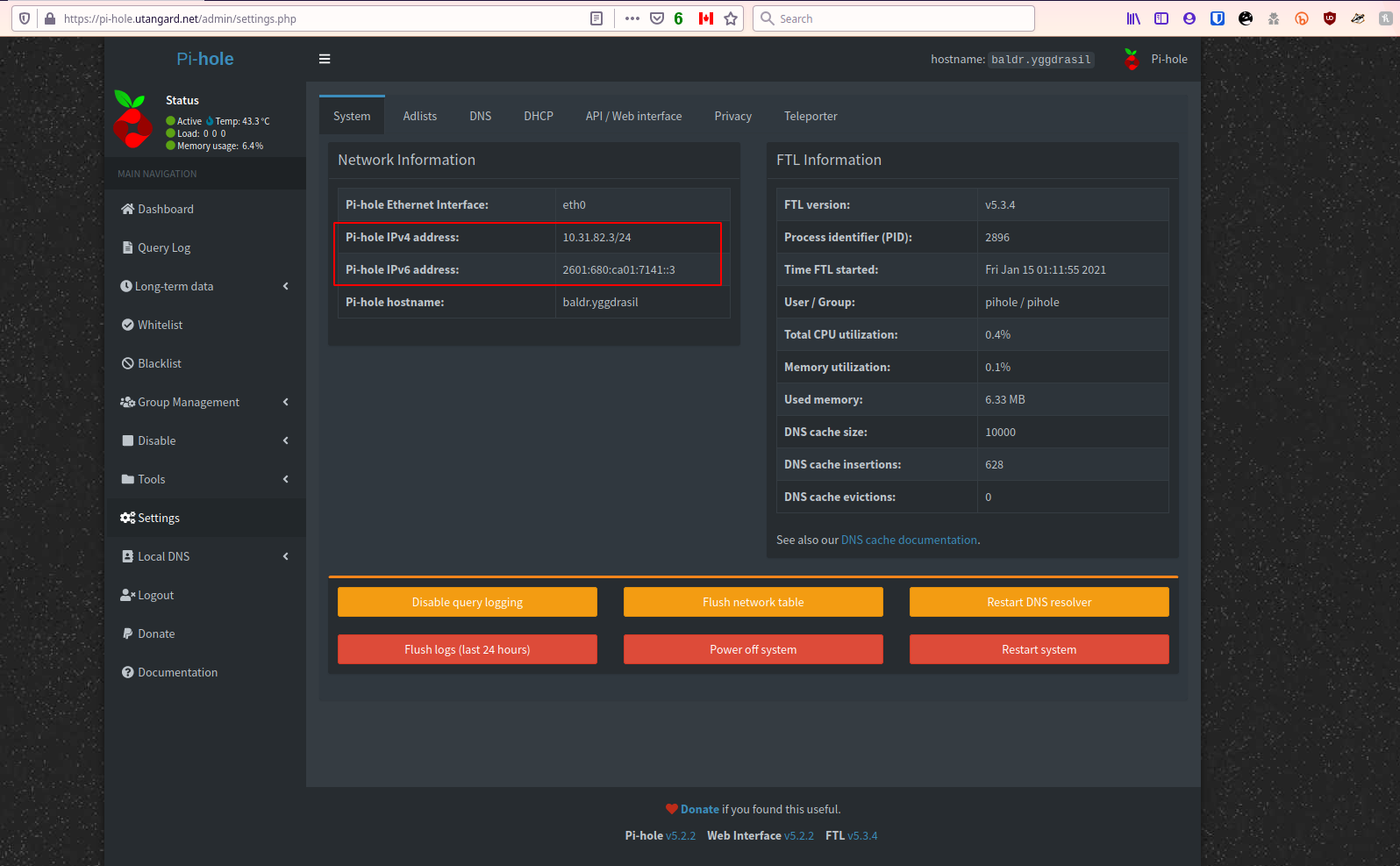
Make sure you have the correct IP addresses set. These are static.
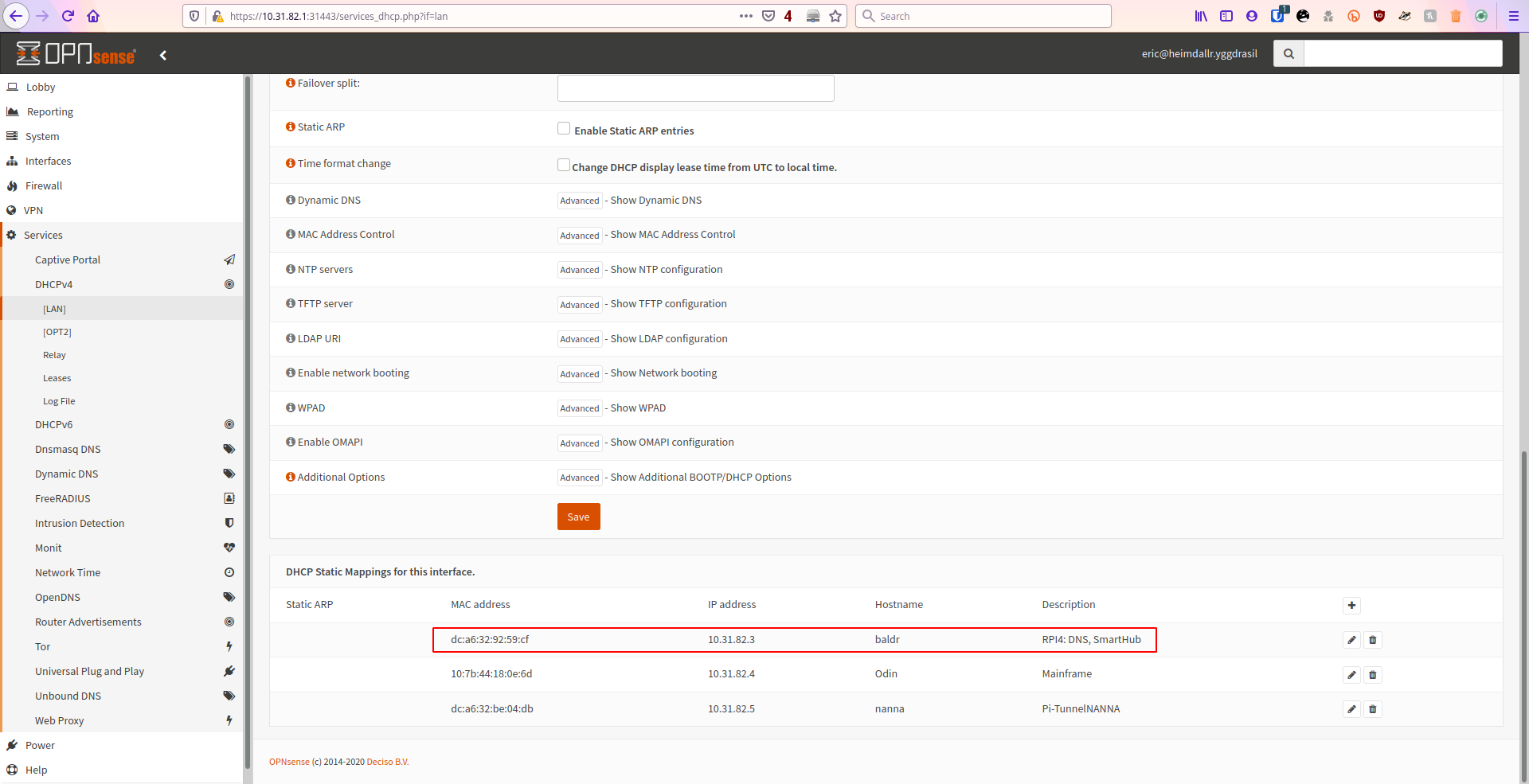
In my OPNsense I assign them to the DUID of the device for IP6 and the MAC for IP4. This is just in case the pihole loses its settings. It will never have another IP Address set.
IPv4: (DHCPv4 - NAT)
IPv6: (DHCPv6 Native - Track Interface of ISP) (true full public IPv6)
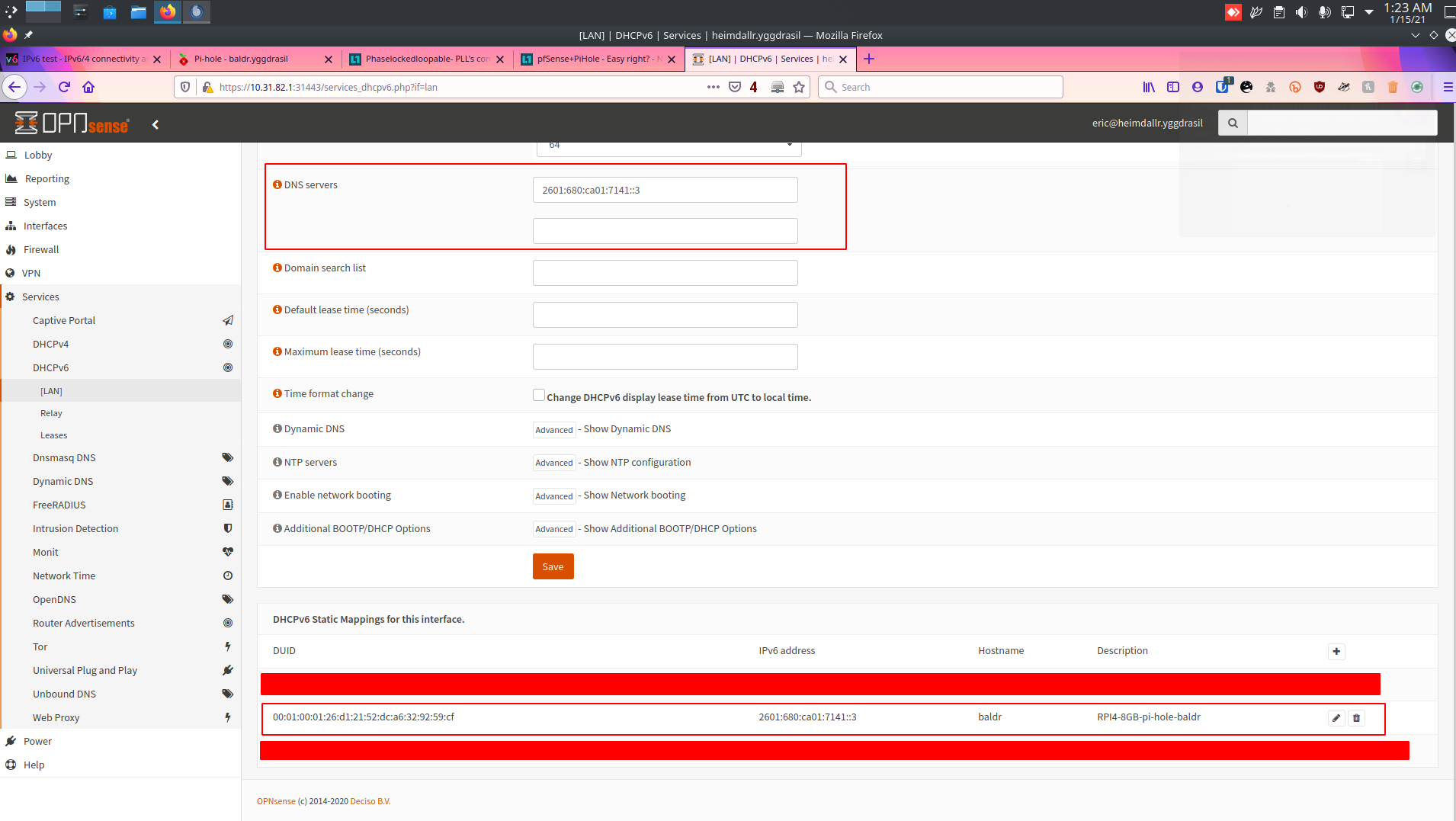
Make sure those IPs are set as the DNS for the pihole to get some initial filtering going.
This wont catch all of it so we need to set rules so that there is a forced 53 reroute for devices such as apple devices, google android devices and samsung TVs
First go to your LAN rules. I wont get specific since interfaces change but this should give you a general idea. If someone wants OPNsense specifics… ask but thats only going to come if asked for
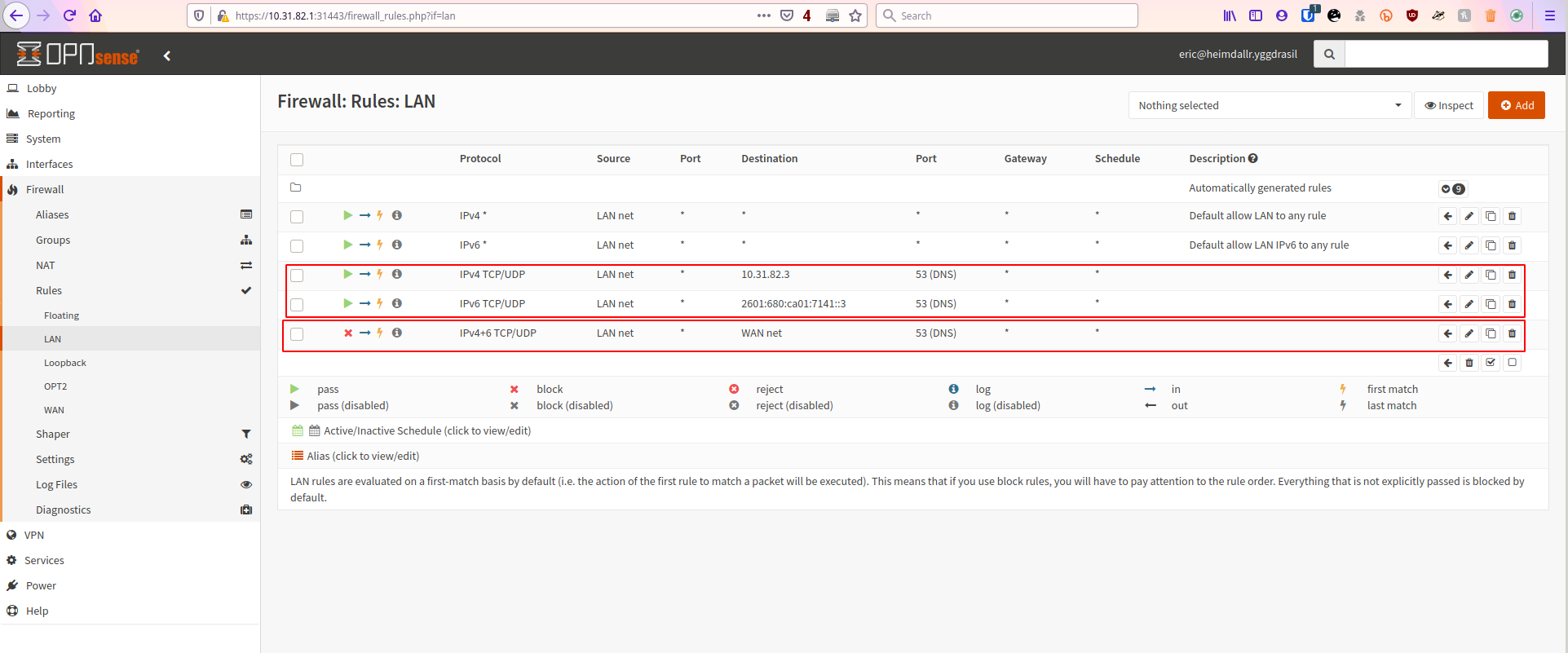
Now you want two rules for IPv6 and IPv4 of your pi-hole ONLY to be let out on 53 so you can obviously grab the DNS queries. (later you can setup DNS over HTTPS like I did and its less necessary)
The second rule is to block all traffic… IPv4 and IPv6 port 53 from traversing LAN to WAN. Done simple its all going to your pi-hole now. Not to bad huh?
@Buffy you specifically asked about my DNSoHTTPS configuration at one point. Here you go. So IF anybody wants to do this with pi-hole you need to first grab the cloudflared argo tunnel program. We are going to modify it slightly as I dont like cloudflare being a single point of failure and I much prefer to use OpenNIC. (you may configure it for whichever DoH server you like)
Firstly on the pi-hole go ahead and execute the commands as follows
Proceed to make the directory and configuration file:
sudo mkdir /etc/cloudflared/
sudo nano /etc/cloudflared/config.yml
This is my configuration. I chose a trusted and reliable server I know doesnt take logs with opennic and supports DNS over HTTPS.
proxy-dns: true
proxy-dns-port: 5053
proxy-dns-upstream:
  # USING OPEN NIC - LOCATION - MONTREAL QC, CA
  - https://198.100.148.224/dns-query
  - https://doh.boothlabs.me/dns-query
  # IPv6 Native Stack DoH - OpenNIC - LOCATION - MONTREAL QC, CA
  - https://[2607:5300:60:be0::1]/dns-query
  - https://doh.boothlabs.me/dns-query
You can replace this configuration how you need. I have native 6 so I enabled native 6. If you dont. Dont bother. You also dont necessarily need to as AAAA served over A doesnt affect your native stack since its up to the client to route from itself to the AAAA address. Your various favorite DNS servers should have documentation on what you need to enter here. Or you may use mine. I like uncensored unlogged untamperable DNS logs tbch.
Now install the service via cloudflared 's service command:
sudo cloudflared service install --legacy
Start the systemd service and check its status:
sudo systemctl start cloudflared
sudo systemctl status cloudflared
Verify 4 is working
eric@baldr:~# dig @127.0.0.1 -p 5053 google.com -t A

; <<>> DiG 9.11.5-P4-5.1+deb10u2-Debian <<>> @127.0.0.1 -p 5053 google.com -t A
; (1 server found)
;; global options: +cmd
;; Got answer:
;; ->>HEADER<<- opcode: QUERY, status: NOERROR, id: 46625
;; flags: qr rd ra; QUERY: 1, ANSWER: 1, AUTHORITY: 0, ADDITIONAL: 1

;; OPT PSEUDOSECTION:
; EDNS: version: 0, flags:; udp: 4096
;; QUESTION SECTION:
;google.com.                    IN      A

;; ANSWER SECTION:
google.com.             177     IN      A       172.217.4.78

;; Query time: 152 msec
;; SERVER: 127.0.0.1#5053(127.0.0.1)
;; WHEN: Fri Jan 15 01:36:06 MST 2021
;; MSG SIZE  rcvd: 65
Verify 6 is working
eric@baldr:~# dig @127.0.0.1 -p 5053 google.com -t AAAA

; <<>> DiG 9.11.5-P4-5.1+deb10u2-Debian <<>> @127.0.0.1 -p 5053 google.com -t AAAA
; (1 server found)
;; global options: +cmd
;; Got answer:
;; ->>HEADER<<- opcode: QUERY, status: NOERROR, id: 48397
;; flags: qr rd ra; QUERY: 1, ANSWER: 1, AUTHORITY: 0, ADDITIONAL: 1

;; OPT PSEUDOSECTION:
; EDNS: version: 0, flags:; udp: 4096
;; QUESTION SECTION:
;google.com.                    IN      AAAA

;; ANSWER SECTION:
google.com.             201     IN      AAAA    2607:f8b0:4009:805::200e

;; Query time: 153 msec
;; SERVER: 127.0.0.1#5053(127.0.0.1)
;; WHEN: Fri Jan 15 01:36:10 MST 2021
;; MSG SIZE  rcvd: 77

eric@baldr:~#
There I know both are working before I configure the pi-hole to accept this.
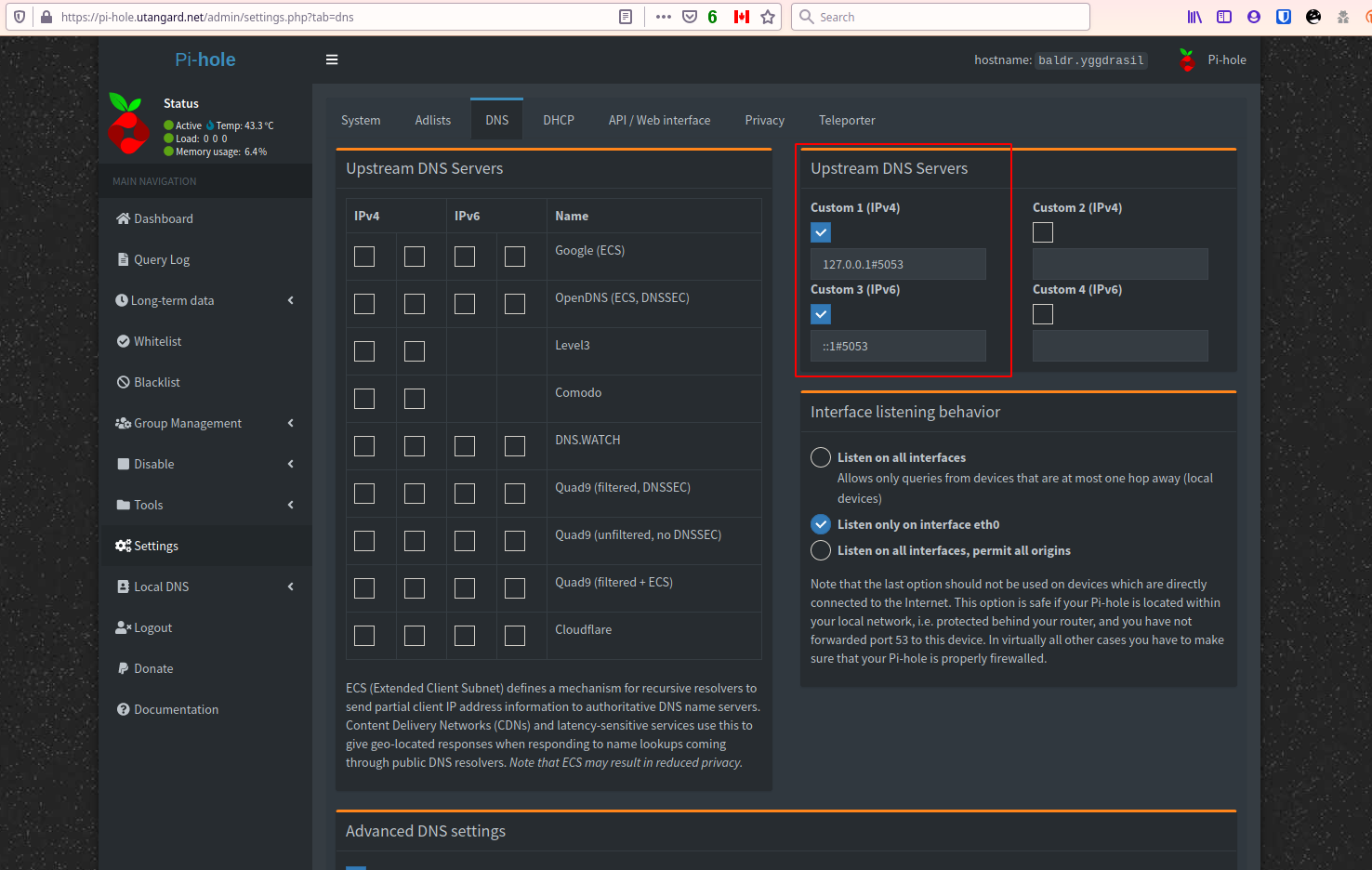
The configuration is easy. Point it to theres not place like ::1 lol and the port and save
What I do after this you dont have to. I hit these buttons in this order
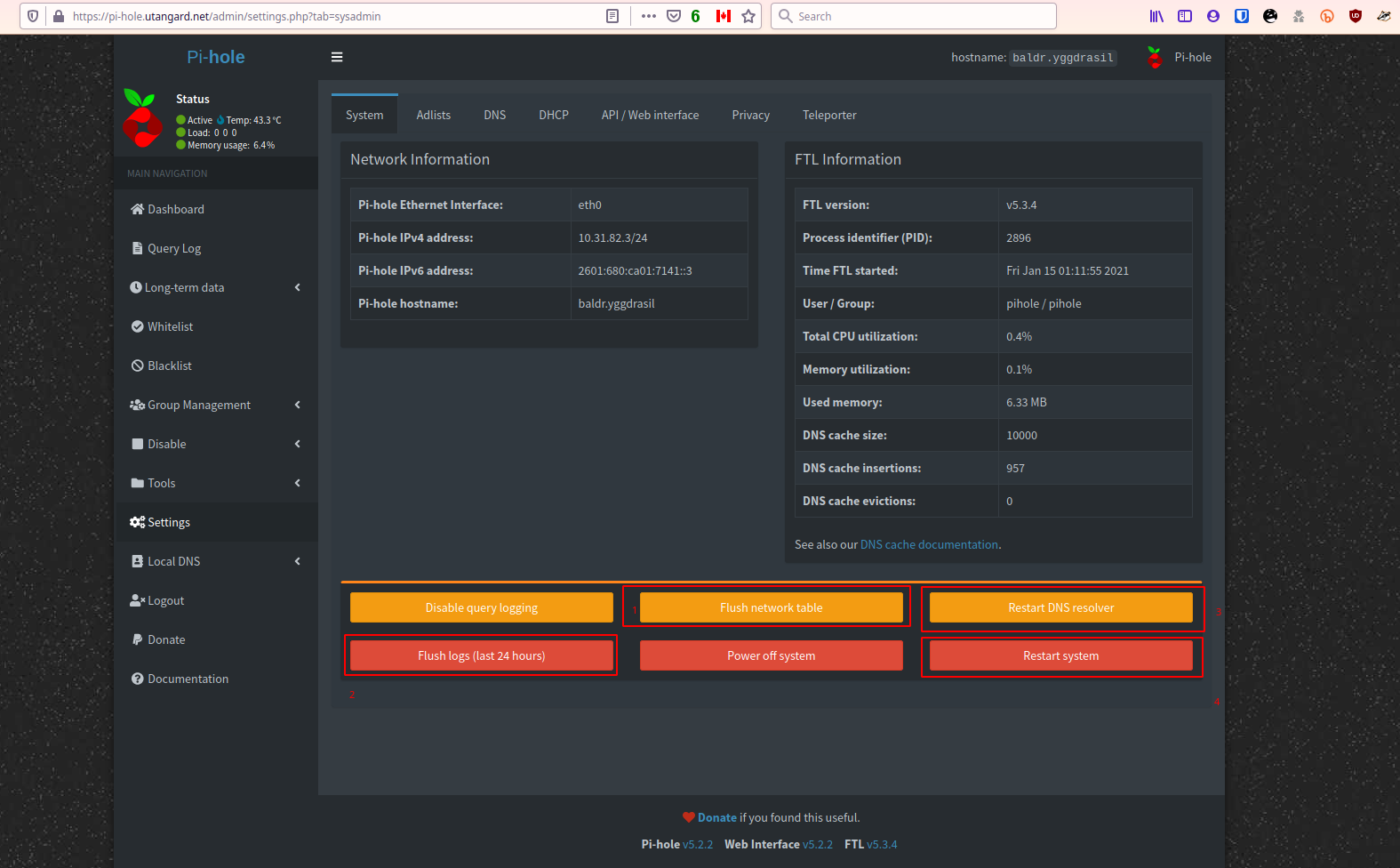
Then I wait until its up. I login via ssh and make sure systemctl status cloudflared gives me an OK and I check if I am getting queries from both on my machine by digging my pi-holes address and for A and AAAA records on google.
If that goes off perfectly its working set and forget.
Now cloudflares tunnel needs an update here and there. It wont update via package management. Add to your cron week or a cron task the following commands: (I leave this up to you)
sudo cloudflared update
sudo systemctl restart cloudflared
Make sure those are ran as root  probably about once a week and you are golden!
Any questions ask below.
Word to the wise. Keep the tunnel fresh by putting the last three commands in the root crontab -e
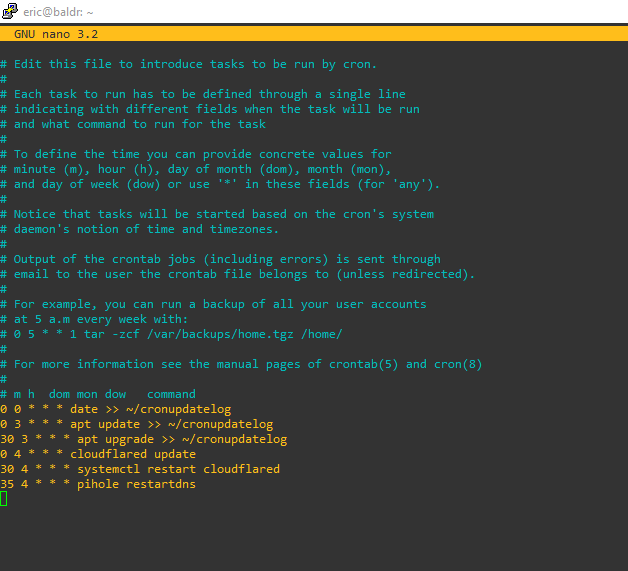
This updates the tunnel software
It keeps it fresh by restarting it and then restarts the pi-holes DNS Masq resolver so it sees it properly