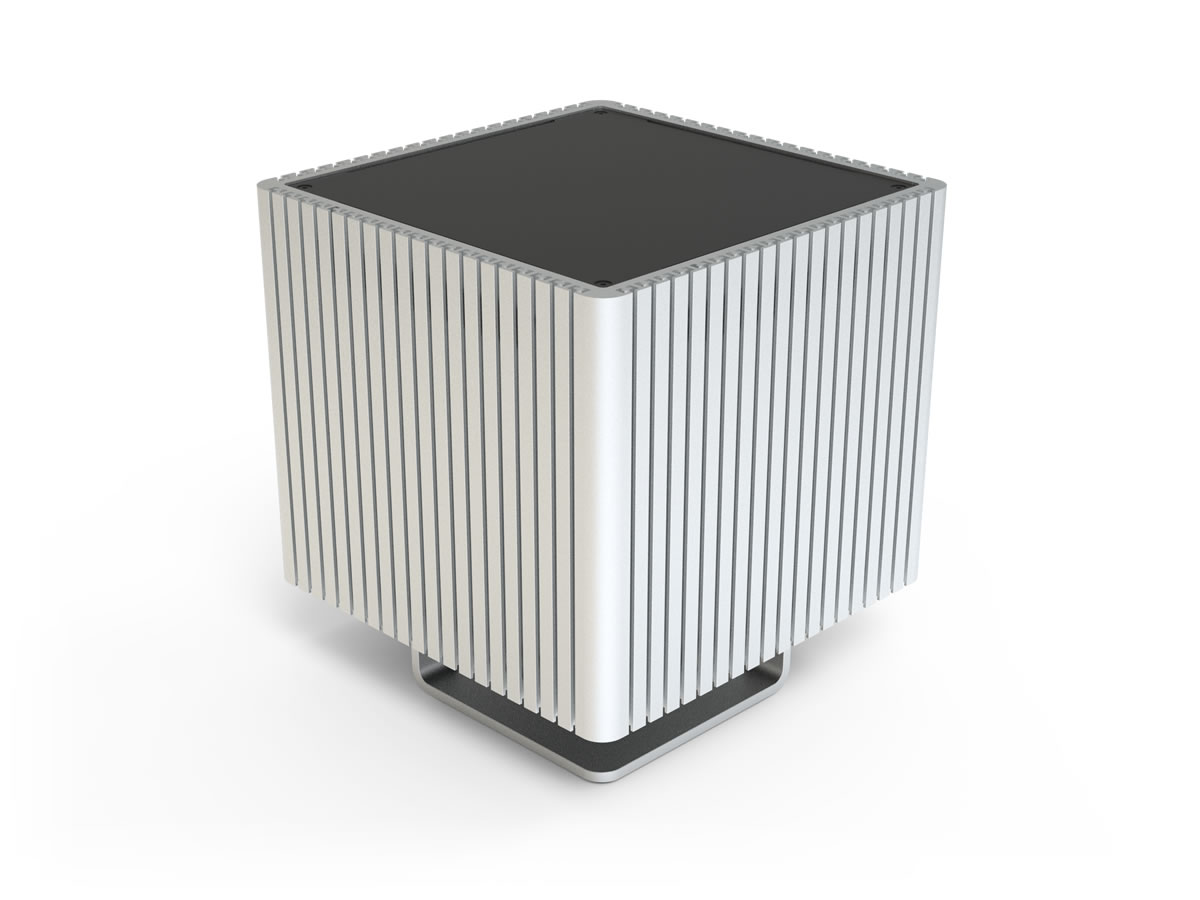
Passive Ryzen 7900: test and testimonial

Edit 2 on 16.05.2024:
The following BIOS settings produce a setup that can reliably emerge Telegram. Slayers X test pending.

  • disable Core Boost
  • disable Performance Boost
  • downclock by 1GHz
  • undervolt by 0.16V

Also thanks MSI for designing the BIOS menu such that freeform numeric fields are not selectable by Enter. I legitimately thought these settings are locked for some undiscernable reason. These fields are controlled with + and - keys.

I will browse the Thermal Grizzly portfolio and update this post when any progress is made.

Edit 1 on 16.05.2024:
My initial optimism has been misplaced. There are better stress tests that can successfully overheat this setup:

  • playing Slayers X for half an hour via Wine with DXVK
  • emerging Telegram Desktop

So far I’ve downclocked by 1GHz and undervolted by 0.16V, but not tested yet. Previous downclocks and undervolts were smaller and did not improve the situation.

Original post follows:

First of all I wanted to thank:

  • various members of this forum for helping me with my issues with passive cooling
  • https://www.youtube.com/@fullysilentpcs for conducting an incredible test of most passive CPU coolers available in the world
  • https://www.youtube.com/@GamersNexus for conducting a very important interview with Thermal Grizzly that made me better understand their portfolio of products and what will be useful in future upgrades
  • Club386 for showing a glimpse of a working solution
  • Noctua for providing the working solution and consultation
  • Thermal Grizzly for providing counsel on the subject matter
  • users of the r/buildapc subreddit for patiently explaining to me that I can’t blow my wallet out on a 256GB RAM system because the 7900 will not handle it, according to its spec, thus saving me the trouble

All of you have made me not regret this purchase. I don’t know what I would do without all of you. Thank you so much <3

Special thanks go to the moderators of the subreddit r/AMD. Thank you very much for deleting all of my threads and pleas for help and advice, while hiding like anonymous cowards behind a moderator bot account. It’s because of people like you that I was regretting upgrading to AM5 and regretting blowing 10000 PLN on just the CPUs, motherboards and RAMs. Please know that you’re just a janitor on the Internet and you do this for free on a Friday afternoon. Best of luck.

So, after a month of a very frustrating upgrade, I finally arrived at a solution. It seems that AMD is looking up to Intel with regards to honesty with their TDP ratings. The figure of 65W is clearly underestimated. With the help of Noctua NH-P1, I’ve managed to get the CPU colder than my previous combo - Ryzen 2700 and NoFan CR-80EH.

In the BIOS, where I’ve observed that the temperature keeps growing despite doing nothing in the menu, the temperature starts at 40C and shyly grows up to 42C over the course of several minutes. Before, on the NoFan it would start at 63 and climb up all the way to 86.

Next, I’ve compiled LibreOffice in RAMdisk with all 24 threads. The CPU temperature did not manage to exceed 64C during the 24 minutes it took to finish the test.
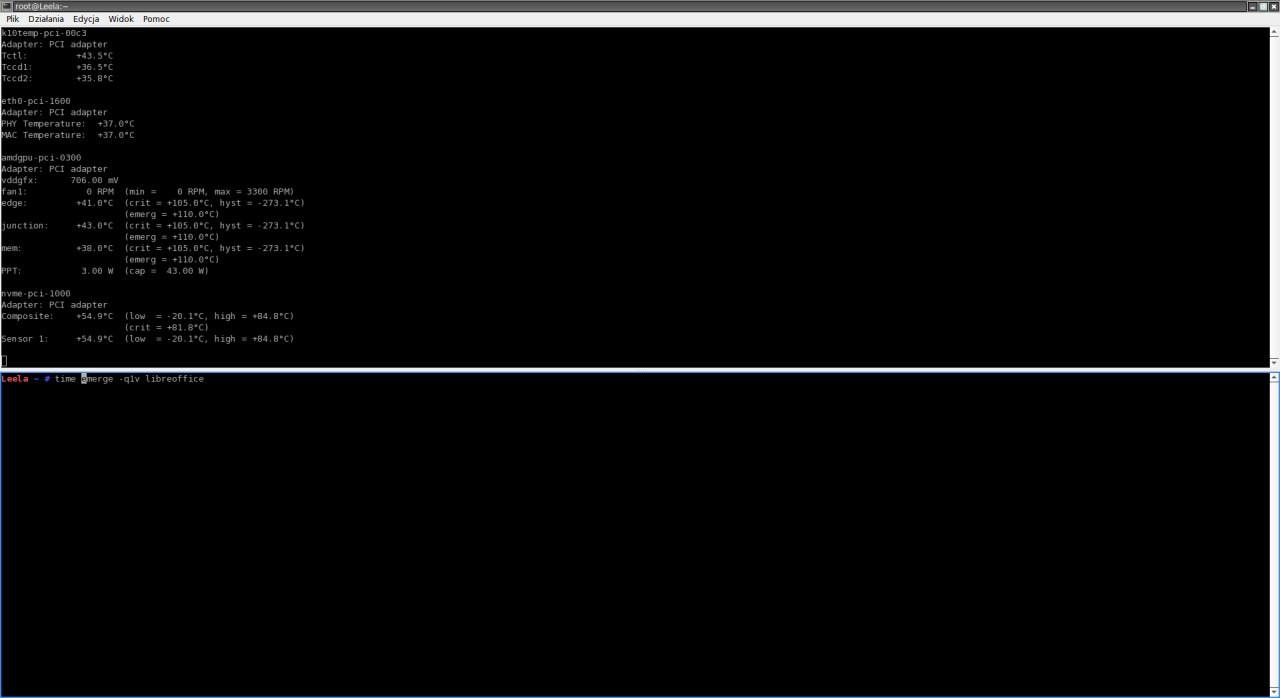
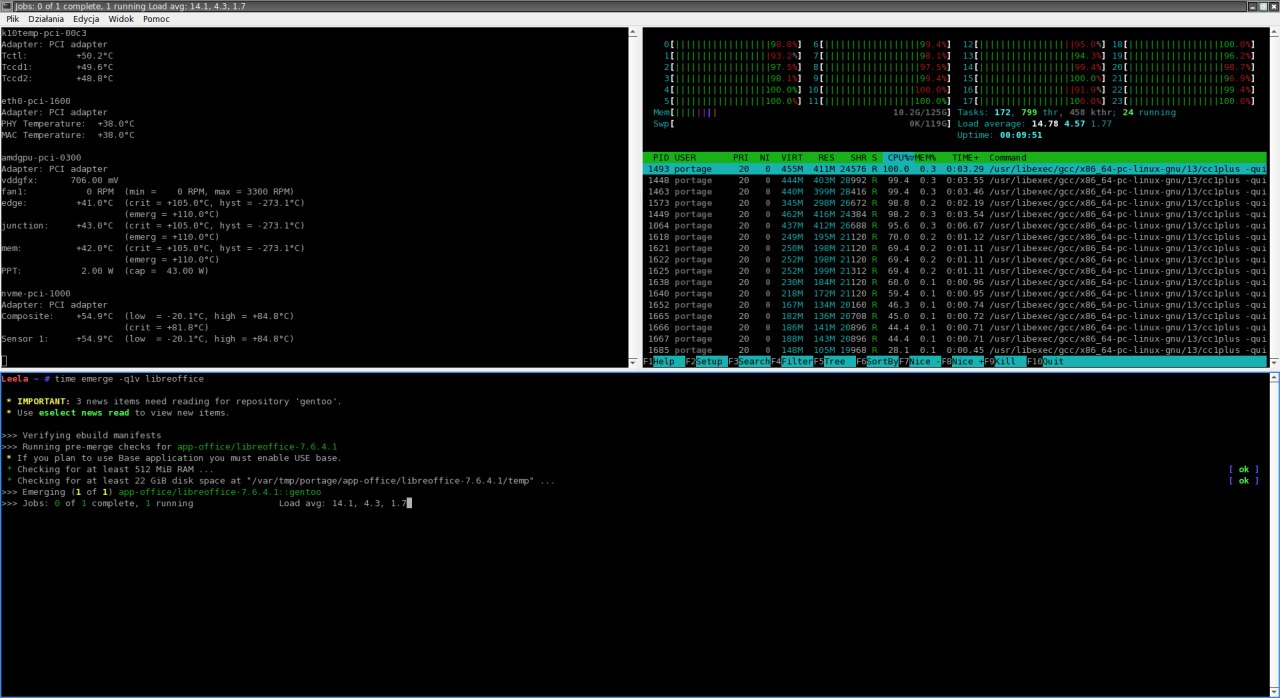

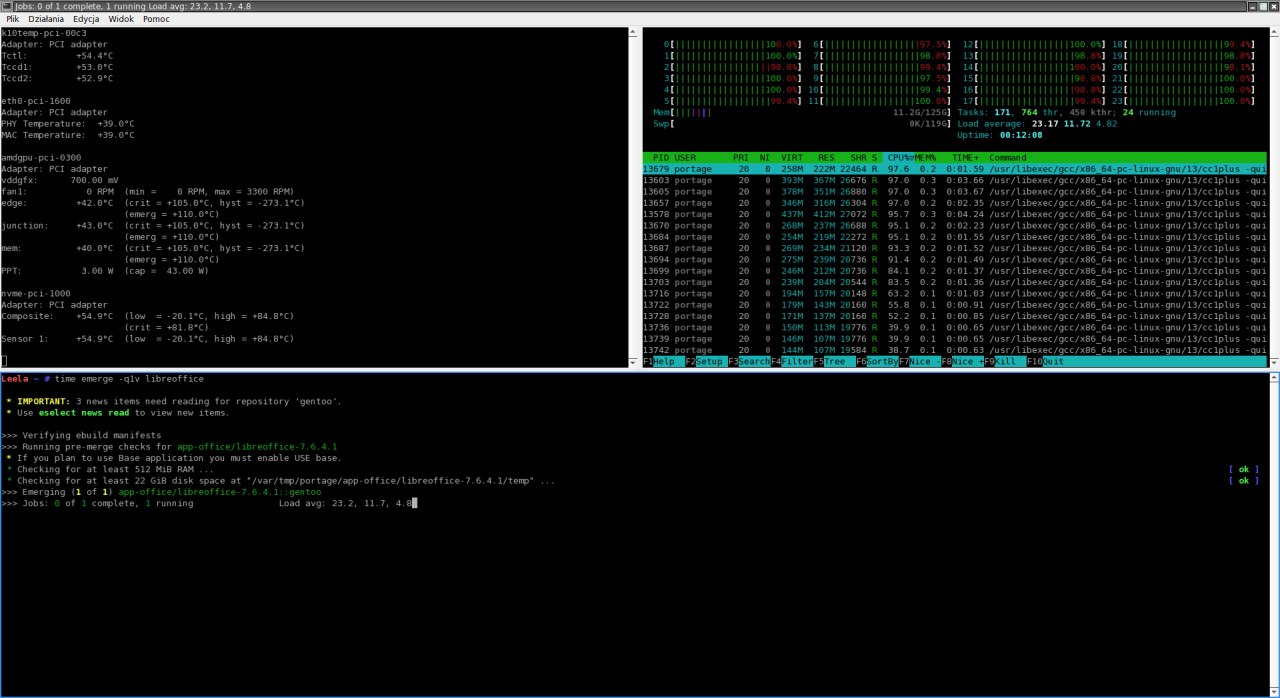
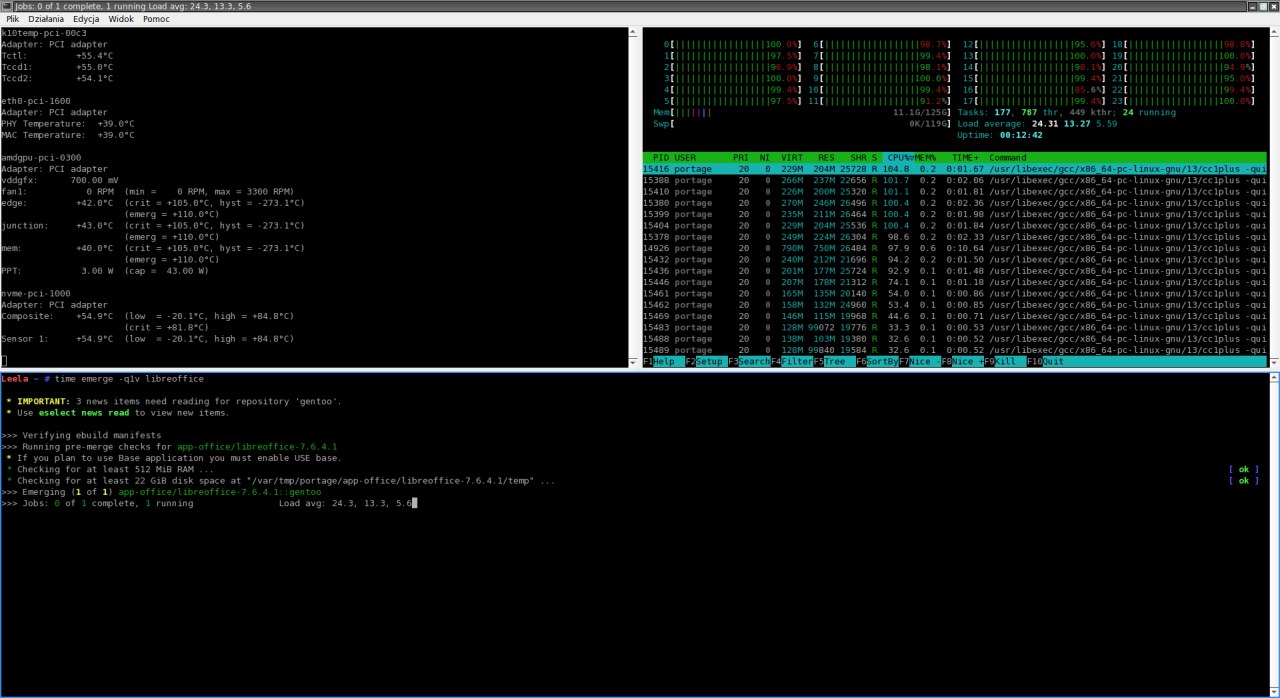
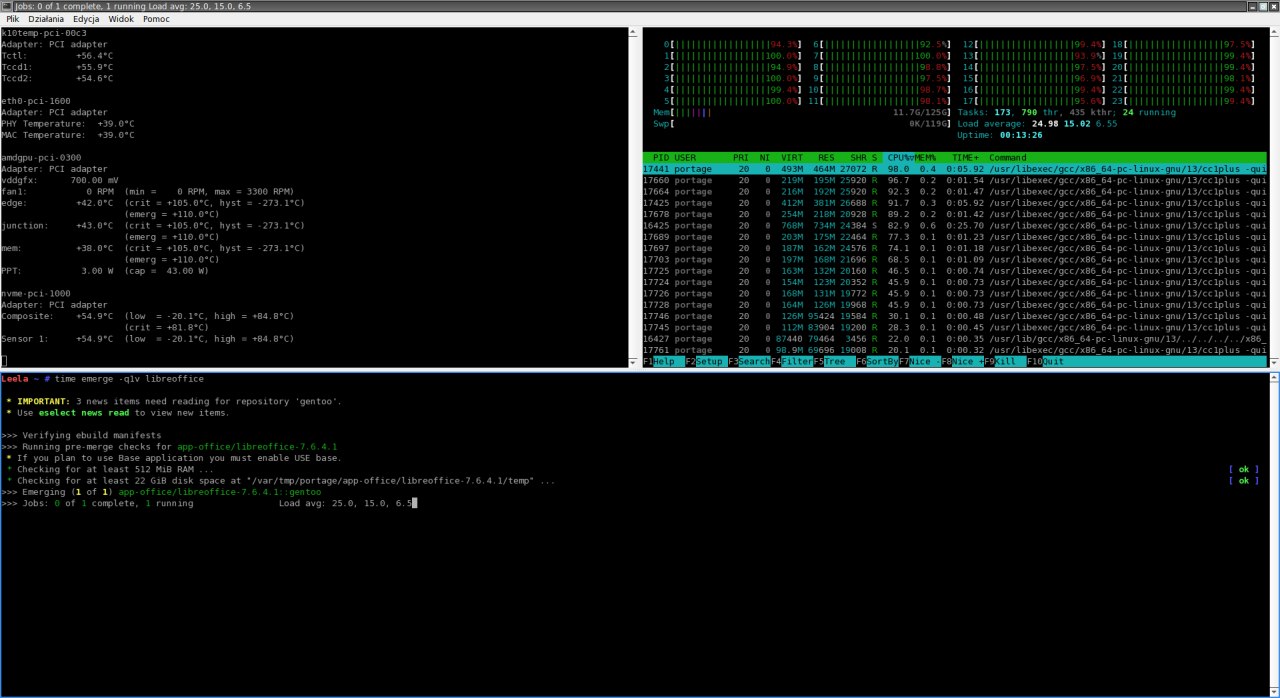
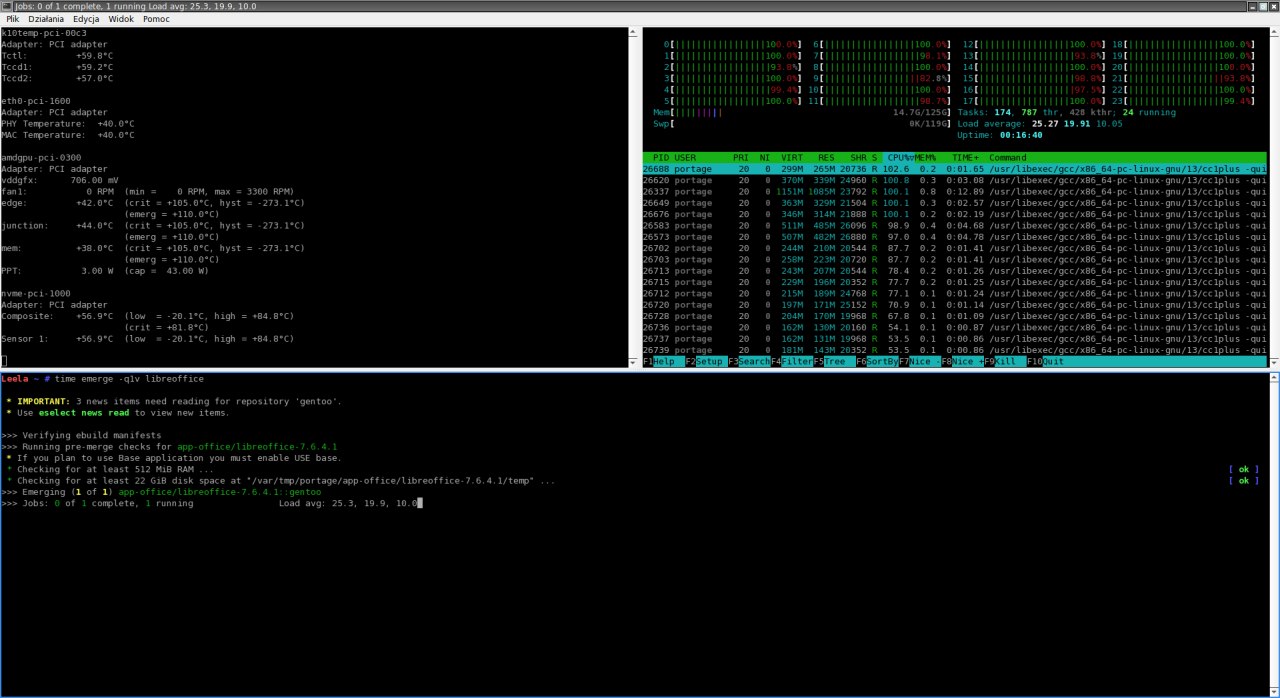
And finally:

>>> Installing (1 of 1) app-office/libreoffice-7.6.4.1::gentoo
>>> Completed (1 of 1) app-office/libreoffice-7.6.4.1::gentoo
>>> Jobs: 1 of 1 complete                           Load avg: 3.1, 14.5, 15.5

 * Messages for package app-office/libreoffice-7.6.4.1:

 * If you plan to use Base application you must enable USE base.

 * Messages for package app-office/libreoffice-7.6.4.1:

 * USE=custom-cflags has been selected. You are on your own to make sure that
 * the build succeeds. Good luck!

 * IMPORTANT: 3 news items need reading for repository 'gentoo'.
 * Use eselect news read to view new items.


real    24m14,083s
user    403m0,767s
sys     63m41,352s

If you find yourself wanting a passive cooled Ryzen 7900 - get the Noctua NH-P1 first, it’s tried and tested.

4 Likes

As cool as passive cooling is, I currently use a Thermalright Peerless Assassin (of which there is a better replacement nowadays) and it’s dead silent with a manual curve.

Even at 100% load I can’t hear a damn thing, even putting my ear against the mesh case I can’t tell if the computer is on or off. The only downside is the need to manually set the fan curve in the UEFI as it’s too aggressive by default (on my motherboard at least).

So as it’s a lot cheaper I think it can be very viable option too for silent systems :slight_smile:

1 Like

Niice, so you built it after all ! Shame it didnt work out to your expectations, but fanless build are devious and market is weird.

Its definitely possible to build full power fanless case, but cost is unforgiving.

There is maybe finally upcoming calios/stracom fanless case SG10, but it will be at least 1000€+ with unknown compatibility footguns. Some photos from expo here and video here.

Initial kickstarter prototype was even more overkill like this https://www.youtube.com/watch?v=9LauL5JxYis. Sorry for linus sex tips reference, but quick search pulls him first :slight_smile: .

Other then that there is custom monsterlabo “beast” case whist is I guess built to order only .

Personally i think it will be easier to build low rpm custom water loop with extra large raditor and very low rpm fans.
Or try going with large and thick radiator in top position and see if convection only cooling is enough.

EDIT: Like these models for inspiration (not an ad, just the place I bought from last time :))

EDIT2: re noise profile, few reviews available, but the one I found says and shows it bad. Custom solution they build instead is awesome though.

1 Like
I'm probably not being very helpful, but...

the chiplet based designs have a very high minimum power, meaning that the chip can’t hit lower power targets that you would want to on a passsively cooled setup, because you’re always pumping +5~10w or more from the chiplet, and another 10 or so from the motherboard chipset? Which at that kind of power, without a fan, can also become a cooling problem. Never mind that the signaling through the CPU substrate also has a lot of energy loss, on the order of tens of watts.

As much as it might not meet your design goals, I think it might be worth considering the mobile-based desktop APUs, as they will likely perform better at the extremely TDPs a passive system should be aiming at, ie <65w.
These 7000 series APUs are very efficient at extremely high corecounts, because the energy losses of using a chiplet based design are outweighed by the binning and scaling advantages of the smaller chiplet dies, but there’s a reason you don’t see them used in laptops, and likely won’t ever in their current form.

4 Likes

I don’t think you have to downclock it. It is capped with 65W by default unless you enable PBO or put different power/thermal limits in the bios.

I have a Ryzen 7900. The 65w rated does not include IOD, as I can observe in HWInfo64. As someone mentioned, chiplet design has the negative effect on the power effeciency. I would suggest something like 8700G or 8700F.

2 Likes

Maybe you missed it in the edits, but I explicitly said I disabled this. Besides the “TDP caps” are a at best a no-op from my experience. It changes literally nothing except makes POST 90% less likely to succeed. Been there, done that, I’m not touching any more BIOS options because DDR5 sucks hot turds.

If I wanted an 8 core I would just get a 5700X. No deal.

Yup, problem is that even 65W is way too much for most passive coolers to handle.

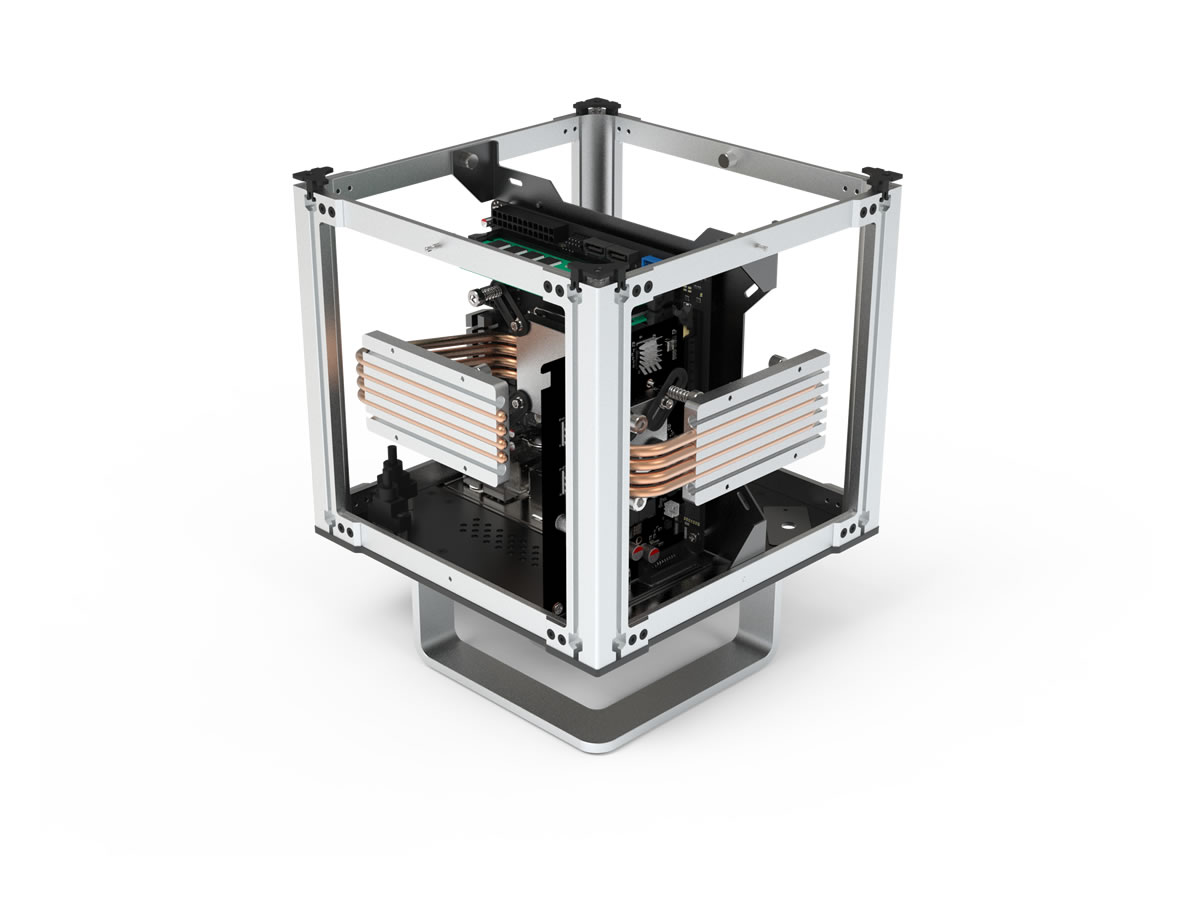
Look at this case, its designed to dissipate 65W + 65W thermal output and its comparatively massive to any older passive cooler.


Its also 300-400€ with poor availability, but definitely “cool” ITX case design.

Cool, get it ?
:rofl:

2 Likes

This topic was automatically closed 273 days after the last reply. New replies are no longer allowed.