I think nutral made some good points I would echo. Getting air to flow directly from the inlet through the CPU cooler and then out a direct exhaust can make a huge difference. If you can’t run the air coolers to point front to back, then need some way to pull air out the top of the case or don’t use the Torrent case which is optimised for front to back flow. Second, if you look in commercial workstations (e.g. Lenovo) with dual CPUs then they often have baffles or air tunnels to guide the air specifically past the CPU coolers, so if you have access to a 3D printer then that might be an option.
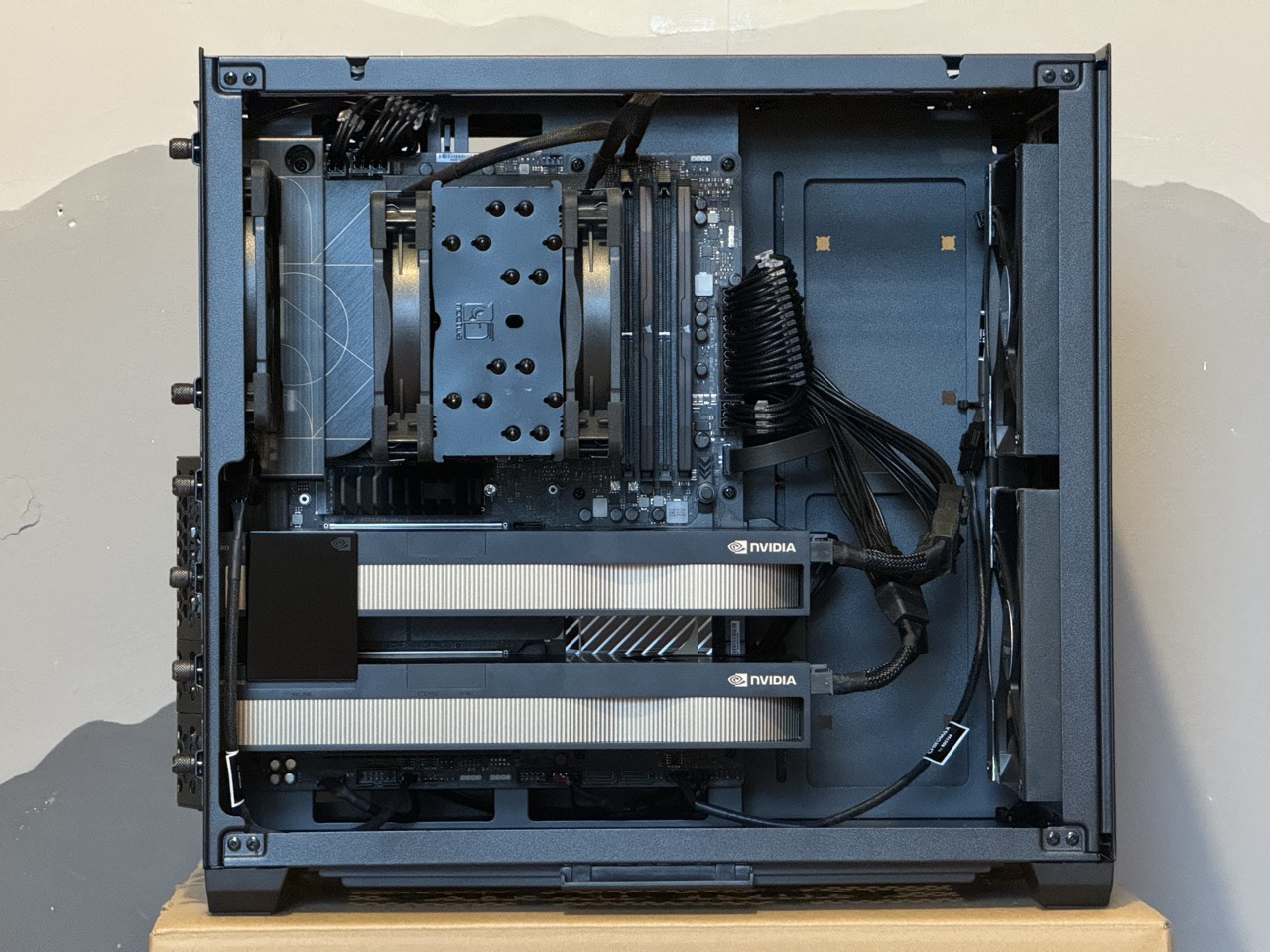
Following the importantance of the air flow paths, this is my current workstation build. Lian-Li O11 Air Mini with 2 x 140mm fans in front and a single 120mm exhaust, with a Noctua NH u12a air cooler and recently upgraded to an i9-14900K from an i7-13700K.
If you look around at a lot of builds in this case, and other cases, they often fill the case with fans, all pointing in different directions. This case can have multiple fans in the base, top and back in addition to what I fitted. When I thought this through, sure it might give loads of positive pressure, but it seemed that all this was going to do was fill the case with turbulent air, and hence keep a lot of air and heat inside the case.
I tried a few fan configs, but this simple push pull fan arrangement was by far the most effective, and quietest. Like 5-10ºC difference. So maybe less fans, and straight air flow paths?
I also asked in another post How can I make my workstation more power efficient? - #6 by mikejmcfarlane about maximising for efficiency whilst maintaining performance. Got some good advice about a few things there. I’d experimented with under volting before, and had significant energy savings whilst maintaining performance and stability. As a result of that advice I also experimented with CPU power levels, and got some really great results.
With light under volting (-0.1V), and dropping power levels (PL1 and PL2) by only 5% (from the BIOS reported default value), and with a fixed limit rather than auto setting, I took about 30W-40W out the CPU, which means the hot running i9 with that “tiny” noctua air cooler runs under sustained load at about 72ºC! System is stable, and there is no thermal throttling or performance impact for short or sustained loads that I could see under benchmarking. And as there is good overall air flow through the case, then VRM, memory and SSD temps are all also good under sustained load, maybe 40-50ºC. So maybe some tuning of the CPU voltage and power levels in the BIOS will get you where you need to be with temps?