To kinda' follow with my previous blog post about our pole barn I thought some of you might like to see a little of our progress with making it a enjoyable work space, in my world that includes internet, music and video access here's the progress so far.
Back in the spring after the building was up and the contractor had signed off we dug a trench between it and our existing shop that my wife uses for here graphics business, this building houses our servers that provide file storage, hosting, and media storage. Since we don't have cable TV and rely on a mix of the internet services like Hulu and Netflix, we also have a FreeNas media server that provides us access to movies, TV, and music. Anyway the trench was to run water, gas, and network access into the new building.

The Barn houses a Netgear 24 port POE switch that handles power and data transfer for cameras in our CCTV system and network/internet access. (yeah, next on my list is to make a permanent place for the switch and do cable management before closing up the wall)

We originally used a old Emachines computer running Fedora (Linux) to access our resources but it was lacking in performance for the plans I had.....
We started out using a old 15" monitor, then switched to a 32" TV......that worked out great but again the old Emachine computer just didn't have enough video to drive the bigger screen and display the montage view from our CCTV system.

So black Friday came around and the deals were good enough for me to get out my credit card and order some parts....
1. From Target a Element 50" 1080p HDTV
2. From NewEgg a Asrock AM3+ MB and a AMD 6300 CPU
3. Misc parts, wall mount for the Element, a new swivel mount for the 32" TV, a 75' VGA cable to run from PC to second TV across the building. (that's up the wall, over in the ceiling, down the other wall...lol)

So Element was first to show up, un-boxed it and tested for dead pixels and general functionality.....works fine.
The 75' VGA cable was second to show up and I ran it the other day.....tested, and it works (was a little worried about the length, wanted to use a HDMI or DVI cable but VGA offered the greatest distance with the lowest signal loss).
I had most everything to build a computer, a Antec 100 case, 500w PSU, a 1TB and a 2TB hard drives, (2) old Nvidia GTX 550Ti cards and a optical DVD drive.....all recycled parts that are well used but still very functional for this usage.
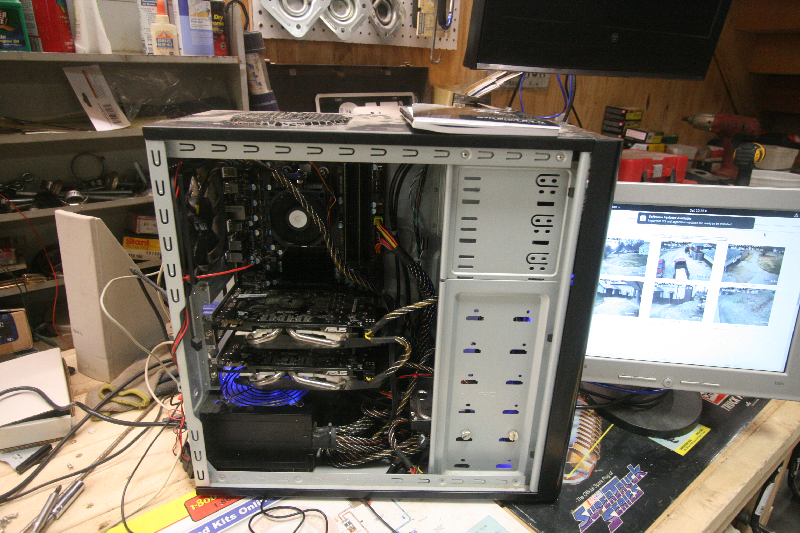
I needed to insulate and close in the wall behind where the Element will hang above the sink....and decided to just take the time and close in the section where it would hang and avoiding having to take it back down to do it at a later date which would suck.

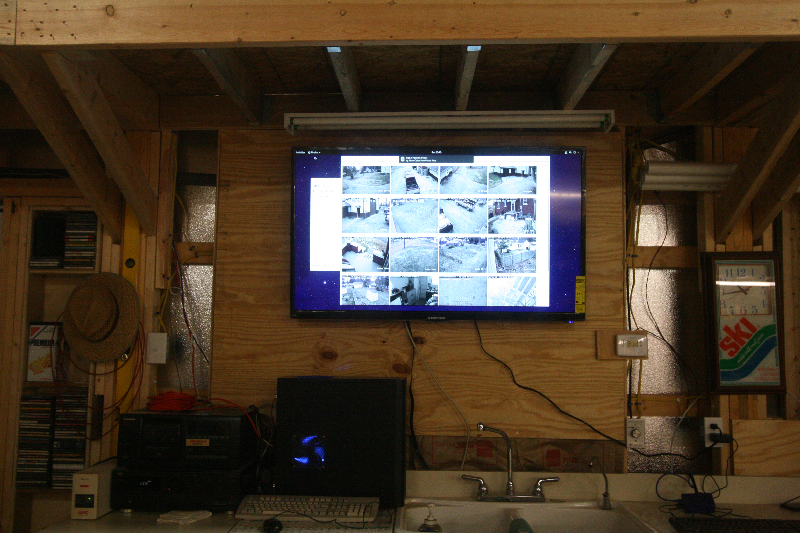
Then hung the Element......
We are using a Raspberry Pi running Kodi as a media streaming device in this building which is bullet proof, flawless, I can't say enough about just how great of a usage this is for a low cost Pi, and the (un-official) Kodi add-ons are a great resource for content if you have the need.

Here's the 32" on it's new mount and location. (I also ran another Cat5 cable to this side of the barn for building or testing)

I'm planning on mirroring the two displays (working out the difference in screen resolution between the two at the moment) the reason for this is we want to be able to see the CCTV feeds no matter which side of the building we are on, the barn has no windows for security purposes and we need to see outside, but this setup will give me a lot of flexibility between the two, they can mirror the desktop or extend it, or be totally independent of each other, like yesterday I just hooked up a second Raspberry Pi to configure it and used HDMI right into the 32" using it for the display, if I needed to look at the CCTV feeds they where just a button push away on the remote for the TV inputs.
Here's the finished project, I haven't touched the settings for the Element yet which is something else I need to do also.....now we can enjoy all the media in a comfortable work environment.

Anyway thanks for taking the time to look, and as always opinions and suggestions are appreciated, sorry for the low grade pictures some of them where taken over the last 6 months while doing other things.