Yes it is!
It has underglow back lighting, but you either have to get the acrylic rear cover or use without cover at all.
It also has SMD led pads, but you have to solder the leds yourself (although the store i bought it from offers the led soldering service).
1 Like
Could have sworn they are pbt…
But thanks for the warning.
the ones on the massdrop are PBT.
Yesterday i had some friends over for my birthday, i was almost like a wine sommelier with them testing the different switches on my tester and me switching stuff out and recommending certain switches.
The Lubed keebwerks the favourite of some. One friend is looking for a new board and wants to select some switches, he proceeded to select the most expensive in my set (1,35 per switch zealpc Healios v2)
1 Like
I’m all for supporting drop and kbdfans but their shipping prices suck. Ali though…
Novalkey Kailh Box Royal
Boba 4UT
This pricing is just that little bit better.
Also on the list (supposedly in order of least to most tactile in relation to each other):
ergo clear
box silent brown
c3 kiwi
holy panda
zealios v2
1 Like


A little thin, not a fan of the down arrow being off center but the price and not having to wait is cool.
Having a Convo with kbdfans’ Adam on changing my switch order to gateron led browns from blue’s. There are more tactile options for A LOT more money so for the $14 I think I’ll take the browns. Then will try to get a multipack of tactiles to evaluate before going all in on a switch.
4 Likes
Didn’t notice it earlier but they do have box royals às a switch option in the package deal, so paid the diff and have royals on the way! I like my switches to fight me.
I’ll probably regret it but I can’t see myself liking any version of browns. That said I’ve never tried them, so for all I know I’m cheating myself.
1 Like
I’ve started off with the browns but the other tactiles are just better. I have the box royals in my tester, its a bit loud but better tactile than a brown.
It is a close to the 62g zealios, but not as heavy as the 67g zealios. The zilent, keebwerk bushi or Durock T1.
I would recommend the Durock T1 to try out, as they are quite nice and also not that expensive at .55 per switch. (compared to the 1.20 for zilents and .70 for keebwerk)
3 Likes
Definitely have to get me some box switches.
I would.love an internally silenced box switch for the feels and the thud of the slider, but the click of its bar, in a foam packed case, gasket mount, aluminium case. So nice sharp click but no rebound or echo, just one noise and then nothing.
1 Like
Ah, cool - I’m not handy enough with an iron to attempt soldering the LEDs myself. I’d seen pictures of the acrylic bottom which I think looks cool - cooler than in the V2 implementation.
2 Likes
What’s a good place to buy some thicc black PBT caps? I know I can just go on Amazon and get some PBT caps, but I was more curious what brands would be the best to go for keeping in mind I want thicc caps. Preferably with the stealthy look where the lettering is engraved, but have no color, or just completely blank. Originally, I wanted double shot shine-through, but I dig the look of just black caps on top of the rgb so you only see it between the keys.
*Note: I had the Drop PBT black shine-through caps, but those were more of a reallllly dark gray IMO. I’m using an old set of Ducky PBT’s from my other board for the time being, but I want to put those back on the other board. The Ducky’s are more black, the Drops were thicker. I’d like the best of both worlds.
-Edit-
Just after posting, I start watching Optimum Tech’s video going over his custom Tofu 60, and he mentions the blank caps he’s using. They look noticeably thicker than the Ducky caps I have, which means they’re likely thicker than the Drop’s as well.
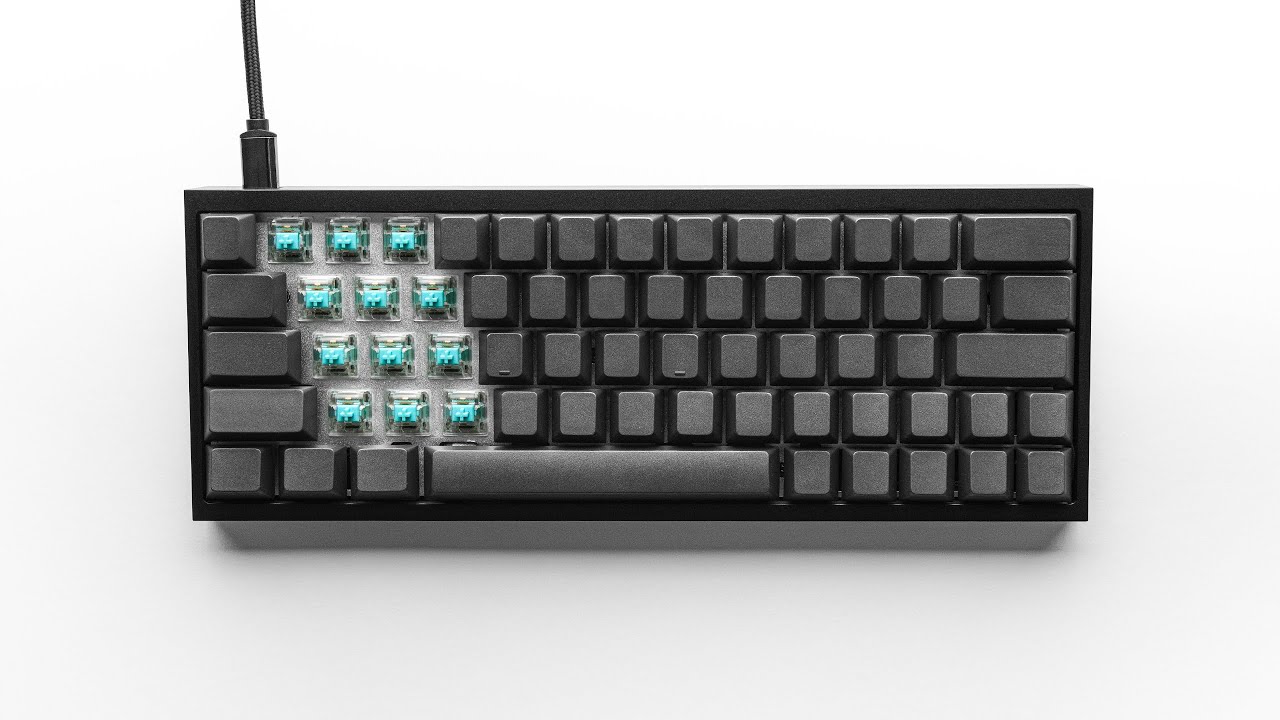
https://kbdfans.com/products/enjoypbt-blank-keycaps-117keys?variant=36740706893
1 Like
If I wasn’t dead set on getting a 65% + something in stock I’d probably cancel my kbdfans order, this other kit looks to be a game changer:
Same great tofu timeless aesthetic
Oblong USB port hole (hate the tofus circle)
Comes with gaskets for standoffs plus no middle standoffs
Silicone not foam
Kbd kit is cherry stabilizers, this kit is durock
QMK and VIA
$143. Wow.
2 Likes
I have missed this development, what’s the deal.with the center posts?
I guess inline with the gasket mod / tofukorn mod where they attempt as best as possible to be more like a legit gasket mounted kit. Deeper thocc by more board flexibility. With tofu there are what seems to be two tiers to this mod, simply adding orings to standoffs, or cutting the inner ones off, getting a huge gasket that goes around the perimeter of the PCB and cutting some of the PCB itself.
I’m going to get the 4mm x 1mm x 1.5mm gaskets for my standoffs but I’m still going to use all standoffs vs cutting the inner ones off. I fear these PCBs without relief cuts will not last to this flexing. IMO one should get a legit gasket mount setup like the epoch or settle with the standoff style mount sounds. These reviews/modders IMO are not taking environmental testing into account. How the traces, solder etc will hold up.
1 Like
I remember seeing a video on the Freebird 60 a few weeks ago, but I only started looking at it yesterday. The fact it’s in stock is a big plus. 
Few more days with the GK61X and I am happy with it, but the software for it is… interesting. It does look like I can program the keys how I want once I figure out the quirks of the software. Hopefully it’s not also mining bitcoin and keylogging in the background! /joking (mostly). Sure, the case isn’t aluminum, but I’ve got no issues with it being plastic. Sounds fine. Feels sturdy.
I will say I’ve went from being a TKL user and thinking a 60% just wouldn’t work for me, to getting a 60% and thinking a 65% would be better, to ordering a 75%, to buying another 60% and thinking 60% is actually going to work just fine for me as long as the Fn layer can be programmed in a way that’s optimal for me. Still excited for the arrival of the Q1, if only to check out the Phantom Reds.
1 Like
I really feel this as well. I’m thinking my next board will be a 60%.
Legit turned me off from these models when I found a review saying the software must be running in the background. Is that true? Or is it install, configure, flash and you can stop the software process on the PC?
Found another review knocking the sound but I totally agree with the comment sections theme- it has solid bones, it’s a true gasket mount setup and not a hack like tofukorn or even the freebird. All meaning IMO the enthusiasts wil make quick work of finding the perfect small easy mod to make it thocc as it should. Still, no QMK as of yet, here is to hoping keychron gets their software done already.
I’m dwelling more and more on the freebird kit and also boba 4ut over box royals… I’m just going to hold the course and see where the gasket mount market goes. IMO all makers use spread out standoffs for a reason, I’m not 100 as to the longevity these PCBs will have on tofukorn and freebird setups yet.
I’ll try to get back to you on that later this evening. I haven’t tested that just yet.
I read there is an open source alternative to the software, but I don’t know if it for sure supports my board… there appears to be a few similarly named GK61 boards that aren’t the same.
1 Like
@Zibob a pretty good vid of pre/post “tier 1” (my coinage, or do I dare call it lvl1?) Screw standoff gasket modding (plus he added foam).
His setup already thocced pretty good though (I’m thinking his switches). But an improvement for sure.

1 Like
@Token I loaded up the software → Clicked ‘Layer 2’ → Verified what this changed about the keyboard. → Closed the software → Confirmed it was no longer in the showing in the processes list in Task Manager → Confirmed the changes persisted.
However, it’s not saving those settings on the board. If I unplug/plug the board back in those changes go back to normal until I launch the software again.
1 Like
Interesting, so it’s saved on volatile memory and not flashes. I’m going to assume QMK flashes over and it’s done, non-volatile.
Disregard.
I made a change to Layer 2 → Made ‘L’ key output ‘G’ instead → Saved & Applied Change → Verified ‘L’ output ‘G’ → Closed Software → Confirmed ‘L’ still output ‘G’ → Replugged in the keyboard → Verified ‘L’ output ‘L’ → Pressed Fn + E which switches it to ‘Layer 2’ → Confirmed ‘L’ output ‘G’ again.
If I’m understanding this correctly, the keyboard basically has 4 layers. Layer 1 ‘Standard’ has limited remapping possibilities, but the others are (I think) complete remappable. So, you would just program in one of the other layers exactly how you want, and then just need to remember the Fn shortcut to switch to your desired layer whenever you have to reboot (I’m guessing) or plug in the keyboard again.
-Edit-> It seems that if you switch to a layer with a keypress instead of the software, it stays in that mode if you unplug/plug the keyboard back in. The manual shows shortcuts for switching into all of the modes except for standard… so I had to launch the software to switch back to standard.
2 Likes