Journey into SBCs (ThatGuyB in ARMland)

I finished the kboot.conf file and nixos boots automatically on petitboot. And I’ve also learned that now I don’t need to rely on u-boot custom image for each board I own, everything can be just booted, kinda like on x86. This is next-level for me in terms of usability.

For those not in the known, petitboot does something kinda like grub, it allows you to pick the OS you want to boot into (it’s a bootloader). U-boot is kinda like a pseudo-firmware and bootloader. It gets loaded by the ARM SoC’s startup sequence and it then looks for bootable OS files at certain locations on the storage mediums attached. U-boot can read legacy boot.scr’s and boot.ini’s, the later which look horrible, along with extlinux.conf files.

Now, the kboot.conf is not exactly easily readable, given its large lines, but it’s better than that egregious u-boot boot.ini config.

Take a look for yourself. And this is for multiple nixos generations / boot options!
# Change this to e.g. nixos-42 to temporarily boot to an older configuration.
default=nixos-default
nixos-default=vmlinuz initrd=initrd.img dtb=dtb init=/nix/stor/5fbhlfm4y8m9200xi802c083jg9bcdvb-nixos-system-hc4-23.05.1748.e11142026e2/init zfs.zfs_arc_max=2147483648 nohibernate loglevel=4 rootwait rw console=tty1 no_console_suspend max_freq_a55=1800 maxcpus=4 hdmimode=hdmi

nixos-7=nixos/k3bgrdk8v2l1rfmvxrn8ch9xyikd75wf-linux-6.1.37-Image initrd=nixos/5zavkvid31j06k9wpiblqxydkcvysrddinitrd-linux-6.1.37-initrd dtb=nixos/k3bgrdk8v2l1rfmvxrn8ch9xyikd75wf-linux-6.1.37-dtbs/amlogic/meson-sm1-odroid-hc4.dtb init=/nix/store/5fbhlfm4y8m9200xi802c083jg9bcdvb-nixos-system-hc4-23.05.1748.e11142026e2/init zfs.zfs_arc_max=2147483648 nohibernate loglevel=4 rootwait rw console=tty1 no_console_suspend max_freq_a55=1800 maxcpus=4 hdmimode=hdmi

The first boot option is just symlinks, just like u-boot does it. The second one is the full paths, like nixos does it with the extlinux.conf file. Unfortunately, there’s no way to split the config on multiple lines for readability, not even with \. But it’s a tradeoff I’m willing to make. The bad part of this is that I have to maintain the boot config myself. But on the other hand, on the boards that I run non-supported linux distros, I have to build the uInitrd and change the symlinks myself anyway - in all fairness, this makes it easier than those, because I can just copy paste some paths and file names and boom, bootable config (although not easier than having the OS deal with it, which is what nixos was doing).

U-boot is kinda like UEFI on modern systems, but using its own standard for booting. Just like UEFI can read the efi files your OS generates in your boot partition, u-boot can read its own files. U-boot to me feels clunky and a bit limited, the linux distro one uses, has to maintain u-boot firmware updates and the boot files / symlinks (correct me if I’m wrong and the later is somehow scriptable in other ways in some package managers or other tools, I want to learn to do that next).

The UEFI in a x86 motherboard is maintained by the manufacturers, but in ARMland, there’s no standard, because each SoC has different initialization sequences or something (the most offensive one being broadcom using the gpu to boot, most common boards using their chips being the raspberry pis).

U-boot is like a middle layer and SBC manufacturers like Pine64 and Radxa have to ship with their own. I can’t speak for Radxa, but unfortunately for Pine64, I haven’t seen a board that can just boot any OS you slap on a uSD card or eMMC drive out-of-the-box. This shifts the maintenance of boot firmware from board manufacturers like them over to the OS maintainers. It seems that many maintainers happily took the burden on that though.

All or most of the OS installs I’ve seen frequently come with their own version of u-boot for each board they support (unless the board is supported upstream by u-boot already). Here’s where petitboot comes into play. Hardkernel is shipping petitboot with most or some of their boards now. With just a simple config file, petitboot can boot any supported OS. By supported, it means both OS that support the linux kernel’s kexec method (which, besides linux, only FreeBSD does AFAIK) and OS that ship with the proper dtb files for the board in question. This shifts the burden back to the board / SBC manufacturers, freeing up resources on the OS side for things like dtb and drivers maintenance.


So what’s this kboot.conf thing that I kept talking about? I mentioned previously that petitboot is able to read and parse kboot.conf and u-boot boot.ini config files to know which kernel image, initramfs and dtb to load up

KBoot is another bootloader that uses kexec to boot linux and other os’es. Online I mainly found people using it to run linux on their ps3’s, but it seems like petitboot also kinda caught traction on the ps3. And bellow is how I found the default value thing to allow petitboot to boot automatically into one of the boot options specified in the config. This is really reminiscent of grub.

http://ftp.riken.go.jp/pub/Linux/kernel/people/geoff/cell/ps3-linux-docs/HowToUsePS3Linux.html

But it seems like petitboot is not without its faults. People on the armbian and dietpi forums hate it. I know in some systems, like armbian and nixos, it seems to disable USB support (attached keyboards don’t work, neither do usb storage). Other than that, everything seems to work. Some people seem to blame it on the old kernel used in petitboot. Some other people say that mmbclk0 and mmcblk1 get inverted when in petitboot and a booted newer linux versions. So is sda and sdb on the HC4 (you should always use UUIDs). For my system, despite having a keyboard attached to the hc4, I can’t see it or use it.

# lsusb -t
/:  Bus 02.Port 1: Dev 1, Class=root_hub, Driver=xhci-hcd/1p, 5000M
/:  Bus 01.Port 1: Dev 1, Class=root_hub, Driver=xhci-hcd/2p, 480M
# dmesg |grep -i keyb

Some people suggest flashing u-boot into the SPI. Petitboot uses u-boot to boot up from the SoC to the minimal linux kernel, so it would make sense to remove the middleman. Also tested before, when booting straight with u-boot, the keyboard works, but reboot fails (again, suspecting that’s because of the SoC trying to read the empty spi and hanging there doing nothing).

The USB isn’t as important to me as being able to reboot, so at least on that front, it’s a sacrifice I’m willing to make. But I need to be mindful when upgrading the system to not delete the old nixos generations, otherwise, I’ll need to drop to a petitboot linux shell and edit the kboot.conf to match the fresh extlinux.conf (basically what I’d have to do after a nixos-rebuild anyway).

Now I can finally concentrate on putting the HC4 to good use. I’ll need some HDDs and some rubber vibration stoppers to make better contact with the toaster case…

2 Likes

3 days ago, my RPi 2 died, or I think it did. When I plug it in, the red and green LEDs both turn on and stay up. I’ve never seen this before.

For the past week, I’ve been working on deploying Pi-Hole on my building’s network, because the people demanded. I was testing on my rpi2 first. I got it to work to some extent, but in the end, I needed to move some things around and ended up with a broken pi. IDK how that happened.

From what I’ve read online, that happens when the pi can’t read the SD. So I tried another one, which I knew worked on it before. It didn’t either. Plugged into my pi 3, both sd cards work like a charm. RIP.

The reason for this rant however, is to b&m about the state of 32 bit arm situation. As some of the people here are aware, I was an ardent fan of LXD. I found it superior to lxc and found it easier to manage. And I found it less confusing and more powerful in certain aspects than OCI containers. And the linuxcontainers people had a lot of images, for a lot of distros and a lot of architectures.

Recently, Canonical has taken ownership of LXD back from the linuxcontainers community. The project got forked into “Incus” starting with LXD 5.16 (IIRC). All the people who previously worked on LXD started working on Incus now. No official release yet. There are plans to fork hard and change some stuff that will remove backwards compatibility in favor of “things done right,” which I can appreciate.

But the takeover of LXD by Canonical has also left linuxcontainers with a smaller infrastructure to work with. Only x86_64 and aarch64 architectures remain in the images repositories. Everything else, from power isa to armv7l and I think others (like s390x) got nuked. I think some distros may have been nuked too (I thought I saw turnkey linux, but I could be misremembering), but it seems there are fewer distro versions as well (or maybe it’s just that, without the other architectures, the list seems much smaller). I remember seeing a lot of older alpine releases.

The landscape of 32bit arm seems grim. Linux container images aren’t readily available to deploy. You can find some maintained by the projects themselves, like alpine and void, but you won’t easily find them for things like debian. I was planning to use Debian to easily deploy Pi-Hole in a container, but plans changed immediately when I found no armv7l images in the lxc repo. I was forced to try deploying it on Docker. I will work on switching from it, maybe to Podman, maybe to LXC on aarch64, but as of right now, Docker it is. It’s not even working right on bootup, but I only tried doing it once (some iptables stuff, docker doesn’t seem to like the iptables-restore service on boot, it wants to apply its own stuff).

I don’t see 32bit arm living for much longer. Maybe my RPi 2 has seen the light at the end of the tunnel and decided its time came. I haven’t even used it a lot lately. But its death has been a calm one, no frustrations or bad blood involved. It wasn’t serving anything critical and didn’t stop working when I most needed it. I was just powering it on and it failed. Now it will be part of my old SBCs collection which I’m just now starting (although I don’t plan to invest a lot into that).

With just docker to run on 32bit arm and who knows how much longer, I don’t see much future into it. The Pi 2 was released in 2015. I had the revision 1.1. The Pi 3 came in 2016, so it was kinda short lived production (well, technically pi 2s were still made when pi 3 came for a while). But the lifetime of this board was pretty big, at almost 8 years. That’s ancient stuff in computer years, but it was still keeping up with modern tasks well.


As for the downfall of lxd from grace from my point of view was before Canonical’s retaking it back and before 32bit arm lxc images going away. LXD is supposed to be able to run VMs as well. I think it’s just using qemu, but still, it should be able to. But VMs aren’t supported on systems other than Ubuntu and maybe Debian (and probably OpenSUSE, since some of the talented people working on LXD works for SUSE). I can understand that it’s up to maintainers to make sure everything works when porting a program, but I feel that LXD is built in such a way that requires some very strict dependencies on specific qemu versions to run VMs and is not decoupled from the versions of the other software. At least that’s my guess, but I could very well be very wrong about that. That makes it very unportable.

Another thing, which I think I touched on long ago, was lxd vs firecracker. Initially I thought firecracker was just a reinvention of the wheel, because firecracker came after lxd vms (or so I thought, still unsure, I think firecracker came in early 2019 and lxd VMs in 2020, but it took a while for firecracker to spread out and even more for me to find out about it).

MicroVMs redefine linux containers and it’s something I look forward to learning more about. They remove the limitation that containers have, while not being much more heavy in resources (basically negligible). But it comes at a cost. MicroVMs are supposed to be short-lived services, meaning they don’t have a way to live migrate yet. LXD does, through the work of the good people at CRIU. I think CRIU could be used to live migrate firecracker too, I see no limitation, but it hasn’t been implemented. It’s just moving RAM contents (maybe I’m just ignorant).

This wouldn’t be much of an impact if you do things the “old way” by having applications be highly available, instead of the OS. As opposed to having a VM in HA magically migrate between hosts, you can have DNS, which works in parallel, or have an active-standby or even active-active DB, or have things like corosync and pacemaker launch a program on another host using the backend storage of the original program, in case it crashes on a host or the host goes down.

Going back to LXD / Incus seems like it’ll be a difficult choice for me to make if I’ll do it. But I think I should be moving on from it. I might still run LXC if I get around the complicated CLI. But hopefully with a bit of help of containers.nix and microvms.nix, I might be able to get around just fine. Containers.nix uses systemd-nspawn (another reinvention of the wheel), while microvms.nix has a lot of supported technologies.

Podman and k3s also seem like decent alternatives, but I don’t like their ephemeral nature (I know I can map a mountpoint and keep the data, but the way these are upgraded outside of the os inside the container is something I can’t get behind right now, it’s literally like creating a new VM with Debian 12 and a newer nginx and moving the data from your Debian 11 VM, instead of just doing an in-place upgrade). I think I might frfr get along better with nixos and nspawn than podman, because at least I know the containers should at least be upgradable from inside with normal nixos commands.

1 Like

You can use GitHub - 0xERR0R/blocky: Fast and lightweight DNS proxy as ad-blocker for local network with many features instead which a lot less intrusive and also runs on 32-bit.

2 Likes

Cool, but right now, docker still runs on armv7l and so does pi-hole. I’m probably going to try NoTrack instead in an aarch64 container though.
https://quidsup.net/notrack/

I’m surprised though that Pi-Hole has an anonymous mode, where no queries are logged. But even then, the combo router we’re using is using dnsmasq, so all queries appear as coming from the gateway, instead of individual IP addresses. I haven’t looked too deep in advanced options to change the DHCP conf to serve the DNS itself (if that is even possible on this crappy netgear router).

Blocky looks really good now, thank you for sharing!

3 Likes

Upgraded to FreeBSD 14.0 on a few RockPro64 boards and while at it I also decided to move to ZFS (with compression), that actually turned out to give a nice boost using SD cards. :slight_smile:

2 Likes

I just run UFS on the eMMC, but ZFS on the 2 pools. I should look into upgrading too.

2 Likes

While not exactly an ARMland project specifically, it is ARMland-related. The whole point of the journey is to make notes of the changes I’m doing in this small lab.

Today it’s just a small change. Because my RockPro64 NAS had a custom PSU built by me (with dc step-down buck-converters) this move was easy. I had ordered a USB type-C PD to 19v 5521 barrel jack a long time ago (maybe more than half a year), but for some reason, I thought the 130W 19v brick had 12v out instead.

So I did what a procrastinator would and delayed checking the output voltage with the “laptop” brick and with USB PD until today. I powered off my rkpr64, unplugged it and checked the leads with a multimeter. 11.96v on the 12v out and 4.97v on the 5v out (the 12v lead splits between the board and drives, with the 12 and 5v leads combining into SATA power connectors). Decent, just in the margin of error I had when I first set this up.

Plugged in the USB PD to a 12v cigarette brick, then when I plugged the barrel jack in the DIY PSU… huge spark. Didn’t even get to fully plug it in, took it out. Then tried again, plugged it in faster this time. Smaller spark, but it worked out, I just have to connect the USB last, instead of the 5521 jack and the spark never happens. Tested the leads and the power checks out, same voltage.

Unplugged the USB, plugged all the cables to the NAS, plugged the USB. Success. Everything powered on and the NAS is up and running. All disks are detected, ZFS reports no issues.

I need to monitor the cigarette 12v USB PD “brick” (barrel?) to make sure it doesn’t catch on fire or something. I had it for about the same time as I had the type-c PD 19v adapter (and I used the same model for longer with my odroid h3+, I know these are solid) and I used the brick for charging phones mostly (I did some quick tests on them with 19v usb pd out, but not for extended periods).

The goal (for myself) of the lab is to be moved to a 12v power system. All of it. The rkpr64 NAS and my main PC are basically done. Most of my non-PC hardware (monitors, switches, kvm) are already using 12v 5521 bricks anyway (just their stock AC bricks tho’). My rockpro64 router and my odroid n2+ use their stock 12v bricks (I know the odroid brick gives 12.18v). But a 12v system can give anything from 12v to 14.8v. My AC to cigarette socket brick gives 12.56v. My Bluetti gives 13.27v on the cigarette socket and 13.38v on the female 5521 port.

While it’d be nice (and would really simply my setup) if I could power them straight from the 12v system’s outputs (be it my bluetti or a DIY setup with a MPPT charge controller), I’ll probably have to look into USB PD to 12v (and 15v for the odroid hc4) 5521 barrel jack adapters. Worst comes to shove, I’d have to get the same 19v adapters (they’re sold as laptop USB-PD chargers, which is nice) and more buck-converters to step down from 19v (which would be inefficient, why step up 12v to 19v, then down to 12v again?), but by that point, the buck converters by themselves could function as regulators from (fluctuating) 12v in to 12v out (for the hc4, also as a step-up to 15v).

I hope whoever reads this knows a bit more electronics than myself and can help me with some hints on voltage regulating. I’d also like to build a 12v fuse box (like in a car) and then take the leads out to each system (and have switches to turn a cigarette socket on or off). If I can’t find the easiest method (12v USB PD), then what would be better than doing the buck-converters + / - the 19v PD?


I set myself the goal to make this whole lab setup reproducible. Ignoring the 12v stuff and future solar shenanigans I have in plan for this, the setup should still be doable by any average Joe. The only thing that’s lacking for right now is the software stack. Sure, I could run VMs on all the boards I have, but the plan is to have a replicable homeprod running on these, with some form of HA for certain services (probably at the application layer). But I still haven’t found a good solution for the implementation.

Incus looks promising and it’s available on NixOS (which I might switch to on my entire lab aside from NAS and router), but I need to test a lot and see what kind of backend would work best for it, to make it relatively easily configurable, but maintain the ability to snapshot individual containers’ backend. NFS would probably be preferable (as I can have a zfs dataset for each container and each set NFS shared and can snap the path on the backend NAS), but not sure how to easily do that with incus (probably the “dir” backend, but then I’d have to extract data locally, shutdown the container, rename folder, mount.nfs, move data, start the container, which is not what I’d describe as “easy”).

The other option is iSCSI, but I don’t want to deal with the overhead. But iSCSI might be an option if I were to use firecracker, which is the other option, but I never got it to work.

3 Likes

Since I started this conversation here, might as well continue.

I did and I’m sure glad I did, it’s easy to use these. I’m not glad that I’m gonna need more bricks though and decommission the AC bricks I already bought for them. At least I know that in the future I won’t need new bricks, I just need a collection of USB C cables and 12, 15 and 20v adapters (and the cigarette 12v USB PD of course).

The 12v adapter just arrived. The voltage I used to get is 12.17v on the original N2+ AC plug vs on the type-C PD 12v “brick” (cigarette adapter): 11.92v on the 100W (solo) port (the one that lights white on 5v, green on 9v, blue on 12-15v and red on 20v) and 12.06v on the second type C port (max 30W).

The original AC brick for my odroid n2+ was 12v 2A (basically 24W). My n2+ was happy with both the 100W and 30W port when it was exclusively using either. But that’d be inefficient (and expensive). So I did what any reasonable individual would do and plugged 2 SBCs in the same brick… aaaand it doesn’t work.

Well, there’s a limitation I’m aware of and I wrote about it somewhere on the forum. When I plug a cable with an adapter, it works, when I plug an additional cable with another adapter, it cuts power to everything, reloads, then delivers power again. This happens to just phones too, I can see them stopping charging and then charging again. The requested voltage doesn’t seem to matter.

This can be worked-around easily! Just plug both USB C cables with the 12v and 19v 5521 barrel jack adapters and then plug each into the SBC. This ensures the brick is aware of what voltages it needs to deliver.

When it comes to unplugging one of the USB cables, it’s literally like using a single PSU with 2 computers. You unplug one USB and the power is cut off again to “balance” or whatever. In a PC you’d unplug the PSU from the wall and both PCs would lose power.

You plug one of the type-C cables back in, get the same deal, the brick restarts. That means one of the SBCs will always reboot too if you want to power off one of them for maintenance (reboot works fine). Ok, not exactly equivalent of 2 PCs 1 PSU, but you get the point.

I understand the above and that’s not a real problem, I just need to be aware of it and take measures accordingly. Power off both and power them back on together if I need to change the cable.

I can avoid one of them rebooting by just unplugging the barrel jack from the SBC that is powered off and plugging it back in, without removing the type-c cable from the brick (or the 12v / 15v / 20v adapter from the cable), because the brick will still have the handshake with the cable to deliver power (which is a weird way of putting it, but it’s true, it’s literally the cable that does the USB PD handshake).

But what was not working was the brick itself with 2 adapters plugged into it. This is my original 130W brick. The order of plugging didn’t matter, it wouldn’t handshake with the 100W PD port when it had a consumer on it. If I unplugged the SBC and had only the cables (with the adapters) plugged into this brick, the negotiation worked.

Tested both outputs with a multimeter and they gave out the proper voltage. But if I tried to plug the (already negotiated) 20v cable to my rockpro64 NAS’ PSU, the brick would reset to 5v out on the 20v cable. Crazy. I thought I burnt my 20v adapter.

But I have another brick similar in specs, only 120W (of which I bought 4) and this one actually worked. Plugging the 12v C2 port first (without an SBC, otherwise it’d reboot next when renegotiating power), then plugging the 20v C1 port second (this 1 with the NAS already plugged in) works.

The reason I want to have the cable already into the NAS PSU is because it sparks when trying to plug in the 20v adapter in the PSU (but not anywhere else, like on the PSU 12v and 5v out leads, nor on any of the USB sides). I think the female 5521 ports I have are too exposed (pun not intended, but hey, it works, I’ll take it!) on the positive (middle) pin, it should’ve been a bit deeper inside (not as tall). But otherwise, everything’s fine.

After that, I can just plug in the 12v 5521 jack in my odroid n2+ and it just powers on. I can reboot each SBC individually, I can unplug each one individually (although I’d prefer to not unplug the rockpro64, but on the plus side, hardware maintenance on that is basically never going to happen).

I’ll have to test the old cigarette brick with 2x 12v adapters, or 15 + 12 and see if it still has weird turret-syndrome when plugging in a consumer in the C1 port after it has negotiated the outputs. But with the new bricks, at least I can balance some high and low power consuming SBCs.

Probably:

  • odroid h3+ with a raspberry pi 3 or 4
  • rockpro64 NAS with odroid n2+
  • odroid hc4 with my zyxel switch
  • thinkpenguin NAS*
  • monitor with the L1 KVM and maybe my USB hub (I think it’s 5v, but I’d have to check, should be able to safely use all 3 ports on one brick)
  • mikrotik switch with what is left between the pi 3 or 4 (probably 4 and use the 3 with the h3+)
  • rockpro64 router with the future AP I’ll buy

Crap, my speakers have only an AC plug. I’d need to take them apart and convert them, or switch to my BT transmitter dongle with my BT speaker (and buy another one for stereo). Not cool (I’d probably be up for converting the speakers, but I’ll need to see what’s inside first, if it’s a single PCB, I’m screwed - I just hope the USB PD output won’t be too fluctuating for the speakers and introduce noise).

*So, regarding the ThinkPenguin NAS. I’m kinda limited on the voltage output of the cigarette USB PD stuff. Even the C1 port has a max amperage on the 5, 9, 12 and 15v negotiations of 3A and on the 20v it has 5A. My TPNAS has a 12v AC brick and a picoPSU. I need to check the output, but I’m pretty sure I’m not getting away with 36W output even if I use a single brick by itself.

Technically, just the i5 11500t I have in it can use 35W all by itself (if it’s set to do that, but base TDP is 25W - I need to double check in the bios, I don’t want it to burst anyway). So I might be SOL here as far as USB PD goes. But not all hope’s lost, I should be able to power it with other means if I get a (really high quality) buck converter to downgrade from 20v 5A to 12v 8A (IIRC the brick was 7A, but of course the TPNAS should never see such spikes).

But at that point, I’ll be back to “why shouldn’t I just plug the buck-converter in the 12v cigarette lighter to begin with?”

I think that’s about it for the updates tonight on the lab.

I like your recent adventure reports. Also I’m glad you liked my post about DC usage in home and get rid of AC/DC power supplies.

I’m also planning to get rid of most AC/DC power adapters (mainly with 5V and 12V output) and replace them with one or two powerful ones (possibly with redundancy support with DRDN-20-12)

My choice for power supplies is Mean Well, it’s a well known brand in the industrial field with a very good reputation and reliable and quality products.

I plan to use:

  • Mean Well DRC-100A as main power supply for most of my home-lab and network devices in my small rack:

    • it has UPS support with 12V battery backup (I have 12Ah battery)
    • output is 13,8V (because it’s battery charging voltage)
  • Mean Well DDR-60G-5 DC-DC converter for 5V devices (RPi,…)

My devices (everything is fanless, with passive cooling):
  • router Mikrotik RB750Gr3

    • can be powered with a wide range: 8-30 V (13,8V is OK)
    • 2-3 W real power consumption
  • 2.5G switch from AliExpress

    • needs: 12V (not sure if 13,8V will be ok)
    • 3-4W real power consumption in my case where only 3 ports used
  • NAS: Odroid H3

    • OS: Unraid (with some docker apps and on-demand VMs)
    • 1x 2TB m.2 SSD (cache, Samsung 980 Pro) + 2x 4TB SATA SSD (Samsung 860 Evo)
    • needs: 12-19V, so 13,8V will be OK
    • 3 W idle, 15W load (Intel Turbo boost disabled)
  • DC/DC converter with 5V output (5,2V) - DDR-60G-5:

    • Raspberry Pi Zero 2W (PiHole)
      • 1.5-2.5W; (with USB-ETH adapter, running PiHole and NodeRED)
    • Raspberry Pi 4 with SSD (USB3) (Plex, downloader)
      • 3-6 W probably (~20 docker apps running)
    • Raspberry Pi 5 (8GB) with SSD (USB3)
      • 4-10W probably, it’s new - it will replace RPi 4 above
    • Home Assistant on dedicated Raspberry Pi 4 (with SSD USB3, zigbee and z-wave dongle)
      • 4.5-6 W probably

out-of-range devices:

  • PoE Switch Unifi USW-Lite-8-POE
    • 54V input
    • connected PoE devices:
      • Wi-Fi AP - U6-Lite (~3,7W)
      • small switch powered by PoE - USW-Flex-Mini (~1.6W)

Summary:
Current situation: 8 power supplies (AC/DC bricks) for every device
Planned situation#1: 2 power supplies (12V* and 54V for PoE switch)
Planned situation#2: 1 power supply (12V* only)

  • I can use some DC/DC boost converter from 12V to 54V for powering PoE switch (which is powering Wi-Fi AP and small switch) but it’s quite expensive DDR-120A-48 (with adjustable 48 ~ 56V output)*

* - 13,8V exactly


Simple diagram:

      ┌─────────┐
      │         │
      │AC ~230V │
      │         │
      └────┬────┘
           │
           │
 ┌─────────▼────────┐
 │      DC UPS      │                           12V/5V DC
 │ (MeanWell        │                           small devices:
 │   DRC-100A or    │
 │   AD-155A or     ├────────────────────┐
 │   PSC-100A)      │                    │12V
 │                  ├─────────────┐      ├──────► Router
 └───────┬─▲────────┘             │      │12V
         │ │                      │      ├──────► NAS (Odroid H3)
         │ │                      │      │12V
         │ │                      │      └──────► Switch
         │ │                 ┌────┴────┐
 ┌───────▼─┴───────────┐     │ DC/DC   │  5V
 │                     │     │converter├────────► Raspberry Pi Zero 2W
 │                     │     │         │  5V
 │      12V battery    │     │ output: ├────────► Raspberry Pi 4
 │                     │     │   5.2V  │  5V
 └─────────────────────┘     └─────────┴────────► Raspberry Pi 5


But also I’m thinking about solar controller (MPPT) for example Victron SmartSolar instead of Mean Well DRC-100A.

  • instead of solar panel you can plug output from power supply (wide range, for example 12-75V)
  • it should have better circuits for charging battery
  • it has API to monitor energy usage, battery charging and other things, … (for example using Venus OS)
  • what do you think?
3 Likes

I like Mean Well stuff, although I don’t get to buy stuff from them often. I’ve known them for a while.

The DRC-100A I suppose only works with lead acid (not a fan)? But not sure if the output can be lowered, I don’t want to go over what a standard 12v AC plug gives (which is at most 12.7v in my experience, with the average more around 12.1v). I don’t want to fry my SBCs.

But given my type-C everything lab, I don’t really need to worry about the 13.8V stuff, because my cigarette USB PD PSUs accept it and give the proper 12-ish volts out, working as a regulator. The problem would be on more hungry stuff, like my ThinkPenguin NAS (the internal picoPSU is 120W - I’m sure it won’t reach that far, but I don’t think I can power it with less than a 90W capable 12V PSU - which is fine, for now, my limit is 100W on USB C1 ports).

Actually, it can accept up to 20v. I’ve used for a long time successfully with a laptop USB C to 20v barrel jack adapter. The output I get from it is 19.9v. The Odroid shop says as much (well, their shops says to only use 14V to 20V adapters, only up to 60W, with the 15V 4A brick for the board w/o spinning rust and 19V/7A with, which doesn’t make a lot of sense, given that that’ll be around 130W, when they themselves say up to 60W - but the board, like most of the odroid stuff, runs well with just 12v in, which is nice). I assume they meant to say the SBC will only draw up to 60W no matter what PSU you give or something.

Oh, ok, I see what you’re saying. My problem is not the PSUs (although using a single PSU for 2-3 devices is a nice bonus).

When I eventually switch to solar and an mppt controller and either lithium or sodium batteries (I’d like to spare my wallet if possible), I won’t have to worry if the output from the MPPT is 12v or 13.8v, because the cigarette lighters and USB type-C PD adapters do the trick. This is more of a safety precaution. It does cost about $15 more for each SBC, but it’s for my peace of mind.

Besides, some SBCs need higher voltage for some stuff (like odroid hc4, it can take 12v and while you pump more amps into it, it wasn’t designed for that, it might overheat some power delivery components, compared to if you run 15v with lower amps - that said, I’m no electrician or electrical engineer, I can’t say for certain that will happen, obviously over a long period of time, but I’d rather not take the risk). So it’s easy to just add different type-C PD outputs, than buying an entire DC-DC controller, or run higher amps (which is inefficient on long cables, although I’ll try to keep everything short).

Not sure if the setup will be neater with DIY cables and 5521 connectors (which I can just make coming from a single thicker wire), or if using multiple type-c connectors will look better (since they’ll be mostly bundled together).


I loved the article from Low Tech Magazine, but they were pretty hardcore about their consumption. They were using an OLIMEX OLinuXino A64 I think for their website’s server and it was powered by a 160-ish Ah lead acid battery with a 40W solar panel. And they allow their servers to go down.

I personally might be able to compromise on my power and power down some stuff, but I’d rather have at least 3 days of being able to run all my lab on battery power. That’ll mean a lot of batteries and decently large solar array to be able to charge all of it in 4 hours (where I’m at, I don’t get a lot of sunlight, I’m facing south and west, with a portion of the house on the left blocking the sun until noon, but I have a tree in the way, which is among the worst scenarios - but I do appreciate the shade in the summer).

As a test, I want to check out the whole lab with just my bluetti. I doubt a 200W panel will be enough for the whole lab, but it’ll be worth the test. My AC UPS is showing 146W output right now, when most things are idle, but if I switch from AC directly to DC, I might shave off some loses from the AC to 12v cigarette brick I have and the other AC adapters.

Of course, cut to about 70% production from the panel (being left with 140W) and I cut it pretty close to only being able to power the lab and nothing else. So I’d need to cut power off pretty heavily.

That’ll mean I’ll have to live like Tom from Switched to Linux and Kris De Decker from LowTechMagazine and only power things that I need. My TP NAS and HC4 will probably be the first victims, rofl. The HC4 can be fine, because it’s just a backup server, it can be turned on when backups are scheduled (which would weirdly enough need to be done during the day, to power it via solar instead of battery, that’s a pretty severe change to the workflow), but the TP NAS is supposed to be a low powered flash hypervisor running firecracker VMs.

Well, I can run containers on my n2+ with the rockpro64 NAS SSD pool backend for my “always-on” services that I’ll have.

My monitor and L1 KVM would probably have to go during overcast days. Maybe I can also switch back my main PC from the HC4 back to the Pi 4 and use my (now currently unused) portable USB monitor (although I’d love a 15.6" colored e-ink display) and cut the power from the h3+ too.

And with all that, I’ll probably have enough power during peak sunshine to both power my lab and charge the batteries. Or I could get a 300W panel and at 70% capacity, should be able to get 120W for the lab and 80 for the battery. But 320W for the batteries would be low production, given that I’d be burning that amount in less than 3 hours at 120W.

But under lower conditions, that could last maybe 8 hours. Still not enough, but my bluetti has 716Wh, with a 40W consumption, it should be able to run at least 17 hours without sun, which is reasonable for starters. Besides, with 160W peak (assuming a 300W panel and that I’d be powering my lab from solar), I should be able to charge the battery in about 4.5 hours from 0% (which is not that likely to reach 0).

I’m waiting on the 15v adapter to test, but I’m pretty sure I want to order more 12v adapters. I’ll do it once I test the 15v one (should come next week, fingers crossed), since I’ll order both adapters in bulk at once. Once I get all of them, I can start testing at least how I’d be running from the battery.

The AC inverter on the bluetti is very inefficient. Only powering 40W AC of stuff, the battery got drained in about 6 hours to 20%. But I’ll be keeping that off and only use all the 12v ports available (and maybe the 2x 100W USB PD type-c ports for extra ports).

I forgot to answer the final part, since I’ve been writing this for a few hours in-between other stuff.

Not sure I’m sold on the smartsolar stuff (also, bluetooth, eeww). The reason being that I want to be completely unable to plug to the grid even as a backup, lmao. I’ll have 2 parallel systems running: DC solar, as my primary, then AC backup that I’ll only ever turn on in emergencies (and running low on battery is not an emergency, but for example, running out of a heating source and not having anything but the AC power to plug a heated blanket and an electric heater into, otherwise I freeze to death, is).

So I prefer something that only accepts 12-48v (maybe 75, but I’m mostly a 12 to 24v guy) in, has a battery and spits out 12v.

I am not sold on API stuff, but particularly not a fan of having to install a program to monitor my system. If it has a display, fine. If not, unless I’m 100% sure it’s compatible with HomeAssistant, then I wouldn’t buy it. And I don’t even have HAss, but I’d be willing to build one if needed.

In absence of that, I can just check the power the old fashioned way: see the voltage output of the batteries, the voltage in on the solar, what’s the current consumption and calculate the results. A few sensors / multimeters here and there and done.

But that’s just me being a caveman. It’s my personal preference to not have dependency on installing programs for monitoring and wanting to see everything built inside the device.

2 Likes

Today it’s a rant about my rockpro64 router. I swear, non-enterprise broadcom network cards, particularly wifi stuff, are worse than any realtek cards, hands-down.

I was using the official pine64 wifi module for the rockpro64, but I had to drop it. That thing was so unstable from time to time when a lot of traffic was happening (and from 1 device, that is), that I was getting kicked off from whatever wifi I was using.

I went back to the USB realtek 88x2bu and unplugged the pine64 wifi module. Errors in dmesg looked like this (a lot of them):

brcmfmac: brcmf_set_channel: set chanspec 0x100c fail, reason -52

Apparently the official pine64 wifi module is the same as in the rpi 3 and 4: “BCM4345/6.”

When that error was seen in dmesg, I could see ping packets lost to the AP up to 55% (from a mtr output). It would work for a bit, then if I started doing traffic again, poof, internet down. My router was the only one affected by this.

To get the 88x2bu to work, I had to remove all the kernel modules I grabbed from github (which I did a while ago when I was purging linux-headers and dkms, because I didn’t needed them anymore). I’m not on linux 6.6.22, which has support for 88x2bu out of the box (which I’m really glad).

I hope that anyone who’s searching for this error online (which is pretty generic) doesn’t end up here, because the answer for the fix is literally “change your wifi card to something decent.” Man, screw broadcom.

1 Like

USB sucks for wifi but if you insist Mediatek mt76 is by far the most stable I’ve used however I would recommend a wireless AP/bridge (official or using OpenWrt) over any USB-solution.

2 Likes

So far the only cool project I found for SBC that isn’t running “normal” software on hilariously underpowered hardware was this:

Guy reimplemented the bluetooth stack in Raspbian (bullseye) to turn anemic RPi into a bluetooth HID hub. It’s actually pretty cool. I couldn’t get it to work with my resolution-adjustable mouse, sadly. Need to find time to see if I can figure out what’s wrong.

1 Like

I half agree. An openwrt AP in bridge mode, or even a proprietary firmware router would beat any usb solution. But by that point, why not make the openwrt ap your main router anyway, unless you just want to expand your high-speed network (10GbE+) with 1 or more access points here and there.

1 Like

Because upgrading OpenWrt is a pain due to random breakages in configuration and I’m not a fan of nftables at all :wink:

I find other solutions much less painful (time consuming) and reliable in that regard.

I’m super happy with my rockpro64s. One is a file server and the other a bitcoin and lightning node. Both with BTRFS raid1 SATA SSDs. I’ve changed the setup many times even acquiring a ryzen 2400ge 1l pc which to replace both but going back to the RockPro64s because nothing beats having no fans.

With Tow-Boot I can use a normal UEFI iso to install a mainstream Linux distribution into it. When I look at other SBCs it’s all about running the manufacturer’s modified kernel and OS.

2 Likes

Rkpr64s are really good. I wish there were a few more cases out there, to benefit a few different form factors, instead of just the official metal case, or the plastic or aluminum “covers” that don’t allow any expansion. Something in-between, that would allow for the use of a PCI-E full-height or half-height card and maybe an ssd-only case. The hardkernel people were absolutely brilliant when building the PCB cases for the odroid h3+ (literally a 3d jigsaw puzzle case).

The build I’m most happy about in my lab is hands-down my rockpro64 NAS. The most stable and hassle-free. When dealing with wifi, my rockpro64 router is a royal PITA. I think it’s about time I switch to openbsd on it, which was my initial plan. Or freebsd if neither the realtek nor the broadcom drivers are supported.

Same.

Ok, I see your point. But I’d rather deal with upgrades than leave an AP vulnerable.

2 Likes

Yes, but only using as a barebones dumb AP makes it way less painful to migrate than a “fully fledged” router/gateway.

2 Likes

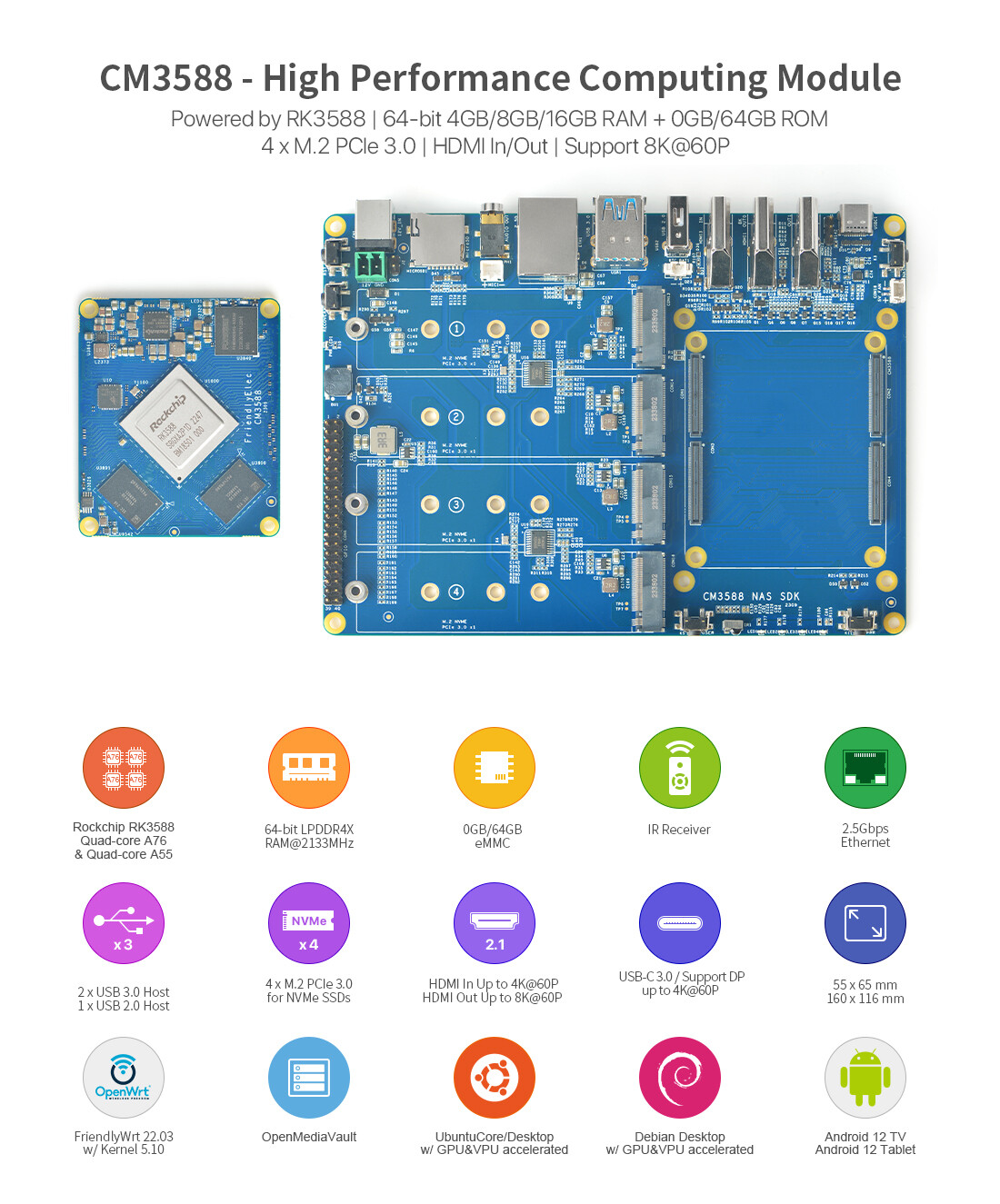
I am genuinely interested in this one assuming they put the 16GB RAM modules for sale.

https://www.friendlyelec.com/index.php?route=product%2Fproduct&product_id=294

3 Likes