I know this is an old thread, but it’s the first thing that popped up on google for me and I would like to ask if anyone would be willing to give me a hint on how to get xfreerdp to work with the /app flag.
This is working just fine for me:
xfreerdp3 /cert:ignore /u:user /p:user /v:192.168.3.50:3389
But when I use the app flag it doesn’t work:
xfreerdp3 /cert:ignore /u:user /p:user /app:'%windir%\explorer.exe' /v:192.168.3.50:3389
I get this error:
[21:52:26:671] [22579:00005833] [ERROR][com.freerdp.client.common.cmdline] - [freerdp_client_settings_parse_command_line_arguments_int]: Command line parsing failed at 'app' value '%windir%\explorer.exe' [-1002]
This is how I added it on Windows:
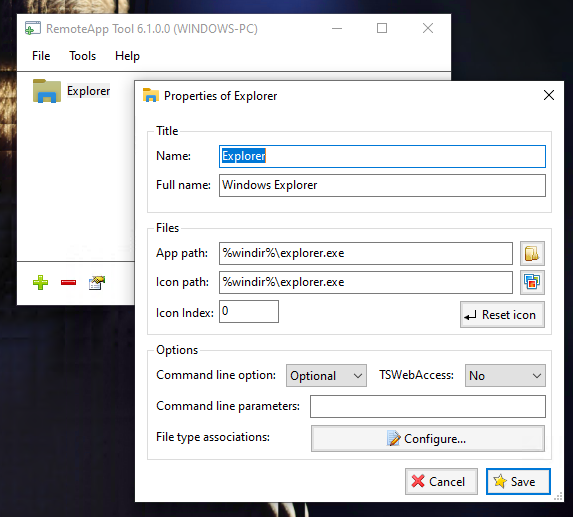
Any ideas?
I’m on Manjaro with Wayland btw.
Edit:
Found a solution: Seamless RDP with RemoteApp Tool and freerdp
Edit2:
Added a Wiki page on the RemoteApp Tool Github: