To people recommending ReFS: did you guys not find it excruciatingly slow? I’m talking about striped then mirrored sets, or the 2 parity-disk “we have raidz2 at home” mode.
Also, I’m pretty sure fault tolerant volume creation now requires Enterprise or Workstation SKUs. Old volumes you have will still mount on other SKUs but you won’t be able to create them anymore.
But @BigCat , why don’t you use KVM on Linux as your hypervisor, then you can use ZFS on the drives. Pass your GPU and a USB controller to a Windows VM, and you quite literally won’t be able to tell the difference in terms of how it performs. My setup with a 4090 is maybe 5% slower in graphics benchmarks than on bare metal. You can still live in Windows 100% of the time if you want; if you enable nested virtualization you can even run Hyper V and WSL inside.
Apologies to BigCat, I hope I’m not hijacking your thread.
If ReFS is running in a striped mirror (raid10) and it detects data corruption, how does it know which of the two copies is correct and which is corrupt? Surely that requires a minimum of three copies (or original + two parity), so if two match each other then the third must be the corrupt copy.
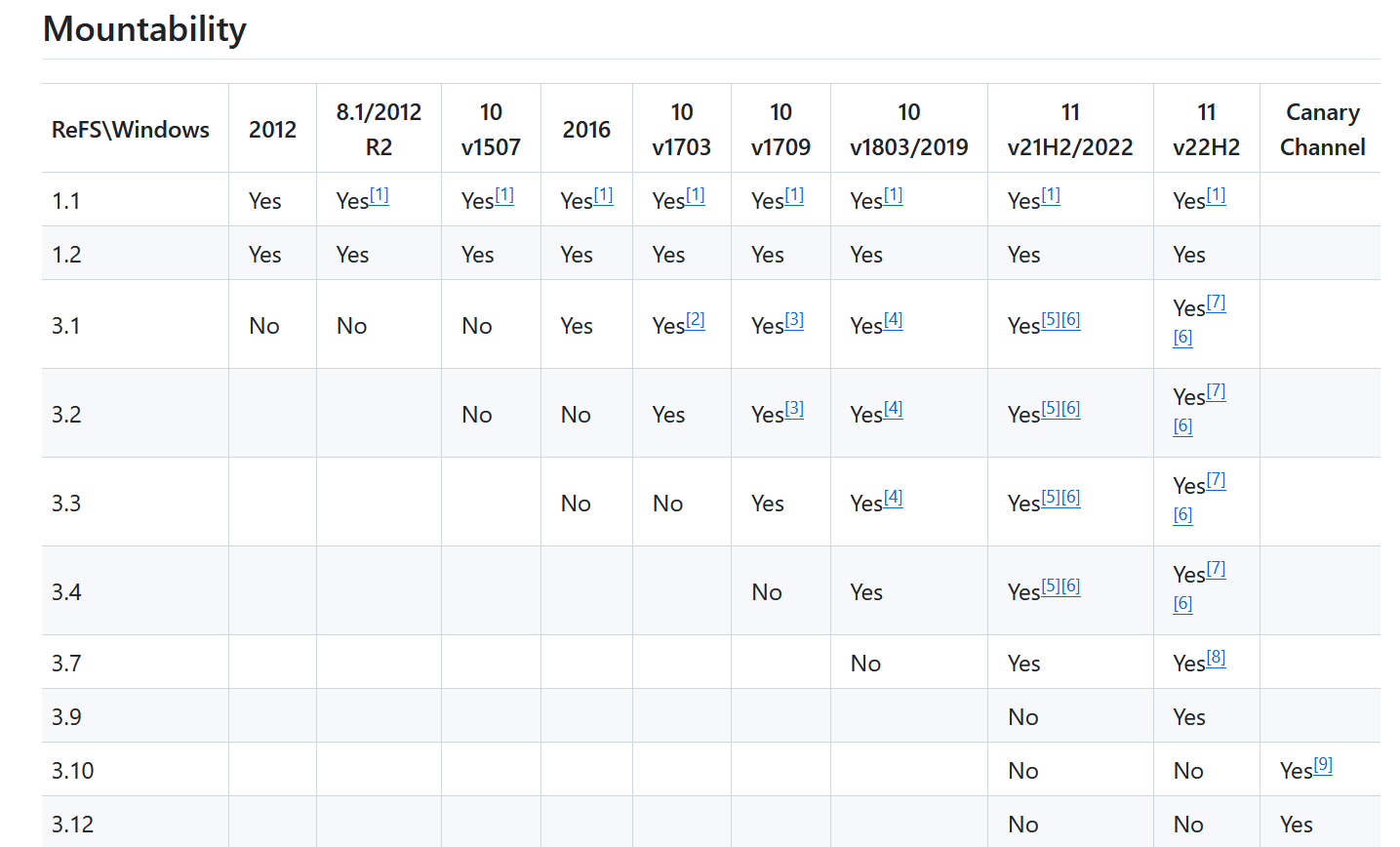
I guess I could avoid having to buy a Windows Server or Pro for Workstations license by using 8.1 or an old version of 10 to create the ReFS volume, then in theory Windows 10 should be able to use that volume. But like Storage Spaces it’s a proprietary solution. (It would be nice to have the option of moving the volume over to Linux in the future, if possible. Especially with Windows 10 end of life looming, and Windows 11 not officially supporting the older CPU/MB I intend to use.)
Cloud storage isn’t a practical option, and I would prefer to keep everything local for various reasons.
Don’t know, and that’s a good point. Maybe it compared both copies to a CRC and when data has a mismatch it does a check and when it sees the other matches properly it copies that over? I havent really looked into it I just remember reading that the auto correction requires a mirror.
If Microsoft’s documentation has any answers to this I haven’t come across them. From what I’ve been able to make out integrity streams are required for recovery in RAID10 or other two way mirrors. The docs just say integrity streams are checksums and leave it at that.
While I’m not one of the ones recommending ReFS, FWIW in Win10 22H2 benches I got ReFS at like ~95% of NTFS. That’s with integrity streams turned off, though for ReFS on 3.5s I wouldn’t anticipating turning them on to have much perf impact.
It knows what the good data hashes to. If there’s enough uncorrupted chunks left, it’s trivial to fit the right pieces together.
There’s some fuckery where a Storage Space created on one machine will mount as read-only (or not at all) when connected to another Windows installation. I know this was a problem for me way back when I tried to use a Space made on Server 2016 on Windows 10. It was possible to mount it R/W but it took way more effort than it should have, and I wouldn’t be surprised if now it was even harder (or not at all possible) to do this on a Windows SKU that officially only supports grandfathered fault-tolerant ReFS. But this should be easy to try if you grab, say, the server 2022 eval vhd from Microsoft.
I’m pretty sure this is because of the different versions of ReFS the different Windows OSes use; this became a headache and axed ReFS usage on one of the projects I worked, because the recovery toolset stopped working on the newer version of ReFS.
This is one main reason I was put off Storage Spaces & ReFS before, the lack of clear, accessible information about what it’s actually doing. Typical of MS, their OS/software can do some wonderful things (Hyper-V is a good example, can do things like GPU paravirtualisation), but it’s all hidden away.