I built a native vLLM + ROCm 7.15 runtime for AMD RX 6000 Series on Windows 11.
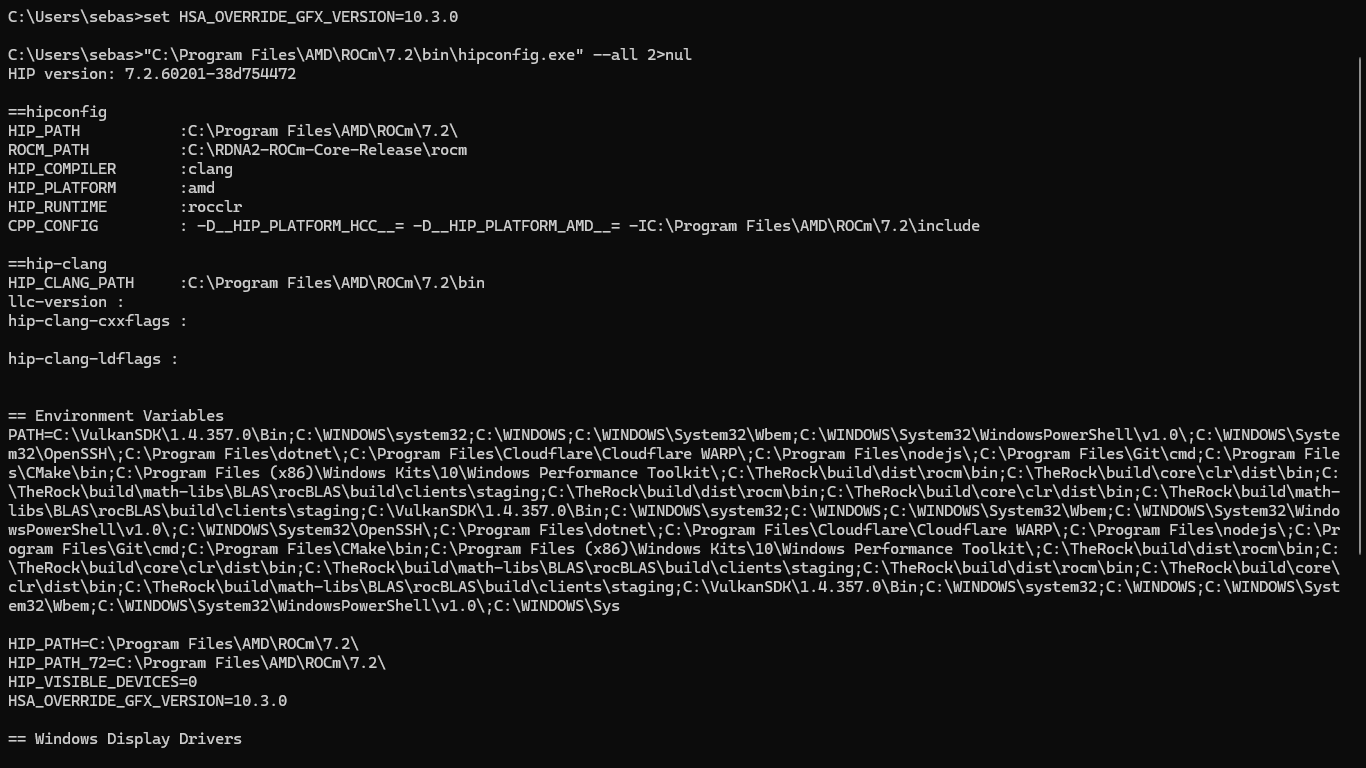
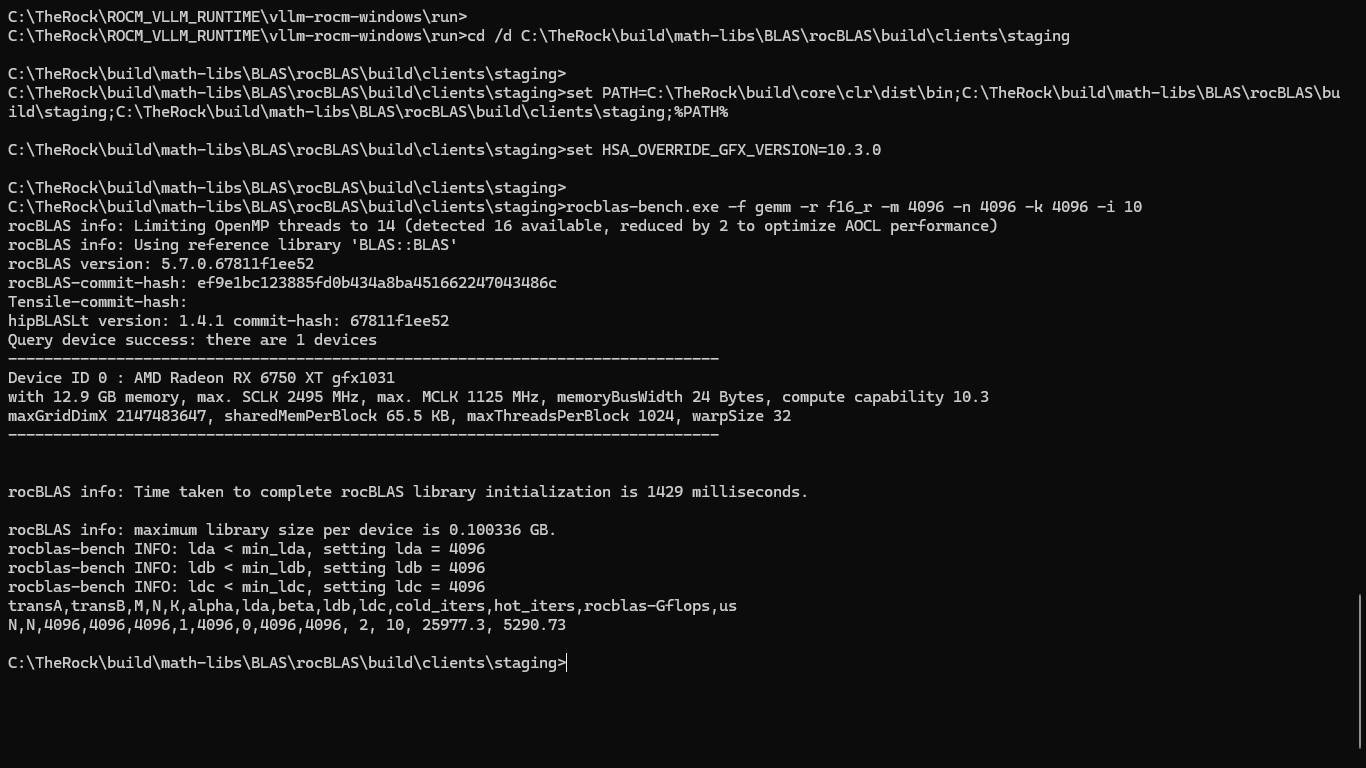
AMD lists RX 6750 XT / 6700 XT / 6600 XT as “Runtime only” on Windows with HIP SDK excluded. I built rocBLAS binaries for gfx1031 via ROCm/TheRock to close that gap.
This runs native Windows HIP and ROCm directly, without any WSL2 wrapper.
- Tested on: AMD Radeon RX 6750 XT 12GB (
gfx1031) — Windows 11 Native
How it works
-
TheRock builds
clr(HIP) androcBLASwith Tensile kernels for gfx1031. -
HSA_OVERRIDE_GFX_VERSION=10.3.1forces HIP to recognize RX 6750 XT. -
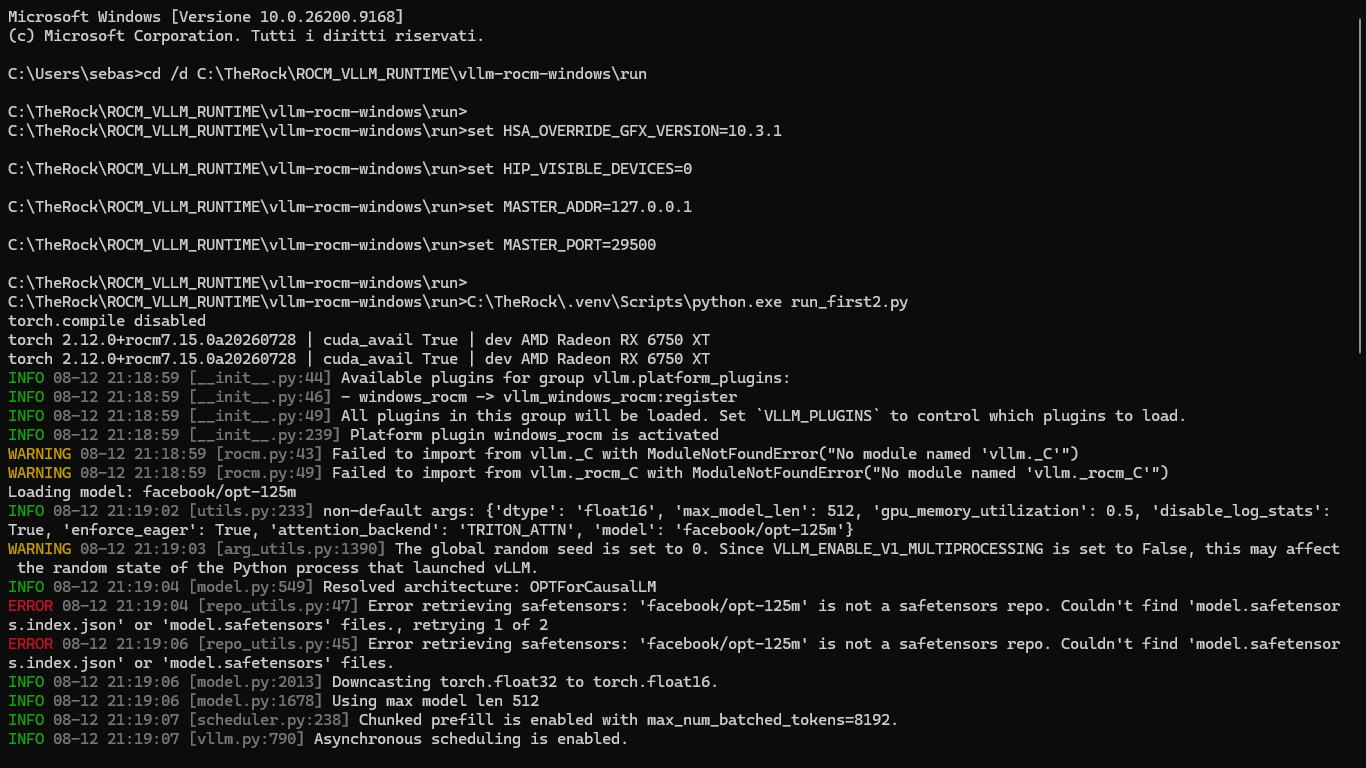
PyTorch 2.12.0+rocm7.15 links against TheRock runtime =>
torch.cuda.is_available() == True. -
vLLM plugin
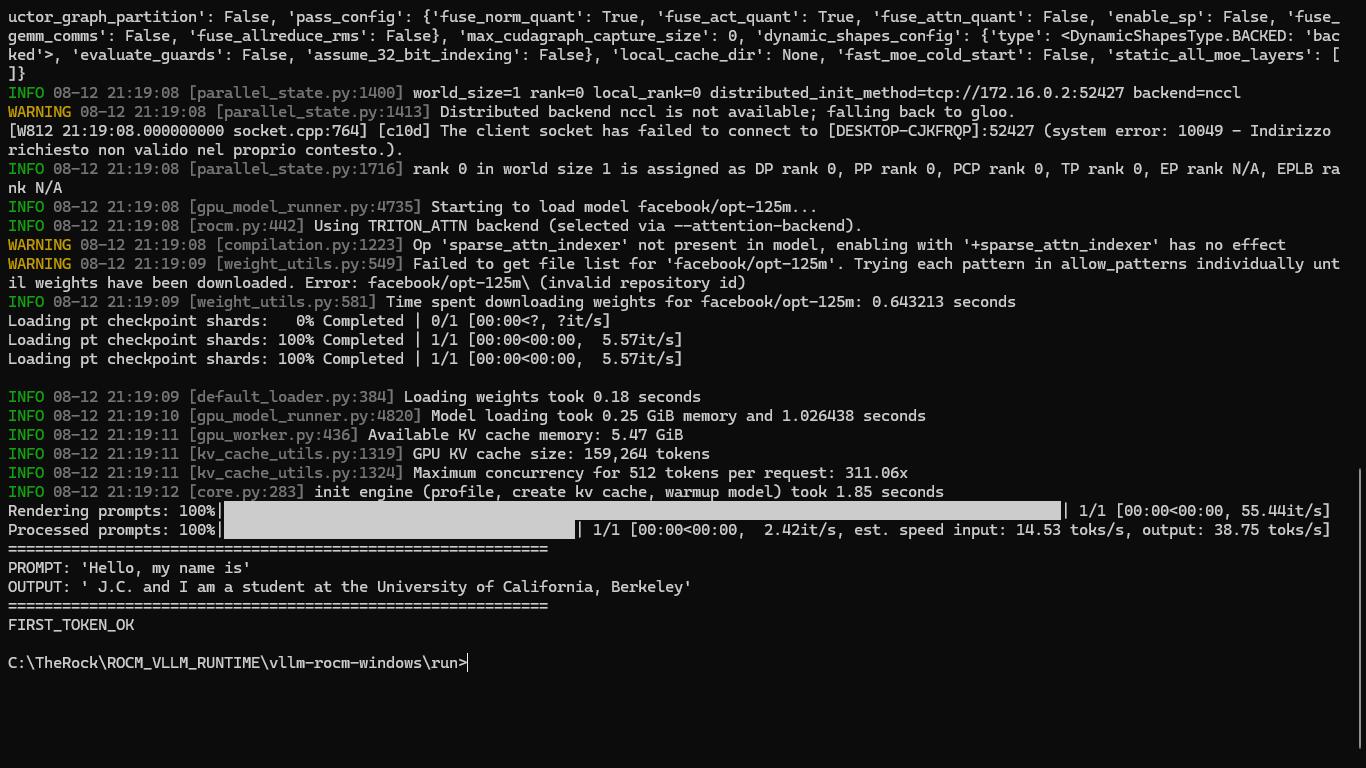
vllm_windows_rocmbypassesvllm._Cdependency and registersWinRocmAwqGemvKernelwithTRITON_ATTN. -
vLLM engine loads with
enforce_eager=Trueand runs native.
Quick Start
Prerequisites: Windows 11 23H2+, RX 6600-6750 XT (gfx1030/gfx1031), ROCm 7.15 TheRock at C:\TheRock, Python 3.11+ TheRock venv, Adrenalin 24.x+.
Release Zip (708MB minimal runtime):
-
Download
ROCm_VLLM_Runtime_RDNA2_Windows.zipfrom GitHub Releases and extract toC:\TheRock\ -
Run
setup.batas Administrator -
Run
run.bat— Expected:FIRST_TOKEN_OK
Fixes in v1.1.0
-
Fixed
zmq.error.ZMQError: Protocol not supported (ipc://...)on Windows — forcedVLLM_ENABLE_V1_MULTIPROCESSING=0to use TCP sockets. -
Fixed socket error 10049 — set
MASTER_ADDR=127.0.0.1MASTER_PORT=29500.
Known Issues & Community Testing
-
This is an experimental reference implementation verified on RX 6750 XT.
-
Other RDNA2 cards (6600/6600 XT/6700 XT) not yet tested — may need 10.3.0 vs 10.3.1 or rocBLAS rebuild for gfx1030.
-
enforce_eager=Truerequired — torch.compile disabled on RDNA2 Windows. -
FP8 / AWQ not tested yet, multi-GPU not tested.
Links:
-
GitHub Repo: https://github.com/sebastianmechno-sys/vllm-rocm-windows-rdna2
-
Dev.to Writeup: https://dev.to/essebauserdev/i-got-vllm-running-natively-on-windows-on-rx-6750-xt-rdna2-rocm-715-poc-at-259-tflops-no-wsl2-42i2
-
Upstream Issue on ROCm/TheRock: https://github.com/ROCm/TheRock/issues/7341
License: Apache 2.0. Built on ROCm/TheRock, PyTorch ROCm, vLLM. Not affiliated with AMD.