Good Resources for first time linux install?

I have an Acer Spin 1, and I enjoy using it, however it only has 4 GB of Ram and 64 GB of Secondary storage. (Pentium N4200 processor, running full windows 10.)

I would like to get it running Linux.

I am minoring in computer science at school, and I have been using putty and bitvise to SSH into a server on campus to write programs for my homework. (generally using emacs) I feel like windows is wasting a lot of my hardware resources on my laptop.

I have been watching level1news fairly regularly for the last few months, and I wanted to know if anyone on here could point me to a particularly good level1 video on first time install or maybe even quality videos from other channels.

Just a bit overwhelmed at the starting gates. Distro suggestions also are welcome.

Edit: The most challenging thing I will probably be doing on this laptop is like watching Level 1 news or stuff on amazon prime video through a browser. Most of what I would be doing on the machine is libreOffice stuff, Maybe using an IDE, and SSH.

Edit 2: Apollo Lake Processors apparently have problems with grub version 2.02 which is causing me huge problems right now. Apparently my only option to start is Arch and Arch-Based distros because they use a newer version of grub. So Right now I am trying to get manjaro on there, but I think rufus paired 2.02 with Manjaro for some reason. I could be very mistaken. (rips more hair out)
3 Likes

The low RAM in that box is going to be a problem. If you want a decent user experience, you’re going to have to go with a lightweight distro.

The problem with that, especially while you’re trying to learn, is that lightweight distros often do things differently because they’re lightweight.

I’d suggest MX Linux if you want the best experience.

I’d suggest Xubuntu if you want a lighterweight distro that retains common things you’re likely to experience on distros that aren’t resource constrained.

Final note: Every desktop environement in Linux is light enough to run in 4GB of RAM. Even the “bloated” ones like Gnome and KDE will run fine.

Modern browsers, on the other hand, are all super-bloated. Firefox and Chromium based browsers are all going to be a painful experience on that system, no matter what distro you run.

2 Likes

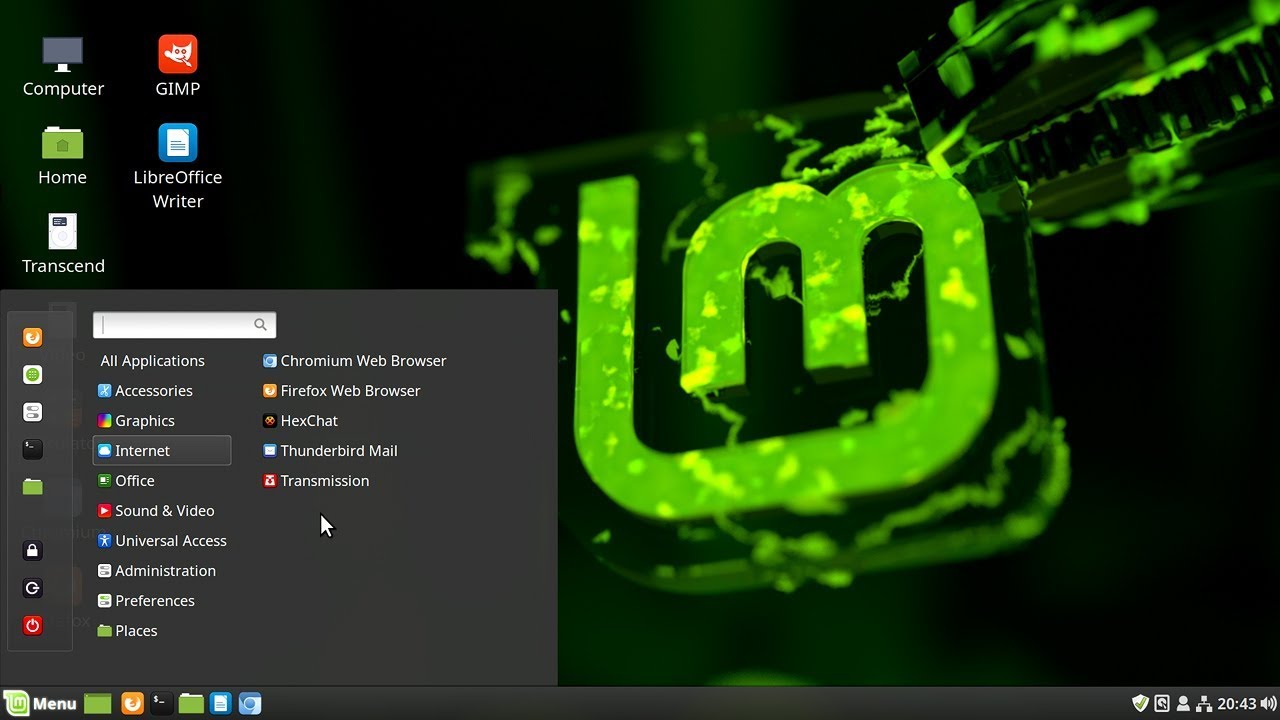
Didn’t find a great video, and this tutorial isn’t “complete” but seems to cover most of the basics for your situation - except that I agree with the above: you should install a “lightweight desktop”. The options suggested are good, but there are many more available if you want to look around. Some can be sourced from the alternative download section of major distros; some will have their own website. I would recommend sticking to Ubuntu, or maybe Linux Mint, as in my experience they tend to be the “easiest”, and support most hardware by default. Additionally, I would be sure to try out the desktop in a live environment before installation to be sure your hardware is supported (particularly wifi, but poke around and make sure nothing essential is missing or broken).

I can’t say you’ll be to be able to do a ton more with that hardware - but I think with the right install what you do do could be more pleasurable - and possibly even “snappy” if you go super light (though the point about lightweight distros being “different” should be considered). I would warn that you that it is possible for something to go awry during installation - nothing that can’t be fixed - but I might not attempt it for the first time if I absolutely needed the machine like, tomorrow morning or something. Have another device handy to access the internet/additional resources (even a phone - but another computer might be better). Good luck!

Edit/one more thing: I don’t think you’ll have trouble with remote access via ssh, but generally speaking it would be wise to look into to that and any other programs or services you require/utilize that may operate differently, or potentially have different levels of support in linux.

2 Likes

This is HIGHLY dependent on how you use a computer. I have an N3700 Dell laptop with 4GB/128GB and it runs fine for my needs. With 4GB you do not absolutely need to go with a lightweight distro. If you try serious 3D gaming, or using Chrome with 100 tabs then 4GB of RAM is going to fall flat on its face regardless of OS. It’s very easy to add some things to start up and open your 5 favorite programs immediately after boot and burn 2GB before actually doing anything whether you use LXDE, Cinnamon, or something inbetween in my experience.

That’s not to say you can’t or shouldn’t run something lightweight, but learning with something relatively easy and lots of resources for help when you need it seems important to me. 4GB isn’t going to be a problem for web surfing or watching videos. Gaming was never going to be a serious option with an N4200 anyway.

I’ve run similar Intel Atom boards like N3150 and J1900 with 4GB RAM and Mint Cinnamon edition and it worked well enough. The installers are dead simple in most Linux distro’s these days. I don’t know anything about the eMMC and if there are any differences to get Linux to install, but you should be able to do a search for ‘my device’ + ‘my chosen distro’ and see what comes up.

The Explaining Computers guy has some slow and easy to follow videos explaining all sorts of things, including Linux Mint. Installation should be similar for an Ubuntu based distro. If you want something else then a search should yield results, or post back here with what you want to use.

4 Likes

You just want to have a look around, right? You’re not getting married, or making a commitment. Throw Mint on your laptop and don’t look back. It will feel familiar and it has a friendly user base. Mint uses Ubuntu as a foundation, so support can also be found in that community, as well.

Lots of good vids here. Many are tailored to the beginner and many are specifically geared towards Mint:

Here’s one on installing Linux Mint:

With only 4GB of RAM, stick to the MATE, or the Xfce version. Don’t worry, these desktops work just fine, with only 2GB of RAM, but with that amount of memory I suppose that you already know, you won’t be able to have eight dozen tabs open in Chrome and have a good experience/performance.

IMPORTANT:
Have fun!

3 Likes

4GB RAM shouldn’t be too bad.

Most of the linux VMs i spin up these days are 4GB tops and the performance isn’t too bad at all.

If you’re using it for an ssh/emacs replacement you won’t need to even be running X, just do the same thing from the CLI login and it will likely be a FAR better experience than the remote connection.

But it should run X too just fine.

I used to run X11 on 4 MEG of RAM, now THAT was a bad user experience.

I’d suggest the current release of Ubuntu as it should support all of your hardware (if any distro does) and most third party software is available in packages made for ubuntu.

1 Like

I love how helpful, friendly, and on point this community is (no sarcasm). I shouldn’t(?) have said “should” - should is a dirty word. Absolutely a fully featured DE (KDE, Gnome, etc) will run ok with 4gb. Personally I would consider choosing something lighter, as I’m not that careful about closing browser tabs or etc and would prefer to not have to be, however much possible. I use Linux Mint XFCE on one of my office workstations (dual core, 4 gb RAM) and it runs very stable; snappy if i’m careful about how much I throw at it at one time.

Highly recommend Linux Mint with the Cinnamon DE. It’s not really any heavier than the XFCE or Mate versions of Mint, but it’s easier to use for a new-comer to Linux, IMO. XFCE is not very intuitive from my experience.

I literally just installed to your laptop, but eMMC. POP_OS runs A+, as does elementary, both of which I would recommend for your situation.

4 Likes

Was going to post this exact video series. He has some great videos and tutorials on his channel. :slight_smile:

1 Like

I will say dealing with linux via ssh only has probably given you a bit of a head start. I’ve been using linux daily since 2004. I learned a great deal more about linux and just general useful shit in about a month of tinkering with a raspberry pi over ssh than I had in years of using linux in a desktop environment.

I personally like xubuntu, mainly because it comes with about 90% of the stuff i would use out of the box, i don’t have to trim a lot of fat, and only add a handful of things to get it to feeling like home.

it generally has good third party software support. steam, lots of commercial software,etc all target ubuntu LTS (long term support, currently 18.04) if they support linux at all due to it being very popular, and having several popular distros being based off of it (ubuntu, xubuntu, kubuntu, linux mint, pop! OS, etc)

honestly, there is no right or wrong distro.

if you wanna make things easy on yourself for distro hopping, make sure /home is on a separate partition or drive, that way you can nuke the os, but keep your files/documents/configs.

I base my choice purely on i need/use/prefer softwares x y and z, xubuntu has that, i don’t have to uninstall 2/3’rds of the shit that comes with it from a default install, and i don’t have to download 8 gigabytes of extra packages to have all the stuff i use daily.

It has worked well for me.

if you start chasing eyecandy, or latest feature x,y,z you’ll be swapping distros every 6 months.

You may never find a distro that perfectly suits you, and thats ok. You can take one and bend it into something that works well enough.

Good luck, generally you will get more out of the same hardware on linux as windows, with the exception of gaming performance, battery life, and we’re still probably another couple of years from having web browsers with proper hardware accelerated video decoding/playback.

edit: yes i know there is a modded version of chromium in arch that sort of does, and firefox kind of does if you have the right gpu ( I think) but i’ dont have any of those unicorns.

2 Likes

Seconded. Pop-OS is really impressive. Would recommend it to a linux first timer over pretty much any other distro.
If resources are a major issue, Anything KDE or XFCE based. Both Kubuntu and Xubuntu are great options. With both i’d go with the minimal Installation option in that case.

2 Likes

I was thinking about Pop-OS and I was worried about it using resources. But this is good to know. Also my 64Gb is eMMC so we probably have almost exactly the same laptop.

After the first reply I went off and started reading the MX linux user manual, and I am really glad you all posted some video resources.

MX is still new, I’d let in brew a few more months.

Gaming was never really the plan for this machine, If anything it is a productivity machine.

I am living the Gaming Desktop + Weak portable laptop life.

I would try to switch my Desktop off windows, however It’s nice and set up already, and It is mostly just a gaming box anyway.

I wish I had spent a little less on the desktop and a bit more on the laptop to be honest.

Interestingly I did some experimentation with gaming on the laptop when I bought it.
On windows 10 I managed play the following perfectly fine:
Transistor, Hammerwatch, and Portal.
Games that launched but weren’t really playable due to low framerate (12-24):
Warframe, Overwatch.

I was so mad very recently when I was taught what grep is and what it does.

also using < > for input and output files.

also also | I need to get | in my life.

Teach us these things on Day 1 Prof, not the last day ooooof.

It’s a solid distro now. Only think I’m not crazy about with MX is XFCE DE and how it’s not very intuitive to use, IMO.

Is it the latest xfce? Or did they make it retarded in config?

So I just made a boot-able USB for PoP_OS but when I used the boot manager to try to boot from the USB. Problem is…
Now it is just frozen on a black screen with a white underscore in the corner.