Do damaged networking cables pose any risk beyond bad connectivity?

Like many, I can’t afford to buy a home. So I rent.

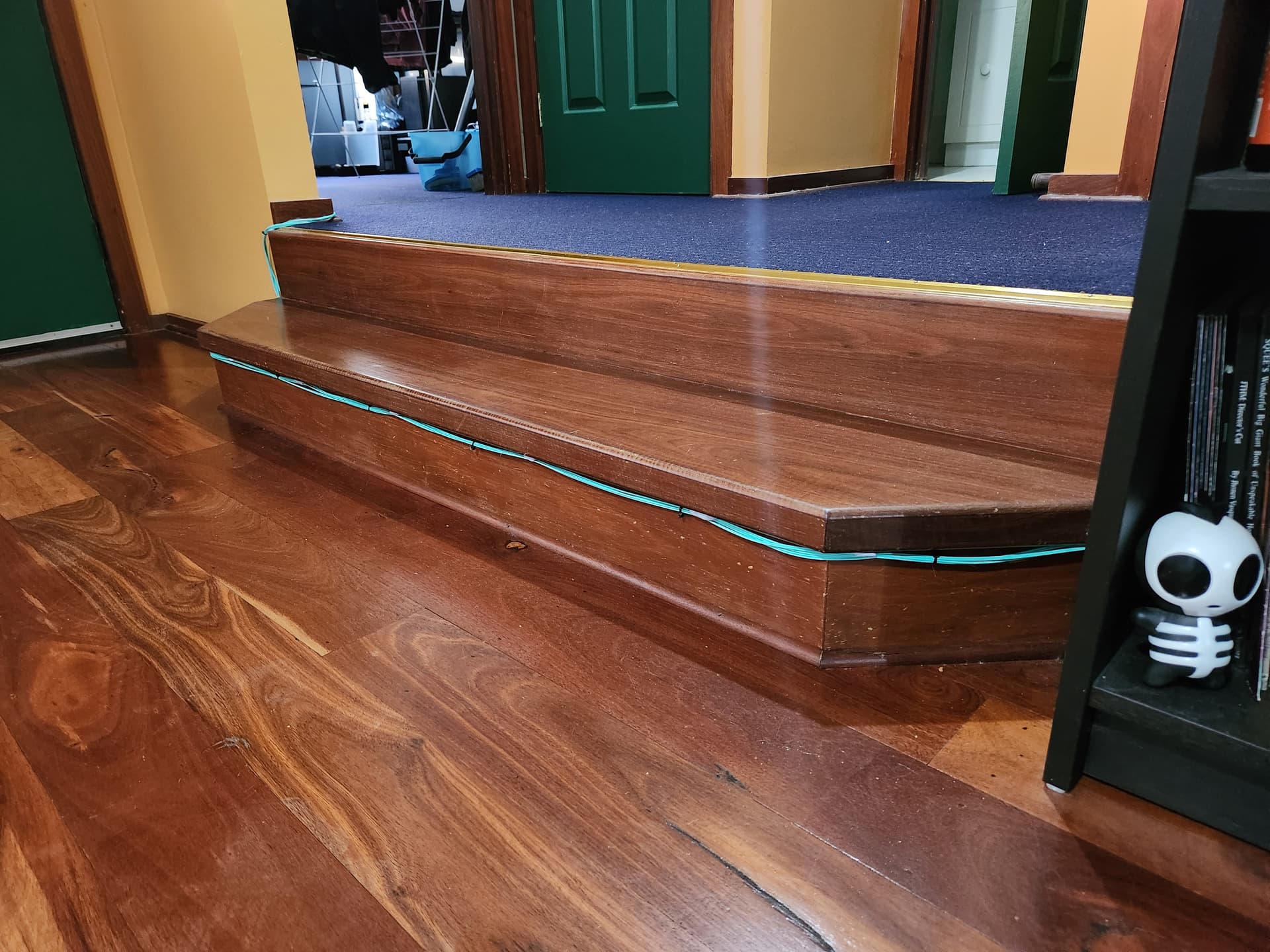
At the moment I have flat cat6 running down stairs and through hallways and doors.

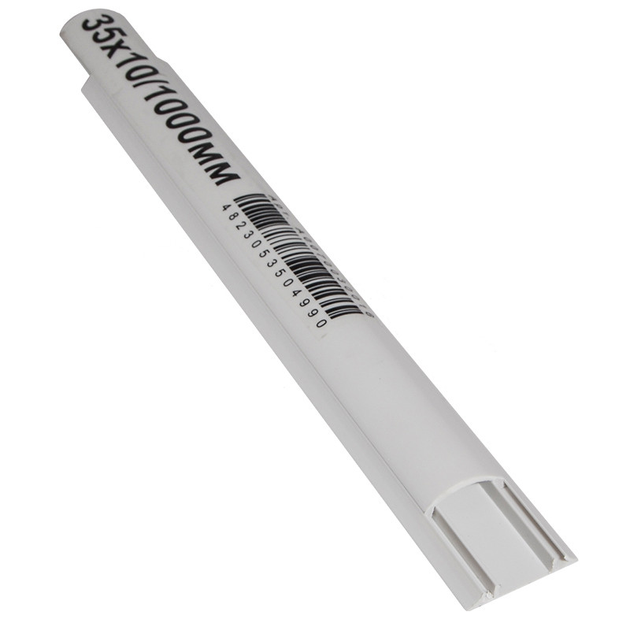
It’s a fairly hostile environment for those tiny wires. They will inevitably get damaged, even with those floor cable protectors (eg: by closing doors).

I’m not doing PoE.

Thoughts?

I don’t want this to be about the sad state of housing, but I have to do my best to not mark any walls or flooring. We have someone come to the house every 12 weeks to check if we’ve damaged anything, and getting a rental agent offside is a concerning outcome, as there’s such high demand and low supply for rentals, that it’s hard to get an agent to pick your application from the pile. And if they do they always call your previous agent to ask about you.

Powerline networking is a bit expensive, and flaky. There is no existing coax. Wifi doesn’t transmit so well downstairs, though is an option.

Wired offers the best connectivity at the cheapest cost.

If they still work they should be fine. I have a cat 5e cable with the outer insulation split open for about 3 feet that gets stepped on fairly regularly and jammed in a door. Somehow it still handles symmetrical gigabit speeds with no problems.

1 Like

Maybe wifi retransmitters will do the trick? Router - transmitter between stairs - maybe a second one on the other floor.

You could look at replacing those cable runs with fiber, it’s small diameter, light weight and flexible so it’s really easy to route around doorways or walls or whatever.

2 Likes

Last resort only, and they work reasonably well only in non-congested airspace. Shared noisy medium is hell.

I.e don try try it in apartment building, it will make things worse for everyone equally.

1 Like

As long as you’re not doing PoE, there’s a low fire risk; low but still existent. The electrical current used to transfer data in ethernet cables is typically in the millivolt range but can reach up to 1 volt.

Thanks. I did not try it myself, but assumed that even my router has a Pro (which stands for “you can stack them into one wireless network”… and yeah, I only bought it because there were no non-pro versions available at that moment), meaning that the technology has trust and is developed.

It isn’t problem whether something is a pro model, but basic physics and practicality. Wireless extender functionality is not even exotic, its just very situational.

If your problem is weak signal coverage, not signal noise, then they can be of use. If it is both, than results strongly depends. If its noise problem, then deploying extender is throwing more fuel into fire.

Deploying them inside the building you want to cover with wireless signal is generally not optimal move as stated above.

First and best option is deploying multiple separate wireless access points and have them uplinked via normal cat structured cabling. As in laying few cat cables and have them meet in some dedicated location.

Second option is trying powerline networking for remote wAP uplink, might be worth it if pulling cable from central switch is not possible.

Third is the wireless extender approach, and some (most?) higher end unifi wAPs have this functionality as backup in case of uplink failure. Other vendor might have similar fuctionality.

General purpose wireless extenders are pretty agnostic and do not integrate deeply in your network, they are transparent bridges from other devices point of view, just as if there was normal cable between them.

Dedicated wifi mesh units are more complex, but should handle that complexity on their own.

Unifi is mesh networking something, never had to use it. As long there is another unifi wap within range, they can daisy chain and bypass nonfuctional uplink.

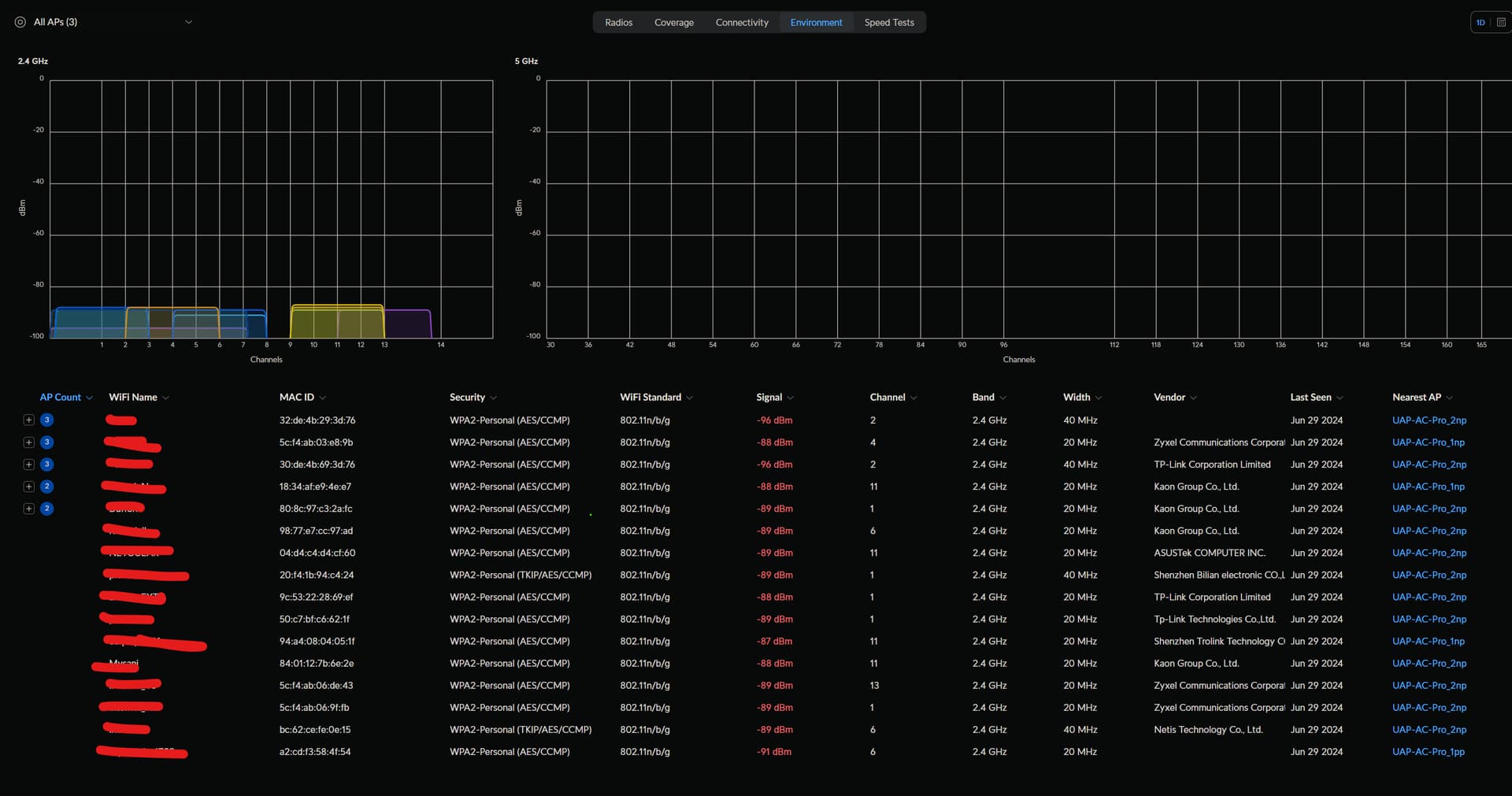
Edit: Pretty bog standard deployment of three floors, three wAPs and poe switch + router


and this is network environment I exist in, not much interference from other networks and complete freedom in 5Ghz range

4 Likes

I know. It was more for the “Pro” being Asus marketing (but I did assume that this technology has been taken to a level of actually working).

Nice. I’ve learned something new today. Thanks <3

Shared medium is a bitch, so learn to love metal. Heavy metal is even better according to some.

I would go pulling improvised cable first without touching building/flat construction first, then maybe full mesh network like tplink deco or similar?

EDIT: if you are thinking of incresing wAPs signal strenght, dont. It counterintuitive, but it its pointless endeavor that will make situation worse.

More wAPs more evenly covering area is the correct answer, not less APS with stronger signal transmit power.

Client devices are the limiting factor, both their signal strength and receptioon sensitivity is fixed and limited. They might hear wAP screaming “I am here” but they cannot talk back. That leads to interesting issues.

2 Likes

I just thought of a stupid idea that I used for my rented apartement (but for hdmi to tv)

It’s on a sticky tape. Can easily pull off without damage to the floor.

2 Likes

Yup, that, or just taping cable to the corners or under the carpet. Doors are more problematic.

Flat cables are touted as solution, but signal and throughput wise they are trash. Expensive even.

3 Likes

Oh no, I tried that. You(or especially someone, who doesn’t know there’s a cable) will step on it, and in time the cable will break. Had that experience (although it continued to work, but meh).

Also for the corners. I know it should be fine, but I’m afraid of those angles sometimes.

Tape and armored cable then, they can be sturdy as fuck. You just have to terminate them yourself.

In other news, unifi has interesting wifi6 extension unit, might be worth trying. Installation is also well thought.

They are tad bit more expensive (around +20€) than plain entry level wifi6 AP, but thats price for special design.

No explicit need for buying into rest of unifi ecosystem unless you want, all can be managed locally via bluetooth and mobile app.

1 Like

You know that fine moment when you hit your pinkie in the dark? Walking barefeet on such a narrow cable is not really far (not in the tenth, but still).

Depends are said cables powering network devices via PoE? If so how much power is running through them.

Unifi meshing only works between other unifi APs as far as I know, so at least the other access points will need to be unifi.

I wouldn’t be looking at daisy chaining wifi extenders to get a connection downstairs, each wireless hop is going to halve the maximum performance and that’s before all the other things that will degrade the wireless performance.

What speed do you need over this connection? If it’s only a couple of hundred megabits then you could get that over a 4x4 2.4ghz link which should be able to penetrate the walls and floor reasonably well depending on the distance. So you could use a single extender wired in to a switch or use the 5GHz band for wifi.

If you need gigabit speed then a cable is really the best way to go. I’ve been running cables under doors and across the floor for years and have never had one break or even show signs of wear. So as long as you’re smart about how and where you run them I don’t think you have anything to worry about. As I said before I like fiber for this as it’s so much easier to work with, currently I have a bundle of fiber cables blu-taced under the lip of a step to cut across an opening

But in my last place I used one of those rubber cable conduit things and just put a rug over it, me stomping on it for 12 years didn’t seem to bother it at all.

3 Likes

to actually answer the question

ethernet is isolated, it’ll be fine if the cable gets damaged

It’ll even keep working with some cut pairs if you’re okay with 100mbps

don’t use fibre it’s more brittle, don’t use wifi it isn’t comparable for reliability and speed and you don’t need armoured cable

in other words you’re fine

1 Like

Fibre is an interesting thought, since both ends are RJ45 I could get 2 MDM media converters pretty cheaply. I don’t know much about fibre or ethernet hardware, so really have no idea if 2 media converts with 2 lasers and 2 5V wallwarts is a meaningful reduction in my hypothetical fire risk.

A single strand of fibre though is an attractive thought.

It may well be that every ethernet adaptor and switch in the last 20 years is designed to be able to handle shorting of wires(?). Though 1V isn’t much voltage, it’s still 1A at 1 ohm! Surely no ethernet gear would let that much current rush down a signalling channel.

Unfortunately I work in software and thus have become accustomed to being frequently disappointed with products :smiley:.

Will test out 2.4GHz.

Unifi might be nice, but networking kit that involves clouds, bluetooth, phone apps, isn’t my sort of thing. The current setup is all dumb switches, openwrt and openbsd.

Interesting, that about answers it :slight_smile:

1 Like