Moved from doing Java on a Mac to a C# / .NET / Vue.js stack on Windows and I use most of this stuff.
I’ve gotten to know Powershell Core quite well over the past few months and begun writing my own modules and helper scripts to automate out some day-to-day stuff.
My daily drivers are now:
Hyper (set to run a custom PS Profile, but can switch between different terminals)
If you have a free version or access to ReSharper, I highly recommend it for VS… its incredibly helpful. Coming from JavaLand, IntelliJ was my daily driver so this does a ton of the same things and I was able to immediately feel at home in my IDE.
Depending on your stack, it might be useful to have Postman
Yeah, ReSharper is great. I really like Rider, too, the JetBrains C# IDE.
There is a ReSharper C++ edition for C++ devs on VS as well.
For those of you curious, ReSharper is a plugin for Visual Studio Community, Professional, or Enterprise written by JetBrains. It’s a code standard/syntax/logic advisor, to put it simply. It will do incredible optimizations to your source code, including removing as many as 10 lines (that I’ve witnessed) of code at a time. It can also recommend lambdas in certain scenarios and anonymous functions.
Just want to add that all the jetbrains IDEs also work on Windows.
And they have their “Toolbox” to manage projects and IDEs.
It also really helps setting things up.
For example, if you install Clion from within the Toolbox, clion will be preconfigured and ready to go.
If you just install Clion, have fun setting up where your compiler and debugger are and everything else.
I was to dumb to get it working, but i’m and I will stay on Linux. That probably borked me.
The Windows Terminal has also gotten pretty useable by now. When it came around at first it was a bit annoying to use. It´s still in preview, but it seems fine now as far as I´m concerned.
Does anybody know a way to set it up so it launches when you click strg+t or windows+t (whatever works). Or in the explorer you can launch powershell when typing powershell into the path box and be in the path you where. Is that achievable with Windows terminal?
Oh man, that’s a great idea. So, I’ve not found a way to do this without opening two windows, so that might get old/annoying real quick.
But you can create a .ps1 file with wt in it. Then create a shortcut and set the target to powershell.exe -noexit -ExecutionPolicy Bypass -File pathToPS1File. Name the shortcut whatever you want.
Right click shortcut > Properties > Shortcut > Shortcut Key
Enter the letter you want (I did ‘W’ which created a shortcut for Control + Alt + W)
Now when I press Control + Alt + W PowerShell opens, runs wt, which opens Windows Terminal.
Lol Works for me, but your mileage tolerance may vary.
I dont know if you would like to use an external application like I did tho. For the wt.exe, I could not find a shortcut tab under properties, to avoid the whole external app thing.
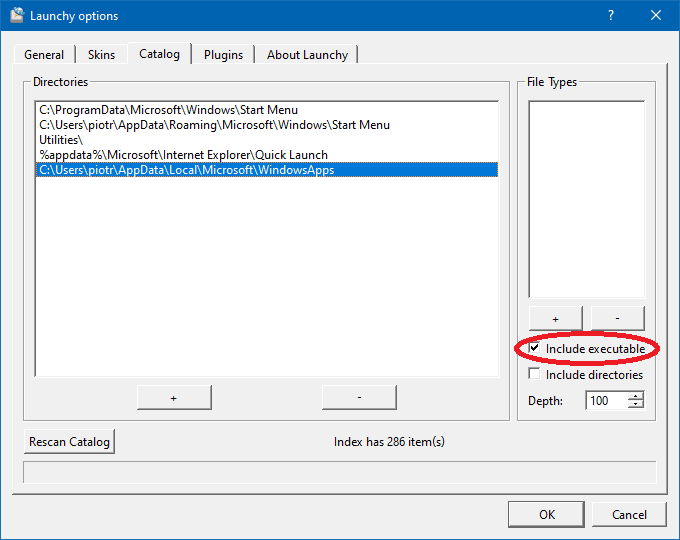
The powershell shortcut might be a good idea (didnt know it was wt before ). I can put that to where all the other shortcuts are too (so that launchy can find it… currently it cant).
Typing wt into explorer works, but does not cd into the path, so its not really all that useful (tried with wsl and powershell as default tab).
-ExecutionPolicy Bypass <= that right is the soul reason it took me forever to figure out how to launch “helloworld.ps”
I don’t seem to get near the performance I feel I should get with WSL. Doing simple things like getting updates and installing packages via apt take forever due to the slow network speed WSL gets for some reason…
Agreed. I run GitHub audits with a Ruby script, and it never completes when run in WSL because of the shit networking layer.
This has been remedied in version 2. As has the filesystem quirks. You need to be on an insider program, and you can WSL 1 and 2 alongside each other. I had insanely faster package installation and updates, and I ran docker natively without having to forward to the Windows session.
It was pretty cool.
VS Code is , too. I use it for Terraform, PowerShell, Docker, Python, JavaScript… Starting to use it with Clojure, too.
Windows Terminal is a new Terminal for managing your PowerShell, PowerShell Core, WSL, Azure CLI, etc., etc., etc. sessions. You can have tabs, split horizontally/vertically, add a variety of keyboard shortcuts for commands and navigation, a ton of stuff.
Set my “learning” environment yesterday, and I kinda undestand a few things now:
Windoes need some pretty beefy hardware to provide a good experience (hence the high specs recommendation you see everywhere), things have been good so far and Visual Studio seems hella promising, the 20 gigs download only took about one to two hours (yeah I checked almost every box, even azure and sqlserver stuff haha)
Bet you did not check Xamarin, or you would have installed another 20gig, probably.
(I dont know exactly, but it big)
EDIT: Got a lot smaller with 2019 (random quote from the internet “Visual Studio 2017 required a minimum of 23 GB disk space but Visual Studio 2019 is now 3.28x smaller in the size, i.e., just 5GB to 7GB”. So… yeah. It used to be 20gb by itself then. I knew in the back of my mind that it got smaller (now).

 Works for me, but your
  ). I can put that to where all the other shortcuts are too (so that launchy can find it… currently it cant).

 , too. I use it for Terraform, PowerShell, Docker, Python, JavaScript… Starting to use it with Clojure, too.


