hello all, just today my CPU speed started dropping a lot, it used to run at 2.4ghz sometimes 3ghz, and now it is below 1 even if I just try to watch YouTube and stuff I had this problem before(can be seen from my previous topic made last year) I was told that it was due to heat but I had a cooling pad which wasn’t the case and I fixed it by downloading throttle stop software and disabled BD PRHOCOT which stopped the CPU speed dropping but now the problem is occurring again, I haven’t done anything new I was using it as I usually do but 2 days ago this problem started occurring again anyone knows why? and how to fix it. The only thing I can currently do without CPU speed dropping is surf the internet and watch videos, CPU speed instantly drops after I try to play any games.
Your problem remains heat (real or otherwise)
Disassembly required
Regrease the CPU and blow out the cooler
You bypassed the software temp throttling and are hitting the hardware safeguards.
I have seen laptops where the thermal transducer comes loose and causes erroneous readings, but most often it is dried out grease and clogged thermal radiators causing overheating.
What cpu is it?
What CPU, what OS, what is the system load at the time that frequency drops?
What temps?
intel i7 1065g7
intel i7 1065g7, windows 10, only my browser and panda-dome antivirus open also the throttle stop software,(and task manager) the CPU usage is 20-30 and the CPU speed is 1.20Ghz while playing games or searching stuff, the usage is above 80%, and speed drops below 1Ghz and the temperature is 60C without playing so am guessing @TryTwiceMedia probably is right, the software bypassed the temp throttling.
Have you tried manually setting your fan on your cpu to high and retesting if heat is really the issue. It would be louder yes but we can narrow it down a bit
they are already set to full speed also all the power options and stuff were already manually set by me when the problem first occurred.
i7 1065g7 … Win 10
older device, notebook or SFF like device.
disabled BD PRHOCOT which stopped the CPU speed dropping but now the problem is occurring again
Problem never went away dude, you just disabled alarm light.
Sorry to be a dick, but you did nothing to fix the issue, only disabled protective feature that device uses to protect itself when reaching critical junction temperature and thus made experienced symptoms even worse.
Few more degrees further and you would enter hard protective shutdown to prevent damage to cpu. Thats why PROCHOT is there in first place, as emergency thermal management!
=> your cpu is throttling because its cooking itself under load. This normal when cooking itself at maximum permissible operating temperature.
=> if its cooking itself, then cooling system is either unable to move heat away from heatsink fast enough, or heat is not transfered from cpu to heatsink fast enough
=> checking on cooling loop is the correct and only action to be done here.
- prepare can of compressed air, toothbrush, thermal paste and some disposable tissues
- open the notebook
- disassemble the heatsink+thermal pipe assembly
- check the fan, is it clogged with dust? Clean it
- check the exhaust part of heatsink, is it covered with fine dust? Clean it, with liquid and toothbrush if necessary
- remove factory heat paste from heatsing and cpu, the repaste with thin even layer
- reassemble and test under load
15 minutes worth of profylaxis.
If above mentioned steps do not significantly improve the issue then:
- you have reached temperature limits of your cooling system, additional cooling like notebook stands with fans might help slightly. Or books

- intel cpus in thermally constrained scenarios benefit massively from undervolting. Just -50 mV can yield -10°C effective change. Godd silicon can allow for -150mV easily.
- undervolting is however often permanently disabled at firmware level due to security implications. Throttlestop will show you if you can do it or not.
- undervolting cannot damage your hardware, just cause instability if you overdo it. Easy to do trial and error testing.
- verify that heatsink assembly is in full contact with cpu, it could theoretically get bent out of shape. Same for screws, check if they are tightened enough.
- extremely unlikely case is that something has physically happened to your cpu, as small short-circuit etc, but there are less know instances of that happening than fingers on my hand. Last instance were zen 4 x3d cpus that that overvolted by stupid defaults set by oems. They literally melted in their sockets.
- if nothing can be done about heat generation and heat removal, then you can only limit your workload or lower/disable turbo mode.
- in this case just get newer device, even second hand is better that this.
- throttlestop allows you disable turbo to get a taste how shitty baseline performance is. Cool and quiet though.
Looks something like this, in case of undersized heatsink in HP probook 430 G7 with i7 10510U (nominally 15W TDP, run at 25W for <90s). Also got irritatingly slow this year and openwmonitor showed temps of 100C at package level under short load.
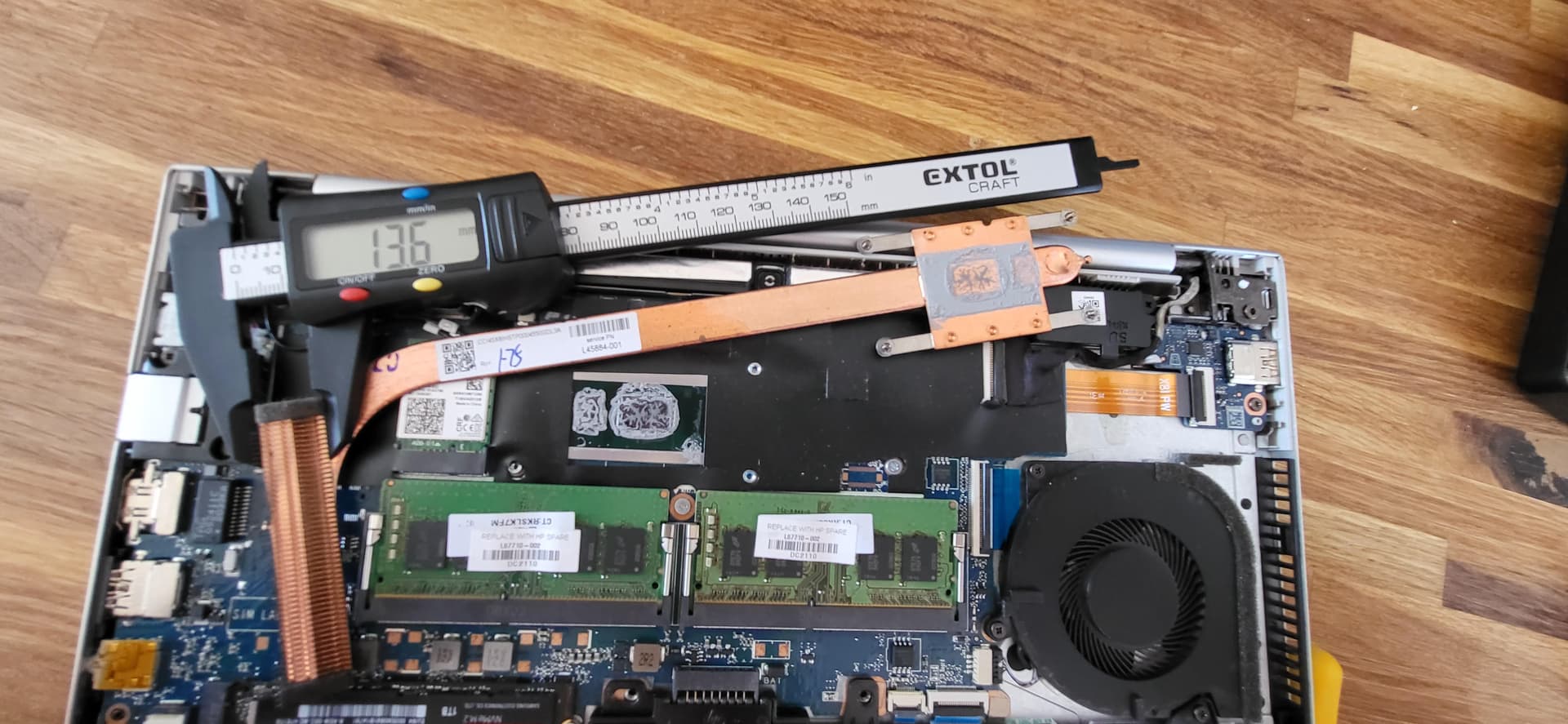
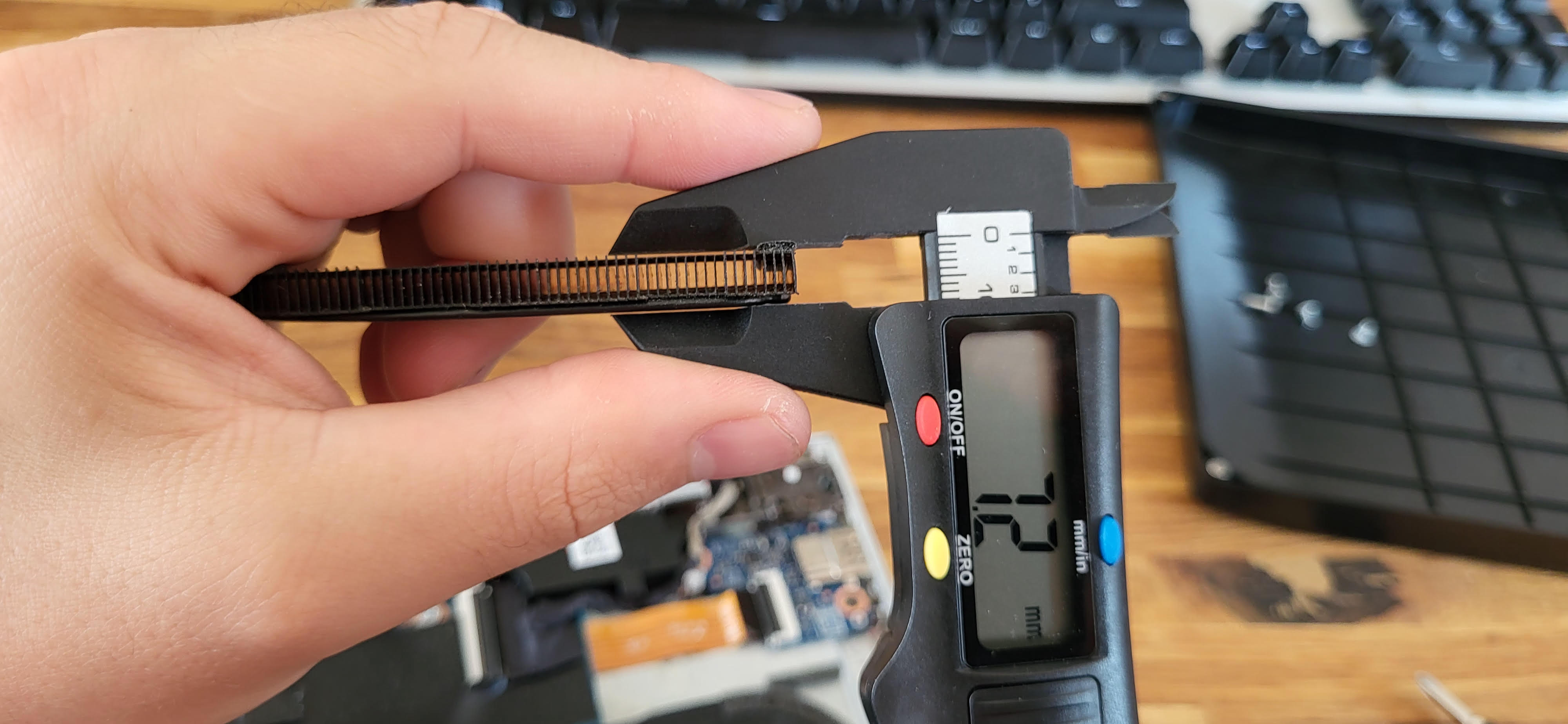
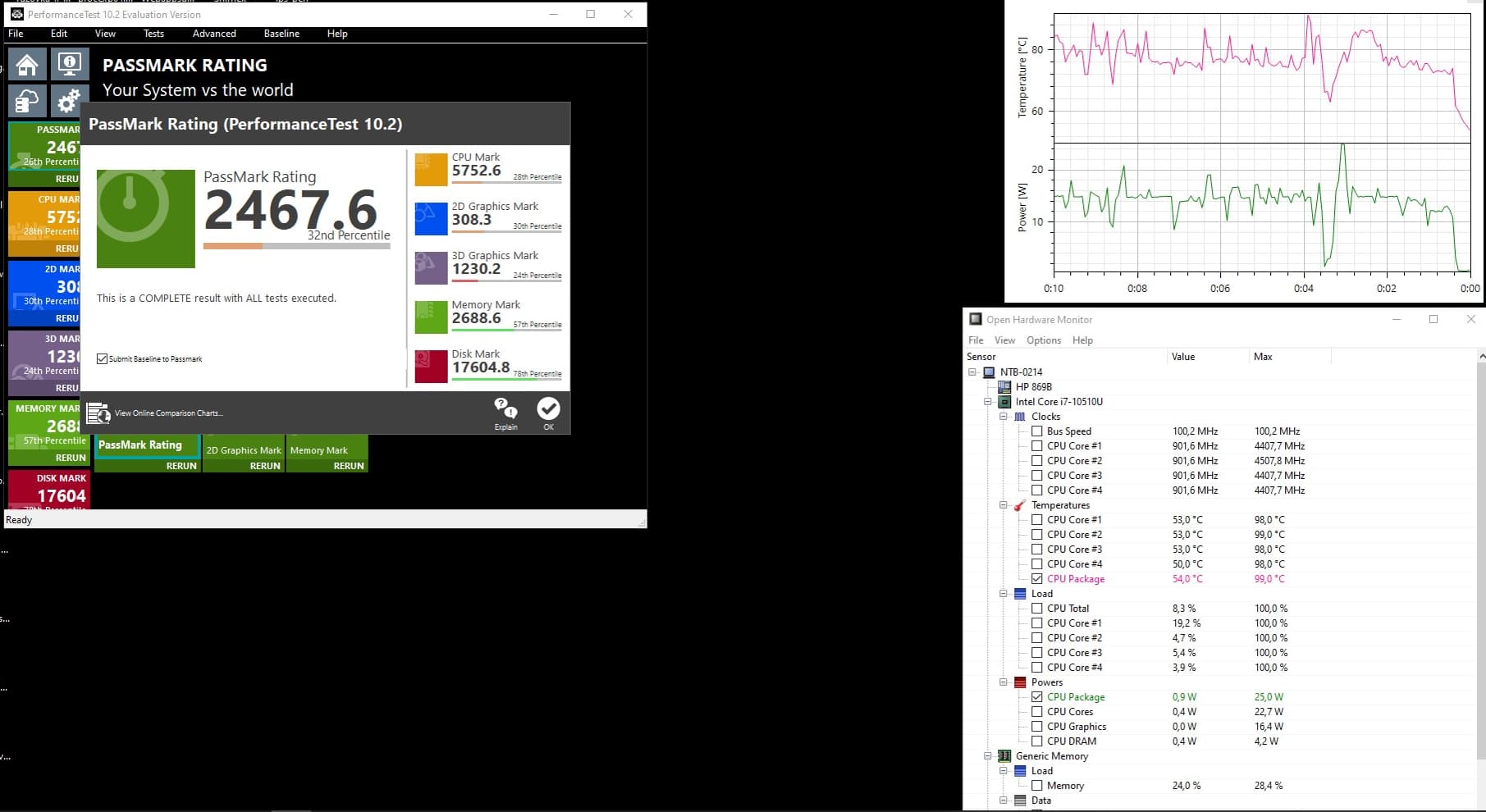
In this case problem was combination of hot cpu with high TDP, undersized heatsink and dried out thermal grease. Cleaning lowered temperatures bit and prevented thermal throttling.
Still irritatingly slow, just not as much.
Will get fedora treatment once I discuss it with fellas from IT department.
This topic was automatically closed 273 days after the last reply. New replies are no longer allowed.