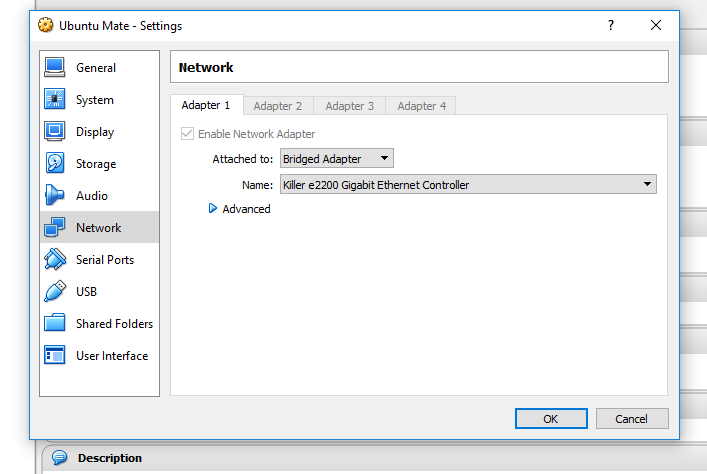
I have a dynamic ip on my server which is running a VM box with centos on, I would like to connect to this gitlab server over the internet.
I have these issues:
Ip is dynamic
no domain
what is the standard port for gitlab
my plan now: I would use my router functions to re-route the incoming traffic from 192.168.11.2 my server with the standard port to 192.168.11.7. Is this possible?
Your DDNS points to your public IP, so any device on your network that runs the DDNS client has already solved your issue number 1, the rest is port forwarding or reverse proxying to route it around your internal network…
If you want to understand more of what I am talking about, google information regarding Network Address Translation (NAT) which your router does.
And seriously, google Network Address Translation (NAT), it pretty much gives you the knowledge as to why DDNS on your CentOS box is pointless when you already have it running on the windows box.
Alright time to prove to you that you only have 1 ip address that changes every so often and that your internal ip means nothing to me.
88.193.214.1 < Is your teamspeak server that is being hosted on your desktop, I am connected to that right now, you can see me in AFK because I am at work.
Everything in your internal network has its own internal IP which all information is directed to your gateway (192.168.11.1 or 192.168.11.254) which is just an interface for traffic coming from your external IP (88.193.214.1).
If you were to connect to my ts server (ts.teknicallychallenged.net) or my nextcloud server (nexii.ca) from your windows box (11.2) or your centos box (11.7), I would only see 88.193.214.1 because that is the IP that represents your entire network.
can you catch it if I ping your server from my centos? centos is in a box running on windows running on hardware, ts3, web all on windows and then the gitlab which you cannot access because i don’t know (I assume) is running on centos
My network blocks pings, regardless, if you attempted to ping me from that windows box, centos box, your phone, a tv, or any other device on your home network, the only thing I see is: 88.193.214.1
In centos you need to configure your firewall to allow for HTTP, HTTPS, HTTP8080, and SSH if you want anyone connecting to it. Additionally you need to either setup a reverse proxy server to route traffic around your network or map certain ports to certain servers so people can access what they need.
There is also the fun of SELinux which you either learn and run or disable out right and never touch again.
I’m sorry, I feel stupid now. doing curl ipecho.net/plain; echo shows me my public ip. is quite interesting that I still cannot connect to my server from the outside
To connect to your server from the outside, you need to remap the port forwarding for 80 from .11.2 to .11.7. Doing so will disconnect make your current webserver not accessible from the outside in.
A long shot, and depends on Router, but my Router support Virtual Hosts (not in an apache sense, but similar).
So i can remap port 80 to different devices depending on the Hostname the incoming request used. Maybe yours can do something similar?
Otherwise, yeah, Port remapping for either Gitlab or Webserver.