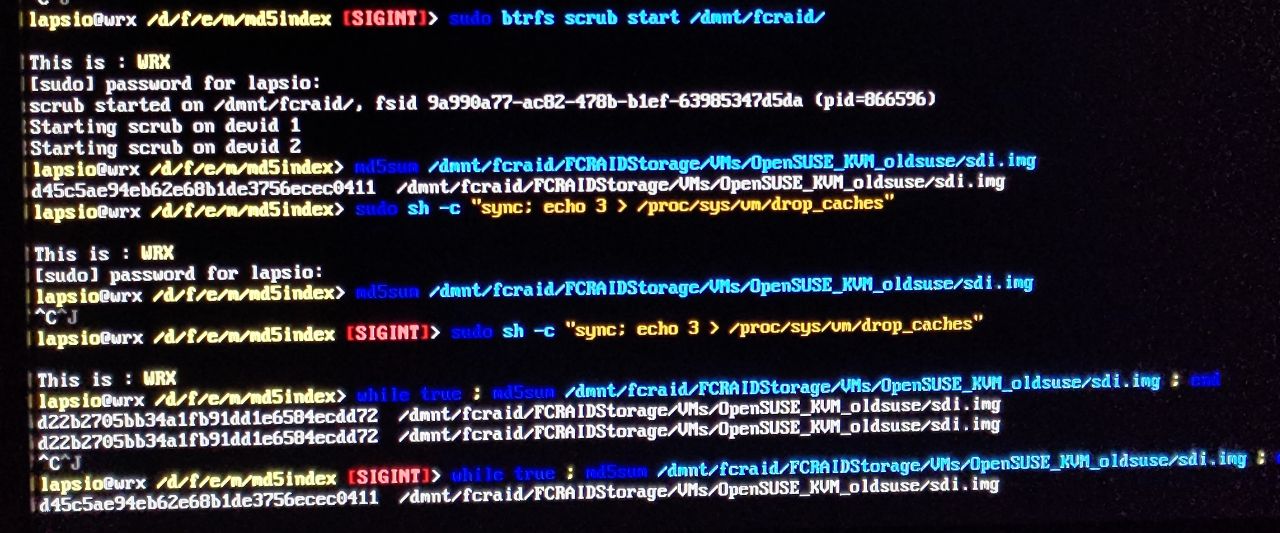
So apparently there’s file that has different md5 depending on which drive btrfs reads from. Both files have correct csum and btrfs scrub does not return any issues.
I recently caught several kernel panics related to Thubderbolt passthrough while VM using this image was running so I suspect one of drives simply didn’t flush and carries “correct” but older data, but I’m still quite shocked that scrub not only doesn’t fix that but doesn’t even detect that. I only realized there’s an issue because I’m mental about data integrity and use my own checksumming toolset on top of using btrfs.
Did anyone experience such thing in the past and knows how to deal with that?
This machine has 256GB RAM and it seem that in general Linux feels WAAY too confortable with RAM caching… When I’m issuing drop_caches it often takes like good 30-60 seconds to actually flush so it sounds like some absolutely ridiculous amount of data to keep in volatile memory…
Still interesting to read and a good wake up call for people that may have forgot to scrub their pools!
It really does, but it’s not “locking” all that data as memory in use so if it’s in the cache or buffers is ready to be replaced at any time. It’s like ZFS just using as much memory as it can, but it’s not locked in so it don’t really matter.
yeah but from data integrity standpoint if you’d have 2TB ram it would on default settings keep up to 500 GB dirty pages in ram before flushing to disk. It’s like… half of average NVME drive XDDD if you get kernel panic or power outage you may suddenly face literally half of your drive missing lmao
As far as I know it’s never keeping the full data in memory. It shouldn’t even go through it, it’s just keeping a blocks map.
DMA has been a thing for a while.