In my journey to use ever increasing amounts of open source products in my life I stumbled into building a little Banana Pi R4 Lite kit. At first I was uncertain whether or not this thing would make a meaningful impact on my previous wifi setup, just being some off the shelf router. I’ve come to be surprised with actually how well this does work, granted, I live in a small apartment so I haven’t really done distance testing or anything like that but here’s the overall experience:
During initial setup there were no instructions really for putting the hardware together, it did take a little bit to figure out what things went where and to be honest this may be my fault for getting the hardware from some random amazon seller vs the direct channels.
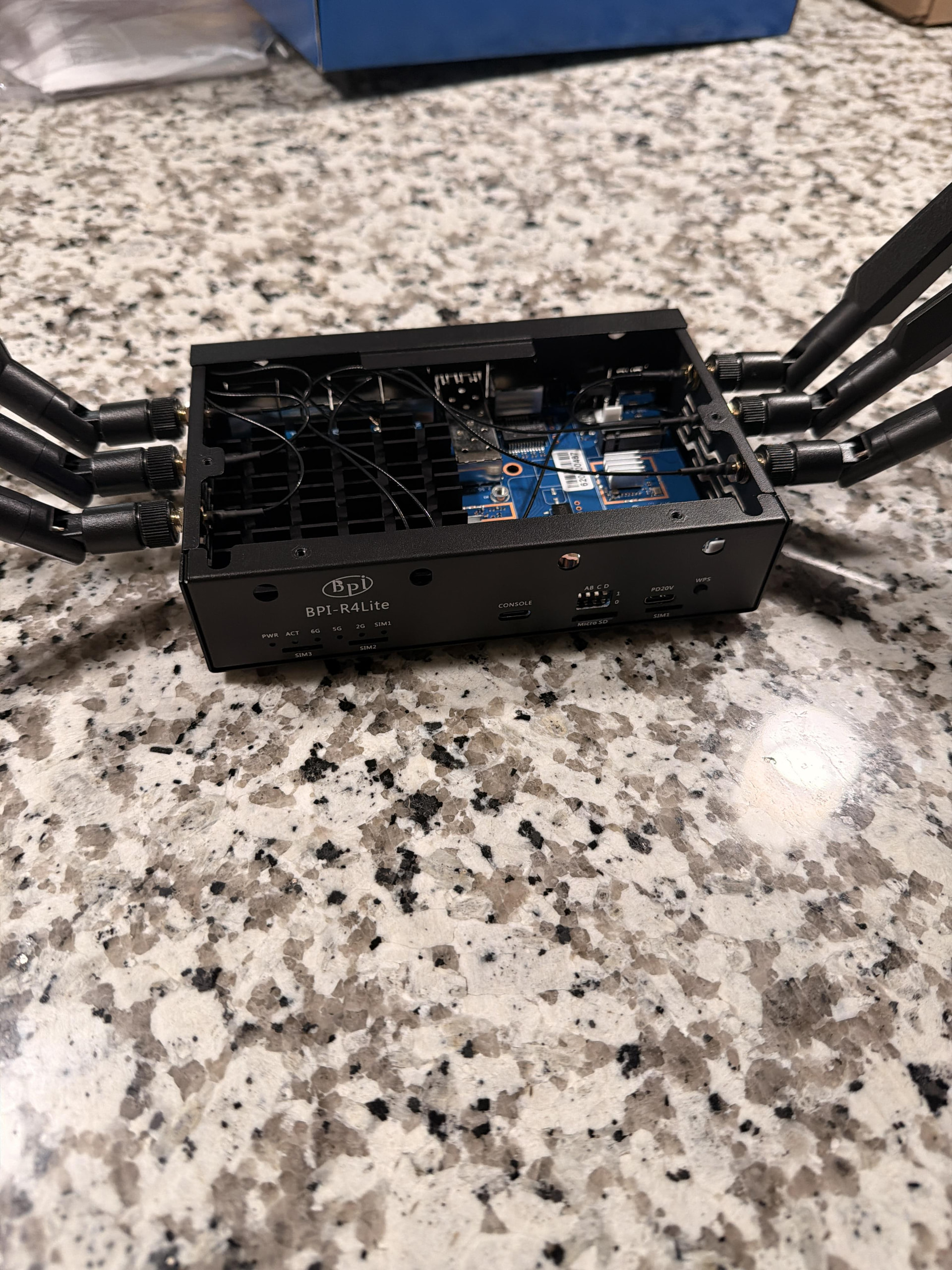
I then took this little thing to my desk where the instructions on the BPI R4 Lite getting started guide, I used minicom to help me through the firmware flashing process for OpenWRT. This part took me a lot longer than I’d like to admit, it’s definitely one place where the instructions could be clearer. This could also be just because I’m a novice to this sorta stuff as well, so it was a learning experience all around.
Getting through the firmware flash process went something like: SD>NAND>EMMC, there is a youtube video out there for the BPI R4 (The bigger brother of this one) that helped a bunch as well. I’m not really interested in spending the type of bucks needed to put a M.2 nvme drive in this right now, so emmc will have to work.
My over all take away after getting it setup is that at very minimum I’m happier with this purchase than I would be with any off the shelf router, especially when considering all the app controlled devices that then limit what you can do to a subscription. I can just install a new package on the OpenWRT system and get whatever feature I was missing. Much better experience.
There’s also the sustainability aspect of this that I love, the potential to swap the wifi card if needed down the road, or all together just start using the little thing for something else entirely if I wanted to.
I’m not sure how big of a community is out there for this sorta stuff so I’d love to hear if there is any feedback about similar experiences with putting little things like this together. I know on the other side a ton of people make piholes with raspberry pis. But until recently I hadn’t considered just building a little router/ap.
If there are any tips or neat things people are doing with the hardware otherwise, I’d love to hear it!
Edit: One issue that I have noticed is that it seems the LEDs other than the PWR/ACT don’t work at the moment, looking into it, they might not be mapped at all so this is one area that I may need to look into more or do some work to fix.