Asrock TRX50 WS: PCIE Power issue?


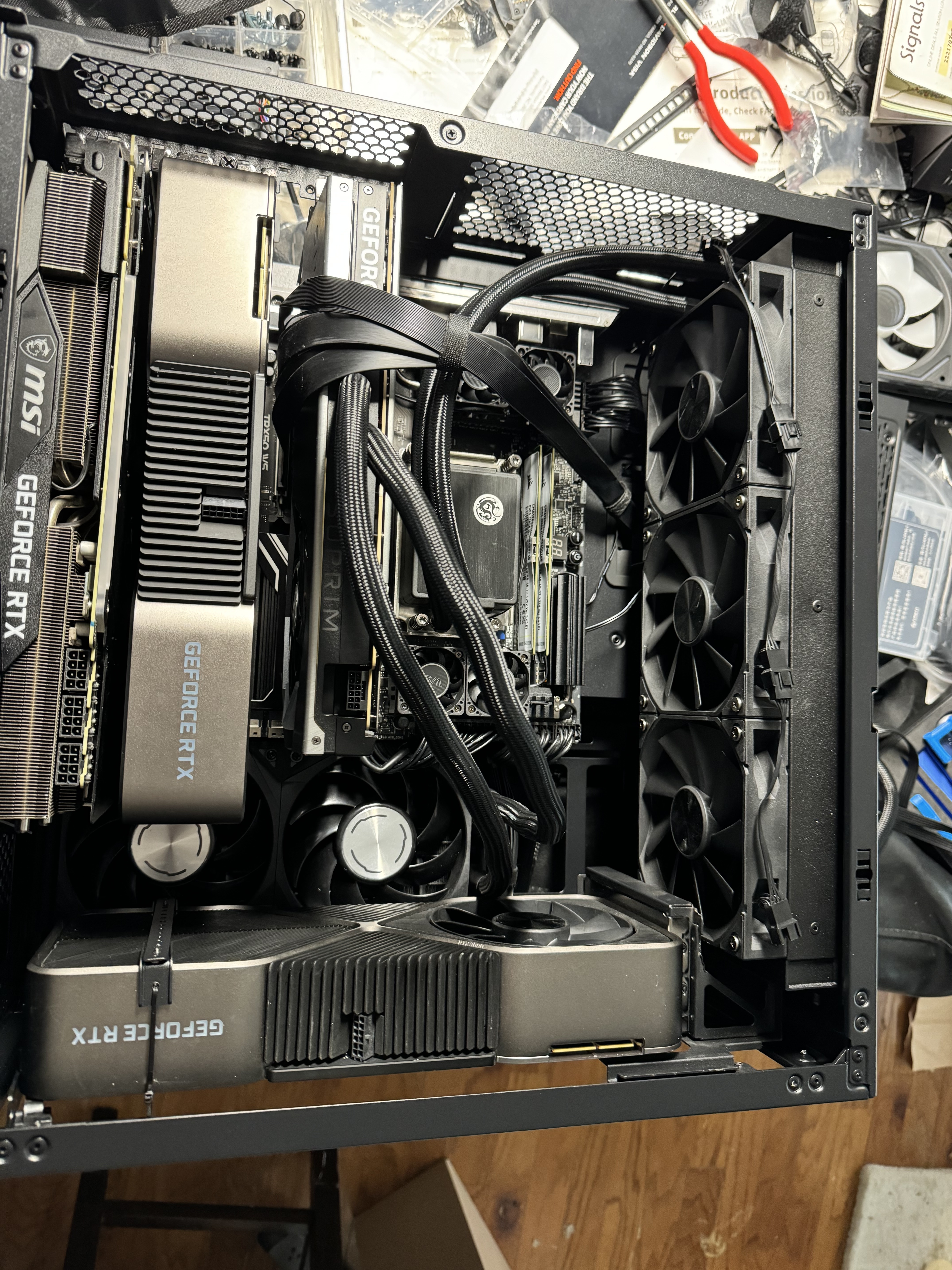
Yea, this is a very dumb build :face_with_peeking_eye:

Here is my issue. I installed Windows 11 Pro and it works fine for the most part. Ubuntu 24.04 won’t even boot after clean install.

I am getting pretty poor performance running LLMs to begin with and experienced the first crash while we running Failspy Meta Llama 3 70B Instruct q6 which take about 55gb of vram. I ran it again as well as other models with no issues other than it seemed to not want to run that well. You can see a Reddit post about it here.

However, out of curiosity, I decided to try running Cinebench. I can reproduce what happens 100% of the time. I start the GPU benchmark, it starts warming up and as soon as it begins the test the machine shuts off with Kernel Power error code 41.

Am I pulling too much power for the board? It only has that 6 pin connector. This would be very unfortunate as I have spent a lot of money to build the machine.

On a side note, temps are great. I haven’t seen anything exceed 40c as yet. Yes, I am using a box fan to cool it.

I did have this issue (similar anyway) with a refurbished 3090 that had a bad memory issue but I have run all of these cards through their paces in different machines, so I am not inclined to think this is the issue.

Could mixing the 4090 with the 3090s maybe be an issue?

Also, the 4090 is running at 16x, 2 of the 3090s are running at 8x and one at 4x (on a Lian Li 900mm PCIE4 riser cable. Could this cause a similar issue?

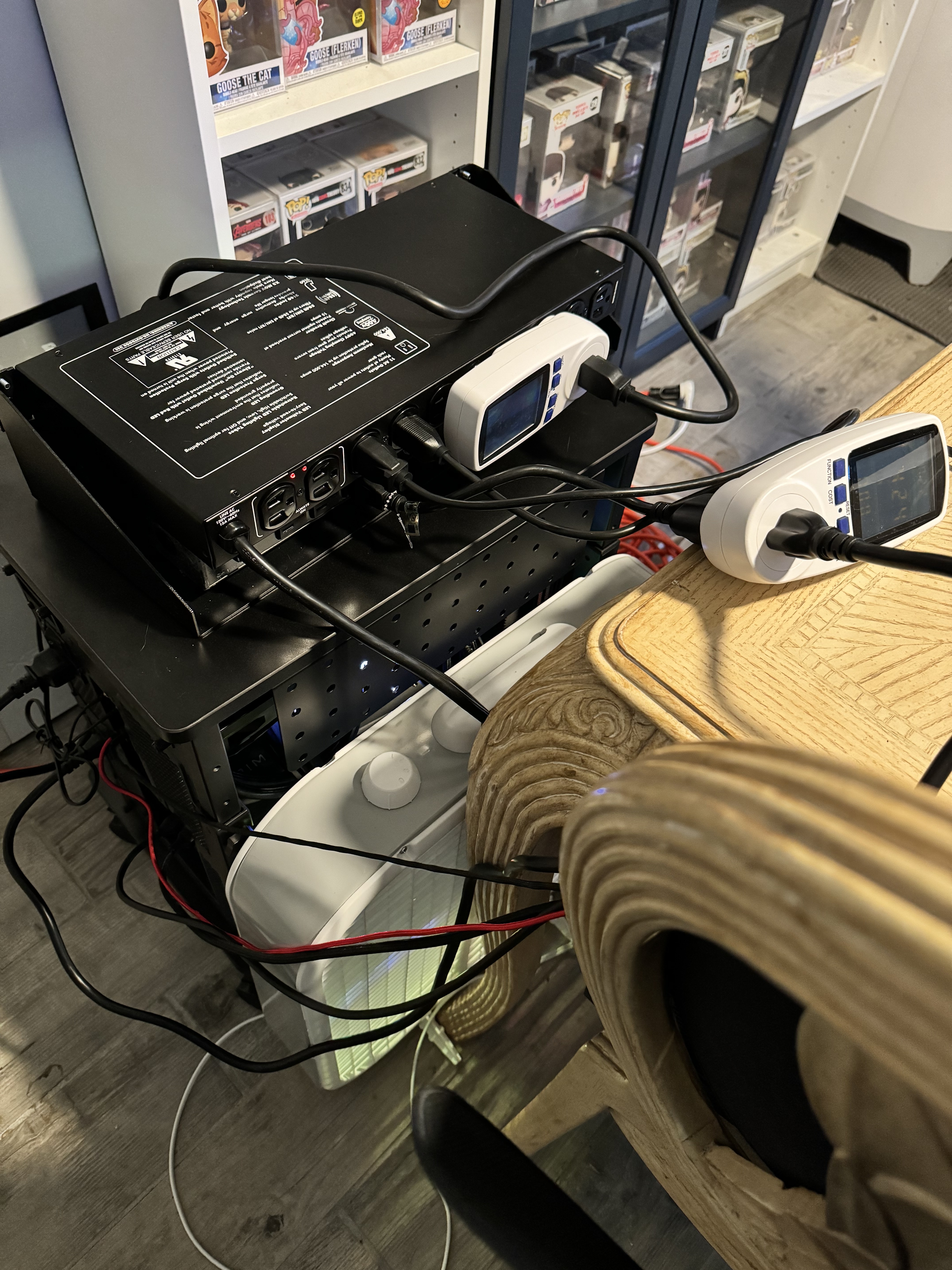
So far, I have not seen the machine use over 700w total even while running Deepseek Coder V2 Lite Instruct f32 and using over 60gb vram.

If you would like someone to help, it would be a good idea to list your whole computer specifications. Like what CPU, motherboard, what operateing software are you running. Are you dual booting two different OS.

1 Like

I have the same TRX50 motherboard with 3 GPUs running it and a 2050W power supply. I’m amazed that a) your temps are 40c b) you only using 700W. With 4 GPUs you should be seeing a lot more. I can hit over 1600W on my 7970X with 4090, 2x 3090s.

Are you sure it’s on? :grin: . I highly doubt it’s the motherboard. If the PC shuts down as it fires up a power hungry task I doubt you are supplying enough power to meet the demand. What PSU are you using? Are you using a dual PSU setup? System shut downs like you describe can be the power protection on the PSU tripping.

I imagine you have plugged in all the power connectors on the MB? it has a lot!

Hi @stonedoubt, I ran your problem through my hardware bot, and it has a few suggestions for fixing it.

First, Even though your system hasn’t exceeded 700W total usage, power spikes during intensive tasks (like Cinebench) could cause sudden shutdowns. Ensure that all power connectors are properly seated and all power cables to the motherboard and GPUs are secure. Verify that your PSU is adequate. While a high-quality 850W PSU should typically handle your setup, power spikes could still be an issue. If possible, test with a higher wattage PSU to see if it resolves the problem.
Mixing different GPUs and running them at varying PCIe speeds can sometimes lead to instability. Test your system with a single GPU by removing all but one GPU (preferably the 4090) and running your benchmarks to see if the issue persists. Check the PCIe slots to ensure that all GPUs are correctly seated and that the riser cables are not introducing any problems.

Second, Incorrect BIOS settings could lead to instability. Ensure your motherboard BIOS is up-to-date, and check the power settings to ensure no power-saving settings are enabled that might throttle performance or cause shutdowns. Since disabling Resize Bar stabilized your previous system, try disabling it again in your current setup.

Third, Since Ubuntu 24.04 won’t boot, compatibility issues might arise. Try an older version like Ubuntu 22.04 to see if it boots successfully. Ensure the secure boot is disabled and you use the correct UEFI settings.

Fourth, to isolate the issue, several diagnostics must be performed. Run stress tests using tools like FurMark for GPU and Prime95 for CPU to stress test individual components. Monitor voltages using software like HWMonitor during stress tests to identify any irregularities. Check system logs for any recurring errors in Windows Event Viewer or system logs that might provide more insight into the problem.

Fifth, though unlikely, given your testing, it’s worth checking for hardware faults. If you have access to another system to test your GPUs and other components individually, test with known-good hardware. Ensure there are no visible signs of damage on the motherboard that could be causing issues.

Sixth, Run Cinebench with one GPU installed: Start with the 4090 and see if the shutdown issue persists.
Boot with a live USB: Try booting Ubuntu 22.04 from a live USB to see if it works.
Check power delivery: Use a power meter to monitor real-time power consumption.

1 Like

Thanks brother. I am reviewing all of the suggestions you have given. In the meantime, I removed all but the one 4090 and am still experiencing the problem.

I think I may have narrowed the problem down to PSU cables. It seems Thermaltake uses a proprietary cable setup as the PCIE plugs are different and they didn’t include enough for my setup. I had some Asus cables that worked but as soon as I turned on the machine, it fried the PSU. Hopefully, there was no damage to anything else. :neutral_face:

I once fried a PSU when a metal key fell off my desk and hit it while my computer was on. I wasn’t as lucky as you might be; the fried PSU destroyed a two-year-old computer. Here’s hoping you have better luck than I do.

Ok, I finally got this stable last night by undervolting the GPUs to between .9mv and 1.015v meaning they are limited to 1.015v under load. I ran cinebench and scored 74,000 multiple runs in a row so I think it’s good enough. I also rearranged some cards and ended up with 2 4090s and 1 3090 but I am able to load Bartowski Deepseek Coder V2 Lite Instruct f32 (I will actually use a q8 guff) with 96k context by using 18 GPU laters and all 48 cpu threads for 15.6 tok/sec which is acceptable. The q8 fully on vram with 124k context is over 30 tok/sec so I am happy :smiley:

I’ll post some screenshots later today.

1 Like

I am glad to hear you finally got everything up and running. I guess nothing else was damaged. @stonedoubt needs to get a new PSU. Is that correct?

This topic was automatically closed 273 days after the last reply. New replies are no longer allowed.