@plebian Do you have a good supplier in North America?
I seem to have encountered another bug when comparing my two X470D4Us:
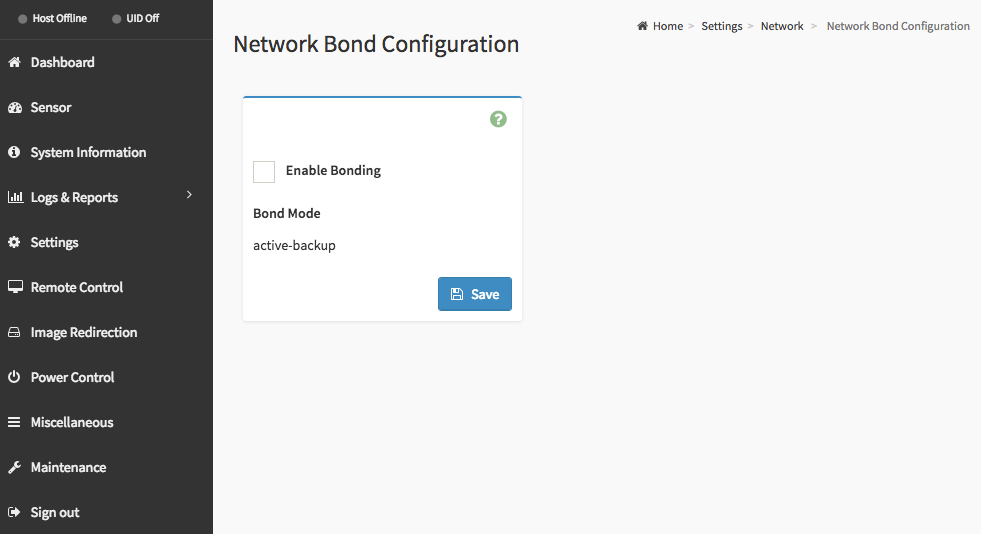
The proper way to remove the Intel I210 from being able to access the BMC is to first deactivate its bonding in the network settings:
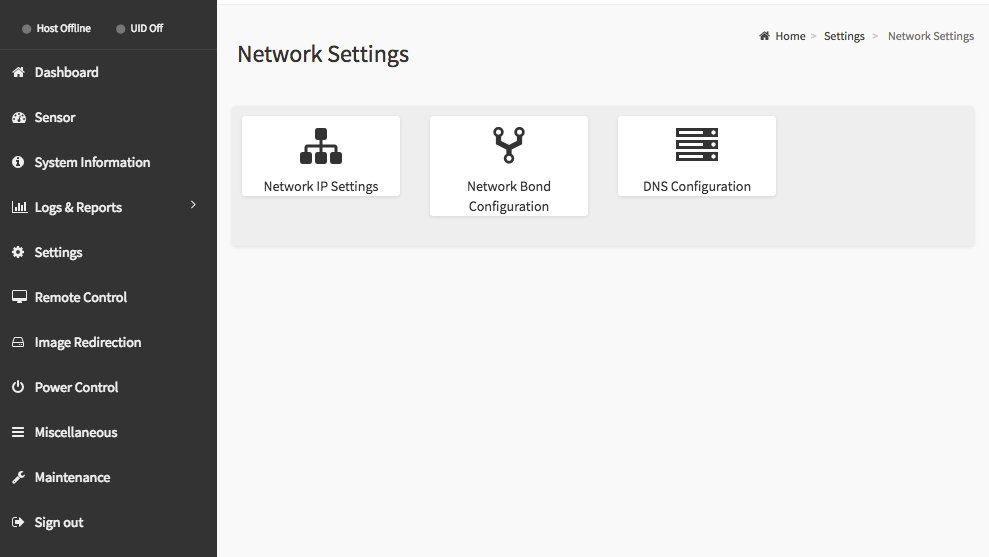
Open Network Bond Configuration and disable the checkbox:
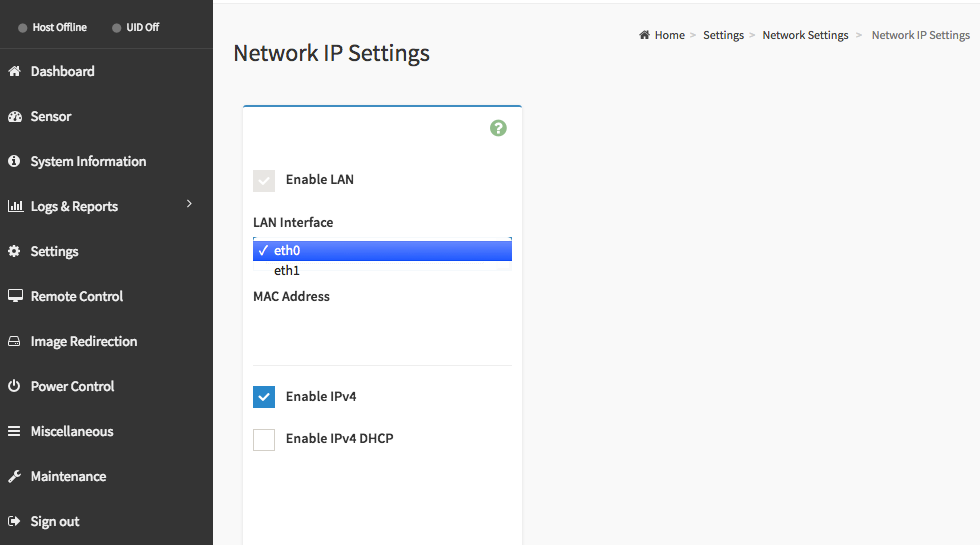
Then you can go into Network IP settings, select eth1 (the Intel I210 NIC next to the VGA port) and deactivate it:
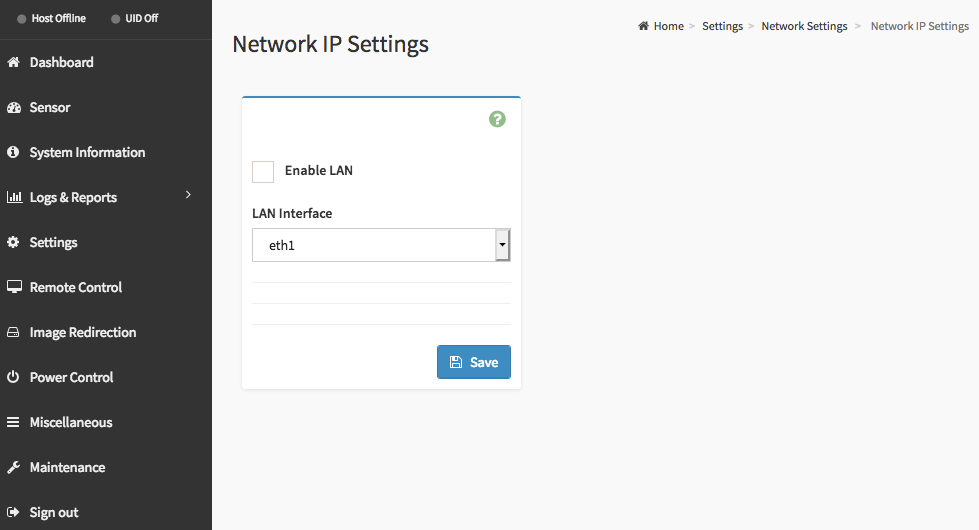
Now there’s the issue:
My two X470D4U units have the same BIOS and BMC version (L3.25/1.90) but one motherboard doesn’t show the option Network Bond Configuration.
Reflashed both images and reset the firmware to factory defaults on the one not showing the option, but no change there.
Do you have the Network Bond Configuration option?
I think one of the first questions I asked support a couple months ago was how to undo the bond… looks like the answer if coming… ( im still on BMC 1.60)
I just bought a pair of them from serversupply dot com. Didn’t know much about them before ordering, but they delivered the correct parts for a good price in a timely manner.
Change the “Manage-System-Advanced settings-VMkernel.Boot.disableACSCheck” option to TRUE.
1 Like
@aBav.Normie-Pleb I do not have the Network Bonding option. BIOS 3.10 BMC 1.60
My board also didn’t have the Network Bond Configuration at first, apparently there’s a problem with the mac addresses of the network interfaces. Asrock Rack support can provide a utility and instructions to remediate this.
More details can be found on a thread on the servethehome forums, unfortunately I can’t post links, but if you want to find it please google for “The issue I’ve had with being unable to use only the dedicated IPMI interface for IPMI duties is now fixed.” and include the quotes, you’ll find the topic on the servethehome forums. On page 8 you’ll find a post that starts with this sentence.
2 Likes
Is this the correct posting?
Are the command line tools available somewhere besides ASRock Rack?
1 Like
Having read some of your post… that probably explains why ssh to my ipmi doesnt work…
Yes, that’s the post.
I don’t now of any other place to get the tool, I obtained it via support.

Which ones did you end up getting?
Corsair value select
2400mhz
Would you mind sharing along with instructions?
I wonder if that’s why we can’t passthrough a NIC in ESXi?
There’s some links to the AsRock Rack-FTP-server here. Unfortunately I cannot access the files, it keeps asking for a password. Can anyone help me out?
the password is written somewhere up there in mid october i think.
its behind a “spoiler”
edit: it should be post 532
Just contacted the asrock support for a question, they’re answering immediately.
Are you trying to contact them using mail or the support form? I tried both. When sending them an email they’re not responding, but when using the form they’re very quick
Not sure about that to be honest.
Also, in my opinion it’s dubious at best to have a binary you got from some stranger on the web do things to your BMC. Security wise that is. I know I can be trusted, but you have no way of knowing ;-).
So you’re just mentioning on both forums that you got a binary from AsRock that helped solve some user problems, but not actually sharing it? Just want to be clear  - not trying to sound snippy
I am opening a separate thread with AsRock anyways in the meantime.
As a side note, the “tool” you are referring to, is it by chance called “ipmitool”?