oh my! We’re discussing these mobos on ServeTheHome, as well? (totally forgot, that they’re maintaining forums, as well.)
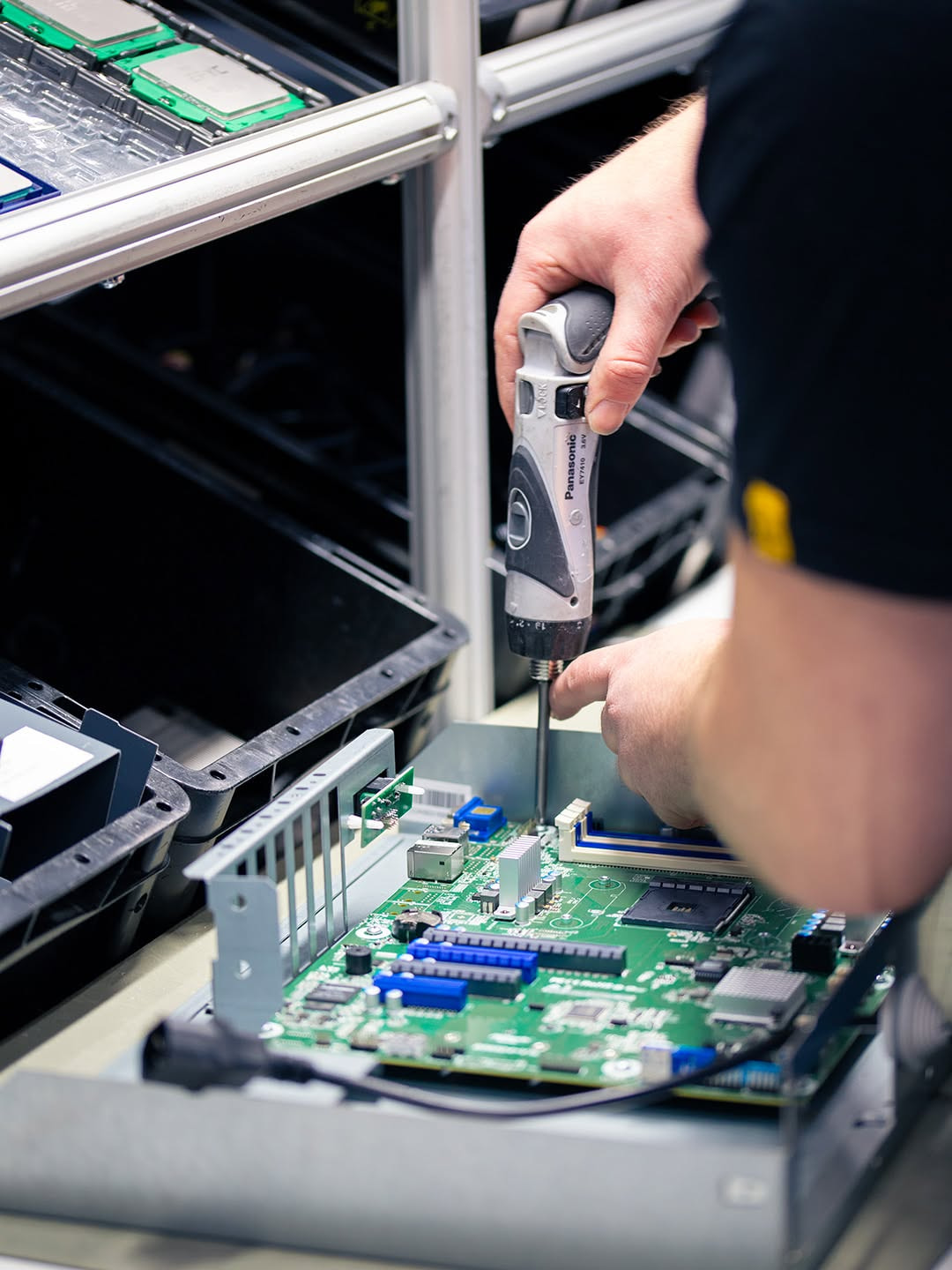
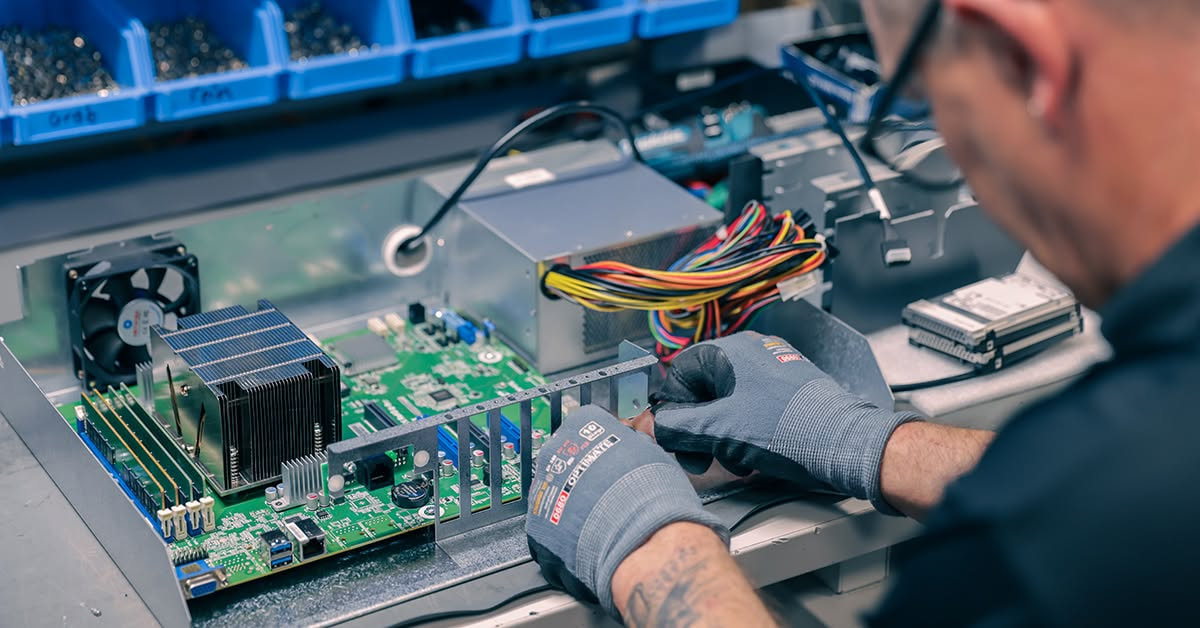
Btw, Roman “Der8auer“ (DerBauer) - Der AchtAuer - published a pretty good data centre tour, of one of Hetzners DCs. Hetzner uses those cost-optimised trays - 2U, or so - shelves, and shelves of them - fascinating.
ye their budget servers have custom made cases, thats why they can offer them so cheap cuz its not some HP/DELL/whatever expensive machine to buy in the first place (They offer Dell servers too if you need that tho)
Czech Koruna?
Czech this out! love this joke. (I think Deus Ex: Mankind Divided featured an NPC with a “button“ on her clothing - lovely stuff!)
I’m not here to advertise explicitly German stuff. I’m just talking about my shiny new toy. I didn’t even know that CZ doesn’t trade in Euro, yet. (they seem to be democratic - must have their reasons - i’m not judging)
As far as i’m concerned, we’re all earthlings - i’m one of those Star Trek nutters! …live long, and prosper!
Tembo; his arms wide!
EU; their arms wide! (usually, unless something ain’t quite right )
I might try replacing the dual-i226-V NIC with a single-port Realtek. Not only don’t i need the second 2.5G port, i’d also eschew the ASMedia PCIe bridge on that card.
I can report, though; Jellyfin runs pretty good on 6 Zen2 threads - the Ryzen 3 3100 has 4c/8t - the VM gets 6 vCPUs. For my single-user household workload, i really don’t need a GPU, after all. A GPU in my previous box would’ve drawn at least +10 Watts, idling, meh, it’s fine.
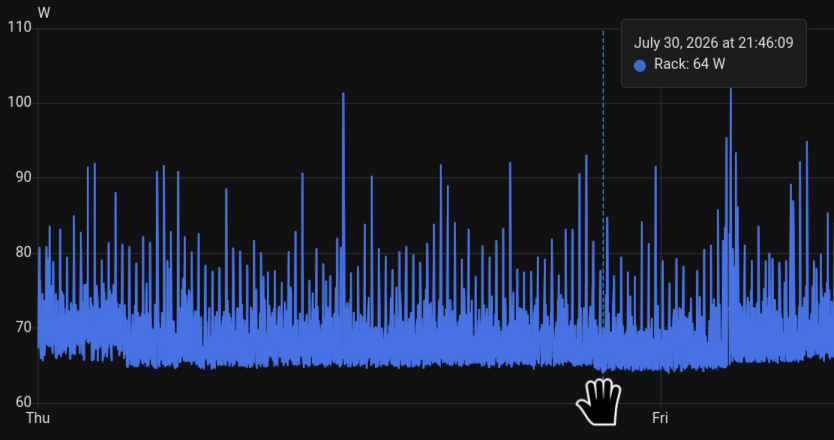
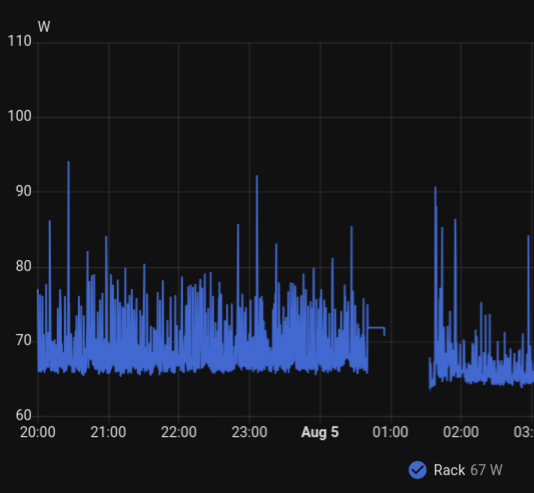
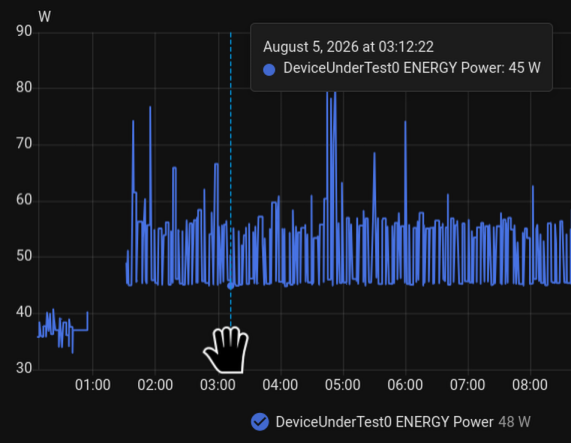
I think i should clarify; those power consumption figures above are for the whole rack - that includes a DSL router, switch, WAP, and a laser printer in stand-by.
After replacing the dual i226-V with a Realtek 2.5G single port NIC, these are my current consumption figures (power-saver profile + AutoASPM script) - the DeviceUnderTest0 smart plug now measures the PSU of the ASRock Rack mobo box.
Ahoy guys! I’m new to the show. I’ve encountered major issues trying to run this board with my Ryzen 5500. Therefore i’m currently creating a coreboot-frankenstein BIOS in order to get it working properly for me. So far it works fine, boots fine into Linux. I didn’t get past PXE ROM init before, far away from even booting. So great success.
x58-debug:~# dmidecode -t baseboard
# dmidecode 3.7
Getting SMBIOS data from sysfs.
SMBIOS 3.3.0 present.

Handle 0x0002, DMI type 2, 15 bytes
Base Board Information
	Manufacturer: ASRockRack
	Product Name: B565D4-V1L
	Version:
	Serial Number: M80-E1008500646
	Asset Tag:
	Features:
		Board is a hosting board
		Board is replaceable
	Location In Chassis:
	Chassis Handle: 0x0003
	Type: Motherboard
	Contained Object Handles: 0

Handle 0x0004, DMI type 10, 6 bytes
On Board Device Information
	Type: Video
	Status: Enabled
	Description:    To Be Filled By O.E.M.

x58-debug:~#
x58-debug:~#
x58-debug:~#
x58-debug:~#
x58-debug:~# dmidecode -t cpu
Invalid type keyword: cpu
Valid type keywords are:
  bios
  system
  baseboard
  chassis
  processor
  memory
  cache
  connector
  slot
x58-debug:~# dmidecode -t processor
# dmidecode 3.7
Getting SMBIOS data from sysfs.
SMBIOS 3.3.0 present.

Handle 0x000E, DMI type 4, 48 bytes
Processor Information
	Socket Designation: CPU1
	Type: Central Processor
	Family: Zen
	Manufacturer: Advanced Micro Devices, Inc.
	ID: 00 0F A5 00 FF FB 8B 17
	Signature: Family 25, Model 80, Stepping 0
	Flags:
		FPU (Floating-point unit on-chip)
		VME (Virtual mode extension)
		DE (Debugging extension)
		PSE (Page size extension)
		TSC (Time stamp counter)
		MSR (Model specific registers)
		PAE (Physical address extension)
		MCE (Machine check exception)
		CX8 (CMPXCHG8 instruction supported)
		APIC (On-chip APIC hardware supported)
		SEP (Fast system call)
		MTRR (Memory type range registers)
		PGE (Page global enable)
		MCA (Machine check architecture)
		CMOV (Conditional move instruction supported)
		PAT (Page attribute table)
		PSE-36 (36-bit page size extension)
		CLFSH (CLFLUSH instruction supported)
		MMX (MMX technology supported)
		FXSR (FXSAVE and FXSTOR instructions supported)
		SSE (Streaming SIMD extensions)
		SSE2 (Streaming SIMD extensions 2)
		HTT (Multi-threading)
	Version: AMD Ryzen 5 5500
	Voltage: 1.4 V
	External Clock: 100 MHz
	Max Speed: 4250 MHz
	Current Speed: 3600 MHz
	Status: Populated, Enabled
	Upgrade: Socket AM4
	L1 Cache Handle: 0x000B
	L2 Cache Handle: 0x000C
	L3 Cache Handle: 0x000D
	Serial Number: Unknown
	Asset Tag: Unknown
	Part Number: Unknown
	Core Count: 6
	Core Enabled: 6
	Thread Count: 12
	Characteristics:
		64-bit capable
		Multi-Core
		Hardware Thread
		Execute Protection
		Enhanced Virtualization
		Power/Performance Control
well yes, the server board does probably support it, meant in case of desktop board… and im sitting here thinking about buying one of these cards now, thanks
Here’s a pro tip: in eBay links, you can drop/eschew all those tracking parameters, after the question mark. No-one, except eBay and the surveillance capitalism, needs those!
E.g.: https://www.ebay.co.uk/itm/325624122082
It’s called PCIe bifurcation - the mobo, we’re discussing in this thread, DOES support that - see above, i’m currently running the big x16 slot in 4x4 mode, with 4 m.2 SSDs on a carrier card.
I have seen other supported bifurcation modes in the BIOS setup - x8x4x4, x4x4x8, or x8x8.
Did you get a mobo with an older bios version delivered?
I’m the OP of this thread; i think, i’ve stated above, that you can just ask ASRockRack, they’ll send you the latest (unsupported) BIOS firmware blob as an email attachment.
Why exactly was it necessary to frankenstein your custom coreboot BIOS?
There are external reports - something-Linux-hardware-something - 5000 series / Zen3 CPUs should just work.
Please enrich the description of your experience with this mobo.
Have you gained additional features, that weren’t there before?
Have you suppressed features, that might be undesirable?
Does your use case require PXE network boot?
Have you tried an alternative boot order, or option ROM settings?
Ahoy, i’m just a huge fan of open-source firmware so i have ported coreboot to X58 platform prior to this.
To be honest i didn’t check the featureset in practice before porting. What works now is stuff like PXE boot, wake on-lan, iSCSI boot, stuff i unfortunately need for my setup. Everything else just works fine so far It reaches GRUB screen in like 3 seconds after power-on. I think it might be the first AM4 motherboard with coreboot support though. Also built with latest AGESA.
That sounds quite fascinating, but are you swizzling all the bits - is your POST eschewing a few steps?
Remember Tomaž Zaman, the guy (edit: plus Team) who built (edit2: an open-source-ish, vibe-coded) 10-gig router, from scratch - YouTube: https://www.youtube.com/@tomazzaman - HE’s “swizzling” his RAM bits for calibration. That process feels like a descriptions of “RAM training”, during POST.
Oof, i don’t want to be a “pain in your rear”, but i have to ask; how exactly are you achieving “3 seconds to GRUB”? Are you not “swizzling” the bits?
Edit3: perhaps I AM the one, who missed a memo; we’re talking about different architectures, here. AM4 is x86_64, and Tomaž’s router is ARM-based, iirc. There might be different requirement for bit swizzling, on those different platforms - for my layman’s ears, it sure sounds like a similar procedure - RAM training.
“Bit swizzling” seems to be a technical term - regarding firmware development - i don’t make the rules!
edit4: @Knogle, it might be wise to create a new thread in this forum - what for experimental coreboot testing (luckily, this mobo comes with a socketed BIOS EPROM, well, mine does) - please cross-link the new thread here
 We’re discussing these mobos on ServeTheHome, as well? (totally forgot, that they’re maintaining forums, as well.)



 love this joke. (I think Deus Ex: Mankind Divided featured an NPC with a “button“ on her clothing - lovely stuff!)
 …live long, and prosper!
 )

 It reaches GRUB screen in like 3 seconds after power-on. I think it might be the first AM4 motherboard with coreboot support though. Also built with latest AGESA.