Hello all,
Ik have a 10gb ethernet controller Marvell Aquantia AQC113CS built in on my motherboard the Asus ProArt X670E. This network interface has always be a problem but since i have migrated to Ubuntu 26.04 this interface was creating a lot of issues especially regarding power state control. During normal operation the interface was working a expected but when resuming from suspend the interface seems to be crashing. The strange thing i was noticing is that when you very quickly resume the os within a couple of minutes everything was working OK.
When i upgraded the firmware something went wrong. It was writing the flash and it suddenly stopped with a error. After this i am not able to write any firmware to that interface. However i am stil able to read out the PIDs and load the agent. When flashing after chip reset it will hung in a loop reading or writing registers. The firmware on the flash is corrupted but i am in need to fix this.
I have also tried to load a diagnostic driver in HirenBootCD aquantiadiag.inf but that resulted in a error. Also have tried this under Linux but also without succes. This drivers are very old and probably not supported for modern os. Have try to boot windows 7 but that is not possible on this AMD platform according to Gemini.
I think there are only two solutions:
-
Flashing a raw bin file to the interface SPI-Flash but i didn’t had any succes extracting this from a *aqsigned.clx file.
-
Getting the diag driver to load so normal flash procedure can write the firmware again to the interface.
Have spend a whole day trying to solving this without any luck. I thought i use the secondair build in intel 2.5gb ether but that will result in simelair issue. After some investigation i found out that both of this chips are well known for this kind of issues.
Will make a later post of all the other issues i have faced regarding AQC113.
Any guidance is very much appreciated!
Found this procedure:
You triggered my flashbacks relating to disaster of a chip.
I probably know the cause of your general issues you had with the NIC to.
But ill save it for when it’s functional again.
I remember vaguely there being a recovery tool to force a firmware upload.
But I have to look it up.
Oh and Gemni is wrong, you can just boot Windows 11 on your board no issue.
Might even be required as some of Aquaia tools are for Windows only.
Do you mind me asking some stuff to get a full picture?
What command/tool did you try to run the update with?
Wat’s the name of the update file you used?
Can you run a lspci and see the nic listed?
You can also je send me the full output.
I have got error 65 what is related to the buffer and error 68.
FlashUpdate –erase and –reflash also result in the same error.
PS X:\Users\Default\Desktop\113ac_1-5-42> ./flashUpdateScript.ps1
Getting four part IDs...
Read four part IDs from the device: 0x1D6A (VID), 0x94C0 (DID), 0x1043 (SVID), 0x87F5 (SDID)
Deleting the existing updated.clx file...
Updating the clx file...
./customclx2 0x1D6A 0x94C0 0x1043 0x87F5 updatedata.xml updated.clx
exprom        :1
Image Name    :AQC113-Antigua_Bx-1.5.42_bdp_aqsign.clx
macBdpLen     :32
phyBdpLen     :130
Custom clx generated  updated.clx
Flashing the device with updated.clx...
flashUpdate2 x86_64-w64-mingw32-4.10-110-g0d62bf7

Connected to device '0000-09:00.0'
Starting hostboot (requested by user)...
Chip reset completed (boot from host). Time: 411 ms
Success load UpdateAgent

UPDATE start
Request for fragment 0x00000000:0x00001800
Request for fragment 0x00003000:0x00005000
Request for fragment 0x00005000:0x00007000
Request for fragment 0x00007000:0x00009000
Request for fragment 0x00009000:0x0000b000
Request for fragment 0x0000b000:0x0000d000
Request for fragment 0x0000d000:0x0000f000
Request for fragment 0x0000f000:0x00011000
Request for fragment 0x00011000:0x00013000
Request for fragment 0x00013000:0x00015000
Request for fragment 0x00015000:0x00017000
Request for fragment 0x00017000:0x00019000
Request for fragment 0x00019000:0x0001b000
Request for fragment 0x0001b000:0x0001d000
Request for fragment 0x0001d000:0x0001f000
Request for fragment 0x0001f000:0x00021000
Request for fragment 0x00021000:0x00022240
Request for fragment 0x00022240:0x00024240
Request for fragment 0x00024240:0x00026240
Request for fragment 0x00026240:0x00028240
Request for fragment 0x00028240:0x0002a240
Request for fragment 0x0002a240:0x0002c240
Request for fragment 0x0002c240:0x0002e240
Request for fragment 0x0002e240:0x00030240
Request for fragment 0x00030240:0x00032240
Request for fragment 0x00032240:0x00034240
Request for fragment 0x00034240:0x00036240
Request for fragment 0x00036240:0x00038240
Request for fragment 0x00038240:0x0003a240
Request for fragment 0x0003a240:0x0003c240
Request for fragment 0x0003c240:0x0003e240
Request for fragment 0x0003e240:0x00040240
Request for fragment 0x00040240:0x00042240
Request for fragment 0x00042240:0x00044240
Request for fragment 0x00044240:0x00046240
Request for fragment 0x00046240:0x00048240
Request for fragment 0x00048240:0x0004a240
Request for fragment 0x0004a240:0x0004c240
Request for fragment 0x0004c240:0x0004e240
Request for fragment 0x0004e240:0x00050240
Request for fragment 0x00050240:0x00052240
Request for fragment 0x00052240:0x00054240
Request for fragment 0x00054240:0x00056240
Request for fragment 0x00056240:0x00058240
Request for fragment 0x00058240:0x0005a240
Request for fragment 0x0005a240:0x0005c240
Request for fragment 0x0005c240:0x0005e240
UPDATE finish
Error processing command 68

OSB dump:
state:        2
avalability:  0x00000018
error:        0
chipId:       0x00B1B113
ecid:         0x7BA12307 0x51141843 0x4C000141
flashSize:    0x00200000
activeNcb:    1
epoch:        0x00000000
control:      0x000A3102
pkHash:       0xE8BAE03B 0xCFB53407 0x8ED63DAF 0xE6305FD0
              0x48E261A1 0x985FFD77 0x763E2017 0x0250E2E3

Status: Failed
Kickstarting new firmware...
kickstart2 x86_64-w64-mingw32-4.10-110-g0d62bf7

Connected to device '0000-09:00.0'
Chip reset completed (boot from flash). Time: 50 ms
Loaded MAC FW Version: 1.2.123
Loaded PHY FW Version: 6.1.6 (reported by MAC FW)
Loaded bundle: 1.5.42
Oke thad gave me more questions than it resolved.
Not a 100% sure yet but I think you flashed the wrong firmware as there are 3 or 4 variants of the chip.
I added to my search tasks
1 Like
Hi Jeffrey,
Thank you for your quick reply!
I use the flastool2.exe while booted on WindowsPE (Hiren boot CD).
i run this command:
flashUpdate2.exe --update AGENT.clx IMAGE.clx
flashUpdate2.exe --reflash AGENT.clx IMAGE.clx
flashUpdate2.exe --erase AGENT.clx
All the commands from the flashUpdate2 result in the same error because the current data on the flash is corrupted.
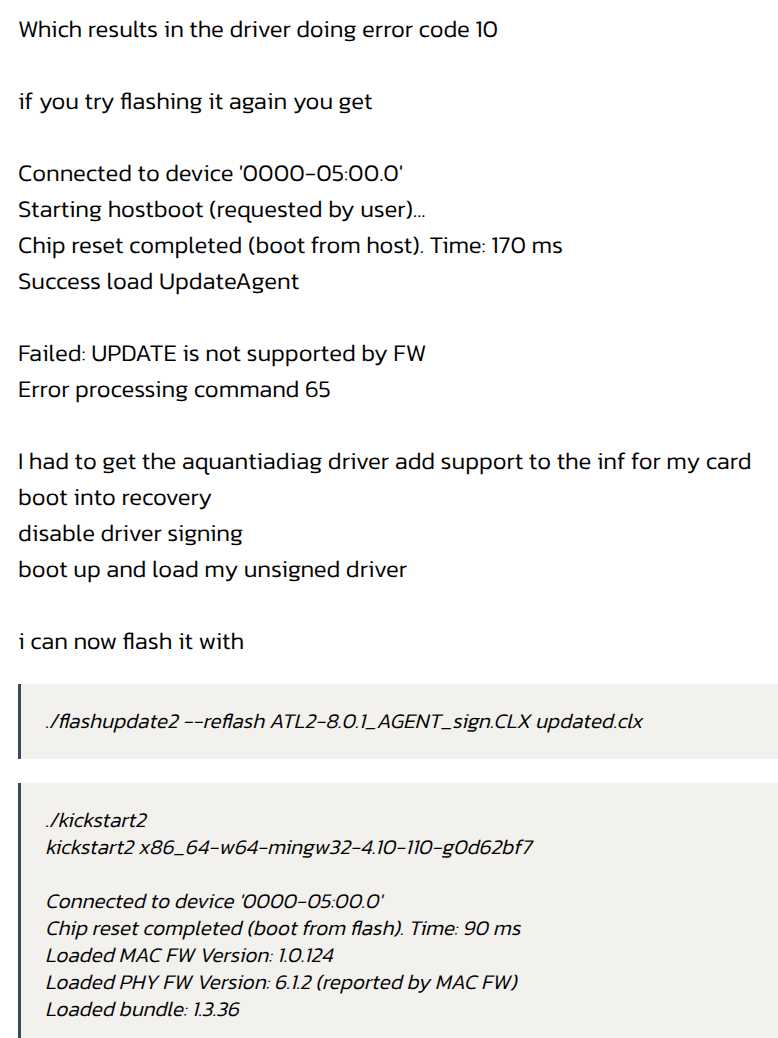
When looking the device up in windows device manager the driver could not start due to error code:10, thats why there are diagdrivers to circumvent this.
Have tried this also on Linux resulting in the exact same issues.
//Best Regards
My guess is Hiren boot CD just isn’t compatible with the tools or lacks a system component a full windows image does have.
Error 10 in device manager is a good thing, suggesting it’s not fully dead yet.
Was this the failed update it all begin with?
Thank you for your effort but Gemini was giving me this exact same phrases yesterday.
Maybe I can short the Chip Select line on the flash chip during boot so it cannot read the corrupted data.
No worry I think there is a good chance to revive it.
Lest wait with phisical stuff on the chip.
Can I ask you 2 things?
Where did you find the firmware update you used and can you link me it?
And was this log you posted the actual failed update or a attempt at fixing?
I think I got it all figured out.
The firmware update you tried was a Dell firmware, so that’s why it got bricked.
Fortunately I was able to find a Asus specific firmware archive dated 17 Sep 2024.
I double checked of you card’s hardware id was mentioned and it is, so the firmware should be compatible and revive your card.
The restore should straight forward and be doable in Hirins boot PE environment.
And that’s it, all should be functional after a reboot.
It might be even possible to update to the most recent firmware with a update I found.
Funny enough I also have a Asus board with a aquantia nic, so I can trail run the full restore and see if it works.
sudo ./flashUpdate2 -i
flashUpdate2 4.10-91-ge847e2b

Connected to device '0000-0D:00.0'
FourPartIDs:0x1D6A:0x94C0:0x1043:0x87F5
sudo ./flashUpdate2 --reflash ATL2-8.0.1_agent_SIGN.clx updated.clx -v
flashUpdate2 4.10-91-ge847e2b

Connected to device '0000-0D:00.0'
Register 0x00003048: 0x00000fff : 00000000 00000000 00001111 11111111
Register 0x00003040: 0x00000901 written
Register 0x00003040: 0x00000900 : 00000000 00000000 00001001 00000000
Register 0x00003040: 0x05000800 : 00000101 00000000 00001000 00000000
RBL initialization duration: 10 ms
Register 0x00000f00: 0x00000001 : 00000000 00000000 00000000 00000001
Register 0x00003040: 0x05000800 : 00000101 00000000 00001000 00000000
Starting hostboot (requested by user)...
Request for fragment 0x00000000:0x00000008
Register 0x00000f00: 0x00000001 : 00000000 00000000 00000000 00000001
Register 0x00003040: 0x05000800 : 00000101 00000000 00001000 00000000
Request for fragment 0x00000008:0x00000240
Register 0x00000f00: 0x00000001 : 00000000 00000000 00000000 00000001
Register 0x00003040: 0x05000800 : 00000101 00000000 00001000 00000000
Request for fragment 0x00000400:0x00000600
Register 0x00000f00: 0x00000001 : 00000000 00000000 00000000 00000001
Register 0x00003040: 0x05000800 : 00000101 00000000 00001000 00000000
Request for fragment 0x00000c00:0x00001400
Register 0x00000f00: 0x00000001 : 00000000 00000000 00000000 00000001
Register 0x00003040: 0x05000800 : 00000101 00000000 00001000 00000000
Request for fragment 0x00001400:0x00001c00
Register 0x00000f00: 0x00000001 : 00000000 00000000 00000000 00000001
Register 0x00003040: 0x05000800 : 00000101 00000000 00001000 00000000
Request for fragment 0x00001c00:0x00002400
Register 0x00000f00: 0x00000001 : 00000000 00000000 00000000 00000001
Register 0x00003040: 0x05000800 : 00000101 00000000 00001000 00000000
Request for fragment 0x00002400:0x00002504
Register 0x00000f00: 0x00000001 : 00000000 00000000 00000000 00000001
Register 0x00003040: 0x05000800 : 00000101 00000000 00001000 00000000
Request for fragment 0x00002504:0x000028cc
Register 0x00000f00: 0x00000004 : 00000000 00000000 00000000 00000100
Register 0x00003040: 0xc5020800 : 11000101 00000010 00001000 00000000
Chip reset completed (boot from host). Time: 82 ms
Success load UpdateAgent

Failed: REFLASH is not supported by FW
Error processing command 65

OSB dump:
state:        1
avalability:  0x00000010
error:        0
chipId:       0x00B1B113
ecid:         0x7BA12307 0x51141843 0x4C000141
flashSize:    0x00200000
activeNcb:    0
epoch:        0x00000000
control:      0x000A3102
pkHash:       0xE8BAE03B 0xCFB53407 0x8ED63DAF 0xE6305FD0
              0x48E261A1 0x985FFD77 0x763E2017 0x0250E2E3

Status: Failed
sudo ./kickstart2 -d PCI -f -r -c updated.clx -v
kickstart2 4.10-92-g9ea6824

Connected to device '0000-0D:00.0'
Register 0x00003048: 0x00000fff : 00000000 00000000 00001111 11111111
Register 0x00003040: 0x00000100 written
Register 0x00003000: 0x00000001 written
Register 0x00003040: 0xdead9ff6 : 11011110 10101101 10011111 11110110
Register 0x00003040: 0x05000000 : 00000101 00000000 00000000 00000000
RBL initialization duration: 10 ms
Register 0x00000f00: 0x00000001 : 00000000 00000000 00000000 00000001
Register 0x00003040: 0x05000000 : 00000101 00000000 00000000 00000000
Starting hostboot (requested by user)...
Request for fragment 0x00000000:0x00000008
Register 0x00000f00: 0x00000001 : 00000000 00000000 00000000 00000001
Register 0x00003040: 0x05000000 : 00000101 00000000 00000000 00000000
Request for fragment 0x00000008:0x00000240
Register 0x00000f00: 0x00000001 : 00000000 00000000 00000000 00000001
Register 0x00003040: 0x05000000 : 00000101 00000000 00000000 00000000
Request for fragment 0x00000400:0x00000600
Register 0x00000f00: 0x00000001 : 00000000 00000000 00000000 00000001
Register 0x00003040: 0x05000000 : 00000101 00000000 00000000 00000000
Request for fragment 0x00000c00:0x00001400
Register 0x00000f00: 0x00000001 : 00000000 00000000 00000000 00000001
Register 0x00003040: 0x05000000 : 00000101 00000000 00000000 00000000
Request for fragment 0x00001400:0x00001c00
Register 0x00000f00: 0x00000001 : 00000000 00000000 00000000 00000001
Register 0x00003040: 0x05000000 : 00000101 00000000 00000000 00000000
Request for fragment 0x00001c00:0x00002400
Register 0x00000f00: 0x00000001 : 00000000 00000000 00000000 00000001
Register 0x00003040: 0x05000000 : 00000101 00000000 00000000 00000000
Request for fragment 0x00002400:0x00002c00
Register 0x00000f00: 0x00000001 : 00000000 00000000 00000000 00000001
Register 0x00003040: 0x05000000 : 00000101 00000000 00000000 00000000
Request for fragment 0x00002c00:0x00003400
Register 0x00000f00: 0x00000001 : 00000000 00000000 00000000 00000001
Register 0x00003040: 0x05000000 : 00000101 00000000 00000000 00000000
Request for fragment 0x00003400:0x00003c00
Register 0x00000f00: 0x00000001 : 00000000 00000000 00000000 00000001
Register 0x00003040: 0x05000000 : 00000101 00000000 00000000 00000000
Request for fragment 0x00003c00:0x00004400
Register 0x00000f00: 0x00000001 : 00000000 00000000 00000000 00000001
Register 0x00003040: 0x05000000 : 00000101 00000000 00000000 00000000
Request for fragment 0x00004400:0x00004c00
Register 0x00000f00: 0x00000001 : 00000000 00000000 00000000 00000001
Register 0x00003040: 0x05000000 : 00000101 00000000 00000000 00000000
Request for fragment 0x00004c00:0x00005400
Register 0x00000f00: 0x00000001 : 00000000 00000000 00000000 00000001
Register 0x00003040: 0x05000000 : 00000101 00000000 00000000 00000000
Request for fragment 0x00005400:0x00005c00
Register 0x00000f00: 0x00000001 : 00000000 00000000 00000000 00000001
Register 0x00003040: 0x05000000 : 00000101 00000000 00000000 00000000
Request for fragment 0x00005c00:0x00006400
Register 0x00000f00: 0x00000001 : 00000000 00000000 00000000 00000001
Register 0x00003040: 0x05000000 : 00000101 00000000 00000000 00000000
Request for fragment 0x00006400:0x00006c00
Register 0x00000f00: 0x00000001 : 00000000 00000000 00000000 00000001
Register 0x00003040: 0x05000000 : 00000101 00000000 00000000 00000000
Request for fragment 0x00006c00:0x00006c5c
Register 0x00000f00: 0x00000001 : 00000000 00000000 00000000 00000001
Register 0x00003040: 0x05000000 : 00000101 00000000 00000000 00000000
Request for fragment 0x00006c5c:0x0000745c
Register 0x00000f00: 0x00000001 : 00000000 00000000 00000000 00000001
Register 0x00003040: 0x05000000 : 00000101 00000000 00000000 00000000
Request for fragment 0x0000745c:0x00007c5c
Register 0x00000f00: 0x00000001 : 00000000 00000000 00000000 00000001
Register 0x00003040: 0x05000000 : 00000101 00000000 00000000 00000000
Request for fragment 0x00007c5c:0x0000845c
Register 0x00000f00: 0x00000001 : 00000000 00000000 00000000 00000001
Register 0x00003040: 0x05000000 : 00000101 00000000 00000000 00000000
Request for fragment 0x0000845c:0x00008730
Register 0x00000f00: 0x00000005 : 00000000 00000000 00000000 00000101
Register 0x00003040: 0x45020000 : 01000101 00000010 00000000 00000000
Request for fragment 0x0001fec0:0x0001ff08
Register 0x00000f00: 0x00000105 : 00000000 00000000 00000001 00000101
Register 0x00003040: 0x45020000 : 01000101 00000010 00000000 00000000
Request for fragment 0x0001ff29:0x0001ff31
Register 0x00000f00: 0x00004505 : 00000000 00000000 01000101 00000101
Register 0x00003040: 0xc5020000 : 11000101 00000010 00000000 00000000
Chip reset completed (boot from host). Time: 227 ms
Loaded MAC FW Version: 1.0.121
Waiting for MAC FW to complete boot and start PHY FW...
Request for fragment 0x00008730:0x00008f30
Request for fragment 0x00008f30:0x00009730
Request for fragment 0x00009730:0x00009f30
Request for fragment 0x00009f30:0x0000a730
Request for fragment 0x0000a730:0x0000af30
Request for fragment 0x0000af30:0x0000b730
Request for fragment 0x0000b730:0x0000bf30
Request for fragment 0x0000bf30:0x0000c730
Request for fragment 0x0000c730:0x0000cf30
Request for fragment 0x0000cf30:0x0000d730
Request for fragment 0x0000d730:0x0000df30
Request for fragment 0x0000df30:0x0000e730
Request for fragment 0x0000e730:0x0000ef30
Request for fragment 0x0000ef30:0x0000f730
Request for fragment 0x0000f730:0x0000ff30
Request for fragment 0x0000ff30:0x00010730
Request for fragment 0x00010730:0x00010f30
Request for fragment 0x00010f30:0x00011730
Request for fragment 0x00011730:0x00011f30
Request for fragment 0x00011f30:0x00012730
Request for fragment 0x00012730:0x00012f30
Request for fragment 0x00012f30:0x00013730
Request for fragment 0x00013730:0x00013f30
Request for fragment 0x00013f30:0x00013f59
Request for fragment 0x00013f59:0x00014759
Request for fragment 0x00014759:0x00014f59
Request for fragment 0x00014f59:0x00015759
Request for fragment 0x00015759:0x00015f59
Request for fragment 0x00015f59:0x00016759
Request for fragment 0x00016759:0x00016f59
Request for fragment 0x00016f59:0x00017759
Request for fragment 0x00017759:0x00017f59
Request for fragment 0x00017f59:0x00018759
Request for fragment 0x00018759:0x00018f59
Request for fragment 0x00018f59:0x00019759
Request for fragment 0x00019759:0x00019f59
Request for fragment 0x00019f59:0x0001a759
Request for fragment 0x0001a759:0x0001af59
Request for fragment 0x0001af59:0x0001b6b9
Request for fragment 0x0001ff08:0x0001ff29
MAC FW finished boot. Time: 2464 ms
Loaded PHY FW Version: 6.1.2 (reported by MAC FW)
Loaded bundle: 1.3.33
sudo ./flashUpdate2 --recover ATL2-8.0.1_agent_SIGN.clx updated.clx -v
flashUpdate2 4.10-91-ge847e2b

Connected to device '0000-0D:00.0'
Register 0x00003048: 0x00000fff : 00000000 00000000 00001111 11111111
Register 0x00003040: 0x00000901 written
Register 0x00003040: 0x00000900 : 00000000 00000000 00001001 00000000
Register 0x00003040: 0x05000800 : 00000101 00000000 00001000 00000000
RBL initialization duration: 10 ms
Register 0x00000f00: 0x00000001 : 00000000 00000000 00000000 00000001
Register 0x00003040: 0x05000800 : 00000101 00000000 00001000 00000000
Starting hostboot (requested by user)...
Request for fragment 0x00000000:0x00000008
Register 0x00000f00: 0x00000001 : 00000000 00000000 00000000 00000001
Register 0x00003040: 0x05000800 : 00000101 00000000 00001000 00000000
Request for fragment 0x00000008:0x00000240
Register 0x00000f00: 0x00000001 : 00000000 00000000 00000000 00000001
Register 0x00003040: 0x05000800 : 00000101 00000000 00001000 00000000
Request for fragment 0x00000400:0x00000600
Register 0x00000f00: 0x00000001 : 00000000 00000000 00000000 00000001
Register 0x00003040: 0x05000800 : 00000101 00000000 00001000 00000000
Request for fragment 0x00000c00:0x00001400
Register 0x00000f00: 0x00000001 : 00000000 00000000 00000000 00000001
Register 0x00003040: 0x05000800 : 00000101 00000000 00001000 00000000
Request for fragment 0x00001400:0x00001c00
Register 0x00000f00: 0x00000001 : 00000000 00000000 00000000 00000001
Register 0x00003040: 0x05000800 : 00000101 00000000 00001000 00000000
Request for fragment 0x00001c00:0x00002400
Register 0x00000f00: 0x00000001 : 00000000 00000000 00000000 00000001
Register 0x00003040: 0x05000800 : 00000101 00000000 00001000 00000000
Request for fragment 0x00002400:0x00002504
Register 0x00000f00: 0x00000001 : 00000000 00000000 00000000 00000001
Register 0x00003040: 0x05000800 : 00000101 00000000 00001000 00000000
Request for fragment 0x00002504:0x000028cc
Register 0x00000f00: 0x00000004 : 00000000 00000000 00000000 00000100
Register 0x00003040: 0xc5020800 : 11000101 00000010 00001000 00000000
Chip reset completed (boot from host). Time: 82 ms
Success load UpdateAgent

RECOVER start
Request for fragment 0x00000000:0x00001800
Request for fragment 0x00003000:0x00005000
Request for fragment 0x00005000:0x00007000
Request for fragment 0x00007000:0x00009000
Request for fragment 0x00009000:0x0000b000
Request for fragment 0x0000b000:0x0000d000
Request for fragment 0x0000d000:0x0000f000
Request for fragment 0x0000f000:0x00011000
Request for fragment 0x00011000:0x00013000
Request for fragment 0x00013000:0x00015000
Request for fragment 0x00015000:0x00017000
Request for fragment 0x00017000:0x00019000
Request for fragment 0x00019000:0x0001b000
Request for fragment 0x0001b000:0x0001d000
Request for fragment 0x0001d000:0x0001f000
Request for fragment 0x0001f000:0x00021000
Request for fragment 0x00021000:0x00021cc0
Request for fragment 0x00021cc0:0x00023cc0
Request for fragment 0x00023cc0:0x00025cc0
Request for fragment 0x00025cc0:0x00027cc0
Request for fragment 0x00027cc0:0x00029cc0
Request for fragment 0x00029cc0:0x0002bcc0
Request for fragment 0x0002bcc0:0x0002dcc0
Request for fragment 0x0002dcc0:0x0002fcc0
Request for fragment 0x0002fcc0:0x00031cc0
Request for fragment 0x00031cc0:0x00033cc0
Request for fragment 0x00033cc0:0x00035cc0
Request for fragment 0x00035cc0:0x00037cc0
Request for fragment 0x00037cc0:0x00039cc0
Request for fragment 0x00039cc0:0x0003bcc0
Request for fragment 0x0003bcc0:0x0003dcc0
Request for fragment 0x0003dcc0:0x0003fcc0
Request for fragment 0x0003fcc0:0x00041cc0
Request for fragment 0x00041cc0:0x00043cc0
Request for fragment 0x00043cc0:0x00045cc0
Request for fragment 0x00045cc0:0x00047cc0
Request for fragment 0x00047cc0:0x00049cc0
Request for fragment 0x00049cc0:0x0004bcc0
Request for fragment 0x0004bcc0:0x0004dcc0
Request for fragment 0x0004dcc0:0x0004fcc0
Request for fragment 0x0004fcc0:0x00051cc0
Request for fragment 0x00051cc0:0x00053cc0
Request for fragment 0x00053cc0:0x00055cc0
Request for fragment 0x00055cc0:0x00057cc0
Request for fragment 0x00057cc0:0x00059cc0
Request for fragment 0x00059cc0:0x0005bcc0
Request for fragment 0x0005bcc0:0x0005dcc0
Request for fragment 0x0005dcc0:0x0005fcc0
Request for fragment 0x0005fcc0:0x00061cc0
RECOVER finish
Error processing command 68

OSB dump:
state:        3
avalability:  0x00000010
error:        0
chipId:       0x00B1B113
ecid:         0x7BA12307 0x51141843 0x4C000141
flashSize:    0x00200000
activeNcb:    0
epoch:        0x00000000
control:      0x000A3102
pkHash:       0xE8BAE03B 0xCFB53407 0x8ED63DAF 0xE6305FD0
              0x48E261A1 0x985FFD77 0x763E2017 0x0250E2E3

Status: Failed
Nice find, but there might be a but.
If the nic is non responsive we need the use a diagnostic tool to force it awake.
But I already got he tool zip, so thas just a bit more tweaking.
Btw the ASUS flashUpdate2 has no --recover support because it older, so that’s why we need the diagnostic tool.
For trying the restore I sugest a slightly different command.
The firmware can be found here
The restore commands I advise are flashUpdate2.exe --reflash ATL2-8.0.1_agent_SIGN.clx AQC113-Asus_Bx-1.5.39_bdp_aqsign.clx
Reboot
Run flashUpdateScript.ps1 no extra arguemnts
If all might fail, there is a more complex way to do it under Linux I already know.
I’ll just have to sort the required files as I need stuff over 4 or 5 different zips.
Oh @SjaakWiel what you just posted are you currently trying to do a restore?
If so your flashUpdate2 does not function correct.
It connects to device '0000-0D:00.0 while bit you nic is on device ‘0000-09:00.0’ maybe
I actually thought your tool displayed all 0000 bit it’s 0D looking closer.
Sorry I was out for a bit.
Did you have any luck? @SjaakWiel
I still can test and if fail, I dig up the Linux tooling.
Oh Sjaak van nu pas op, ook Nederlands?
The SPI Flash chip Chip Select line is not set properly due to the corrupted firmware, so it is impossible to write the firmware. Even loading the firmware in work memory with kickstart wont change anything..