You could add 18 good and energy-efficient SATA ports to that motherboard with the hardware configuration you described:
1) Make sure that the motherboard has PCIe Bifurcation options in its BIOS settings as mentioned by @homeserver78
2) Get three ASM 1166 M.2 to 6 x SATA HBA boards, refer to my review:
Short cliffnotes:
-
Look for an M.2 6x SATA adapter with the ASM 1166 chipset and a reenforced backplate that gives it more structural integrity.
-
Update the chipset’s firmware to the latest public version (search in the review thread)
-
Carefully plug SATA cables into the M.2 adapter to not bend the PCB.
-
Be sure to have some airflow over the adapter.
-
Test the adapter for a day or so, for example by overwriting every block of the 6 connected HDDS before filling them up with your data (that should be done with any HBA)
-
Check all HDDs’ SMART data before and after that complete overwrte process, especially look out for C7 errors.
3) Get a PCIe x8-to-2xM.2 PCIe Bifurcation Adapter AIC, I recommend this model due to its build quality: Delock Products 89837 Delock PCI Express x8 Card to 2 x internal NVMe M.2 Key M - Bifurcation - Low Profile Form Factor
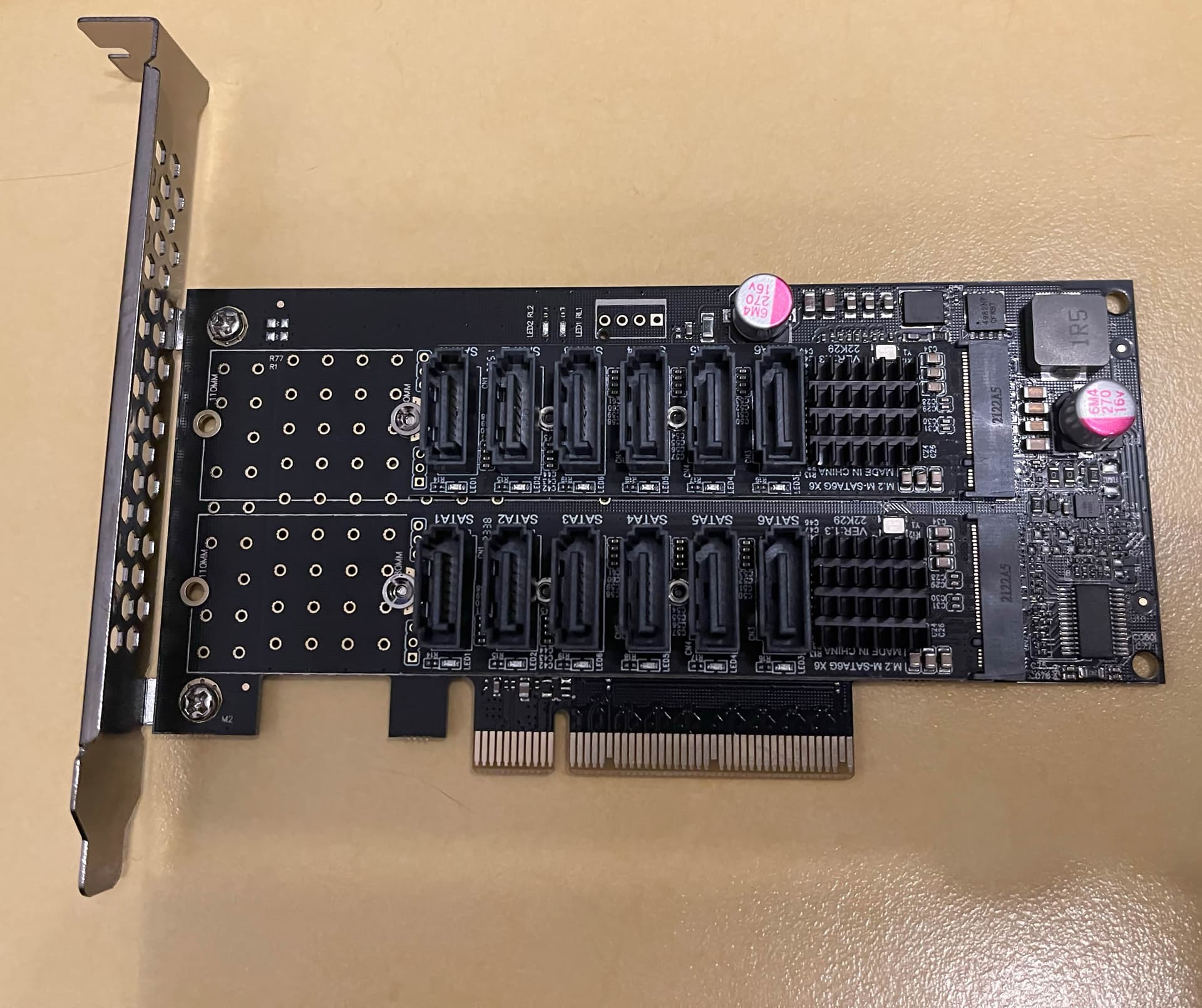
4) Install that PCIe Bifurcation Adapter card with two M.2-to-6 SATA HBAs in the primary PCIe x16 slot with PCIe Bifurcation enabled in the BIOS
5) Install the third M.2-to-6 SATA HBA in the motherboard’s secondary M.2 slot.
I have had many, many issues with Broadcom HBAs. By contrast I’ve been running these ASM 1166 M.2-to-6 SATA HBAs on the PCIe Bifurcation Adapter AIC for almost a year now and haven’t had any issues at all.