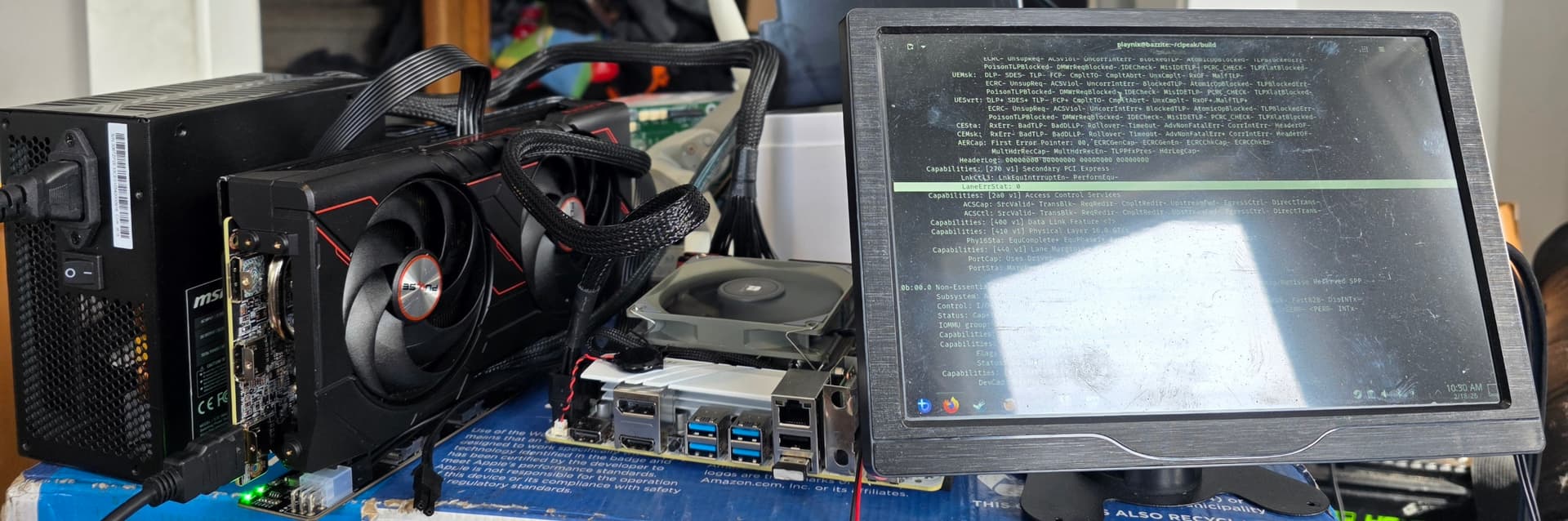
So I’ve created a second setup, hastily. Still a small board, but its a no-name I can discern from its full on chinese branding (could be a known brand, I wouldn’t know). And its a flat white board with minimal marking, so you know if it is a “good” brand, its from their zero frills line. And a completely different RX 9060XT.
With my total lack of regard for cable management, this is could only be less ideal if I wrapped the slimSAS cable around the PSU, which I might do.
Ya no, its PCIE 3.0 all the way. The AMD cards have their lanes out of balance, its 6 lanes down, 2 lanes back. So, it can hit full PCIe 4.0 speed, in one direction.
I wonder if it would be possible to run even longer cables without redrivers by adding some janky shielding (aluminium foil and electrical tape) and making sure to route it away from fans and power cables. Might be fun to test it.
I’d be more interested in getting 1M to work consistently on other a wider selection of hardware.
And my challenge there is that “complete lack of ideal” setup is our game room steam machine out of its case, because it was getting an AIO. I might tinker a bit when I go into it later to fix the internal wifi antenna I clearly nicked putting it back in, because it has low signal strength reaching the AP on the other side of the room lol. But I have a teenager, so, opportunities are short.