there is no vulkan-radeon-git and lib32-vulkan-radeon-git because they are part of mesa-git it says it also on the AMDGPU page on the arch wiki
2 Likes
I got to the point where linux detects the 9070XT as well as glxinfo but now I cannot install steam and this is a new setup. I think the new version of mesa is conflicting with mesa-libgallium:i386 because if I try to install that library it then wants to uninstall half my system
can i ask u what are the steps you took for it to detect it as a 9070XT and what distro?
I’ve got a Powercolor 9070XT Hellhound.
Ubuntu 24.04, Mesa 25.01, kernel 6.13.5, seems to work just fine but does report as an AMD 7550 device. Ran a few PTS benchmarks and happy with performance so far.
I am having flashbacks to when I bought my 7900XTX and tried using Ubuntu LTS. Perhaps if you want to stay on Ubuntu LTS releases, try the HWE kernel. It’s there for this specific reason.
As it sits now, I don’t see any reason to upgrade from my 7900XTX and likely won’t for quite some time.
Yes.o
Bazzite is likely not shipping bleeding edge Mesa, so probably not out of the box.
I had some stuff come up so I only got to try this just now and it still won’t run the cyberpunk benchmark. Not had a chance to try the game proper yet
Hola everybody!
I am Linux newbie. I bought a 9070XT yesterday at my local Microcenter. I have not installed in in my pc yet, I am waiting for spring break to come and build my new PC. So I will be looking at this thread closely. Very exited about what AMD cooked and how to get it working.
I am currently running Arch (Garuda) and I am in 6.13.5 Arch-Linux. I will be doing a clean install since I am building a brand new PC.
2 Likes
I’m still getting stuff set up myself but I’ve gotten at least a good chunk of the way there:
I’m running xanmod (partly so I can have a locally compiled kernel), mesa-git, lib32-mesa-git, and linux-firmware-git.
Path Of Exile 2 seems to run fine maxed out.
Cyberpunk 2077 runs but the benchmark causes a graphics reset as soon as the benchmark finishes loading. The game itself runs fine for a little bit but will also cause a reset.
There’s probably something I’m missing which I’ll hopefully sort out soon since garuda is just arch with a bunch of gaming-specific things pre-loaded.
There’s a new hotfix release of mesa-git (and presumably lib32-mesa-git) so I’m hoping that’ll fix my remaining issues. I’ll update here shortly.
2 Likes
Could it be proton related ? I try to always use the latest proton GE
Did you get this from the AUR or somewhere else ? i see the latest update was 03/06 v 20250305.a3e1417a-1
I am asking because I am new, I am aware of a few things. But not all.
@Makkusu Behavior is unchanged between GE and Proton 9.0-4 (also both worked fine on my 6700XT prior to yesterday. Haven’t pulled that card out yet because I’d like to try getting the new card running fully). Also yes I’m building from the AUR. Didn’t pay attention to the recency of the update, was more noticing that mesa and lib32-mesa had new hotfixes more recent than my last check of yesterday afternoon.
@wendell finally got around to running dmesg. Current error messages around this are in the attached screenshot
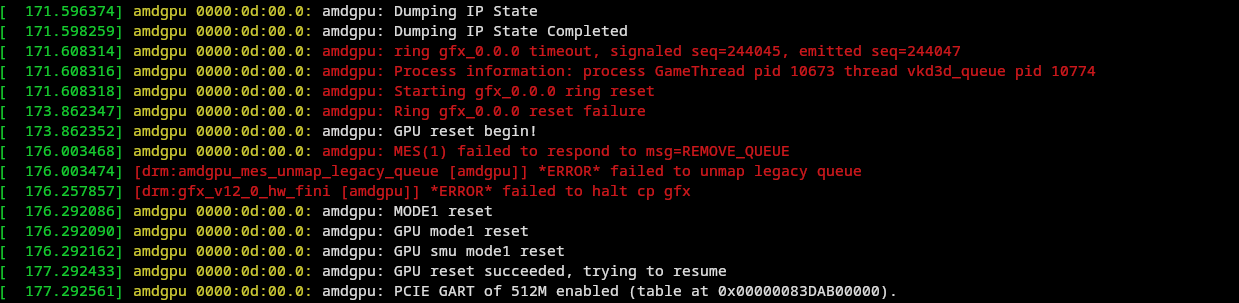
1 Like
so actually for me. It turned out somehow during the install process amdgpu got blacklisted. Check your /etc/modprobe.d/blacklist.conf to see if amdgpu is in there and remove it, though someone with more sense please chime in if that wouldn’t be appropriate. In any case I actually ended up install Manjaro and just got Manjaro running with it as well tonight and luckily didn’t get that blacklist issue. Though it’s am so testing games tomorrow. Queued up a few to download overnight.
This is what I have on Ubuntu 24.04.2 after manually installing linux-firmware from git, updating to Mesa 25 and installing Mainline kernel 6.13.5:
07:00.0 VGA compatible controller: Advanced Micro Devices, Inc. [AMD/ATI] Device 7550 (rev c0)
07:00.1 Audio device: Advanced Micro Devices, Inc. [AMD/ATI] Device ab40
Shouldn’t it report as an 9070XT? I just tried some Vulkan demos, vkcube and vkgears, and Unigine Superposition which gives 28.8 fps in 4k fullscreen ultra which is roughly 5070 performance. Seems OK. I didn’t test any games.
Linux r7950x3d 6.13.5-061305-generic #202502271338 SMP PREEMPT_DYNAMIC Thu Feb 27 14:11:52 UTC 2025 x86_64 x86_64 x86_64 GNU/Linux
OpenGL core profile version string: 4.6 (Core Profile) Mesa 25.0.1 - kisak-mesa PPA
OpenGL version string: 4.6 (Compatibility Profile) Mesa 25.0.1 - kisak-mesa PPA
OpenGL ES profile version string: OpenGL ES 3.2 Mesa 25.0.1 - kisak-mesa PPA
-rw-r--r-- 1 root root 244267 Mar  8 00:23 /lib/firmware/amdgpu/dcn_3_1_4_dmcub.bin.zst
-rw-r--r-- 1 root root 170172 Mar  8 00:23 /lib/firmware/amdgpu/dcn_3_1_5_dmcub.bin.zst
-rw-r--r-- 1 root root 154505 Mar  8 00:23 /lib/firmware/amdgpu/dcn_3_1_6_dmcub.bin.zst
-rw-r--r-- 1 root root 163123 Mar  8 00:23 /lib/firmware/amdgpu/dcn_3_2_0_dmcub.bin.zst
-rw-r--r-- 1 root root 151504 Mar  8 00:23 /lib/firmware/amdgpu/dcn_3_2_1_dmcub.bin.zst
-rw-r--r-- 1 root root 318914 Mar  8 00:23 /lib/firmware/amdgpu/dcn_3_5_1_dmcub.bin.zst
-rw-r--r-- 1 root root 320929 Mar  8 00:23 /lib/firmware/amdgpu/dcn_3_5_dmcub.bin.zst
-rw-r--r-- 1 root root 236076 Mar  8 00:23 /lib/firmware/amdgpu/dcn_4_0_1_dmcub.bin.zst
Another note: I have been trying to get Battle.Net to install Diablo IV via Lutris. I had to install lib32-mesa-git as well for Battle.Net to work properly. I am running Manjaro, when installing lib32-mesa-git, some vulkan- packages were also removed.
What’s everyone using for overclocking on linux? I’ve been using LACT but wondering if there are better options that people recommend
So after managing to explode my Rawhide install, I returned to Fedora 41.
Fresh installation, zero tweaks beyond updating to “current”. 9070 functioning as intended. Haven’t attempted to source firmware separately, as that was both the beginning of the end of the Rawhide install and it also doesn’t seem to be necessary?
Regardless, performance is solid and I no longer have the disgusting audio troubles I had with every 6K/7K card I tried.
Also to note, when running it a second time after the crash messages above, screen corruption on cyberpunk is only in the borderless fullscreen window. You can see the menu bar and the quick bar at the bottom and I’m able to use the rest of the computer as normal
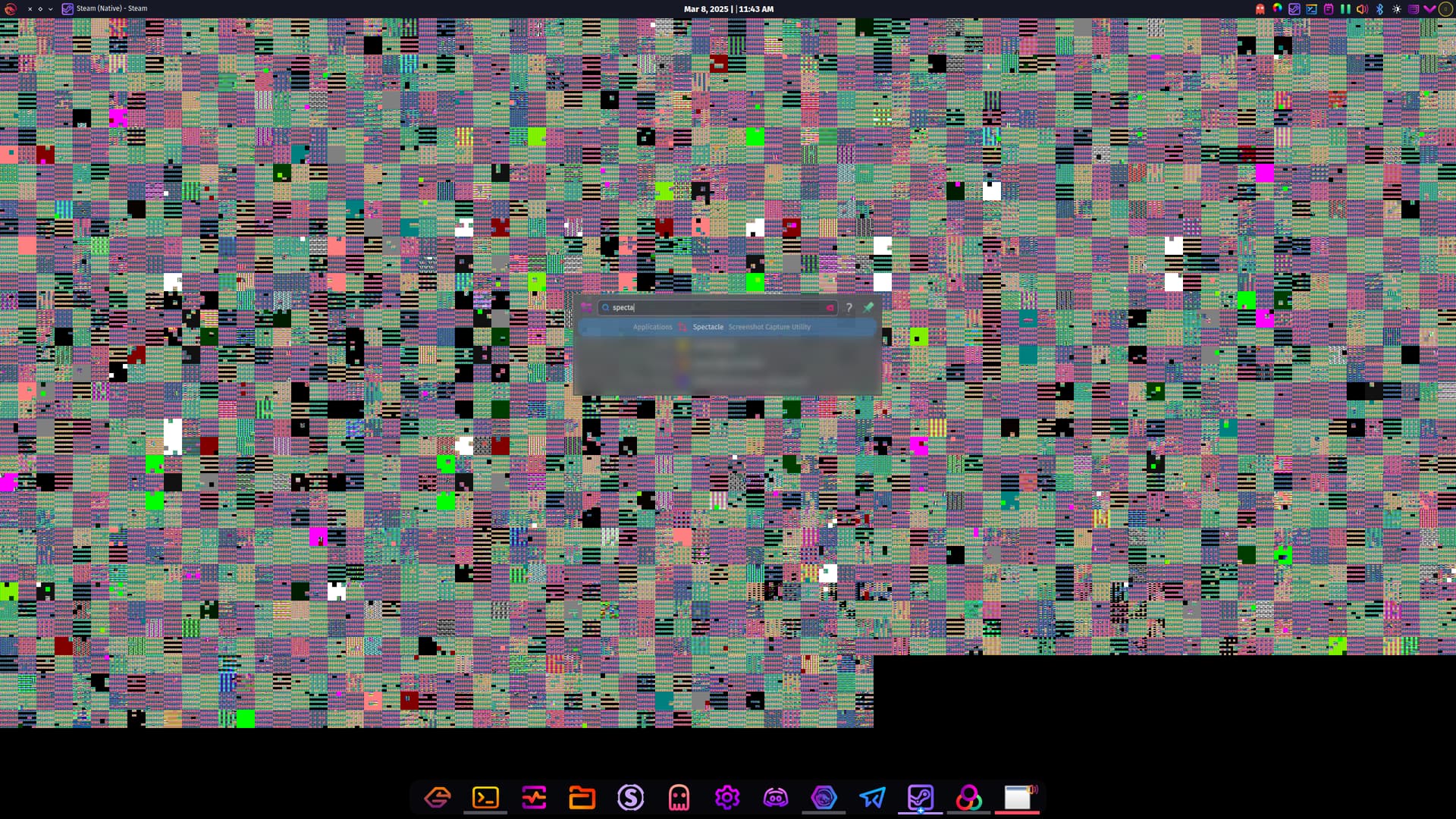
1 Like
I got the chance to try Monster Hunter Wilds this morning on Proton Experimental. It launched but VRAM usage was high. Performance seems promising but haven’t tried anything other than launch. Want to confirm VRAM usage.
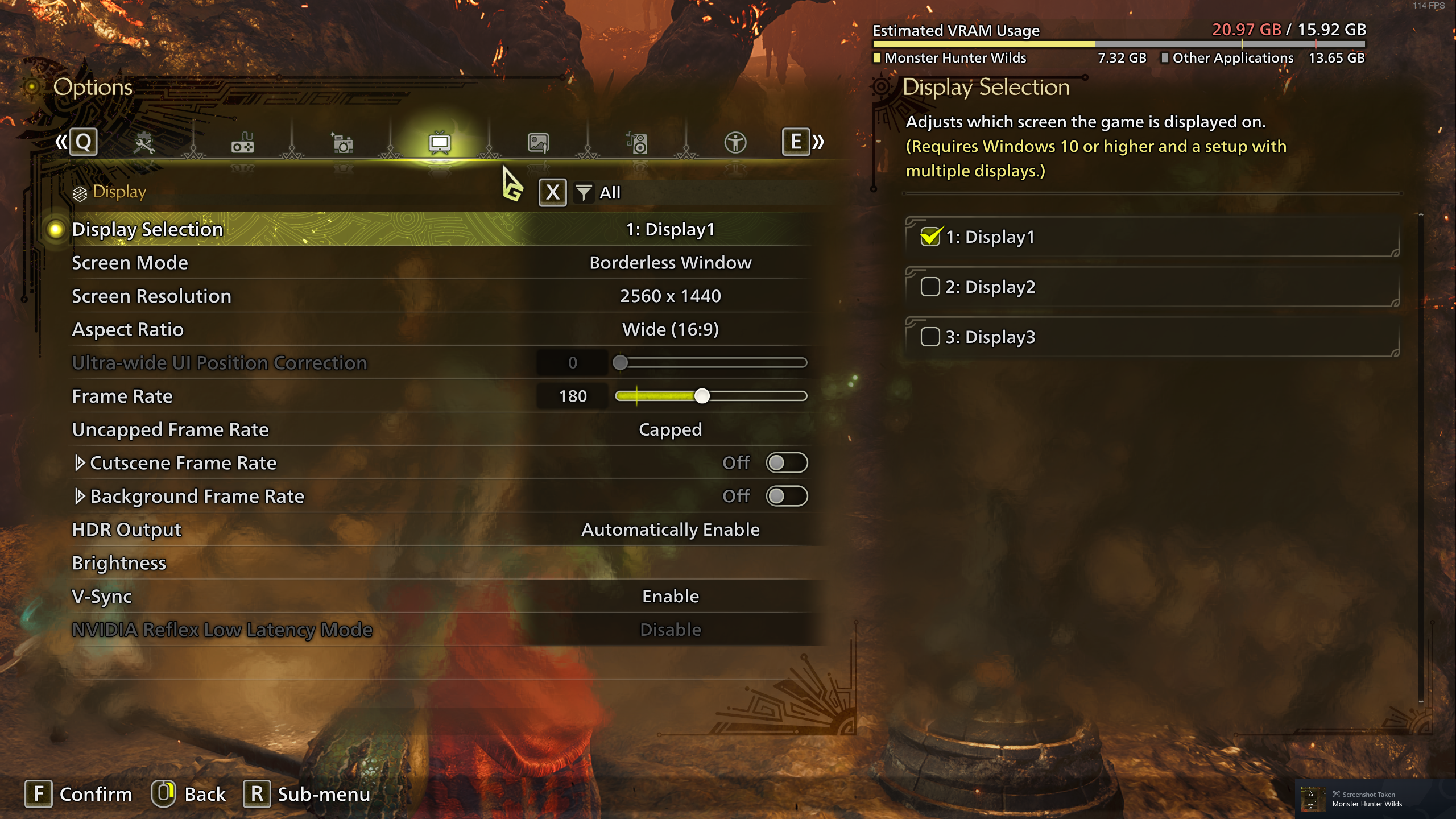
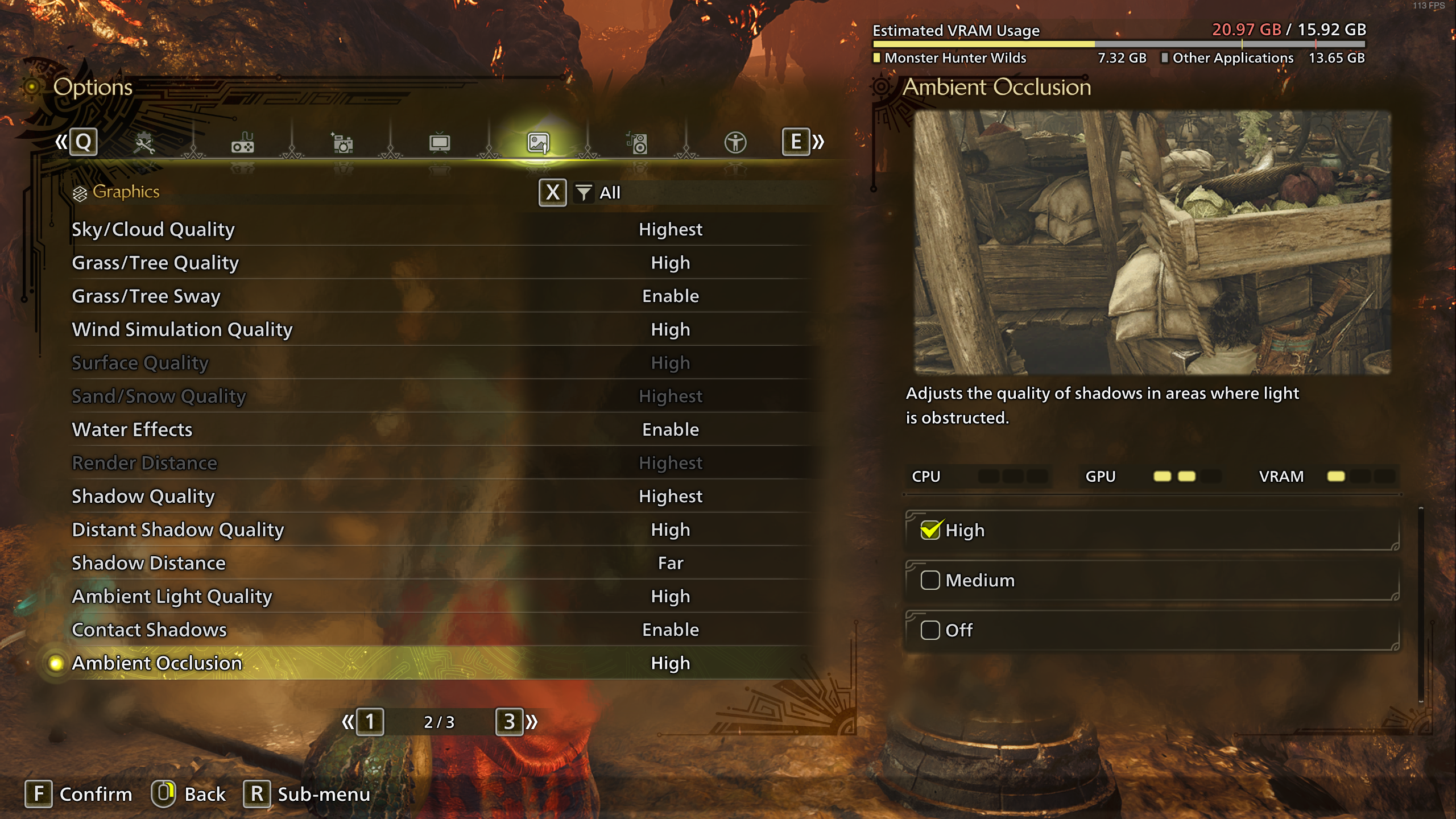
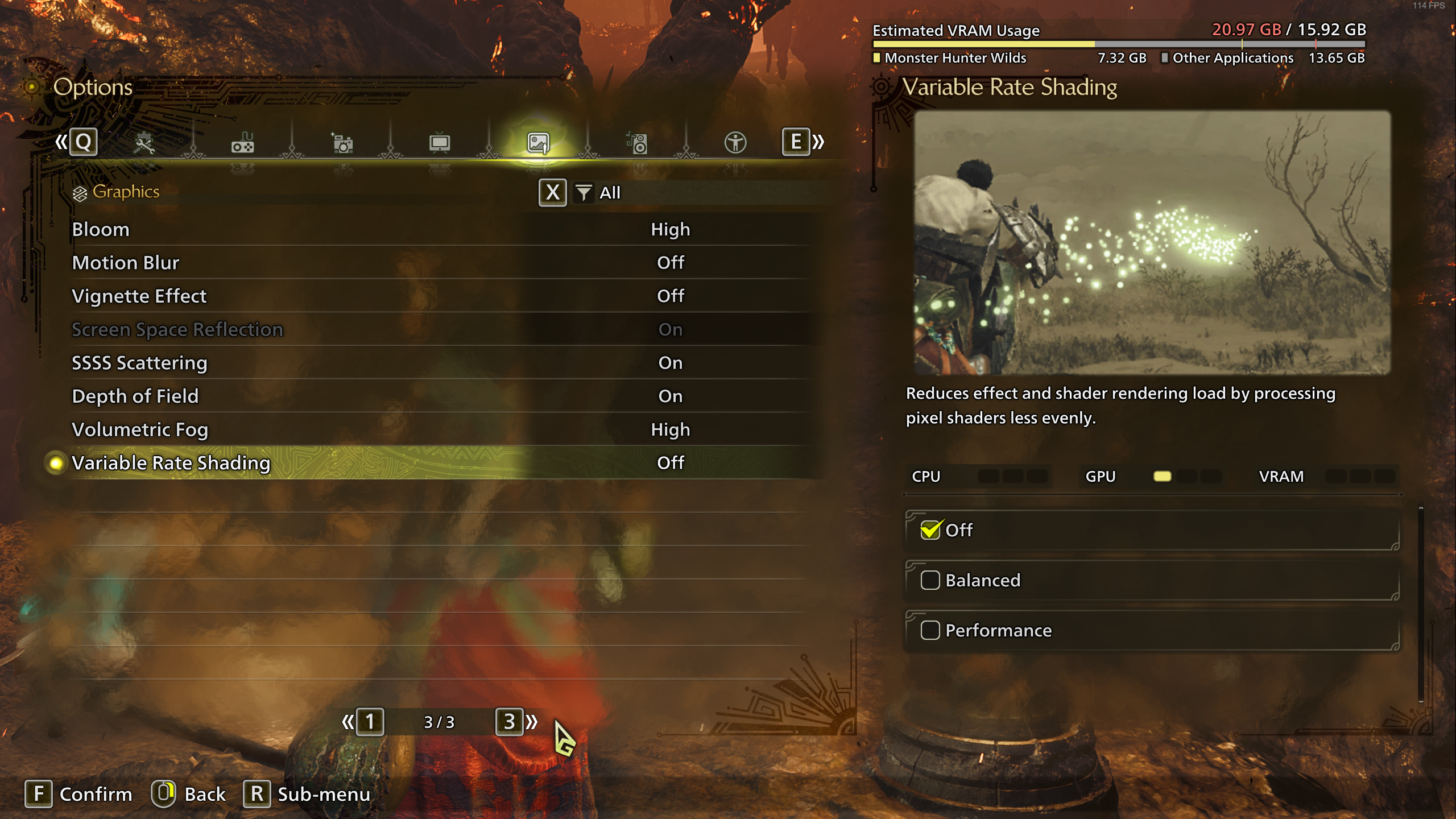
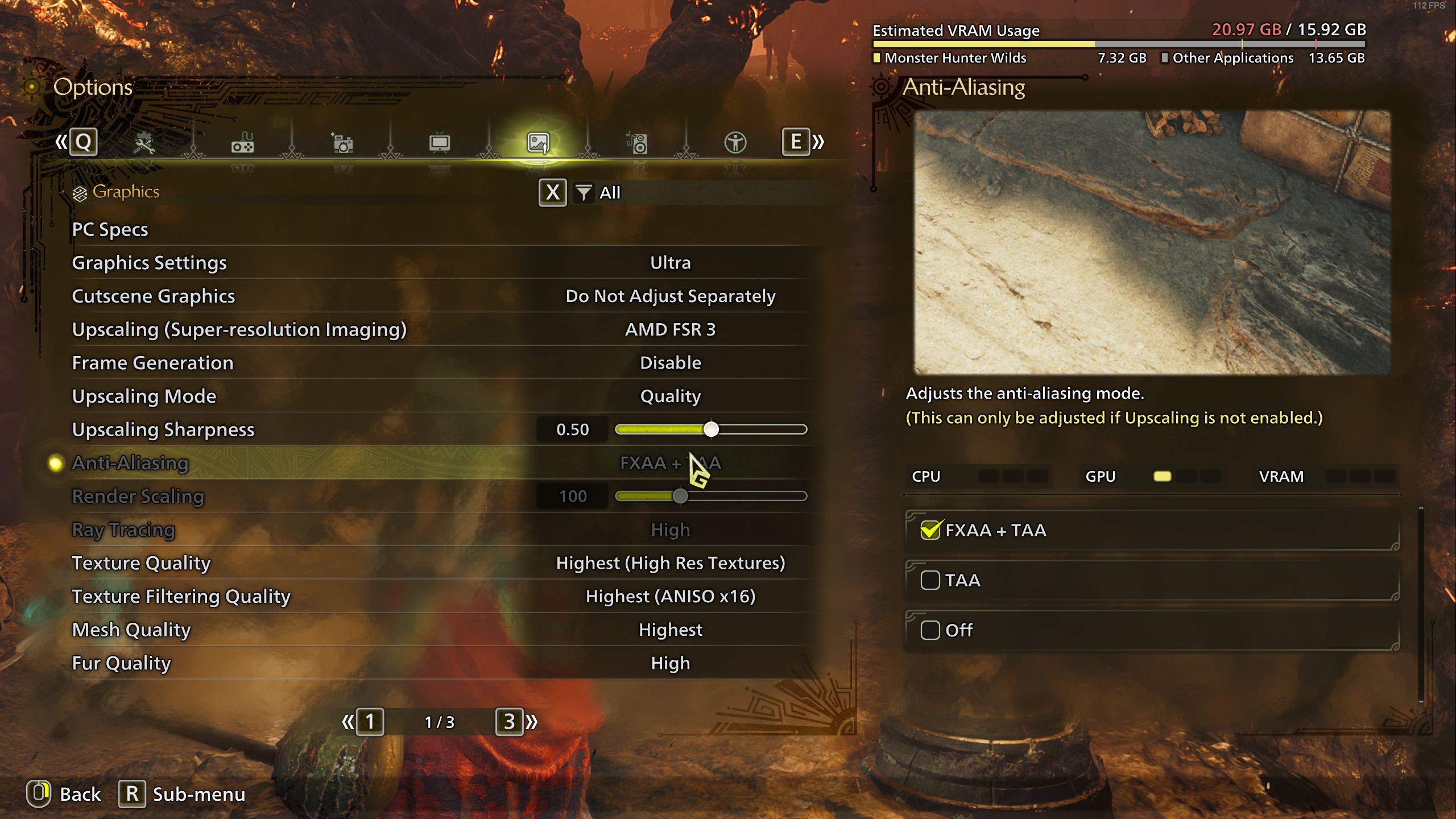
Your “other applications” VRAM usage is far too high. Or at least, compared to mine it is. I know Electron processes in the background can cause this. If you run nvtop what do you see?